Skip to content
SKU: 920-006489 Category: Brand:

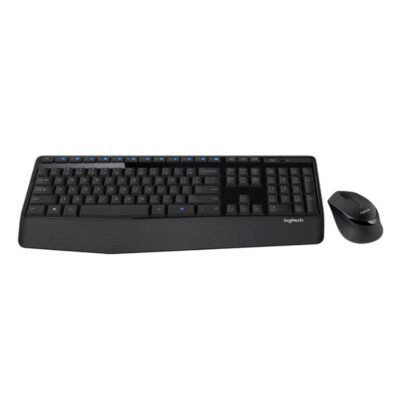
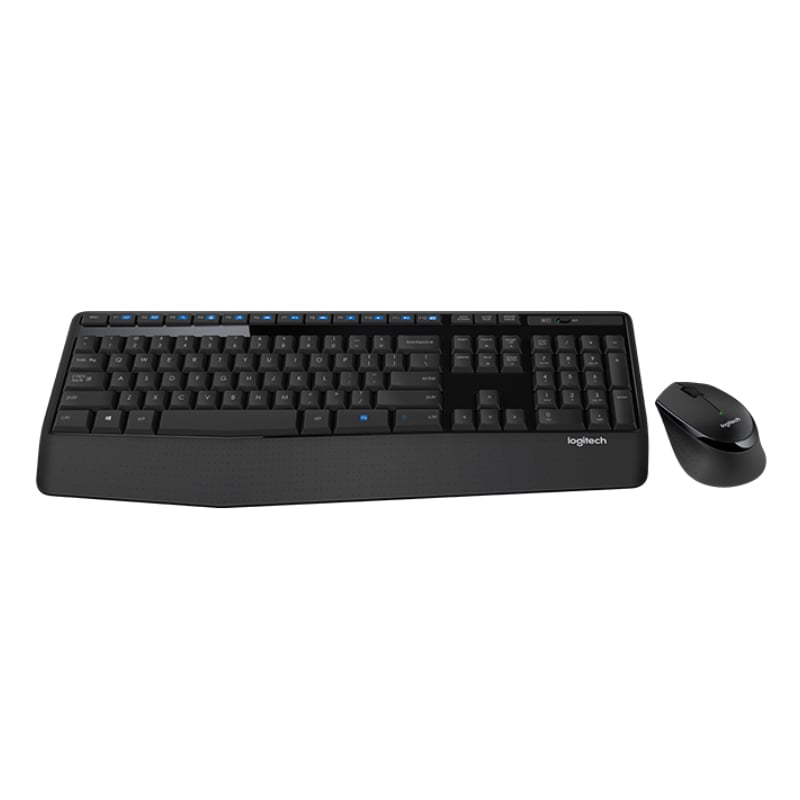
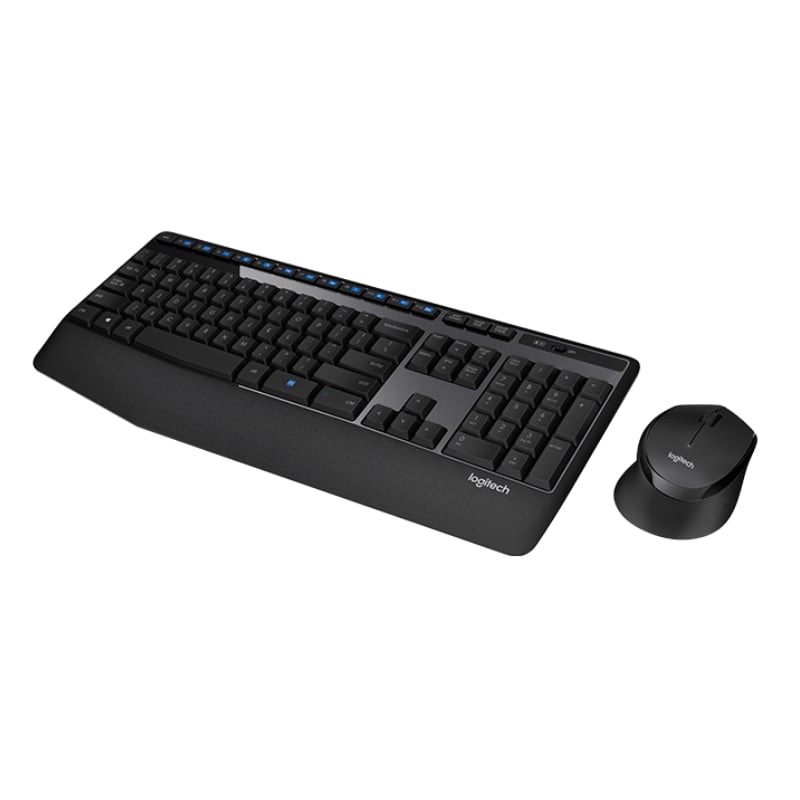
Logitech MK345 Keyboard and Mouse Combo

0 Reviews
In stock

KSh 5,500

Specifications

  • Connectivity: 2.4 GHz Wireless (Nano USB Receiver)
  • Wireless Range: 10 Meters
  • Keyboard Layout: Full-size with Numeric Pad
  • Palm Rest: Integrated, Textured Extra-Wide
  • Multimedia Keys: 12 Enhanced F-keys (Media & Apps)
  • Spill Resistance: Tested up to 60ml
  • Keyboard Battery: 36 Months (2x AAA included)
  • Mouse Battery: 18 Months (1x AA included)
  • Mouse Resolution: 1000 DPI
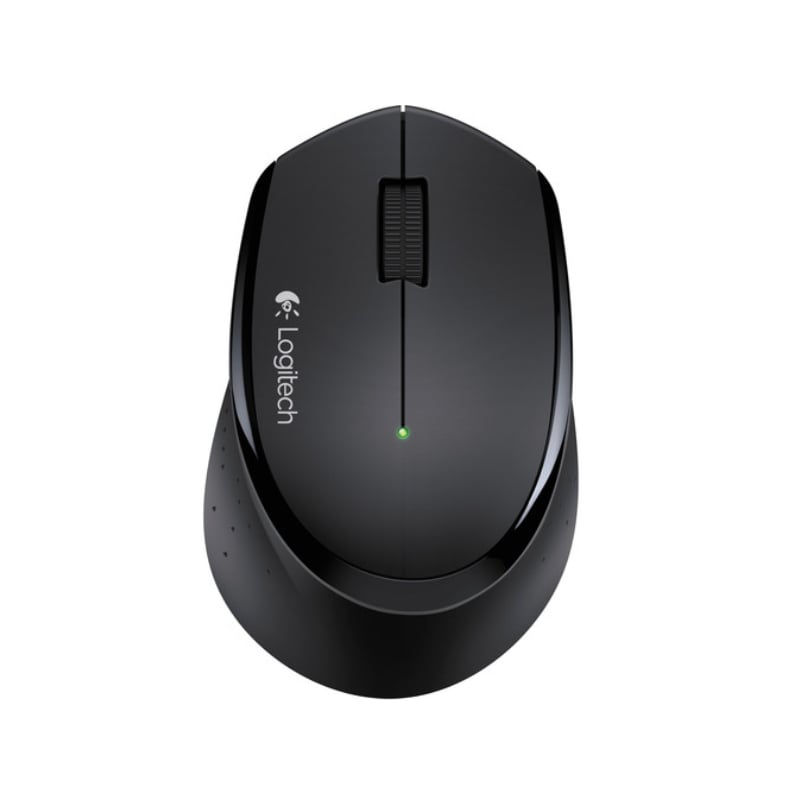
  • Mouse Design: Contoured Right-Handed
GENUINE 100% Original
M-PESA Secure Pay
DELIVERY Fast Dispatch
SUPPORT Expert Help
Brand:

Product details

Logitech MK345 Wireless Combo Price in Kenya

The Logitech MK345 price in Kenya is Ksh 5,500 at Exelic Gadgets. This combo is the “sweet spot” for Kenyans who want professional-grade comfort without the premium “Performance” price tag. While the MK270 is a basic workhorse, the MK345 upgrades your daily grind with a generous, integrated palm rest and a full-sized layout that makes long typing sessions feel effortless.

It’s built for the “always-on” professional. With a battery life that stretches up to 3 years, it’s one of the most power-efficient duos in the market. Whether you’re a student at UoN or a SME owner in Nairobi, this combo ensures your hardware is the last thing you have to worry about.

The primary lifestyle upgrade is Comfortable Productivity. By supporting your wrists and providing a contoured, right-handed mouse, the MK345 allows you to work faster and longer without the typical aches of a flat, cramped keyboard.

Buy it today at Exelic Gadgets. We offer 2-hour express delivery within Nairobi (Kilimani, Westlands, CBD) and reliable 24-hour shipping via Wells Fargo or G4S to Mombasa, Kisumu, and countrywide.


Why You’ll Love It (The Lifestyle Upgrade)

  • Wrist-First Design: The extra-large textured palm rest supports your hands, so that you can finish that 20-page report without feeling like you’ve been typing on a brick.
  • Tea-Proof Engineering: The spill-resistant design is tested to withstand up to 60ml of liquid, so that an accidental splash of Kericho Gold tea doesn’t end your workday.
  • Massive Battery Life: The keyboard lasts up to 3 years and the mouse 18 months, so that you can go through entire semesters or project cycles without ever hunting for replacements.
  • One Dongle, Zero Stress: Both devices connect to a single Nano USB receiver, so that you keep your laptop ports free for your charging cables or flash drives.
  • Silent but Tactile: Low-profile keys provide a “whisper-quiet” typing experience, so that you can work in a quiet office or late at night without disturbing the household.
  • Precision Tracking: The contoured mouse uses advanced optical tracking, so that your cursor moves smoothly across everything from a wooden desk to a cafe table.

Logitech MK345 Specifications

Feature Details
Price in Kenya Ksh 5,500
Connectivity Wireless 2.4 GHz via USB-A
Special Keys Caps Lock Indicator Light
Adjustability Tilt legs (angle adjustment)
Mouse Buttons 3 (Left, Right, Middle Click)
Scroll Type Line-by-line (Mechanical)
Keyboard Weight 603g (With batteries)
Mouse Weight 86.4g (Lightweight & Agile)
Compatibility Windows 10/11, ChromeOS
Battery Switch On/Off toggle on both devices
Color Black with Blue accents

The “Palm Rest” Advantage

Most budget keyboards force your wrists to bend upwards, which leads to fatigue. The MK345 features a generous, textured palm rest that keeps your hands in a more natural, horizontal position. This is the “Goldilocks” of ergonomic features—not as extreme as an split-ergonomic board, but significantly better than a standard flat keyboard.

Advanced 2.4 GHz Wireless

Logitech’s proprietary wireless tech ensures that there is zero lag between your keystroke and the letter appearing on the screen. Unlike cheap generic wireless combos that “drop out” near other electronics, the MK345 creates a stable 10-meter bubble of connectivity, even in a busy office filled with Wi-Fi signals.

Spill-resistant Durability

Life in Nairobi is busy, and spills happen. The MK345 is designed with drainage holes at the bottom. If you spill your water or soda (up to 60ml), the liquid flows through the keyboard and out the bottom rather than soaking into the sensitive electronics. It’s built to survive the “oops” moments of a real workspace.

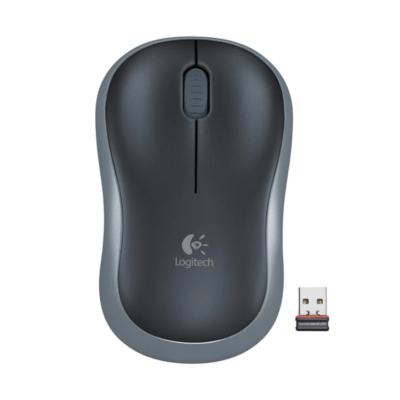
Right-Handed Contoured Mouse

While many combos include a small, symmetrical mouse, the MK345 mouse is asymmetric and contoured specifically for the right hand. It features a wider scroll wheel for easier navigation and a thumb rest area that reduces the “claw grip” tension often found with smaller portable mice.

12 Enhanced F-Keys

The top row of the keyboard (F1–F12) doubles as media shortcuts. By holding the “Fn” key, you can instantly mute a YouTube video, skip a song on Spotify, or launch your calculator. It turns your keyboard into a remote control for your media, saving you dozens of mouse clicks every day.

High-Efficiency Power Management

The MK345 doesn’t just use batteries; it sips them. Both devices have Automatic Sleep Mode, meaning they shut down the moment you stop using them. This is how Logitech achieves a 3-year keyboard battery life. You can leave the power switch “On” for months and the device will only draw power the second you touch a key.

Who Is This Perfect For?

  • The “Work-From-Home” Parent: You need something durable that can survive a busy living room and keep you comfortable through a full day of remote work.
  • The University Student: Ideal for long hours of thesis writing or online classes. The long battery life means you won’t be stranded during exam week.
  • The NGO Professional: Perfect for those who need a reliable, full-sized setup for intense data entry and report writing in a professional environment.

Alternatives & Competitors

  • Logitech MK270: Cheaper; no palm rest; the basic standard.
  • Logitech MK470: More expensive; slim/silent; no integrated palm rest.
  • Logitech MK540: Premium version; larger palm rest; soft-touch keys.
  • HP CS10 Wireless: Budget alternative; less ergonomic; shorter battery life.
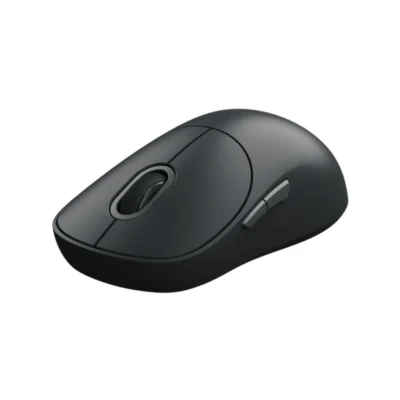
  • Xiaomi Wireless Mouse 3

Frequently Asked Questions

1. Is it compatible with my smart TV?

Yes, most modern smart TVs (Samsung, LG, Sony) that support USB HID devices will recognize the MK345 receiver for typing in search bars and navigating menus.

2. How fast is delivery in Nairobi?

At Exelic Gadgets, we pride ourselves on speed. We deliver within 2 hours to most parts of Nairobi.

3. What happens if I spill coffee on it?

The MK345 is spill-resistant up to 60ml. Immediately tilt it to let the liquid drain through the bottom holes and wipe the keys. It is designed to survive minor accidents.

4. Can I use the mouse with my left hand?

While you can, the mouse is specifically contoured for right-handed use. Left-handed users might find the Logitech MK270 or MK235 more comfortable as they use symmetrical mice.

5. Does it require any software?

No. It is purely “Plug-and-Play.” Simply plug the USB receiver into your computer and you are ready to go in seconds.

Buy the latest  in Kenya at Exelic Gadgets

Compare Logitech MK345 Keyboard and Mouse Combo with Similar Products

Compare Logitech MK345 Keyboard and Mouse Combo specs, features and price with similar keyboards and alternatives.

Compare Logitech MK345 Keyboard and Mouse Combo with Similar Products

General

General specifications comparison
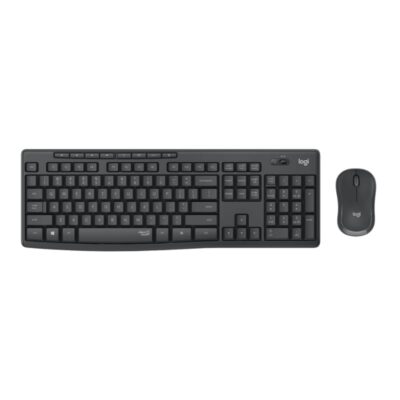
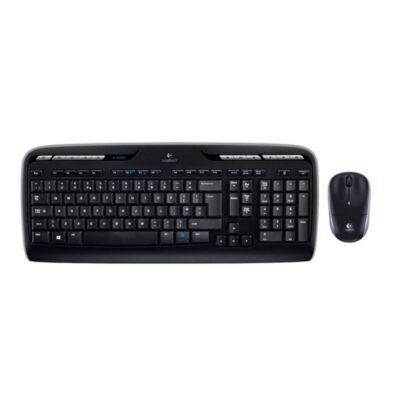
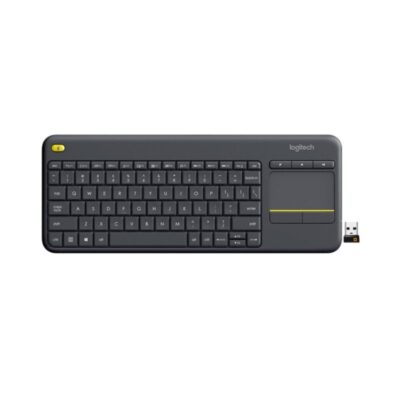
SpecificationLogitech MK345 Keyboard and Mouse ComboLogitech MK295Logitech MK330Logitech K400 Plus
BrandLogitechLogitechLogitechLogitech
ModelMK345 Comfort Wireless ComboMK295 Silent Wireless ComboMK330 Wireless ComboK400 Plus Wireless Touch Keyboard
Announced2014202020112015
TypeWireless keyboard and mouse comboWireless keyboard and mouse comboWireless keyboard and mouse comboWireless keyboard with touchpad
LayoutFull-sizeFull-sizeFull-sizeCompact with integrated touchpad
ColorBlackGraphite; Off-whiteBlackBlack; White
MaterialPlastic with textured palm restPlasticPlasticPlastic

Keys & Switches

Keys & Switches specifications comparison
SpecificationLogitech MK345 Keyboard and Mouse ComboLogitech MK295Logitech MK330Logitech K400 Plus
Switch TypeMembraneMembraneMembraneMembrane
SwitchesLow-profile keysSilentTouch membrane keysLow-profile keysLow-profile keys
Switch OptionsN/AN/AN/AN/A
Dedicated Multimedia KeysYes — 12 enhanced function keysYes — 8 shortcut keysYes — 11 hotkeys and 12 programmable F-keysYes
Programmable KeysNoNoYes — 12 function keysYes — shortcut customization
Numeric KeypadYesYesYesNo

Connectivity

Connectivity specifications comparison
SpecificationLogitech MK345 Keyboard and Mouse ComboLogitech MK295Logitech MK330Logitech K400 Plus
Connection TypeWirelessWirelessWirelessWireless
Wireless TechnologyLogitech 2.4GHz wirelessLogitech 2.4GHz wirelessLogitech Unifying 2.4GHzLogitech Unifying 2.4GHz
BluetoothNoNoNoNo
Wireless ReceiverUSB-A nano receiverUSB-A nano receiverLogitech Unifying USB-A receiverLogitech Unifying USB-A receiver
Multi-Device ConnectionNoNoNoNo
Wireless RangeUp to 10 mUp to 10 mUp to 10 mUp to 10 m
ConnectorN/AN/AN/AN/A
CableN/AN/AN/AN/A
Cable LengthN/AN/AN/AN/A

Battery & Power

Battery & Power specifications comparison
SpecificationLogitech MK345 Keyboard and Mouse ComboLogitech MK295Logitech MK330Logitech K400 Plus
Battery Type2 × AAA batteries2 × AAA batteries2 × AAA batteries2 × AA batteries
Battery CapacityN/AN/AN/AN/A
Battery LifeUp to 48 monthsUp to 36 monthsUp to 24 monthsUp to 18 months
Charging PortN/AN/AN/AN/A
Charging TimeN/AN/AN/AN/A
Power SwitchYesYesYesYes
Battery IndicatorYesNoNoYes

Lighting & Features

Lighting & Features specifications comparison
SpecificationLogitech MK345 Keyboard and Mouse ComboLogitech MK295Logitech MK330Logitech K400 Plus
BacklightingNoneNoneNoneNone
Lighting TechnologyN/AN/AN/AN/A
Brightness AdjustmentN/AN/AN/AN/A
Ambient Light SensorNoNoNoNo
Proximity SensorNoNoNoNo
Wrist RestIntegrated textured palm restNoNoNo
Customization SoftwareNoneNoneLogitech SetPointLogitech Options
Onboard MemoryNoNoNoNo
Profiles / MacrosNoNoProgrammable function keys via softwareNo
Special FeaturesAdjustable tilt legs; spill-resistant design; contoured right-handed mouseSilentTouch technology reduces typing and clicking noise by over 90%; spill-resistantEight media hotkeys; spill-resistant keyboard; paired ambidextrous mouseIntegrated 3.5-inch touchpad; left-click button on upper-left; media shortcuts

System Requirements

System Requirements specifications comparison
SpecificationLogitech MK345 Keyboard and Mouse ComboLogitech MK295Logitech MK330Logitech K400 Plus
WindowsWindows 7 or laterWindows 10 or laterWindows XP or laterWindows 7 or later
Other Operating SystemsChromeOSChromeOSNot specifiedAndroid 7 or later; ChromeOS
Required Port / ConnectionUSB-A portUSB-A portUSB-A portUSB-A port
SoftwareNoneNoneLogitech SetPoint optionalLogitech Options optional
macOSNot specifiedNot specifiedNoNo

What's in the Box

What's in the Box specifications comparison
SpecificationLogitech MK345 Keyboard and Mouse ComboLogitech MK295Logitech MK330Logitech K400 Plus
In the BoxK345 keyboard, M275 mouse, USB receiver, 2 AAA keyboard batteries, 1 AA mouse battery, documentationK295 keyboard, M220 mouse, USB receiver, 2 AAA keyboard batteries, 1 AA mouse battery, documentationWireless keyboard, wireless mouse, Unifying receiver, 2 AAA keyboard batteries, 1 AA mouse battery, documentationK400 Plus keyboard, Unifying receiver, 2 AA batteries, documentation

Design

Design specifications comparison
SpecificationLogitech MK345 Keyboard and Mouse ComboLogitech MK295Logitech MK330Logitech K400 Plus
Dimensions447.2 × 186.7 × 21.4 mm441 × 149 × 18 mm446.3 × 183 × 20.5 mm354.3 × 139.9 × 23.5 mm
Weight603 g with batteries498 g with batteries570 g390 g with batteries

Specs

Logitech MK345 Keyboard and Mouse Combo specifications

General

Logitech MK345 Keyboard and Mouse Combo — General
BrandLogitech
ModelMK345 Comfort Wireless Combo
Announced2014
TypeWireless keyboard and mouse combo
LayoutFull-size
ColorBlack
MaterialPlastic with textured palm rest
Dimensions447.2 × 186.7 × 21.4 mm
Weight603 g with batteries

Keys & Switches

Logitech MK345 Keyboard and Mouse Combo — Keys & Switches
Switch TypeMembrane
SwitchesLow-profile keys
Switch OptionsN/A
Actuation ForceNot specified
Actuation PointNot specified
Total TravelNot specified
Key RolloverNot specified
Anti-GhostingNot specified
Dedicated Multimedia KeysYes — 12 enhanced function keys
Programmable KeysNo
Numeric KeypadYes

Connectivity

Logitech MK345 Keyboard and Mouse Combo — Connectivity
Connection TypeWireless
Wireless TechnologyLogitech 2.4GHz wireless
BluetoothNo
Wireless ReceiverUSB-A nano receiver
Multi-Device ConnectionNo
Wireless RangeUp to 10 m
ConnectorN/A
CableN/A
Cable LengthN/A

Battery & Power

Logitech MK345 Keyboard and Mouse Combo — Battery & Power
Battery Type2 × AAA batteries
Battery CapacityN/A
Battery LifeUp to 48 months
Charging PortN/A
Charging TimeN/A
Power SwitchYes
Battery IndicatorYes

Lighting & Features

Logitech MK345 Keyboard and Mouse Combo — Lighting & Features
BacklightingNone
Lighting TechnologyN/A
Brightness AdjustmentN/A
Ambient Light SensorNo
Proximity SensorNo
Wrist RestIntegrated textured palm rest
Customization SoftwareNone
Onboard MemoryNo
Profiles / MacrosNo
Special FeaturesAdjustable tilt legs; spill-resistant design; contoured right-handed mouse

System Requirements

Logitech MK345 Keyboard and Mouse Combo — System Requirements
WindowsWindows 7 or later
macOSNot specified
Other Operating SystemsChromeOS
Required Port / ConnectionUSB-A port
SoftwareNone

What's in the Box

Logitech MK345 Keyboard and Mouse Combo — What's in the Box
In the BoxK345 keyboard, M275 mouse, USB receiver, 2 AAA keyboard batteries, 1 AA mouse battery, documentation

0 Reviews

No reviews yet

Be the first to review Logitech MK345 Keyboard and Mouse Combo.

Write a review
Back to Top

My Cart