Skip to content
SKU: 910-005987 Category: Brand:

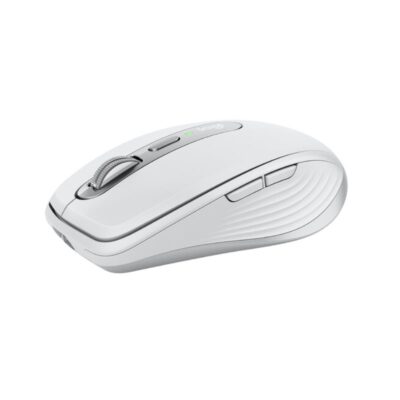
Logitech MX Anywhere 3s

0 Reviews
In stock

KSh 12,500

Specifications

  • Sensor: Darkfield High Precision (Works on Glass)
  • DPI Range: 200 to 8000 DPI (Adjustable in 50 DPI increments)
  • Scrolling: MagSpeed Electromagnetic Steel Wheel
  • Buttons: 6 (Left/Right, Back/Forward, Wheel Mode-Shift, Middle Click)
  • Connectivity: Bluetooth Low Energy (Compatible with Logi Bolt receiver – sold separately)
  • Battery Life: Up to 70 Days on a full charge
  • Charging: USB-C Quick Charging (Cable included)
  • Weight: 99g (Ultra-light for the feature set)
  • Dimensions: 100.5 x 65 x 34.4 mm
  • Sustainability: Up to 78% Recycled Plastic (Graphite model)
GENUINE 100% Original
M-PESA Secure Pay
DELIVERY Fast Dispatch
SUPPORT Expert Help
Brand:

Product details

Logitech MX Anywhere 3S Price in Kenya

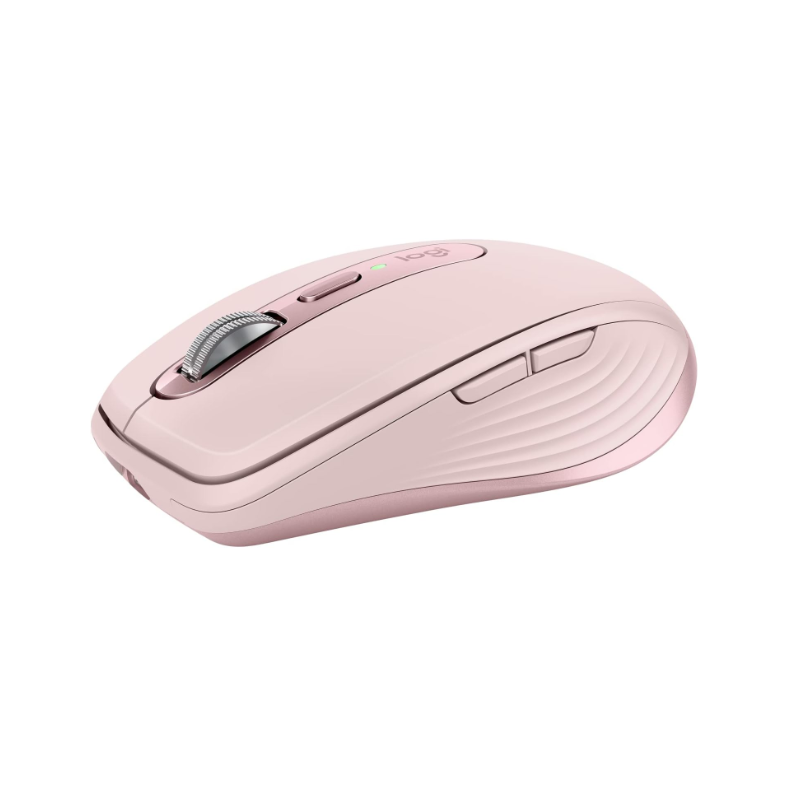
The Logitech MX Anywhere 3S price in Kenya is Ksh 12,500. This is the ultimate “power user” travel mouse, engineered for professionals who refuse to compromise on performance just because they are away from their desk. While it looks identical to its predecessor, the “3S” is a significant internal overhaul, now featuring the flagship 8,000 DPI Darkfield sensor and Quiet Click technology.

The “Anywhere” name isn’t just marketing—this mouse can track on literally any surface, including glass and high-gloss cafe tables, thanks to its specialized sensor. Whether you are working on the tray table of a Jambojet flight, a marble countertop in a hotel lobby, or a wooden desk at a Nairobi co-working space, the tracking remains pixel-perfect

With MagSpeed electromagnetic scrolling, you can fly through 1,000 lines of code or data in a single second, then stop instantly on a specific pixel. It’s compact enough to fit in a jacket pocket but powerful enough to handle complex video editing or financial modeling. For the modern Kenyan professional moving between meetings and remote sites, this is the gold standard of mobile productivity

Master your flow, anywhere. Don’t let your environment dictate your productivity. Buy the Logitech MX Anywhere 3S at Exelic Gadgets today for same-day delivery in Nairobi or secure nationwide shipping via Wells Fargo/G4S.

Why You’ll Love It

  • 8K DPI Track-on-Glass: The upgraded sensor tracks on virtually any surface—including glass—so that you never have to carry a mousepad again.
  • MagSpeed Scrolling: Scroll 1,000 lines per second or stay in precise ratchet mode, so that you can navigate massive documents with zero effort
  • Quiet Click Technology: 90% quieter clicks than the previous version, so that you can work in quiet libraries or during meetings without distracting others
  • Multi-Device Mastery: Pair with up to 3 devices via Bluetooth and switch instantly, so that you can move from your MacBook to your iPad to your PC with one tap.
  • USB-C Quick Charge: 1 minute of charging gives you 3 hours of use, so that a low battery never stops your workflow when you’re in a rush.
  • Logi Options+ Customization: Program the buttons for app-specific shortcuts (Zoom, Excel, Photoshop), so that your most frequent tasks are automated.

Logitech MX Anywhere 3S Specifications

Feature Details
Product Name Logitech MX Anywhere 3S
Price in Kenya Ksh 12,500
Sensor Resolution 8,000 DPI (New Upgrade)
Click Sound Quiet Click (SilentTouch)
MagSpeed Wheel Yes (Precision + Hyper-fast)
Multi-Device Support Yes (3 Devices via Easy-Switch)
Battery Type Rechargeable Li-Po (500 mAh)
Fast Charging 3 hours of use from 1-minute charge
Compatibility Windows, macOS, iPadOS, ChromeOS, Linux, Android
Software Logi Options+ (with Smart Actions & Flow)
Receiver Compatibility Logi Bolt (Not included)

8,000 DPI Darkfield Sensor

Standard mice use an optical sensor that struggles with reflections (like glass or polished stone). The MX Anywhere 3S uses Darkfield tracking, which creates a micro-map of the surface to track even on perfectly clear glass (minimum 4mm thick). The jump to 8,000 DPI is especially useful for users with high-resolution 4K or 5K monitors, allowing you to move across the entire screen with minimal hand movement.

MagSpeed Electromagnetic Wheel

The scroll wheel isn’t mechanical; it’s electromagnetic. This means there are no physical parts touching when you are in “Free Spin” mode, making it virtually silent and incredibly fast. It uses “SmartShift” to automatically detect if you want to scroll line-by-line or fly through a document, switching modes for you based on the speed of your flick.

Quiet Clicks & Tactile Feedback

The biggest feedback from the original Anywhere 3 was that the clicks were a bit “sharp.” The 3S addresses this by using the same quiet-switch technology found in the MX Master 3S. You still feel the click perfectly, but the sound is muffled to a dull “thud” that won’t be picked up by your laptop mic during a Teams or Zoom call.

Logitech Flow & Smart Actions

Using the Logi Options+ software, you can enable “Flow.” This allows you to move your cursor between different computers (even between Windows and Mac) as if they were one screen. You can copy a file on your laptop and paste it directly onto your desktop. New “Smart Actions” also allow you to create macros—like opening your browser, email, and Slack all with a single button press.

Who Is This Perfect For?

  1. The Traveling Executive: You work from airports, cafes, and client offices. You need a mouse that works on any desk surface and fits easily into your laptop sleeve.
  2. The Creative Nomad: Photographers and editors who use high-res screens and need precise control for masking and timeline scrubbing while away from their studio.
  3. The Multi-Device Pro: You use an iPad for notes and a laptop for heavy lifting. The M720-style switching combined with MX-level precision is the perfect blend.

Alternatives & Competitors

Frequently Asked Questions

  • Does it come with a USB receiver?
  • No. The 3S is designed primarily for Bluetooth connectivity. It is compatible with the Logi Bolt receiver, but you must purchase it separately if your computer doesn’t have Bluetooth.
  • Can I use it while it’s charging?
  • Yes! The charging port is on the front, so it becomes a “wired” mouse while it’s plugged in.
  • Is it better than the original Anywhere 3?
  • If you value silent clicks and need the 8K DPI for a high-res monitor, yes. Otherwise, the physical shape and battery life are the same.
  • Does it work with iPads?
  • Yes, it is fully optimized for iPadOS. You can even customize the button functions within the iPad settings.
  • Is there a left-handed version?
  • Unfortunately, the MX Anywhere 3S is designed with a right-handed ergonomic tilt and side buttons on the left. Left-handers can use it, but the side buttons will be hard to reach.
    Buy the latest Mouse in Kenya at Exelic Gadgets.
Compare Logitech MX Anywhere 3s with Similar Products

Compare Logitech MX Anywhere 3s specs, features and price with similar computer mice and alternatives.

Compare Logitech MX Anywhere 3s with Similar Products
Selected Item
Logitech MX Anywhere 3sKSh 12,500Add to cart

General

General specifications comparison
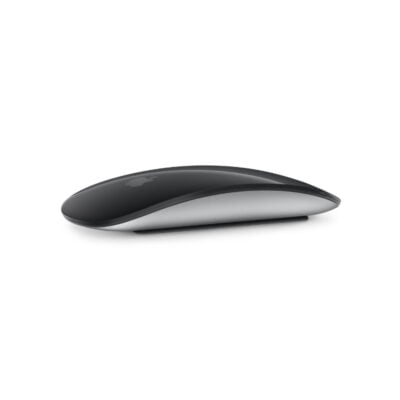
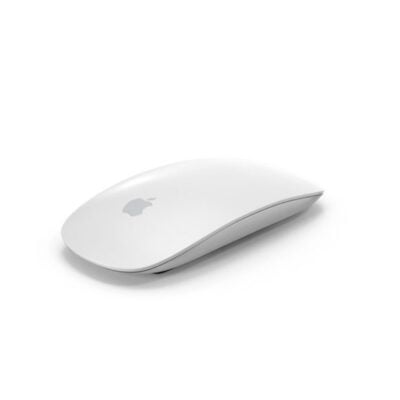
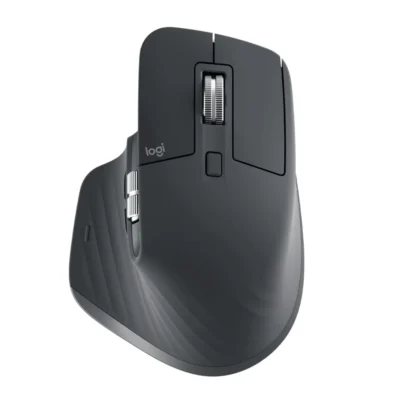
SpecificationLogitech MX Anywhere 3sMagic Mouse 3 USB-C to CMagic Mouse 3Logitech MX Master 3S
BrandLogitechAppleAppleLogitech
ModelMX Anywhere 3SMagic Mouse (USB-C)Magic Mouse (Lightning, 2021)MX Master 3S (M-R0077)
Announced2023202420212022
TypeCompact wireless productivity mouseWireless Multi-Touch mouseWireless Multi-Touch mouseWireless productivity mouse
ColorGraphite; Pale Grey; RoseWhite; BlackWhite; BlackGraphite; Pale Grey

Sensor & Tracking

Sensor & Tracking specifications comparison
SpecificationLogitech MX Anywhere 3sMagic Mouse 3 USB-C to CMagic Mouse 3Logitech MX Master 3S
Sensor TechnologyDarkfield high-precision optical sensorLaser tracking with capacitive Multi-Touch surfaceLaser tracking with capacitive Multi-Touch surfaceDarkfield high-precision optical sensor
DPI200–8,000 DPINot specifiedNot specified200–8,000 DPI
DPI AdjustmentYes — adjustable in 50-DPI incrementsNoNoYes — adjustable in 50-DPI increments
Polling Rate125 HzNot specifiedNot specified125 Hz

Buttons & Scrolling

Buttons & Scrolling specifications comparison
SpecificationLogitech MX Anywhere 3sMagic Mouse 3 USB-C to CMagic Mouse 3Logitech MX Master 3S
Number of Buttons61 Multi-Touch click surface1 Multi-Touch click surface7
Programmable ButtonsYes — customizable in Logi Options+NoNoYes — via Logi Options+
Gesture ButtonN/AYes — Multi-Touch gesturesYes — Multi-Touch gesturesYes
Scroll WheelMagSpeed electromagnetic Smartshift wheelN/A — Multi-Touch surfaceN/A — Multi-Touch surfaceMagSpeed electromagnetic Smartshift wheel
Horizontal ScrollNoYes — Multi-Touch gesturesYes — Multi-Touch gesturesYes
Thumb WheelN/AN/AN/AYes
Button / Switch TypeQuiet mechanical clicksNot specifiedNot specifiedQuiet mechanical clicks

Connectivity

Connectivity specifications comparison
SpecificationLogitech MX Anywhere 3sMagic Mouse 3 USB-C to CMagic Mouse 3Logitech MX Master 3S
Connection TypeWirelessWirelessWirelessWireless
Wireless TechnologyBluetooth Low Energy; Logi Bolt compatibleBluetoothBluetoothBluetooth Low Energy; Logi Bolt
BluetoothBluetooth Low EnergyYesYesBluetooth Low Energy
Wireless ReceiverLogi Bolt receiver compatible; not included with standard modelN/AN/AUSB-A Logi Bolt receiver
Wireless RangeUp to 10 mNot specifiedNot specifiedUp to 10 m
Multi-Device ConnectionYes — up to 3 devicesNoNoYes — up to 3 devices
Cable / ConnectorUSB-C charging cableUSB-C charging and pairing cableUSB-C to Lightning charging and pairing cableUSB-C charging cable

Battery & Power

Battery & Power specifications comparison
SpecificationLogitech MX Anywhere 3sMagic Mouse 3 USB-C to CMagic Mouse 3Logitech MX Master 3S
Battery TypeRechargeable Li-PoRechargeable lithium-ionRechargeable lithium-ionRechargeable Li-Po
Battery Capacity500 mAhNot specifiedNot specified500 mAh
Battery LifeUp to 70 daysAbout 1 month or more between chargesAbout 1 month or more between chargesUp to 70 days
Charging PortUSB-CUSB-CLightningUSB-C
Charging TimeAbout 2 hoursNot specifiedNot specifiedAbout 2 hours
Fast Charging1 minute provides up to 3 hours of useNot specifiedNot specified1 minute provides up to 3 hours; 3 minutes provides up to 1 day
Wireless ChargingNoNoNoNo

Features

Features specifications comparison
SpecificationLogitech MX Anywhere 3sMagic Mouse 3 USB-C to CMagic Mouse 3Logitech MX Master 3S
Customization SoftwareLogi Options+macOS and iPadOS system settingsmacOS and iPadOS system settingsLogi Options+
Onboard MemoryNoNoNoNo
ProfilesApplication-specific software profilesN/AN/AApplication-specific software profiles
RGB LightingNoNoNoNo
Haptic FeedbackNoNoNoNo
Silent ClicksYes — Quiet ClicksNoNoYes — Quiet Clicks
Special FeaturesMagSpeed scrolling; Easy-Switch; Logitech Flow; tracks on glassMulti-Touch gesture surface; automatic pairing with MacMulti-Touch gesture surface; automatic pairing with MacMagSpeed scrolling; Easy-Switch; Logitech Flow; 8K DPI glass tracking

Design

Design specifications comparison
SpecificationLogitech MX Anywhere 3sMagic Mouse 3 USB-C to CMagic Mouse 3Logitech MX Master 3S
Dimensions100.5 × 65 × 34.4 mm113.5 × 57.1 × 21.6 mm113.5 × 57.1 × 21.6 mm124.9 × 84.3 × 51 mm
Weight99 g99 g99 g141 g
Hand OrientationRight-handedAmbidextrousAmbidextrousRight-handed
Form FactorCompact portable mouseCompact low-profile mouseCompact low-profile mouseErgonomic productivity mouse
Grip StyleClaw / fingertipFingertipFingertipPalm
MaterialPlastic with metal scroll wheelAluminum enclosure; acrylic Multi-Touch surfaceAluminum enclosure; acrylic Multi-Touch surfacePlastic with textured rubber grip

System Requirements

System Requirements specifications comparison
SpecificationLogitech MX Anywhere 3sMagic Mouse 3 USB-C to CMagic Mouse 3Logitech MX Master 3S
WindowsWindows 10, Windows 11 or laterN/AN/AWindows 10, Windows 11 or later
macOSmacOS 11 or latermacOS 15.1 or latermacOS 11.3 or latermacOS 10.15 or later
Other Operating SystemsLinux; ChromeOS; iPadOS 14 or later; Android 9 or lateriPadOS 18.1 or lateriPadOS 14.5 or lateriPadOS 13.4 or later; ChromeOS; Linux
Required Port / ConnectionBluetooth; USB-C port for chargingBluetooth-enabled Mac or iPad; USB-C port for chargingBluetooth-enabled Mac or iPad; USB-C port for charging cableUSB-A port or Bluetooth
SoftwareLogi Options+ (optional)None required on supported Apple devicesNone required on supported Apple devicesLogi Options+ (optional)

What's in the Box

What's in the Box specifications comparison
SpecificationLogitech MX Anywhere 3sMagic Mouse 3 USB-C to CMagic Mouse 3Logitech MX Master 3S
In the BoxMX Anywhere 3S mouse, USB-C charging cable and user documentationMagic Mouse and woven USB-C charging cableMagic Mouse and woven USB-C to Lightning cableMX Master 3S mouse, Logi Bolt USB receiver, USB-C charging cable and user documentation

Specs

Logitech MX Anywhere 3s specifications

General

Logitech MX Anywhere 3s — General
BrandLogitech
ModelMX Anywhere 3S
Announced2023
TypeCompact wireless productivity mouse
ColorGraphite; Pale Grey; Rose
Dimensions100.5 × 65 × 34.4 mm
Weight99 g

Sensor & Tracking

Logitech MX Anywhere 3s — Sensor & Tracking
Sensor TechnologyDarkfield high-precision optical sensor
DPI200–8,000 DPI
DPI AdjustmentYes — adjustable in 50-DPI increments
Tracking SpeedNot specified
AccelerationNot specified
Polling Rate125 Hz

Buttons & Scrolling

Logitech MX Anywhere 3s — Buttons & Scrolling
Number of Buttons6
Programmable ButtonsYes — customizable in Logi Options+
Gesture ButtonN/A
Scroll WheelMagSpeed electromagnetic Smartshift wheel
Horizontal ScrollNo
Thumb WheelN/A
Button / Switch TypeQuiet mechanical clicks

Connectivity

Logitech MX Anywhere 3s — Connectivity
Connection TypeWireless
Wireless TechnologyBluetooth Low Energy; Logi Bolt compatible
BluetoothBluetooth Low Energy
Wireless ReceiverLogi Bolt receiver compatible; not included with standard model
Wireless RangeUp to 10 m
Multi-Device ConnectionYes — up to 3 devices
Cable / ConnectorUSB-C charging cable
Cable LengthNot specified

Battery & Power

Logitech MX Anywhere 3s — Battery & Power
Battery TypeRechargeable Li-Po
Battery Capacity500 mAh
Battery LifeUp to 70 days
Charging PortUSB-C
Charging TimeAbout 2 hours
Fast Charging1 minute provides up to 3 hours of use
Wireless ChargingNo

Features

Logitech MX Anywhere 3s — Features
Customization SoftwareLogi Options+
Onboard MemoryNo
ProfilesApplication-specific software profiles
RGB LightingNo
Haptic FeedbackNo
Silent ClicksYes — Quiet Clicks
Special FeaturesMagSpeed scrolling; Easy-Switch; Logitech Flow; tracks on glass

Design

Logitech MX Anywhere 3s — Design
Hand OrientationRight-handed
Form FactorCompact portable mouse
Grip StyleClaw / fingertip
MaterialPlastic with metal scroll wheel

System Requirements

Logitech MX Anywhere 3s — System Requirements
WindowsWindows 10, Windows 11 or later
macOSmacOS 11 or later
Other Operating SystemsLinux; ChromeOS; iPadOS 14 or later; Android 9 or later
Required Port / ConnectionBluetooth; USB-C port for charging
SoftwareLogi Options+ (optional)

What's in the Box

Logitech MX Anywhere 3s — What's in the Box
In the BoxMX Anywhere 3S mouse, USB-C charging cable and user documentation

0 Reviews

No reviews yet

Be the first to review Logitech MX Anywhere 3s.

Write a review
Back to Top

My Cart