Skip to content
SKU: 920-007119 Category: Brand:

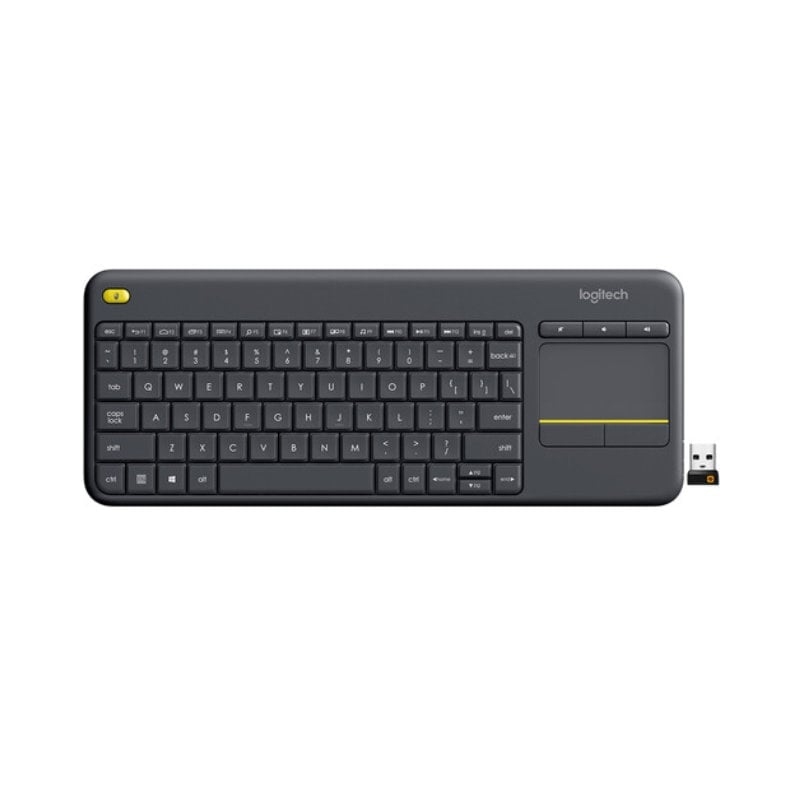
Logitech K400 Plus

0 Reviews
In stock

KSh 5,100

 Specifications

  • Connectivity: 2.4 GHz Wireless (Logitech Unifying Receiver)
  • Wireless Range: 10 Meters (33 ft)
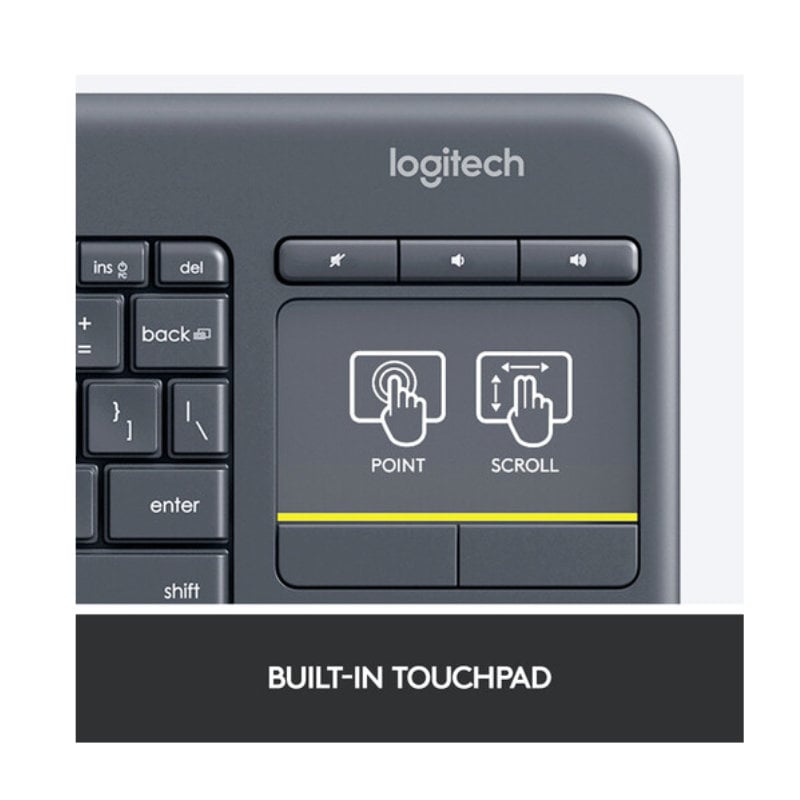
  • Integrated Device: 3.5″ Multi-touch Touchpad
  • Special Keys: Mute, Volume Down, Volume Up, Left-click (Top Left)
  • Battery Life: Up to 18 Months
  • Battery Type: 2 x AA (Included)
  • Key Lifespan: Up to 5 million keystrokes
  • Spill Resistance: Tested up to 60ml of liquid
  • Dimensions: 354.3 mm x 139.9 mm x 23.5 mm
  • Weight: 390g (including batteries)
GENUINE 100% Original
M-PESA Secure Pay
DELIVERY Fast Dispatch
SUPPORT Expert Help
Brand:

Product details

Logitech K400 Plus Wireless Touch Keyboard Price in Kenya

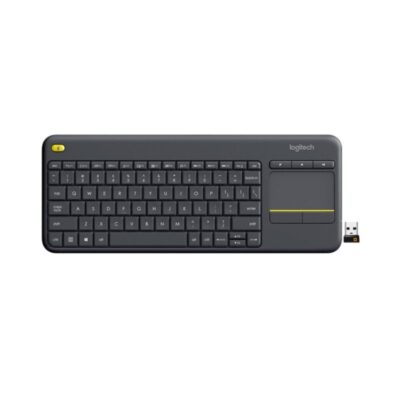
The Logitech K400 Plus price in Kenya is Ksh 5,100. This isn’t your standard desktop keyboard—it is the ultimate “couch commander.” Designed specifically for home entertainment and HTPC (Home Theater PC) setups, the K400 Plus eliminates the need for a separate mouse by integrating a large 3.5-inch touchpad directly into the right side of the keyboard.

Whether you are navigating Netflix from your sofa, searching YouTube on your Smart TV, or managing a presentation from across the room, the K400 Plus offers a seamless, all-in-one experience. It features ultra-silent keys that are nearly inaudible, making it perfect for late-night browsing without disturbing the household.

Despite its compact, space-saving design, it retains a familiar full-size typing layout and dedicated media hotkeys for instant volume control and navigation. With its robust 18-month battery life and a stable 10-meter wireless range, the K400 Plus turns your living room into a high-tech hub with zero cable clutter.

Relax and take control. Navigate your digital world from the comfort of your couch. Buy the Logitech K400 Plus at Exelic Gadgets today for same-day delivery in Nairobi or secure nationwide shipping via Wells Fargo/G4S.

Why You’ll Love It

  • Built-in 3.5″ Touchpad: Combines a keyboard and mouse into one device, so that you don’t need a flat surface or a mousepad to navigate your screen.
  • 10-Meter Wireless Freedom: Features a powerful, lag-free 2.4 GHz connection, so that you can control your TV-connected PC from any corner of the room.
  • Dedicated Media Keys: Volume up, volume down, and mute buttons are placed right above the touchpad, so that you have instant control over your audio.
  • Second Left-Click Button: A bonus click button is located on the top-left corner, so that you can hold the keyboard like a game controller and navigate with both hands.
  • Whisper-Quiet Typing: The low-profile keys are designed for silent operation, so that your entertainment doesn’t become a noise distraction.
  • Multi-OS Compatibility: Works with Windows, Android, and ChromeOS, so that you can move it between your laptop, tablet, and smart TV effortlessly.

Logitech K400 Plus Specifications

Feature Details
Product Name Logitech K400 Plus Wireless Touch
Price in Kenya Ksh 5,100
Form Factor Compact TKL with Touchpad
Connection Type Logitech Unifying (USB-A)
Touchpad Gestures Yes (Multi-touch support)
Battery Life 18 Months (Auto-sleep enabled)
Typing Noise Within 55 dBA (Quiet)
Software Support Logi Options+ (for custom gestures)
Compatibility PC-to-TV, Smart TVs, Android Tablets
Sustainability 60% Recycled Plastic (Graphite model)

The All-in-One HTPC Solution

The K400 Plus is specifically optimized for Home Theater PCs. Most wireless keyboards require a desk to use a mouse effectively. The K400 Plus solves this by replacing the number pad with a responsive touchpad that supports Windows and Android gestures (like two-finger scrolling). This allows you to lean back on your sofa and use your lap as the desk.

Two-Handed Navigation

Logitech engineers added a clever feature: a small yellow button on the top-left shoulder of the keyboard. This acts as a secondary left-click. This allows you to hold the keyboard with both hands—navigating the cursor with your right thumb on the trackpad and “clicking” with your left thumb on the yellow button. It makes browsing through movie libraries feel as intuitive as using a handheld console.

Unifying Receiver Versatility

Like most high-end Logitech office gear, the K400 Plus uses the Unifying Receiver. This tiny USB dongle can stay in your TV or PC permanently. If you decide to add a separate Logitech mouse (like an M185) for when you are at a desk, you can pair both to the same single receiver using the Logitech Unifying software.

Durability and Efficiency

Despite its slim profile, the K400 Plus is surprisingly rugged. It features a spill-resistant design that can handle a minor splash from a drink. Power management is also top-tier; it automatically enters a deep sleep mode when not in use, which is why it can last for a year and a half on just two AA batteries.

Who Is This Perfect For?

  1. The Netflix & Chill Master: You have a PC or Mac mini connected to your living room TV. You need a way to search for movies and control volume without leaving your seat.
  2. The Professional Presenter: You move around the room during meetings or lectures. The K400 Plus lets you control your slides and interact with web pages from up to 10 meters away.
  3. The Space-Saving Minimalist: You want a keyboard and mouse for your desk but have very limited space. The K400 Plus combines both into a footprint smaller than a standard keyboard.

Alternatives & Competitors

Frequently Asked Questions

  • Does it work with my Smart TV?
  • It works with any TV that supports “HID” (Human Interface Device) USB keyboards. Most modern Samsung, LG, and Sony TVs (Android-based) work perfectly.
  • Is the touchpad multi-touch?
  • Yes! You can use two fingers to scroll up and down or pinch-to-zoom in supported browsers and apps.
  • Where is the USB receiver hidden?
  • Logitech hides it in a small slot inside the battery compartment. Slide the cover off to find it tucked next to the batteries.
  • Can I turn it off to save battery?
  • Yes, there is a dedicated On/Off slider switch on the top edge of the keyboard.
  • Does it have a Caps Lock light?
  • No, to maximize battery life, the K400 Plus does not include indicator lights. You can, however, enable on-screen notifications via the Logi Options+ software.

    Buy the latest  in Kenya at Exelic Gadgets

Compare Logitech K400 Plus with Similar Products

Compare Logitech K400 Plus specs, features and price with similar keyboards and alternatives.

Compare Logitech K400 Plus with Similar Products
Selected Item
Logitech K400 PlusKSh 5,100Add to cart

General

General specifications comparison
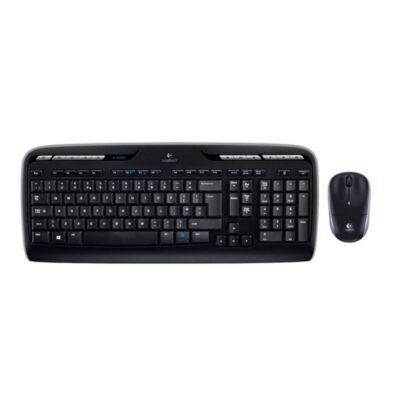
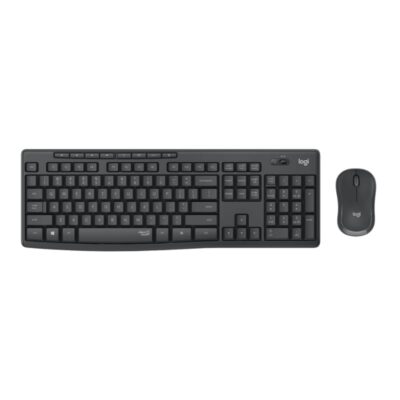
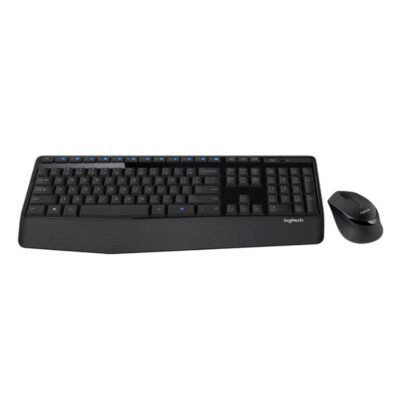
SpecificationLogitech K400 PlusLogitech MK330Logitech MK295Logitech MK345 Keyboard and Mouse Combo
BrandLogitechLogitechLogitechLogitech
ModelK400 Plus Wireless Touch KeyboardMK330 Wireless ComboMK295 Silent Wireless ComboMK345 Comfort Wireless Combo
Announced2015201120202014
TypeWireless keyboard with touchpadWireless keyboard and mouse comboWireless keyboard and mouse comboWireless keyboard and mouse combo
LayoutCompact with integrated touchpadFull-sizeFull-sizeFull-size
ColorBlack; WhiteBlackGraphite; Off-whiteBlack
MaterialPlasticPlasticPlasticPlastic with textured palm rest

Keys & Switches

Keys & Switches specifications comparison
SpecificationLogitech K400 PlusLogitech MK330Logitech MK295Logitech MK345 Keyboard and Mouse Combo
Switch TypeMembraneMembraneMembraneMembrane
SwitchesLow-profile keysLow-profile keysSilentTouch membrane keysLow-profile keys
Switch OptionsN/AN/AN/AN/A
Dedicated Multimedia KeysYesYes — 11 hotkeys and 12 programmable F-keysYes — 8 shortcut keysYes — 12 enhanced function keys
Programmable KeysYes — shortcut customizationYes — 12 function keysNoNo
Numeric KeypadNoYesYesYes

Connectivity

Connectivity specifications comparison
SpecificationLogitech K400 PlusLogitech MK330Logitech MK295Logitech MK345 Keyboard and Mouse Combo
Connection TypeWirelessWirelessWirelessWireless
Wireless TechnologyLogitech Unifying 2.4GHzLogitech Unifying 2.4GHzLogitech 2.4GHz wirelessLogitech 2.4GHz wireless
BluetoothNoNoNoNo
Wireless ReceiverLogitech Unifying USB-A receiverLogitech Unifying USB-A receiverUSB-A nano receiverUSB-A nano receiver
Multi-Device ConnectionNoNoNoNo
Wireless RangeUp to 10 mUp to 10 mUp to 10 mUp to 10 m
ConnectorN/AN/AN/AN/A
CableN/AN/AN/AN/A
Cable LengthN/AN/AN/AN/A

Battery & Power

Battery & Power specifications comparison
SpecificationLogitech K400 PlusLogitech MK330Logitech MK295Logitech MK345 Keyboard and Mouse Combo
Battery Type2 × AA batteries2 × AAA batteries2 × AAA batteries2 × AAA batteries
Battery CapacityN/AN/AN/AN/A
Battery LifeUp to 18 monthsUp to 24 monthsUp to 36 monthsUp to 48 months
Charging PortN/AN/AN/AN/A
Charging TimeN/AN/AN/AN/A
Power SwitchYesYesYesYes
Battery IndicatorYesNoNoYes

Lighting & Features

Lighting & Features specifications comparison
SpecificationLogitech K400 PlusLogitech MK330Logitech MK295Logitech MK345 Keyboard and Mouse Combo
BacklightingNoneNoneNoneNone
Lighting TechnologyN/AN/AN/AN/A
Brightness AdjustmentN/AN/AN/AN/A
Ambient Light SensorNoNoNoNo
Proximity SensorNoNoNoNo
Wrist RestNoNoNoIntegrated textured palm rest
Customization SoftwareLogitech OptionsLogitech SetPointNoneNone
Onboard MemoryNoNoNoNo
Profiles / MacrosNoProgrammable function keys via softwareNoNo
Special FeaturesIntegrated 3.5-inch touchpad; left-click button on upper-left; media shortcutsEight media hotkeys; spill-resistant keyboard; paired ambidextrous mouseSilentTouch technology reduces typing and clicking noise by over 90%; spill-resistantAdjustable tilt legs; spill-resistant design; contoured right-handed mouse

System Requirements

System Requirements specifications comparison
SpecificationLogitech K400 PlusLogitech MK330Logitech MK295Logitech MK345 Keyboard and Mouse Combo
WindowsWindows 7 or laterWindows XP or laterWindows 10 or laterWindows 7 or later
macOSNoNoNot specifiedNot specified
Other Operating SystemsAndroid 7 or later; ChromeOSNot specifiedChromeOSChromeOS
Required Port / ConnectionUSB-A portUSB-A portUSB-A portUSB-A port
SoftwareLogitech Options optionalLogitech SetPoint optionalNoneNone

What's in the Box

What's in the Box specifications comparison
SpecificationLogitech K400 PlusLogitech MK330Logitech MK295Logitech MK345 Keyboard and Mouse Combo
In the BoxK400 Plus keyboard, Unifying receiver, 2 AA batteries, documentationWireless keyboard, wireless mouse, Unifying receiver, 2 AAA keyboard batteries, 1 AA mouse battery, documentationK295 keyboard, M220 mouse, USB receiver, 2 AAA keyboard batteries, 1 AA mouse battery, documentationK345 keyboard, M275 mouse, USB receiver, 2 AAA keyboard batteries, 1 AA mouse battery, documentation

Design

Design specifications comparison
SpecificationLogitech K400 PlusLogitech MK330Logitech MK295Logitech MK345 Keyboard and Mouse Combo
Dimensions354.3 × 139.9 × 23.5 mm446.3 × 183 × 20.5 mm441 × 149 × 18 mm447.2 × 186.7 × 21.4 mm
Weight390 g with batteries570 g498 g with batteries603 g with batteries

Specs

Logitech K400 Plus specifications

General

Logitech K400 Plus — General
BrandLogitech
ModelK400 Plus Wireless Touch Keyboard
Announced2015
TypeWireless keyboard with touchpad
LayoutCompact with integrated touchpad
ColorBlack; White
MaterialPlastic
Dimensions354.3 × 139.9 × 23.5 mm
Weight390 g with batteries

Keys & Switches

Logitech K400 Plus — Keys & Switches
Switch TypeMembrane
SwitchesLow-profile keys
Switch OptionsN/A
Actuation ForceNot specified
Actuation PointNot specified
Total TravelNot specified
Key RolloverNot specified
Anti-GhostingNot specified
Dedicated Multimedia KeysYes
Programmable KeysYes — shortcut customization
Numeric KeypadNo

Connectivity

Logitech K400 Plus — Connectivity
Connection TypeWireless
Wireless TechnologyLogitech Unifying 2.4GHz
BluetoothNo
Wireless ReceiverLogitech Unifying USB-A receiver
Multi-Device ConnectionNo
Wireless RangeUp to 10 m
ConnectorN/A
CableN/A
Cable LengthN/A

Battery & Power

Logitech K400 Plus — Battery & Power
Battery Type2 × AA batteries
Battery CapacityN/A
Battery LifeUp to 18 months
Charging PortN/A
Charging TimeN/A
Power SwitchYes
Battery IndicatorYes

Lighting & Features

Logitech K400 Plus — Lighting & Features
BacklightingNone
Lighting TechnologyN/A
Brightness AdjustmentN/A
Ambient Light SensorNo
Proximity SensorNo
Wrist RestNo
Customization SoftwareLogitech Options
Onboard MemoryNo
Profiles / MacrosNo
Special FeaturesIntegrated 3.5-inch touchpad; left-click button on upper-left; media shortcuts

System Requirements

Logitech K400 Plus — System Requirements
WindowsWindows 7 or later
macOSNo
Other Operating SystemsAndroid 7 or later; ChromeOS
Required Port / ConnectionUSB-A port
SoftwareLogitech Options optional

What's in the Box

Logitech K400 Plus — What's in the Box
In the BoxK400 Plus keyboard, Unifying receiver, 2 AA batteries, documentation

0 Reviews

No reviews yet

Be the first to review Logitech K400 Plus.

Write a review
Back to Top

My Cart