Skip to content
Category: Tag: Brand:

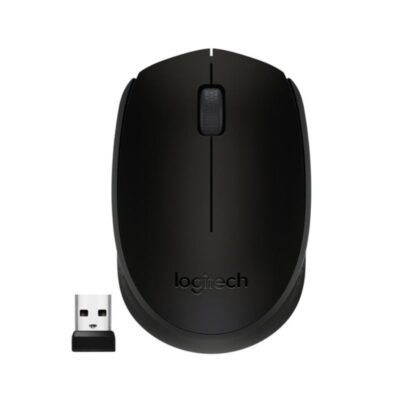
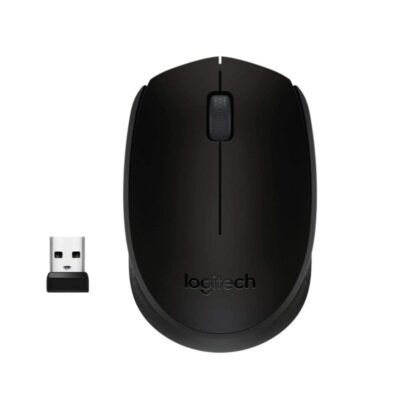
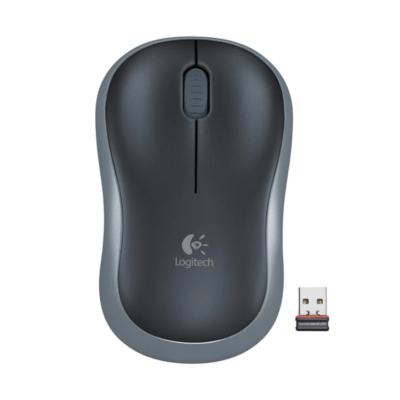
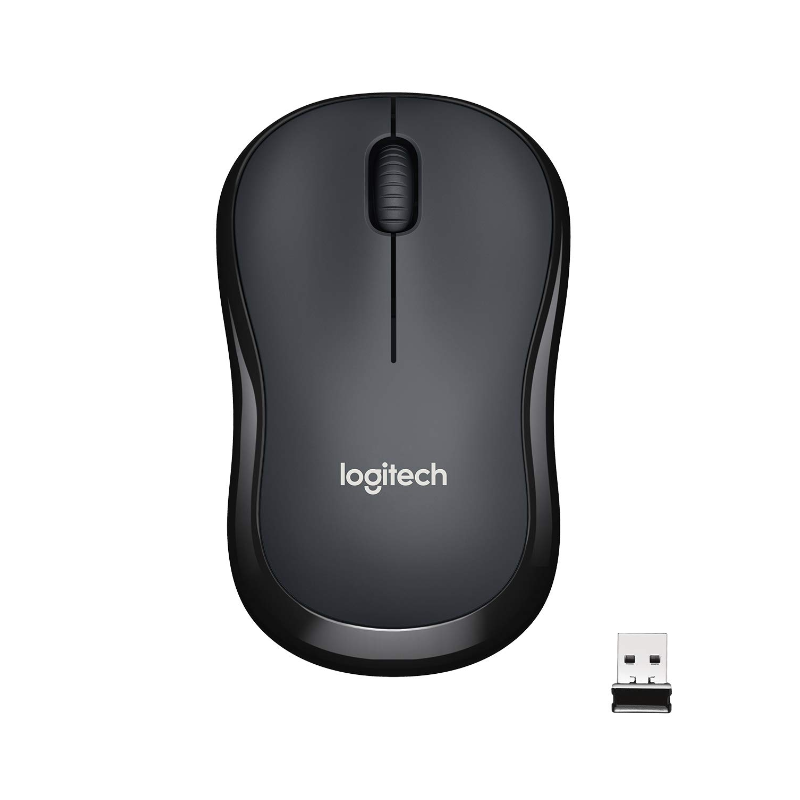
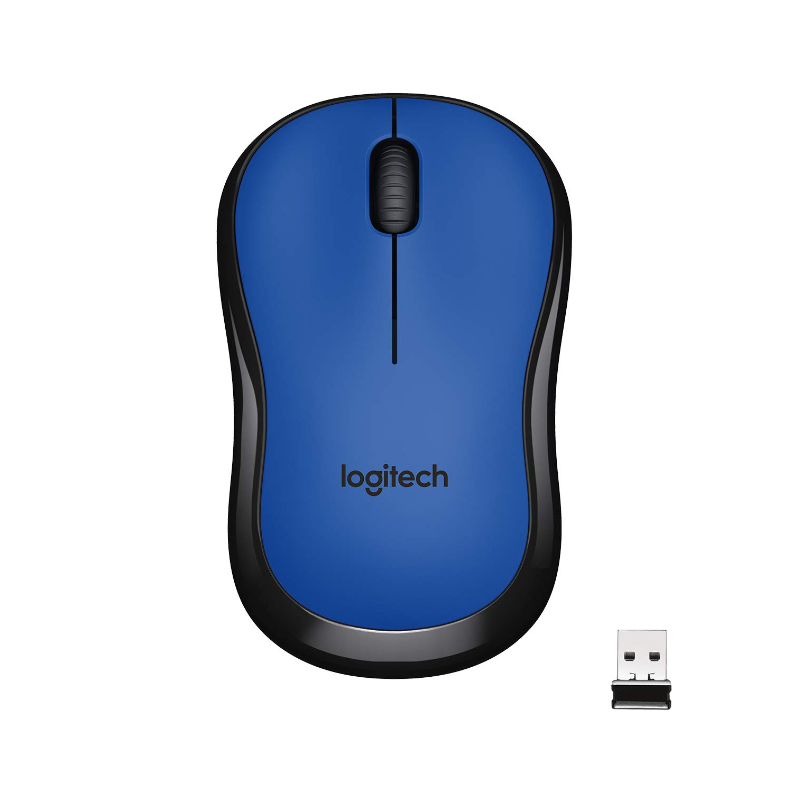
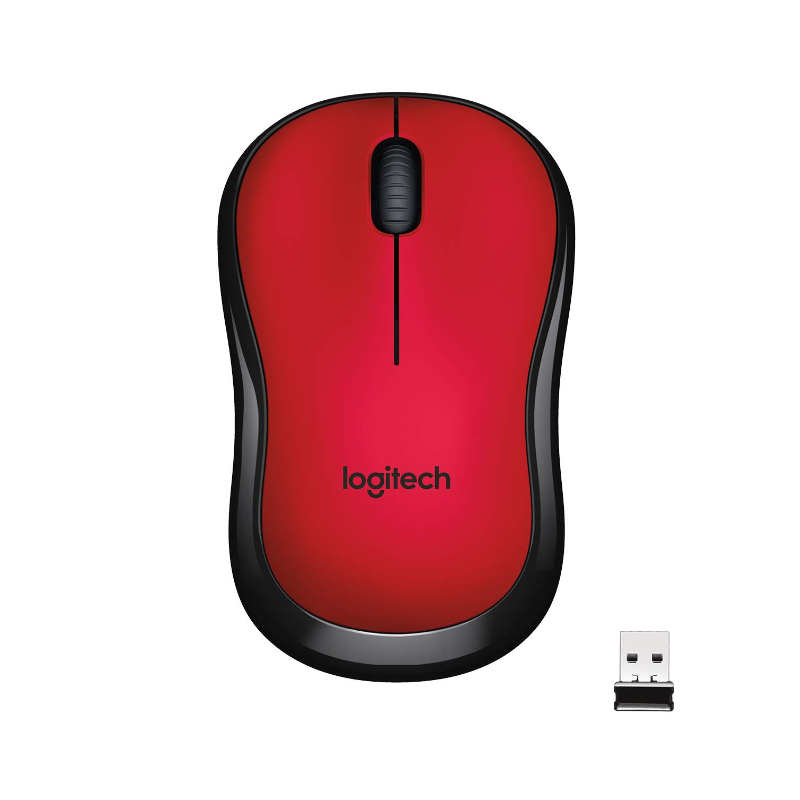
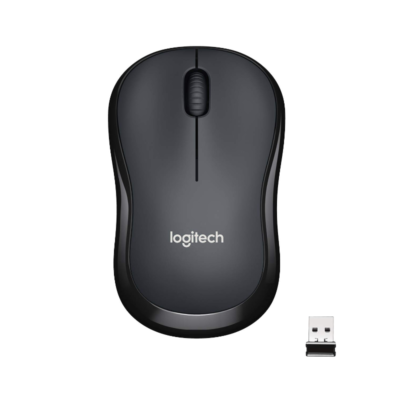
Logitech M221 Wireless Mouse

0 Reviews
In stock

KSh 2,800

  • Technology: SilentTouch (90% Quieter Clicks)
  • Sensor Type: Smooth Optical Tracking
  • DPI (Sensitivity): 1000 DPI
  • Connection: 2.4 GHz Wireless (USB Receiver)
  • Wireless Range: 10 Meters (33 ft)
  • Battery Life: 18 Months
  • Battery Type: 1 x AA (Included)
  • Buttons: 3 (Left, Right, Middle Click)
  • Scroll Wheel: 2D, Optical, Line-by-line
  • Weight: 75.2g (with battery)
  • Prices and offers are subject to change without notice.
GENUINE 100% Original
M-PESA Secure Pay
DELIVERY Fast Dispatch
SUPPORT Expert Help
Brand:

Product details

Logitech M221 Silent Wireless Mouse Price in Kenya

The Logitech M221 Silent Wireless Mouse price in Kenya is Ksh 2,800. While it may look identical to the budget M185, the M221 is a premium upgrade engineered for one specific purpose: Silence. Featuring Logitech’s proprietary SilentTouch technology, this mouse reduces clicking noise by over 90%. You get the same satisfying tactile “click” feel, but without the sharp, distracting sound.

This makes the M221 the “Gold Standard” for quiet environments. Whether you are a student working late in a quiet hostel, a parent trying not to wake a sleeping baby, or an office professional in a shared workspace, the M221 ensures your productivity doesn’t become a nuisance to others. It’s the ultimate polite peripheral. Beyond its silent operation, the M221 is a marathon runner. It stretches battery life to an impressive 18 months on a single AA battery—50% longer than the M185. It is compact, travel-ready, and built to the high quality standards that have made Logitech the #1 mouse manufacturer in the world. Enjoy the sound of silence. Work anywhere, at any time, without disturbing a soul. Buy the Logitech M221 today at Exelic Gadgets for same-day delivery in Nairobi or secure countrywide shipping via Wells Fargo or G4S.

Why You’ll Love It

  • 90% Noise Reduction: Equipped with SilentTouch technology, so that you can click rapidly during meetings or late at night without the “click-click” sound distracting others.
  • 18-Month Battery Life: Optimized power efficiency means it lasts up to a year and a half, so that you rarely ever have to worry about buying replacements.
  • Compact Ergonomics: The contoured shape supports the natural curve of your hand, so that you stay comfortable during long hours of data entry or browsing.
  • Plug-and-Forget Nano Receiver: The tiny USB dongle stays in your laptop, so that you are always ready to work the second you sit down at a cafe or desk.
  • Ambidextrous Design: Perfectly symmetrical, so that it’s equally comfortable for left-handed and right-handed users.
  • Smooth Optical Tracking: Works accurately on almost any surface, so that you don’t need a mousepad when working from a wooden table or a tiled counter.

Logitech M221 Specifications

Feature Details
Product Name Logitech M221 Silent Wireless Mouse
Price in Kenya Ksh 2,800
Main Advantage 90% Noise Reduction (Silent Click)
Dimensions 99 mm x 60 mm x 39 mm
Sensor Resolution 1000 dpi
Wireless Protocol 2.4 GHz via USB Nano Receiver
Battery Life 18 Months (1.5 Years)
On/Off Switch Yes (Manual and Auto-Sleep)
Hand Orientation Ambidextrous
Compatibility Windows, macOS, Chrome OS, Linux
Sustainability Certified Carbon Neutral

Most mice use a mechanical switch that makes a sharp “snap” sound when pressed. The M221 uses a specialized dampening mechanism that absorbs the vibration and sound of the click without losing the physical feedback. Independent labs have measured a 90% reduction in decibels compared to standard mice like the Logitech M170. It is so quiet that someone sitting right next to you will barely hear it.

18-Month Battery Endurance

How does it last 50% longer than the M185? The M221 utilizes a more advanced optical sensor and highly efficient internal circuitry. It also features a more aggressive Auto-Sleep mode; the moment you stop moving the mouse, it enters a “power-sipping” state. This adds up to 18 months of battery life, meaning if you buy this mouse today, you won’t change the battery until late next year.

Universal “Plug-and-Play”

The M221 doesn’t require any software or complicated pairing. You plug the Nano receiver into a USB-A port and the mouse works instantly. It is compatible with everything from old Windows 7 PCs to the latest Windows 11 rigs, as well as Chromebooks and Macs. If you are a student using university lab computers, this is the perfect mouse to carry because it works on any system without admin rights.

Smooth Cursor Control

While “silent” is the headline, “smooth” is the experience. The 1000 DPI optical sensor provides enough precision for daily office tasks, web browsing, and even light photo editing. It is “smooth” because the feet (the pads on the bottom) are made of high-quality material that glides effortlessly over surfaces, further reducing noise by eliminating the “scratching” sound of movement.

Who Is This Perfect For?

  1. The Library Dweller: You spend hours at the JKML or McMillan Library. You don’t want to be “that person” whose constant clicking annoys everyone in the room.
  2. The Late-Night Worker: You live in a shared apartment or have a family. You need to get work done while others are sleeping in the same room.
  3. The Zoom/Teams Pro: During video calls, the sound of a mouse clicking can be picked up by your microphone and irritate participants. The M221 keeps your audio feed professional and quiet.

Alternatives & Competitors

Frequently Asked Questions

  1. Does it really make zero sound? It is not 100% silent, but it is extremely quiet. In a normal room, you won’t hear it. In a dead-silent room, you might hear a very faint, dull thud instead of a sharp click.
  2. Is the scroll wheel also silent? The scrolling is very quiet, and the middle-click (pressing the wheel) is also part of the SilentTouch technology, making it much quieter than standard wheels.
  3. Where do I find the USB receiver? It is stored inside the mouse, right next to the AA battery. Slide the battery cover off to find it.
  4. Will it work with my Android Tablet? Yes, if you use a USB-OTG adapter to plug the Nano receiver into your tablet’s charging port. For a direct connection, you might prefer a Bluetooth mouse like the Logitech M196.
  5. Can I use this for gaming? For casual gaming (Sims, Minecraft, Solitaire), it is great. For competitive shooters (Warzone, Apex), you should look for a dedicated gaming mouse like the Logitech G305.

Check out more Logitech Mouse on Exelic Gadgets.
Compare Logitech M221 Wireless Mouse with Similar Products

Compare Logitech M221 Wireless Mouse specs, features and price with similar computer mice and alternatives.

Compare Logitech M221 Wireless Mouse with Similar Products

General

General specifications comparison
SpecificationLogitech M221 Wireless MouseLogitech M170 Wireless MouseLogitech M171 Wireless MouseLogitech M185 Wireless Mouse
BrandLogitechLogitechLogitechLogitech
ModelM221 SilentM170M171M185
TypeWireless silent mouseWireless mouseWireless mouseWireless mouse
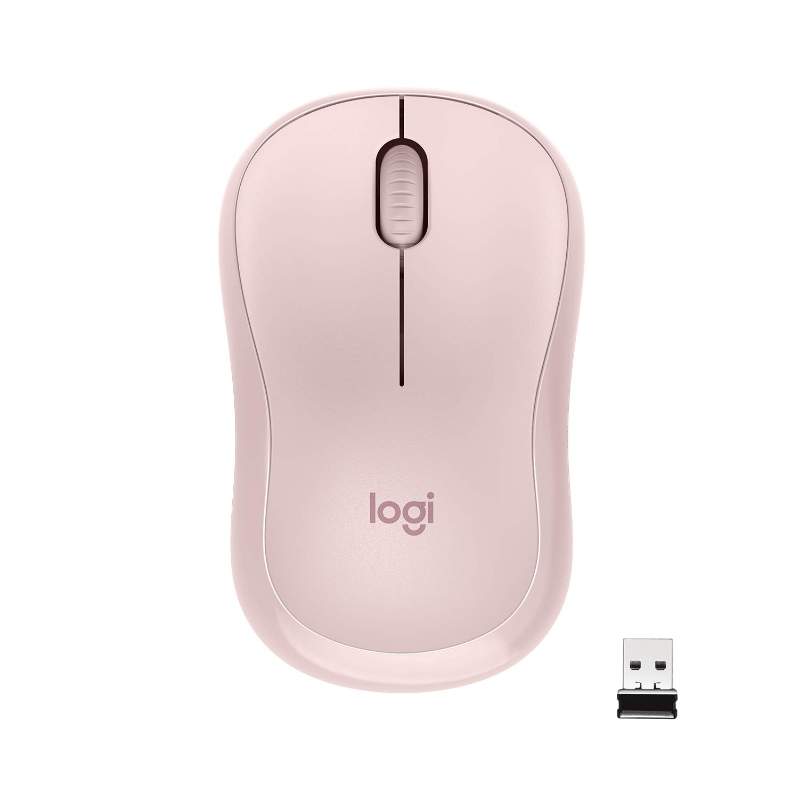
ColorCharcoal; Red; BlueBlack; GreyBlack; Blue; Red; Off-white; RoseSwift Grey; Blue; Red
AnnouncedNot specified201520152011

Sensor & Tracking

Sensor & Tracking specifications comparison
SpecificationLogitech M221 Wireless MouseLogitech M170 Wireless MouseLogitech M171 Wireless MouseLogitech M185 Wireless Mouse
Sensor TechnologySmooth optical trackingOptical trackingSmooth optical trackingSmooth optical tracking
DPI1000 DPI1000 DPI1000 DPI1000 DPI
DPI AdjustmentNoNoNoNo

Buttons & Scrolling

Buttons & Scrolling specifications comparison
SpecificationLogitech M221 Wireless MouseLogitech M170 Wireless MouseLogitech M171 Wireless MouseLogitech M185 Wireless Mouse
Number of Buttons3333
Programmable ButtonsNoNoNoNo
Gesture ButtonN/AN/AN/AN/A
Scroll WheelLine-by-line scroll wheel2D optical line-by-line scroll wheel2D optical line-by-line scroll wheelLine-by-line scroll wheel
Horizontal ScrollNoNoNoNo
Thumb WheelN/AN/AN/AN/A
Button / Switch TypeSilent mechanical switchesMechanicalMechanicalMechanical

Connectivity

Connectivity specifications comparison
SpecificationLogitech M221 Wireless MouseLogitech M170 Wireless MouseLogitech M171 Wireless MouseLogitech M185 Wireless Mouse
Connection TypeWirelessWirelessWirelessWireless
Wireless Technology2.4GHz Logitech Advanced Optical wireless2.4GHz Logitech Advanced Wireless2.4GHz Logitech Advanced Wireless2.4GHz Logitech Advanced Wireless
BluetoothNoNoNoNo
Wireless ReceiverUSB-A nano receiverUSB-A nano receiverUSB-A nano receiverUSB-A nano receiver
Wireless RangeUp to 10 mUp to 10 mUp to 10 mUp to 10 m
Multi-Device ConnectionNoNoNoNo
Cable / ConnectorN/AN/AN/AN/A
Cable LengthN/AN/AN/AN/A

Battery & Power

Battery & Power specifications comparison
SpecificationLogitech M221 Wireless MouseLogitech M170 Wireless MouseLogitech M171 Wireless MouseLogitech M185 Wireless Mouse
Battery Type1 × AA battery1 × AA battery1 × AA battery1 × AA battery
Battery CapacityN/AN/AN/AN/A
Battery LifeUp to 18 monthsUp to 12 monthsUp to 12 monthsUp to 12 months
Charging PortN/AN/AN/AN/A
Charging TimeN/AN/AN/AN/A
Fast ChargingN/AN/AN/AN/A
Wireless ChargingN/AN/AN/AN/A

Features

Features specifications comparison
SpecificationLogitech M221 Wireless MouseLogitech M170 Wireless MouseLogitech M171 Wireless MouseLogitech M185 Wireless Mouse
Customization SoftwareNoneNoneLogi Options+None
Onboard MemoryNoNoNoNo
ProfilesN/AN/AN/AN/A
RGB LightingNoNoNoNo
Haptic FeedbackNoNoNoNo
Silent ClicksYes — over 90% click-noise reductionNoNoNo
Special FeaturesSilentTouch; automatic sleep; plug-and-play nano receiverPlug-and-play nano receiver; automatic sleep; receiver storagePlug-and-play nano receiver; automatic sleep; receiver storagePlug-and-play nano receiver; automatic sleep; receiver storage

Design

Design specifications comparison
SpecificationLogitech M221 Wireless MouseLogitech M170 Wireless MouseLogitech M171 Wireless MouseLogitech M185 Wireless Mouse
Dimensions99 × 60 × 39 mm97.7 × 61.5 × 35.2 mm97.7 × 61.5 × 35.2 mm99 × 60 × 39 mm
Weight75.2 g (with battery)70.5 g (with battery)70.5 g (with battery)75.2 g (with battery)
Hand OrientationAmbidextrousAmbidextrousAmbidextrousAmbidextrous
Form FactorCompact contoured mouseCompact contoured mouseCompact contoured mouseCompact contoured mouse
MaterialPlasticPlasticPlasticPlastic

System Requirements

System Requirements specifications comparison
SpecificationLogitech M221 Wireless MouseLogitech M170 Wireless MouseLogitech M171 Wireless MouseLogitech M185 Wireless Mouse
WindowsWindows 7, Windows 8, Windows 10 or laterWindows 7, Windows 8, Windows 10 or laterWindows 10, Windows 11 or laterWindows 7, Windows 8, Windows 10 or later
macOSmacOS 10.5 or latermacOS 10.8 or latermacOS 10.8 or latermacOS 10.5 or later
Other Operating SystemsChromeOS; Linux kernel 2.6 or laterChromeOS; Linux kernel 2.6 or laterChromeOS; Linux kernel 2.6 or laterChromeOS; Linux kernel 2.6 or later
Required Port / ConnectionUSB-A portUSB-A portUSB-A portUSB-A port
SoftwareNoneNoneLogi Options+ (optional)None

What's in the Box

What's in the Box specifications comparison
SpecificationLogitech M221 Wireless MouseLogitech M170 Wireless MouseLogitech M171 Wireless MouseLogitech M185 Wireless Mouse
In the BoxM221 Silent mouse, USB nano receiver, AA battery and user documentationM170 mouse, USB nano receiver, AA battery and user documentationM171 mouse, USB nano receiver, AA battery and user documentationM185 mouse, USB nano receiver, AA battery and user documentation

Specs

Logitech M221 Wireless Mouse specifications

General

Logitech M221 Wireless Mouse — General
BrandLogitech
ModelM221 Silent
AnnouncedNot specified
TypeWireless silent mouse
ColorCharcoal; Red; Blue
Dimensions99 × 60 × 39 mm
Weight75.2 g (with battery)

Sensor & Tracking

Logitech M221 Wireless Mouse — Sensor & Tracking
Sensor TechnologySmooth optical tracking
DPI1000 DPI
DPI AdjustmentNo
Tracking SpeedNot specified
AccelerationNot specified
Polling RateNot specified

Buttons & Scrolling

Logitech M221 Wireless Mouse — Buttons & Scrolling
Number of Buttons3
Programmable ButtonsNo
Gesture ButtonN/A
Scroll WheelLine-by-line scroll wheel
Horizontal ScrollNo
Thumb WheelN/A
Button / Switch TypeSilent mechanical switches

Connectivity

Logitech M221 Wireless Mouse — Connectivity
Connection TypeWireless
Wireless Technology2.4GHz Logitech Advanced Optical wireless
BluetoothNo
Wireless ReceiverUSB-A nano receiver
Wireless RangeUp to 10 m
Multi-Device ConnectionNo
Cable / ConnectorN/A
Cable LengthN/A

Battery & Power

Logitech M221 Wireless Mouse — Battery & Power
Battery Type1 × AA battery
Battery CapacityN/A
Battery LifeUp to 18 months
Charging PortN/A
Charging TimeN/A
Fast ChargingN/A
Wireless ChargingN/A

Features

Logitech M221 Wireless Mouse — Features
Customization SoftwareNone
Onboard MemoryNo
ProfilesN/A
RGB LightingNo
Haptic FeedbackNo
Silent ClicksYes — over 90% click-noise reduction
Special FeaturesSilentTouch; automatic sleep; plug-and-play nano receiver

Design

Logitech M221 Wireless Mouse — Design
Hand OrientationAmbidextrous
Form FactorCompact contoured mouse
Grip StyleNot specified
MaterialPlastic

System Requirements

Logitech M221 Wireless Mouse — System Requirements
WindowsWindows 7, Windows 8, Windows 10 or later
macOSmacOS 10.5 or later
Other Operating SystemsChromeOS; Linux kernel 2.6 or later
Required Port / ConnectionUSB-A port
SoftwareNone

What's in the Box

Logitech M221 Wireless Mouse — What's in the Box
In the BoxM221 Silent mouse, USB nano receiver, AA battery and user documentation

0 Reviews

No reviews yet

Be the first to review Logitech M221 Wireless Mouse.

Write a review
Back to Top

My Cart