Connections
- PlayStation Portal Remote
- Broadband Wi-Fi
- Logitech Flight Simulator Rudder Pedals
- USB 2.0 Full Speed with 1.8m cable

Controller comparison
Compare key specifications, features and design side by side.
01Selected 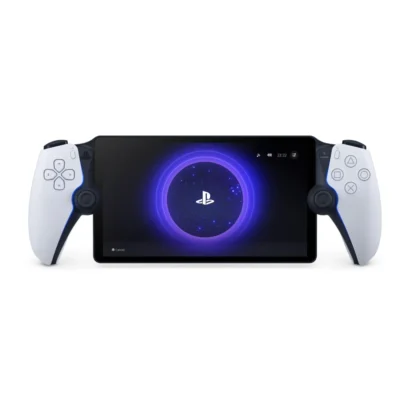 PlayStation Portal Remote
KSh 32,000In Stock | 02 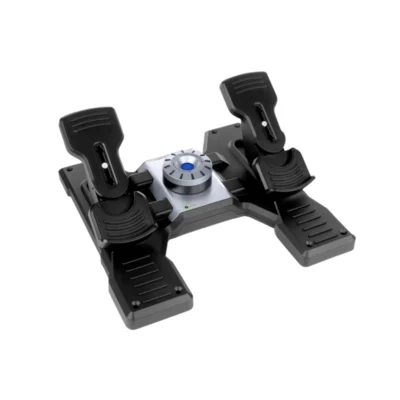 Logitech Flight Simulator Rudder Pedals
KSh 49,000Out of Stock |
|---|
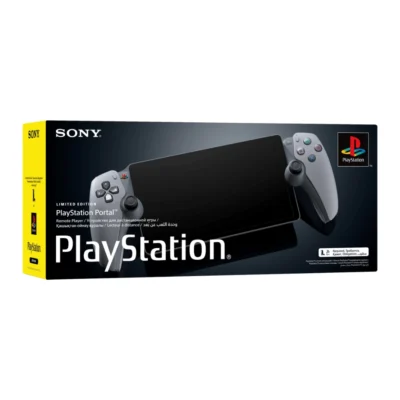
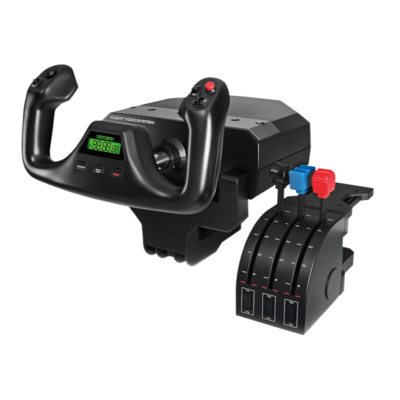
The PlayStation Portal Remote is a handheld remote player for PS5, while the Logitech Flight Simulator Rudder Pedals is a flight-simulation rudder pedals.
The main differences to help you choose.
| Priority | PlayStation Portal Remote | Logitech Flight Simulator Rudder Pedals |
|---|---|---|
| Connections | Broadband Wi-Fi | USB 2.0 Full Speed with 1.8m cable |
| Buttons and control layout | Integrated controls beside an 8-inch 1080p LCD display | Three control axes with independent left and right toe brakes |
| Product type | Handheld remote player for PS5 | Flight-simulation rudder pedals |
Tick a topic above to see how each product answers it.
Explore the full specifications, section by section.
| Specification | PlayStation Portal Remote | Logitech Flight Simulator Rudder Pedals |
|---|---|---|
| Model | PlayStation Portal Remote Player | Flight Rudder Pedals |
| Product type | Handheld remote player for PS5 | Flight-simulation rudder pedals |
| Specification | PlayStation Portal Remote | Logitech Flight Simulator Rudder Pedals |
|---|---|---|
| Dimensions | — | 168 x 310 x 403mm (H x W x D) |
| Weight | — | 2350g without heel rests |
| Specification | PlayStation Portal Remote | Logitech Flight Simulator Rudder Pedals |
|---|---|---|
| Buttons and control layout | Integrated controls beside an 8-inch 1080p LCD display; up to 60fps, depending on the game and network | Three control axes with independent left and right toe brakes |
| Haptic feedback and force feedback | Haptic feedback and adaptive triggers in supported games | — |
| Sticks and triggers | — | Self-centering pedals with adjustable tension |
| Specification | PlayStation Portal Remote | Logitech Flight Simulator Rudder Pedals |
|---|---|---|
| Supported platforms | Remote Play of compatible PS5 and PS4 games installed on a paired PS5 console; a PlayStation account and online PS5 console in On or Rest mode are required. VR and peripheral-dependent games are excluded. | Windows 7, 8, 8.1 and 10, as listed in Logitech release specifications; USB 2.0 required |
| Connection methods | Broadband Wi-Fi; at least 5Mbps required, with 15Mbps or faster recommended | USB 2.0 Full Speed with 1.8m cable |
| Ports and headset support | 3.5mm wired headset jack, built-in speakers and support for PlayStation Link wireless audio devices | — |
| Specification | PlayStation Portal Remote | Logitech Flight Simulator Rudder Pedals |
|---|---|---|
| Grip and materials | — | Adjustable foot rests with non-slip surfaces |
These products have the same published specifications.
Get the PlayStation Portal Remote if you want a handheld remote player for PS5, or the Logitech Flight Simulator Rudder Pedals if you want a flight-simulation rudder pedals.
Back to compared products ↑For PlayStation Portal RemotePlayStation Portal Remote 30th Anniversary Limited EditionView product ↗For PlayStation Portal RemoteLogitech G29 Driving Force Steering Wheel and PedalsView product ↗ For Logitech Flight Simulator Rudder PedalsPS5 DualSense Edge Wireless ControllerView product ↗For Logitech Flight Simulator Rudder PedalsXbox Elite Wireless Controller Series 2View product ↗PlayStation Portal RemoteVSSteam Controller 2026PlayStation Portal RemoteVSXbox Nano ControllerPlayStation Portal RemoteVSPS4 DualShock 4 Wireless ControllerPlayStation Portal RemoteVSLogitech G29 Driving Force Steering Wheel and PedalsPlayStation Portal RemoteVSPlayStation Portal Remote 30th Anniversary Limited EditionPlayStation Portal RemoteVSXbox Elite Wireless Controller Series 2PlayStation Portal RemoteVSLogitech Flight Yoke SystemPS5 DualSense Edge Wireless ControllerVSPlayStation Portal Remote
We are here to serve you
Keep a link to this cart, or ask us to send it to you. Reminders are optional.
You may send me reminders about this cart on the channels I select. I can opt out at any time.
Only the details you provide here or in checkout are used. Reminders are optional. Privacy notice