Apple Magic TrackPad
No clear advantage over the Apple Magic Trackpad in the published specifications. Check the detailed comparison for features that matter to you.

Mouse comparison
Compare sensor, connection, battery and comfort.
01Selected 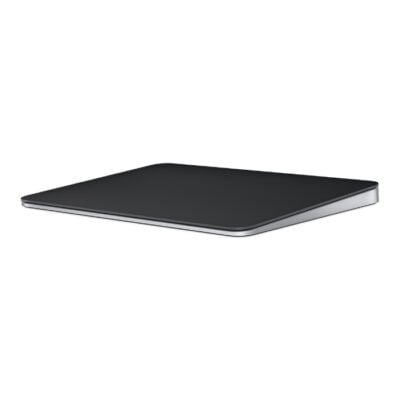 Apple Magic TrackPad
KSh 20,500In Stock | 02 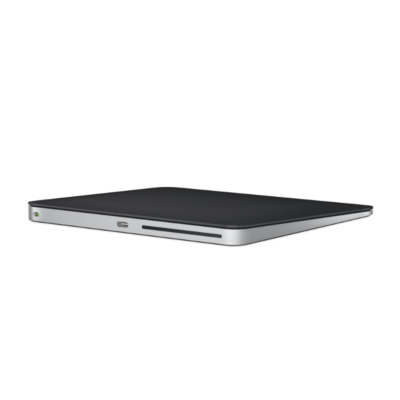 Apple Magic Trackpad (USB‑C)
KSh 21,000In Stock |
|---|
Choose the Apple Magic Trackpad if you want a newer model (2024).
The main differences to help you choose.
No clear advantage over the Apple Magic Trackpad in the published specifications. Check the detailed comparison for features that matter to you.
| Priority | Apple Magic TrackPad | Apple Magic Trackpad |
|---|---|---|
| Fit | Trackpad | Trackpad |
| Weight | 230 g | 230 g |
| Connections | Bluetooth | Bluetooth |
| Two devices | Connects to one device at a time | Connects to one device at a time |
| Controls | No | No |
| Battery life | About 1 month or more between charges | About 1 month or more between charges |
| Performance | Capacitive Multi-Touch surface with Force Touch | Capacitive Multi-Touch surface with Force Touch |
| Battery capacity | Battery: Rechargeable lithium-ion | Battery: Rechargeable lithium-ion |
| Charging port | Lightning | USB-C |
Tick a topic above to see how each product answers it.
Explore the full specifications, section by section.
| Specification | Apple Magic TrackPad | Apple Magic Trackpad (USB‑C) |
|---|---|---|
| Brand | Apple | Apple |
| Model | Magic Trackpad (Lightning, 2021) | Magic Trackpad (USB-C) |
| Announced | 2021 | 2024 |
| Type | Wireless Multi-Touch trackpad | Wireless Multi-Touch trackpad |
| Color | White Multi-Touch Surface; Black Multi-Touch Surface | White Multi-Touch Surface; Black Multi-Touch Surface |
| Specification | Apple Magic TrackPad | Apple Magic Trackpad (USB‑C) |
|---|---|---|
| Dimensions | 160 × 114.9 × 4.9–10.9 mm | 160 × 114.9 × 4.9–10.9 mm |
| Weight | 230 g | 230 g |
| Hand Orientation | Ambidextrous | Ambidextrous |
| Form Factor | Trackpad | Trackpad |
| Grip Style | Not applicable | Not applicable |
| Material | Glass Multi-Touch surface; aluminum enclosure | Glass Multi-Touch surface; aluminum enclosure |
| Specification | Apple Magic TrackPad | Apple Magic Trackpad (USB‑C) |
|---|---|---|
| Connection Type | Wired & wireless | Wired & wireless |
| Wireless Technology | Bluetooth | Bluetooth |
| Bluetooth | Yes | Yes |
| Wireless Receiver | Not applicable | Not applicable |
| Multi-Device Connection | No | No |
| Cable / Connector | USB-C to Lightning charging and pairing cable | USB-C charging and pairing cable |
| Specification | Apple Magic TrackPad | Apple Magic Trackpad (USB‑C) |
|---|---|---|
| Customization Software | macOS and iPadOS system settings | macOS and iPadOS system settings |
| Onboard Memory | No | No |
| Profiles | Not applicable | Not applicable |
| RGB Lighting | No | No |
| Haptic Feedback | Yes — Force Touch haptic feedback | Yes — Force Touch haptic feedback |
| Silent Clicks | — | — |
| Special Features | Force Touch; Multi-Touch gestures; automatic pairing with Mac | Force Touch; Multi-Touch gestures; automatic pairing with Mac |
| Specification | Apple Magic TrackPad | Apple Magic Trackpad (USB‑C) |
|---|---|---|
| Sensor Technology | Capacitive Multi-Touch surface with Force Touch | Capacitive Multi-Touch surface with Force Touch |
| DPI | Not applicable | Not applicable |
| DPI Adjustment | — | — |
| Tracking Speed | — | — |
| Acceleration | — | — |
| Specification | Apple Magic TrackPad | Apple Magic Trackpad (USB‑C) |
|---|---|---|
| Number of Buttons | Not applicable | Not applicable |
| Programmable Buttons | No | No |
| Gesture Button | Yes — Multi-Touch gestures | Yes — Multi-Touch gestures |
| Scroll Wheel | Multi-Touch surface | Multi-Touch surface |
| Horizontal Scroll | Yes — Multi-Touch gestures | Yes — Multi-Touch gestures |
| Thumb Wheel | — | — |
| Button / Switch Type | Force Touch pressure sensors | Force Touch pressure sensors |
| Specification | Apple Magic TrackPad | Apple Magic Trackpad (USB‑C) |
|---|---|---|
| Battery Type | Rechargeable lithium-ion | Rechargeable lithium-ion |
| Battery Life | About 1 month or more between charges | About 1 month or more between charges |
| Charging Port | Lightning | USB-C |
| Wireless Charging | No | No |
| Specification | Apple Magic TrackPad | Apple Magic Trackpad (USB‑C) |
|---|---|---|
| Windows | Not applicable | Not applicable |
| macOS | macOS 11.3 or later | macOS 15.1 or later |
| Other Operating Systems | iPadOS 14.5 or later | iPadOS 18.1 or later |
| Required Port / Connection | Bluetooth-enabled Mac or iPad; USB-C port for charging cable | Bluetooth-enabled Mac or iPad; USB-C port for charging |
| Software | None required on supported Apple devices | None required on supported Apple devices |
| Specification | Apple Magic TrackPad | Apple Magic Trackpad (USB‑C) |
|---|---|---|
| In the Box | Magic Trackpad and woven USB-C to Lightning cable | Magic Trackpad and woven USB-C charging cable |
These products have the same published specifications.
Magic TrackPad and Magic Trackpad are closely matched on the features compared here.
Back to compared products ↑Apple Magic TrackPadVSMicrosoft Surface Arc MouseApple Magic TrackPadVSLogitech G502 X LIGHTSPEEDApple Magic TrackPadVSLogitech G903Apple Magic TrackPadVSLogitech PRO X SUPERLIGHT 2Apple Magic TrackPadVSLogitech PRO X SUPERLIGHTApple Magic TrackPadVSRazer Basilisk V3 Pro 35K Phantom Green EditonApple Magic TrackPadVSLogitech G502 Lightspeed MouseApple Magic TrackPadVS Logitech Pro X2 SUPERSTRIKEApple Magic TrackPadVS
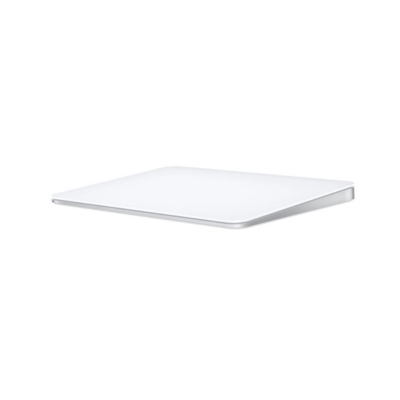 Apple Magic Trackpad 2
We are here to serve you