Battery capacity
- Apple Magic Mouse 3 USB-C to C
- Rechargeable lithium-ion
- Logitech MX Anywhere 3s
- Rechargeable Li-Po (500 mAh) battery

Mouse comparison
Compare sensor, connection, battery and comfort.
01Selected 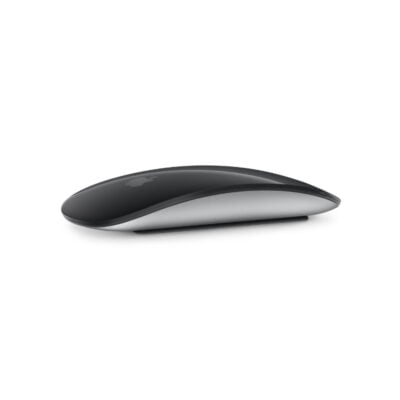 Magic Mouse 3 USB-C to C
KSh 12,500In Stock | 02 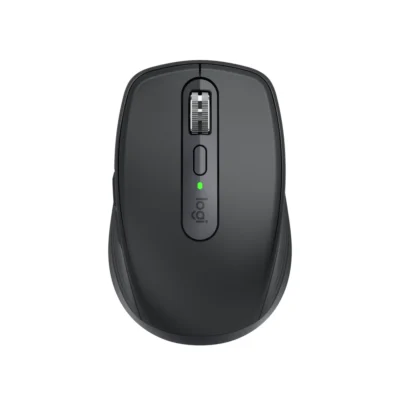 Logitech MX Anywhere 3s
KSh 12,000In Stock |
|---|
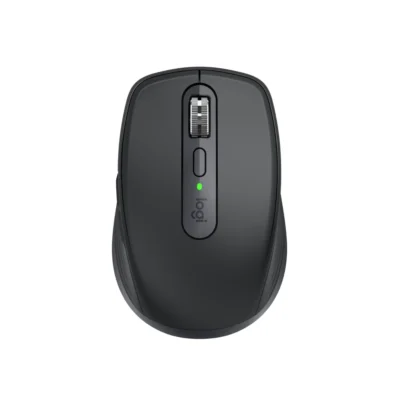
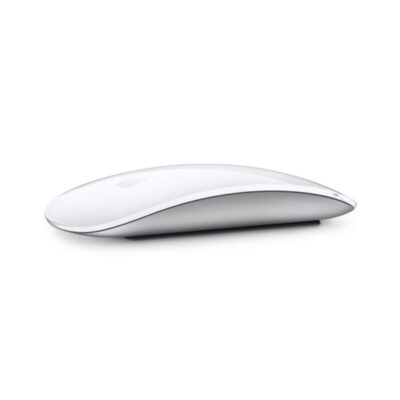
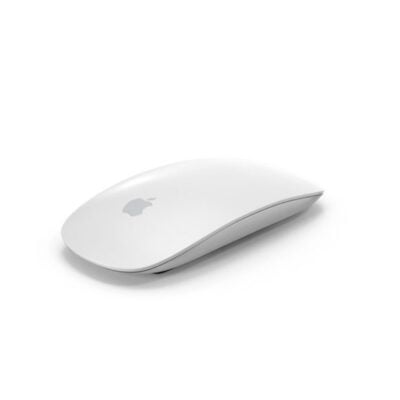
Choose the Logitech MX Anywhere 3s if you want two-device connection and a lower price (KSh 500 less). Choose the Apple Magic Mouse 3 USB-C to C if you prefer Laser tracking with capacitive and Rechargeable lithium-ion.
The main differences to help you choose.
| Priority | Apple Magic Mouse 3 USB-C to C | Logitech MX Anywhere 3s |
|---|---|---|
| Weight | 99 g | 99 g |
| Connections | Bluetooth | Bluetooth Low Energy |
| Two devices | Connects to one device at a time | Connects to two devices at once |
| Controls | 1 Multi-Touch click surface | 6 buttons |
| Battery life | About 1 month or more between charges | 500 mAh battery |
| Performance | Laser tracking with capacitive Multi-Touch surface | 8,000 DPI sensor |
| Battery capacity | Battery: Rechargeable lithium-ion | 500 mAh battery |
| Sensor technology | Laser tracking with capacitive Multi-Touch surface | Darkfield high precision |
| Customization software | macOS and iPadOS system settings | Logi Options+ on Windows and macOS |
| Type | Wireless Multi-Touch mouse | Productivity mouse |
| Scroll wheel | Multi-Touch surface | Yes, with auto-shift |
| Horizontal scroll | Yes, Multi-Touch gestures | Yes, by holding side button while turning the wheel |
Tick a topic above to see how each product answers it.
Explore the full specifications, section by section.
| Specification | Magic Mouse 3 USB-C to C | Logitech MX Anywhere 3s |
|---|---|---|
| Brand | Apple | Logitech |
| Model | Magic Mouse (USB-C) | MX Anywhere 3S (910-006929) |
| Announced | 2024 | — |
| Type | Wireless Multi-Touch mouse | Productivity mouse |
| Color | White; Black | Graphite |
| Specification | Magic Mouse 3 USB-C to C | Logitech MX Anywhere 3s |
|---|---|---|
| Dimensions | 113.5 × 57.1 × 21.6 mm | 100.5 mm × 65 mm × 34.4 mm |
| Weight | 99 g | 99 g |
| Hand Orientation | Ambidextrous | — |
| Form Factor | Compact low-profile mouse | — |
| Grip Style | Fingertip | — |
| Material | Aluminum enclosure; acrylic Multi-Touch surface | — |
| Specification | Magic Mouse 3 USB-C to C | Logitech MX Anywhere 3s |
|---|---|---|
| Connection Type | Wireless | Bluetooth Low Energy; optional Logi Bolt receiver |
| Wireless Technology | Bluetooth | — |
| Bluetooth | Yes | Bluetooth Low Energy |
| Wireless Receiver | Not applicable | Compatible with Logi Bolt; receiver not included |
| Multi-Device Connection | No | Up to three devices with Easy-Switch |
| Cable / Connector | USB-C charging and pairing cable | — |
| Specification | Magic Mouse 3 USB-C to C | Logitech MX Anywhere 3s |
|---|---|---|
| Customization Software | macOS and iPadOS system settings | Logi Options+ on Windows and macOS |
| Onboard Memory | No | — |
| Profiles | Not applicable | — |
| RGB Lighting | No | — |
| Haptic Feedback | No | — |
| Silent Clicks | No | — |
| Special Features | Multi-Touch gesture surface; automatic pairing with Mac | — |
| Specification | Magic Mouse 3 USB-C to C | Logitech MX Anywhere 3s |
|---|---|---|
| Sensor Technology | Laser tracking with capacitive Multi-Touch surface | Darkfield high precision |
| DPI Adjustment | No | — |
| DPI | — | 200-8000 DPI (can be set in increments of 50 DPI) |
| Specification | Magic Mouse 3 USB-C to C | Logitech MX Anywhere 3s |
|---|---|---|
| Number of Buttons | 1 Multi-Touch click surface | 6 |
| Programmable Buttons | No | — |
| Gesture Button | Yes — Multi-Touch gestures | — |
| Scroll Wheel | Multi-Touch surface | Yes, with auto-shift |
| Horizontal Scroll | Yes — Multi-Touch gestures | Yes, by holding side button while turning the wheel |
| Thumb Wheel | Not applicable | — |
| Specification | Magic Mouse 3 USB-C to C | Logitech MX Anywhere 3s |
|---|---|---|
| Battery Type | Rechargeable lithium-ion | Rechargeable Li-Po (500 mAh) battery |
| Battery Life | About 1 month or more between charges | Up to 70 days; one-minute charge provides up to three hours of use |
| Charging Port | USB-C | USB-C |
| Wireless Charging | No | — |
| Battery Capacity | — | 500 mAh |
| Specification | Magic Mouse 3 USB-C to C | Logitech MX Anywhere 3s |
|---|---|---|
| Windows | Not applicable | — |
| macOS | macOS 15.1 or later | — |
| Other Operating Systems | iPadOS 18.1 or later | — |
| Required Port / Connection | Bluetooth-enabled Mac or iPad; USB-C port for charging | — |
| Software | None required on supported Apple devices | — |
| Specification | Magic Mouse 3 USB-C to C | Logitech MX Anywhere 3s |
|---|---|---|
| In the Box | Magic Mouse and woven USB-C charging cable | Mouse; USB-C charging cable (USB-A to USB-C); User documentation |
These products have the same published specifications.
Choose Logitech MX Anywhere 3s for connection to two devices at once.
Back to compared products ↑Magic Mouse 3 USB-C to CVSLogitech Lift Vertical Ergonomic MouseMagic Mouse 3 USB-C to CVSLogitech G502 XMagic Mouse 3 USB-C to CVSLogitech G309 LIGHTSPEEDMagic Mouse 3 USB-C to CVSLogitech MX Anywhere 3S for BusinessMagic Mouse 3 USB-C to CVSLogitech G502 Hero MouseApple Magic Mouse 2VSMagic Mouse 3 USB-C to CMagic Mouse 3VSMagic Mouse 3 USB-C to CWe are here to serve you