


Product details
Logitech G213 Prodigy RGB Gaming Keyboard Price in Kenya
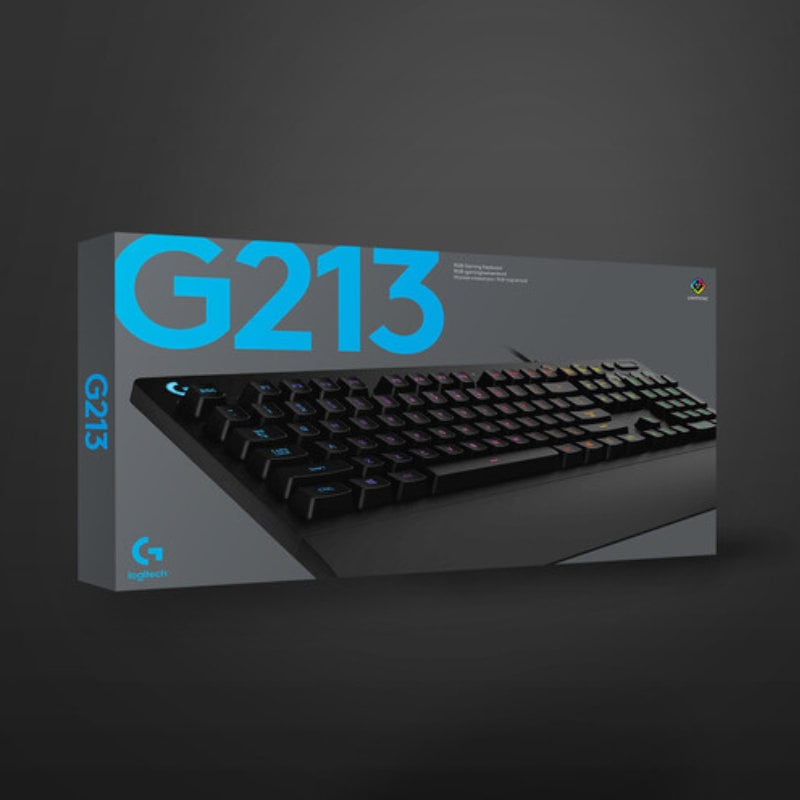
The Logitech G213 Prodigy price in Kenya is Ksh 9,500. This keyboard is the perfect gateway for gamers and heavy typists in Nairobi who want the high-end feel of a mechanical keyboard without the high noise or price tag. Featuring Logitech’s custom Mech-Dome keys, it provides a crisp, tactile response that is up to 4x faster than standard office keyboards, ensuring your inputs are registered the instant you make them.
Built to survive the “real-world” chaos of a Kenyan home or office, the G213 is spill-resistant (tested up to 60ml), so that an accidental splash of coffee or soda won’t end your gaming session. With its integrated palm rest and five customizable RGB lighting zones, it delivers a professional “battlestation” look while keeping you comfortable during long hours of work or play.
Buy it today at Exelic Gadgets. We offer same-day delivery in Nairobi (within 2 hours) and reliable 24-hour shipping to Mombasa, Kisumu, and Eldoret via Wells Fargo or G4S.
Why You’ll Love It (The Lifestyle Upgrade)
- Mech-Dome Tactility: Enjoy a mechanical-like feel with a quiet, cushioned membrane stroke, so that you get tactile feedback without disturbing others in the room.
- Gaming-Grade Speed: Performance-tuned keys respond up to 4x faster than standard keyboards, so that your movements in fast-paced games like Apex Legends or Fortnite are instant.
- Spill-Proof Durability: Engineered to withstand liquid spills up to 60ml, so that accidental messes are easily wiped away without damaging the internal electronics.
- Vibrant LIGHTSYNC RGB: Customize five individual lighting zones with 16.8 million colors, so that your keyboard matches your PC setup or reflects your in-game mood.
- Dedicated Media Controls: Adjust volume or skip tracks without pausing your game, so that you stay in the flow of the action while managing your music or videos.
- Ergonomic Comfort: The built-in palm rest and adjustable feet let you find the perfect typing angle, so that hand fatigue is minimized during marathon sessions.
Logitech G213 Prodigy Specifications
| Feature | Details |
| Price in Kenya | Ksh 9,500 |
| Weight | 1000g (Sturdy & Non-slip) |
| Integrated Palm Rest | Yes (Fixed) |
| Tilt Adjustment | 2-level feet |
| Software Support | Logitech G HUB |
| Compatibility | Windows 7+, macOS 10.10+ |
| Key Life | Millions of keystrokes |
| Poll Rate | 1000Hz (1ms) |
| Indicators | Caps, Num, Scroll Lock & Game Mode |
| Game Mode | Yes (Disables Windows key) |
| Warranty | 2-Year Limited Hardware Warranty |
Mech-Dome Keys: The “Best of Both Worlds”
Traditional membrane keyboards can feel “mushy.” Mechanical keyboards can be loud and expensive. Logitech Mech-Dome keys are a hybrid solution. They use a high-quality membrane but are shaped to provide the 4mm travel distance and 50g actuation of a mechanical switch. This gives you the tactile “pop” that gamers love, while remaining quiet enough for an office environment.
5-Zone LIGHTSYNC RGB: Not Just Pretty Lights
The G213 uses LIGHTSYNC technology, which allows the five lighting zones to react to your content. Using G HUB software, you can set the keyboard to pulse in sync with your game’s explosions or your music’s beat. The keys are also designed with minimal light leak, so that the light shines through the letters rather than around them, making it easier to see in low-light conditions.
Anti-Ghosting Matrix: Precision Under Pressure
In intense gaming moments, you often press several keys at once (like W+Shift+Space). Standard keyboards might fail to register one of these commands. The G213’s anti-ghosting matrix is specially tuned for gaming performance, ensuring that every key press is registered accurately and in the order it was intended.
Dedicated Media Keys: Convenience at Your Fingertips
Unlike many keyboards that require you to hold a “Fn” key to change the volume, the G213 has dedicated buttons for volume and playback. These are full-sized, physical buttons located at the top-right, allowing you to mute a loud video or skip a song instantly without taking your eyes off the screen.
Who Is This Perfect For?
- The Aspiring Pro Gamer: You want a keyboard that looks and feels like professional gear but at a budget-friendly price. The G213 gives you the RGB and the speed without the 20k price tag.
- The “Accident-Prone” Remote Worker: If you often have coffee or water on your desk while working from home, the spill-resistant design is a massive insurance policy for your productivity.
- The Student: You need a keyboard that is comfortable for typing long essays during the day and responsive for gaming at night. The quiet keys won’t disturb your roommates or family.
Alternatives & Competitors
- Logitech G413: A true mechanical keyboard with a brushed aluminum top.
- Logitech G512: Advanced mechanical performance with per-key RGB.
- Razer Cynosa V2: A close competitor with per-key membrane RGB.
- Logitech K120: The ultimate budget office choice (no RGB/Gaming features).
Frequently Asked Questions (FAQs)
1. Is this a “true” mechanical keyboard?
No. It is a membrane keyboard designed to feel and perform like a mechanical one. This makes it much quieter than mechanical keyboards like the G Pro or G413.
2. Can I change the color of individual keys?
The G213 features 5-zone RGB, meaning you can change the color of 5 different sections of the keyboard. You cannot change the color of every single key individually (for that, you would need the Logitech G512 or G513).
3. Does the palm rest come off?
No, the palm rest is integrated (fixed) to the body of the keyboard. This ensures maximum stability and durability, though it does mean the keyboard has a larger desk footprint.
4. Is it compatible with PS5 or Xbox?
Yes. Most modern consoles recognize the G213 as a standard USB keyboard for navigating menus or playing keyboard-supported games like Call of Duty or Warzone.
5. How do I turn off the Windows key while gaming?
There is a dedicated Game Mode button (with a joystick icon) at the top of the keyboard. Pressing it instantly disables the Windows key so you don’t accidentally minimize your game.
There are no reviews yet.