Skip to content

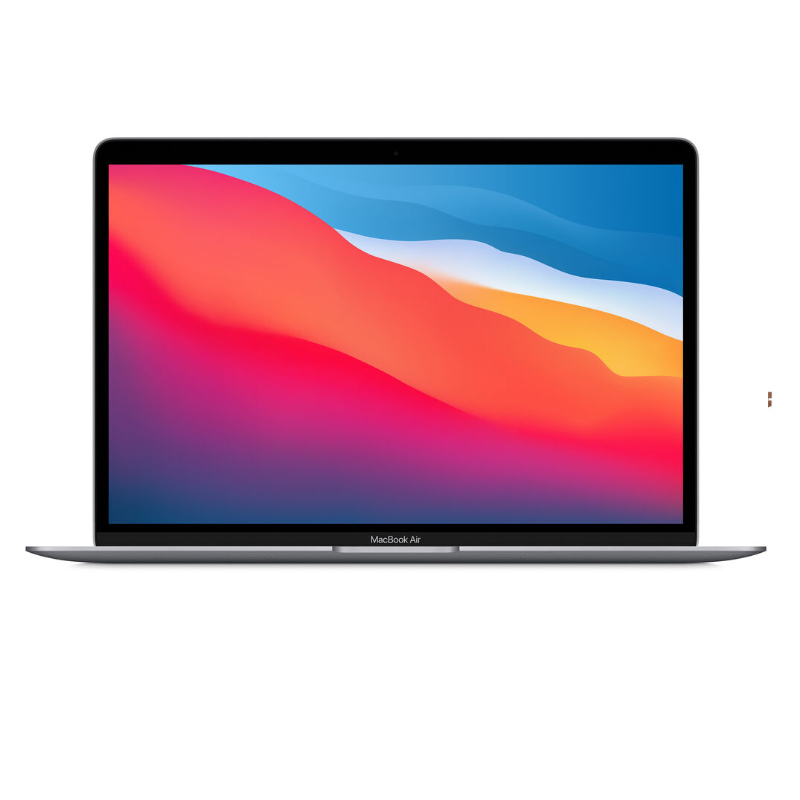
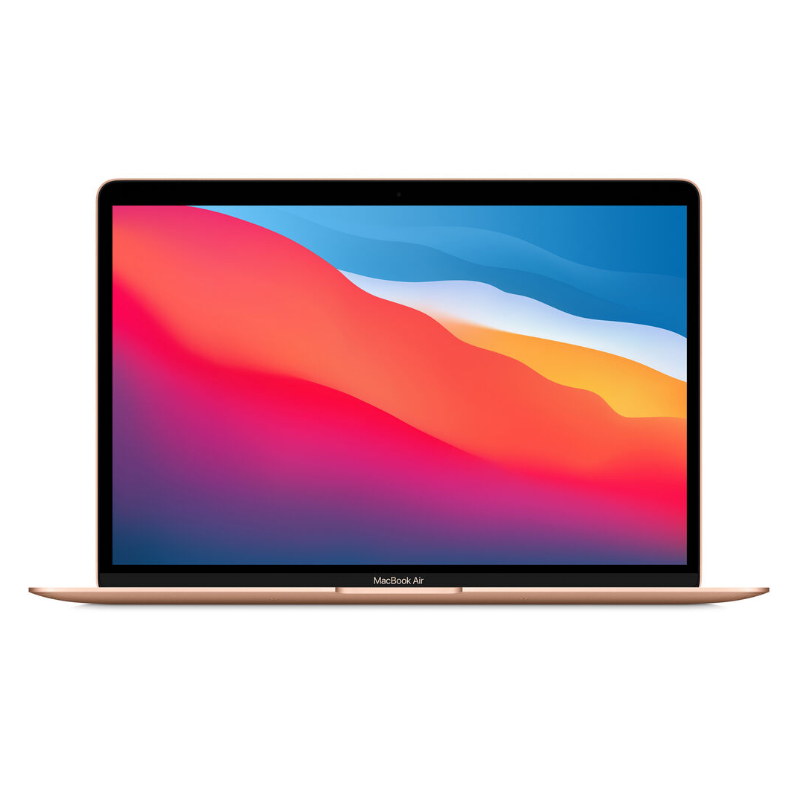
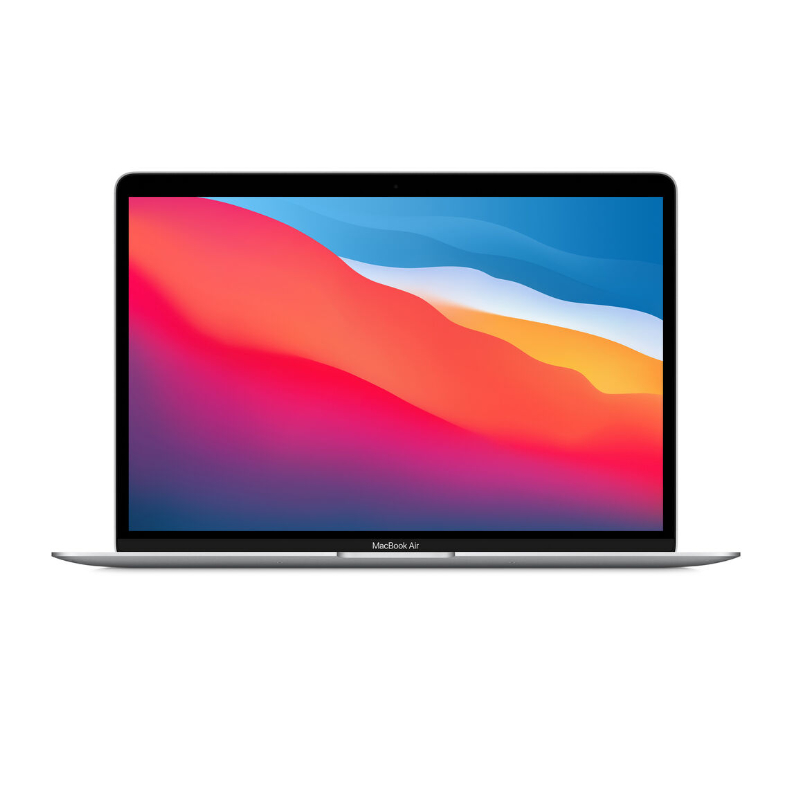
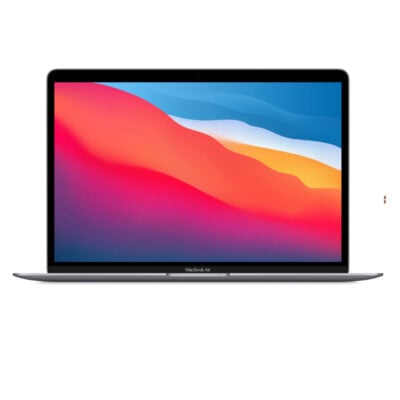
Macbook Air 13-inch M1

0 Reviews
Out of stock

KSh 93,000

  • Apple M1 Chip (8-Core CPU)
  • 7-Core Integrated GPU & 16-Core Neural Engine
  • 13.3-inch Retina Display (2560 x 1600 resolution)
  • 400 Nits Brightness with True Tone Technology
  • 8GB Unified Memory (RAM)
  • 256GB PCIe-based SSD Storage
  • 100% Fanless, Silent Design
  • Up to 18 Hours of Battery Life
  • Touch ID Fingerprint Sensor
  • Dual Thunderbolt 3 / USB 4 Ports
  • Prices and offers are subject to change without notice.
GENUINE 100% Original
M-PESA Secure Pay
DELIVERY Fast Dispatch
SUPPORT Expert Help
Brand:

Product details

Apple MacBook Air 13-Inch M1 Chip Price in Kenya

The Apple MacBook Air 13-inch (M1 Chip) price in Kenya is KSh 93,000. This aggressively priced machine remains the undisputed champion of value in the premium laptop market. It completely justifies the investment by offering the revolutionary Apple M1 Silicon, a chip so powerful and efficient that it completely transformed the computing industry. Even today, it effortlessly outpaces far more expensive Windows competitors in speed, battery life, and overall reliability. This base configuration packs an 8-core CPU, 8GB of unified memory, and a lightning-fast 256GB SSD. Because the M1 chip runs incredibly cool, Apple completely removed the internal cooling fan. This means you get absolute, dead-silent operation whether you are typing a heavy essay or rendering a 4K video clip. The stunning 13.3-inch Retina display brings your content to life, while the battery delivers an astonishing 18 hours of endurance, ensuring you never have to hunt for a wall socket during a busy day in the CBD. Stop suffering through sluggish boot times and loud, overheating laptops. The MacBook Air M1 gives you flagship-tier performance tucked into a razor-thin, 1.29 kg aluminum unibody. Buy the original Apple MacBook Air M1 today at Exelic Gadgets, located at Mithoo Biashara Centre. Pay securely via M-Pesa to confirm your order instantly. We guarantee fast, same-day delivery right to your door anywhere in Nairobi. Customers outside the capital receive rapid, fully insured countrywide shipping via Wells Fargo or G4S.

Why You’ll Love It (The Lifestyle Upgrade)

  • Absolute Silence: The fanless design means the laptop makes exactly zero noise. You can work in a dead-quiet library or late at night without an annoying jet-engine fan ruining your focus.
  • Marathon Battery Life: With up to 18 hours of video playback or 15 hours of web browsing, you can confidently leave your charger at home for a full workday.
  • Instant Wake: Just like your iPhone, the MacBook Air wakes from sleep the exact millisecond you open the lid. No more waiting for Windows to load.
  • The Magic Keyboard: The refined scissor-mechanism keyboard offers a deeply satisfying, tactile typing experience that completely eliminates finger fatigue during long writing sessions.
  • Fingerprint Security: The built-in Touch ID sensor on the power button allows you to securely log in, unlock password-protected files, and authorize Apple Pay purchases with a single tap.
  • Featherweight Champion: Weighing just 1.29 kg (2.8 lbs) and featuring a sleek wedge design, it slides effortlessly into the slimmest tote bags or backpacks.

Apple MacBook Air M1 Specifications

Feature Details
Price in Kenya Ksh 93,000
Processor Apple M1 Chip (8-Core CPU: 4 Performance, 4 Efficiency)
Graphics 7-Core GPU
Display 13.3-inch Retina Display (2560 x 1600), IPS, 400 Nits
Memory (RAM) 8GB Unified Memory
Storage 256GB SSD
Operating System macOS (Free upgrades to the latest versions)
Battery Life Up to 15 hours wireless web / 18 hours video playback
Keyboard & Trackpad Backlit Magic Keyboard, Force Touch Trackpad
Security Touch ID Sensor
Connectivity Wi-Fi 6 (802.11ax), Bluetooth 5.0
Ports 2x Thunderbolt 3 (USB 4), 1x 3.5mm Headphone Jack
Weight & Dimensions 1.29 kg (2.8 lbs) / 30.41 x 21.24 x 0.41–1.61 cm

Deep Dive: The Tech Explained

The Apple M1 Silicon Revolution

Before this laptop, computer processors required separate chips for the CPU, graphics, and memory, which slowed down communication. The Apple M1 changed everything by integrating all these components onto a single System on a Chip (SoC). It utilizes an 8-core CPU that balances 4 high-performance cores for heavy lifting with 4 high-efficiency cores for basic tasks. Combined with the ultra-fast unified memory architecture, the processor can instantly access data without copying it across different pools. This results in blindingly fast app launches, smooth multitasking, and an overall snappiness that entry-level Windows laptops simply cannot touch.

Fanless Design and Absolute Silence

Cramming high-end processing power into a thin laptop usually creates a thermal nightmare, requiring loud, spinning fans to prevent the motherboard from melting. Because the M1 chip is so insanely power-efficient, it generates very little heat. Apple took the bold step of completely removing the internal cooling fan. Instead, an aluminum heat spreader dissipates the warmth passively. This means whether you are editing a podcast, exporting a massive photo album, or simply browsing the web, the MacBook Air operates in absolute, pin-drop silence.

13.3-Inch Retina Display & True Tone

Your eyes will immediately notice the difference when you open the lid. The 13.3-inch LED-backlit Retina display pushes a massive 2560 by 1600 resolution, resulting in razor-sharp text and incredibly lifelike images. It covers the P3 wide color gamut, offering 25% more colors than standard sRGB screens, making it an excellent entry-level canvas for photo editing. Furthermore, Apple’s True Tone technology uses advanced multi-channel sensors to adjust the color and intensity of your display to match the ambient light of your room, heavily reducing eye strain during late-night reading sessions.

18-Hour Marathon Battery Life

Battery anxiety is a thing of the past. The combination of the hyper-efficient M1 chip and the 49.9-watt-hour battery delivers unprecedented endurance. You can comfortably expect up to 15 hours of continuous wireless web browsing or up to 18 hours of video playback. This effectively means you can leave your house at 8:00 AM, attend a full day of university lectures or client meetings, and return home at 6:00 PM with plenty of battery life to spare, entirely without carrying the charging brick.

Magic Keyboard and Force Touch Trackpad

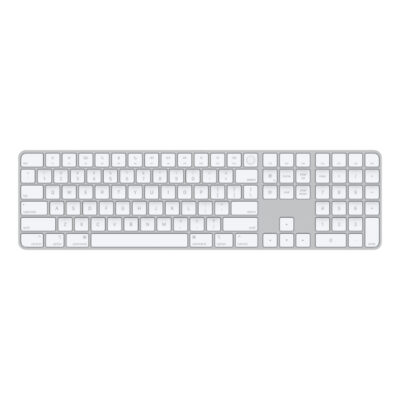
The MacBook Air M1 features the critically acclaimed Magic Keyboard. Unlike the older, highly criticized “butterfly” keyboards, this version utilizes a refined scissor mechanism with 1mm of travel, delivering a deeply responsive, quiet, and comfortable typing experience. Below the keyboard sits the industry-leading Force Touch trackpad. Instead of a mechanical diving board click, it uses haptic feedback (tiny vibrations) to simulate a click anywhere on the massive glass surface, allowing for precise multi-touch gestures and pressure-sensitive drawing.

Thunderbolt 4 and Seamless Connectivity

To keep the wedge-shaped design razor-thin, Apple streamlined the physical ports. On the left side, you get two ultra-fast Thunderbolt 3 (USB 4) ports. These incredibly versatile ports handle everything: you use them to charge the laptop, transfer data at a blistering 40Gb/s, or output video to a massive 6K external monitor. On the right side, Apple thoughtfully retained the 3.5mm headphone jack for wired studio headphones or standard earbuds.

The Apple Ecosystem Advantage

Hardware is only half the story. Running on the incredibly stable macOS, this laptop seamlessly integrates with the rest of your Apple gear. If you own an iPhone, you can use Universal Clipboard to copy text on your phone and paste it directly onto your Mac. You can answer incoming phone calls and text messages directly from your laptop screen, or use your iPad as a wireless secondary monitor using the Sidecar feature. It creates a frictionless digital lifestyle that drastically boosts your daily productivity.

Who Is This Perfect For?

  • The University Student: The Ksh 95,000 price point makes it the ultimate campus companion. The fanless design keeps you quiet in the library, and the 18-hour battery easily survives back-to-back lectures.
  • The Freelance Writer & Blogger: You type thousands of words a day. The Magic Keyboard is incredibly comfortable, and the crisp Retina display prevents eye fatigue.
  • The Business Executive: You need a highly reliable, virus-resistant, and professional-looking machine that wakes instantly for client presentations.
  • The Budget-Conscious Creator: You want to learn basic photo editing (Lightroom/Photoshop) or video editing (Final Cut Pro). The M1 chip handles these tasks far better than any Windows machine in this price bracket.

Alternatives & Competitors

Frequently Asked Questions (FAQs)

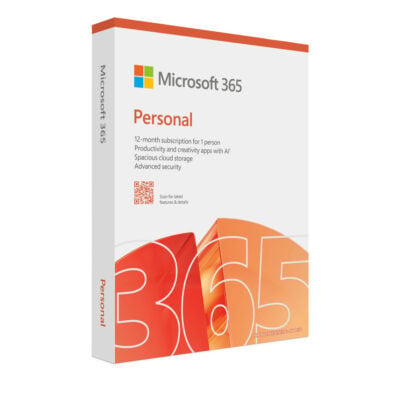
  • Can I run Microsoft Office (Word, Excel) on this MacBook? Absolutely. Microsoft Office is fully optimized for macOS and the Apple M1 chip. You can download Word, Excel, and PowerPoint directly from the Mac App Store.
  • Is 8GB of RAM enough? Yes, for 90% of users. Because Apple’s “Unified Memory” architecture is vastly more efficient than standard Windows PC RAM, 8GB on an M1 Mac performs exceptionally well for heavy web browsing, office work, and light photo/video editing.
  • Does this laptop overheat since it has no fan? No. The M1 chip is so power-efficient that it rarely generates enough heat to require a fan. The aluminum chassis acts as a giant heat sink. It will only get slightly warm to the touch during intense, hours-long 4K video exports.
  • Can I play games on the MacBook Air M1? It is excellent for casual gaming via Apple Arcade or optimized titles like World of Warcraft and The Sims. However, MacBooks are not designed for heavy, competitive AAA Windows gaming (like Cyberpunk 2077 or Valorant).
  • Can I upgrade the RAM or Storage later? No. The RAM and SSD are permanently soldered directly onto the M1 chip motherboard. You cannot upgrade them after purchase.
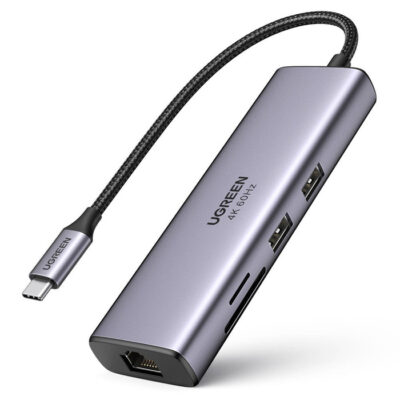
  • Does it have regular USB ports for my old flash drives? It only has USB-C (Thunderbolt) ports. If you have older USB-A flash drives or accessories, you will need to purchase a cheap USB-C to USB-A adapter or dongle hub.

Buy the latest MacBook Air in Kenya at Exelic Gadgets.
Compare Macbook Air 13-inch M1 with Similar Products

Compare Macbook Air 13-inch M1 specs, features and price with similar laptops and alternatives.

Compare Macbook Air 13-inch M1 with Similar Products
Selected Item
Macbook Air 13-inch M1KSh 93,000

General

General specifications comparison
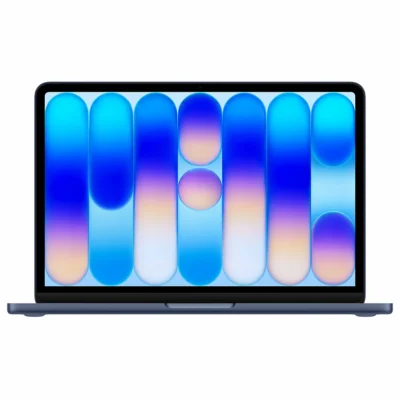
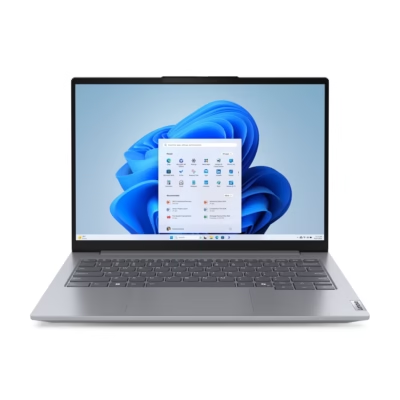
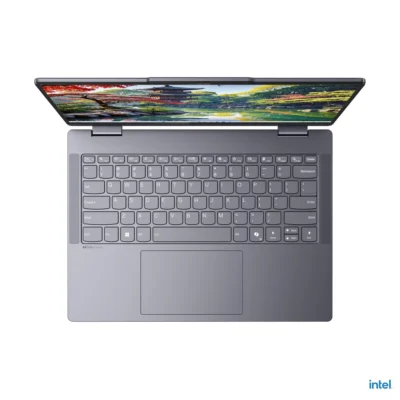
SpecificationMacbook Air 13-inch M1MacBook Neo 13-inch A18 ProLenovo Thinkbook 14 Gen 9 - Ultra 5 210H, 8GB RAM, 512GB SSDLenovo IdeaPad 5 X360 – Ultra 5 225U, 8GB RAM, 512GB SSD
BrandAppleAppleLenovoLenovo
ModelMacBook Air (M1, 2020)MacBook Neo (A18 Pro, 2026)ThinkBook 14 Gen 9 IRLIdeaPad 5 2-in-1 14IAL10
Announced2020202620252025
Form FactorClamshellClamshellClamshell laptop2-in-1 convertible laptop
ColorGold, Silver, Space GraySilver, Blush, Citrus, IndigoArctic GreyLuna Grey

Design

Design specifications comparison
SpecificationMacbook Air 13-inch M1MacBook Neo 13-inch A18 ProLenovo Thinkbook 14 Gen 9 - Ultra 5 210H, 8GB RAM, 512GB SSDLenovo IdeaPad 5 X360 – Ultra 5 225U, 8GB RAM, 512GB SSD
Dimensions30.41 × 21.24 × 0.41–1.61 cm29.75 × 20.64 × 1.27 cm313.5 × 224 × 16.9 mm313 × 227 × 17.5 mm
Weight1.29 kg1.23 kgStarting at 1.36 kgStarting at 1.5 kg
Build MaterialsAluminum enclosureAluminum enclosureAluminium top and bottomAluminium top; PC-ABS bottom

Display

Display specifications comparison
SpecificationMacbook Air 13-inch M1MacBook Neo 13-inch A18 ProLenovo Thinkbook 14 Gen 9 - Ultra 5 210H, 8GB RAM, 512GB SSDLenovo IdeaPad 5 X360 – Ultra 5 225U, 8GB RAM, 512GB SSD
Display Size13.3 inches13.0 inches14-inch14-inch
Display TypeRetina IPS, LED-backlitLiquid Retina IPS, LED-backlitIPS anti-glareIPS glossy touchscreen
Resolution2560 × 16002408 × 15061920 × 1200 (WUXGA)1920 × 1200 (WUXGA)
Refresh Rate60Hz60Hz60 Hz60 Hz
Brightness400 nits500 nits400 nits300 nits
TouchscreenNoNoNoYes, 10-point multi-touch
Display Features227 ppi, Wide color (P3), True Tone219 ppi, 1 billion colors, sRGB16:10, 100% sRGB, TÜV Low Blue Light16:10, 45% NTSC, TÜV Low Blue Light

Performance

Performance specifications comparison
SpecificationMacbook Air 13-inch M1MacBook Neo 13-inch A18 ProLenovo Thinkbook 14 Gen 9 - Ultra 5 210H, 8GB RAM, 512GB SSDLenovo IdeaPad 5 X360 – Ultra 5 225U, 8GB RAM, 512GB SSD
ProcessorApple M1Apple A18 ProIntel Core 5 210HIntel Core Ultra 5 225U
CPU8-core CPU (4 performance cores and 4 efficiency cores)6-core CPU (2 performance cores and 4 efficiency cores)8 cores (4 P-cores + 4 E-cores), 12 threads; up to 4.8 GHz; 12 MB Intel Smart Cache12 cores (2 P-cores + 8 E-cores + 2 LP E-cores), 14 threads; up to 4.8 GHz; 12 MB Intel Smart Cache; Intel AI Boost NPU
GPUApple 7-core GPUApple 5-core GPUIntegrated Intel GraphicsIntegrated Intel Graphics
Graphics MemoryShared unified memoryShared unified memoryShared system memoryShared system memory
RAM TypeUnified memoryUnified memoryDDR5-5600 SO-DIMMSoldered LPDDR5x-8000
Storage TypeSSDSSDM.2 2242 PCIe 4.0 x4 NVMe SSDM.2 2242 PCIe 4.0 x4 NVMe SSD

Memory & Storage

Memory & Storage specifications comparison
SpecificationMacbook Air 13-inch M1MacBook Neo 13-inch A18 ProLenovo Thinkbook 14 Gen 9 - Ultra 5 210H, 8GB RAM, 512GB SSDLenovo IdeaPad 5 X360 – Ultra 5 225U, 8GB RAM, 512GB SSD
RAM8GB8GB8 GB8 GB
Storage256GB256GB / 512GB512 GB512 GB

Battery & Charging

Battery & Charging specifications comparison
SpecificationMacbook Air 13-inch M1MacBook Neo 13-inch A18 ProLenovo Thinkbook 14 Gen 9 - Ultra 5 210H, 8GB RAM, 512GB SSDLenovo IdeaPad 5 X360 – Ultra 5 225U, 8GB RAM, 512GB SSD
Battery49.9Wh lithium-polymer36.5Wh lithium-ion48 Wh57 Wh
Battery LifeUp to 15 hours wireless web; up to 18 hours video playbackUp to 11 hours wireless web; up to 16 hours video streamingVaries by workload and configurationVaries by workload and configuration
ChargingUSB-C chargingUSB-C Power DeliveryRapid Charge supportedRapid Charge Boost
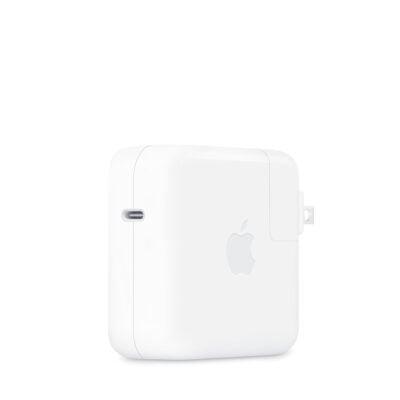
Power Adapter30W USB-C Power Adapter20W USB-C power adapter (sold separately on some markets)65 W USB-C AC adapter65 W USB-C PD 3.0 AC adapter

Software

Software specifications comparison
SpecificationMacbook Air 13-inch M1MacBook Neo 13-inch A18 ProLenovo Thinkbook 14 Gen 9 - Ultra 5 210H, 8GB RAM, 512GB SSDLenovo IdeaPad 5 X360 – Ultra 5 225U, 8GB RAM, 512GB SSD
Operating SystemmacOSmacOSWindows 11Windows 11

Connectivity

Connectivity specifications comparison
SpecificationMacbook Air 13-inch M1MacBook Neo 13-inch A18 ProLenovo Thinkbook 14 Gen 9 - Ultra 5 210H, 8GB RAM, 512GB SSDLenovo IdeaPad 5 X360 – Ultra 5 225U, 8GB RAM, 512GB SSD
Wi-FiWi-Fi 6 (802.11ax)Wi-Fi 6E (802.11ax)Wi-Fi 6E (802.11ax 2×2)Wi-Fi 6E (802.11ax 2×2)
BluetoothBluetooth 5.0Bluetooth 6Bluetooth 5.3Bluetooth 5.3
EthernetNo built-in EthernetNo built-in EthernetGigabit Ethernet (RJ-45)No built-in Ethernet

Camera & Audio

Camera & Audio specifications comparison
SpecificationMacbook Air 13-inch M1MacBook Neo 13-inch A18 ProLenovo Thinkbook 14 Gen 9 - Ultra 5 210H, 8GB RAM, 512GB SSDLenovo IdeaPad 5 X360 – Ultra 5 225U, 8GB RAM, 512GB SSD
Webcam720p FaceTime HD camera1080p FaceTime HD cameraFHD 1080p webcam with privacy shutterFHD 1080p + IR webcam with privacy shutter
SpeakersStereo speakersDual-speaker sound system2 × 2 W stereo speakers2 × 2 W stereo speakers
MicrophonesThree-mic array with directional beamformingDual-mic array with directional beamformingDual-array microphonesDual-array microphones
Audio FeaturesWide stereo sound, Dolby Atmos playbackSpatial Audio, Dolby Atmos, Voice Isolation and Wide Spectrum microphone modesDolby AudioDolby Audio

Keyboard & Input

Keyboard & Input specifications comparison
SpecificationMacbook Air 13-inch M1MacBook Neo 13-inch A18 ProLenovo Thinkbook 14 Gen 9 - Ultra 5 210H, 8GB RAM, 512GB SSDLenovo IdeaPad 5 X360 – Ultra 5 225U, 8GB RAM, 512GB SSD
KeyboardBacklit Magic KeyboardMagic Keyboard6-row keyboard6-row keyboard
Keyboard BacklightYesNoBacklit keyboardBacklit keyboard
TrackpadForce Touch trackpad with Multi-Touch gesturesMulti-Touch trackpadPrecision multi-touch touchpadPrecision multi-touch touchpad
Fingerprint ReaderTouch IDTouch ID (configuration dependent)Fingerprint reader integrated with power buttonFingerprint reader integrated with power button
Stylus SupportNoNoNot specifiedYes; Lenovo Digital Pen supported

Ports

Ports specifications comparison
SpecificationMacbook Air 13-inch M1MacBook Neo 13-inch A18 ProLenovo Thinkbook 14 Gen 9 - Ultra 5 210H, 8GB RAM, 512GB SSDLenovo IdeaPad 5 X360 – Ultra 5 225U, 8GB RAM, 512GB SSD
USB-ANoNo2 × USB-A 5 Gbps2 × USB-A 5 Gbps
USB-C2 × USB-C ports2 × USB-C ports (one USB 3 and one USB 2)1 × USB-C 10 Gbps plus 1 × Thunderbolt 4 / USB42 × USB-C 10 Gbps with USB PD 3.0 and DisplayPort 1.4
Thunderbolt / USB42 × Thunderbolt / USB 4 (up to 40Gb/s)No1 × Thunderbolt 4 / USB4No
HDMINo built-in HDMI; adapter supportedNo built-in HDMIHDMI 2.1HDMI 1.4b
DisplayPortDisplayPort output over USB-CDisplayPort 1.4 over the USB 3 (USB-C) portDisplayPort via USB-C / ThunderboltDisplayPort 1.4 via USB-C
Memory Card ReaderNoNoSD card readermicroSD card reader
3.5mm Audio Jack3.5mm headphone jack3.5mm headphone jack3.5 mm headphone/microphone combo jack3.5 mm headphone/microphone combo jack
Other PortsNoneNoneRJ-45 Ethernet; Kensington Nano security slotNo additional ports

Additional Features

Additional Features specifications comparison
SpecificationMacbook Air 13-inch M1MacBook Neo 13-inch A18 ProLenovo Thinkbook 14 Gen 9 - Ultra 5 210H, 8GB RAM, 512GB SSDLenovo IdeaPad 5 X360 – Ultra 5 225U, 8GB RAM, 512GB SSD
SecurityTouch IDTouch ID (configuration dependent)Firmware TPM 2.0; fingerprint reader; webcam privacy shutterFirmware TPM 2.0; IR camera; webcam privacy shutter
CoolingFanless passive coolingFanless passive coolingActive fan coolingActive fan cooling
Special Features16-core Neural Engine; supports one external display up to 6K at 60Hz16-core Neural Engine; supports one external display up to 4K at 60HzDual SSD support360° hinge; pen support; Intel AI Boost NPU

What's in the Box

What's in the Box specifications comparison
SpecificationMacbook Air 13-inch M1MacBook Neo 13-inch A18 ProLenovo Thinkbook 14 Gen 9 - Ultra 5 210H, 8GB RAM, 512GB SSDLenovo IdeaPad 5 X360 – Ultra 5 225U, 8GB RAM, 512GB SSD
LaptopMacbook Air 13-inch M1MacBook Neo 13-inch A18 ProLenovo Thinkbook 14 Gen 9 – Ultra 5 210H, 8GB RAM, 512GB SSDLenovo IdeaPad 5 X360 – Ultra 5 225U, 8GB RAM, 512GB SSD

Specs

Macbook Air 13-inch M1 specifications

General

Macbook Air 13-inch M1 — General
BrandApple
ModelMacBook Air (M1, 2020)
Announced2020
Form FactorClamshell
ColorGold, Silver, Space Gray

Design

Macbook Air 13-inch M1 — Design
Dimensions30.41 × 21.24 × 0.41–1.61 cm
Weight1.29 kg
Build MaterialsAluminum enclosure

Display

Macbook Air 13-inch M1 — Display
Display Size13.3 inches
Display TypeRetina IPS, LED-backlit
Resolution2560 × 1600
Refresh Rate60Hz
Brightness400 nits
TouchscreenNo
Display Features227 ppi, Wide color (P3), True Tone

Performance

Macbook Air 13-inch M1 — Performance
ProcessorApple M1
CPU8-core CPU (4 performance cores and 4 efficiency cores)
GPUApple 7-core GPU
Graphics MemoryShared unified memory
RAM8GB
RAM TypeUnified memory
Storage256GB
Storage TypeSSD

Battery & Charging

Macbook Air 13-inch M1 — Battery & Charging
Battery49.9Wh lithium-polymer
Battery LifeUp to 15 hours wireless web; up to 18 hours video playback
ChargingUSB-C charging
Power Adapter30W USB-C Power Adapter

Connectivity

Macbook Air 13-inch M1 — Connectivity
Wi-FiWi-Fi 6 (802.11ax)
BluetoothBluetooth 5.0
EthernetNo built-in Ethernet

Operating System

Macbook Air 13-inch M1 — Operating System
Operating SystemmacOS

Camera & Audio

Macbook Air 13-inch M1 — Camera & Audio
Webcam720p FaceTime HD camera
SpeakersStereo speakers
MicrophonesThree-mic array with directional beamforming
Audio FeaturesWide stereo sound, Dolby Atmos playback

Keyboard & Input

Macbook Air 13-inch M1 — Keyboard & Input
KeyboardBacklit Magic Keyboard
Keyboard BacklightYes
TrackpadForce Touch trackpad with Multi-Touch gestures
Fingerprint ReaderTouch ID
Stylus SupportNo

Ports

Macbook Air 13-inch M1 — Ports
USB-ANo
USB-C2 × USB-C ports
Thunderbolt / USB42 × Thunderbolt / USB 4 (up to 40Gb/s)
HDMINo built-in HDMI; adapter supported
DisplayPortDisplayPort output over USB-C
Memory Card ReaderNo
3.5mm Audio Jack3.5mm headphone jack
Other PortsNone

Additional Features

Macbook Air 13-inch M1 — Additional Features
SecurityTouch ID
CoolingFanless passive cooling
Special Features16-core Neural Engine; supports one external display up to 6K at 60Hz

What's in the Box

Macbook Air 13-inch M1 — What's in the Box
LaptopMacbook Air 13-inch M1
Power AdapterNot specified
Charging CableNot specified
Other AccessoriesNot specified

0 Reviews

No reviews yet

Be the first to review Macbook Air 13-inch M1.

Write a review
Back to Top

My Cart