Skip to content
SKU: 910-007562 Category: Tag: Brand:

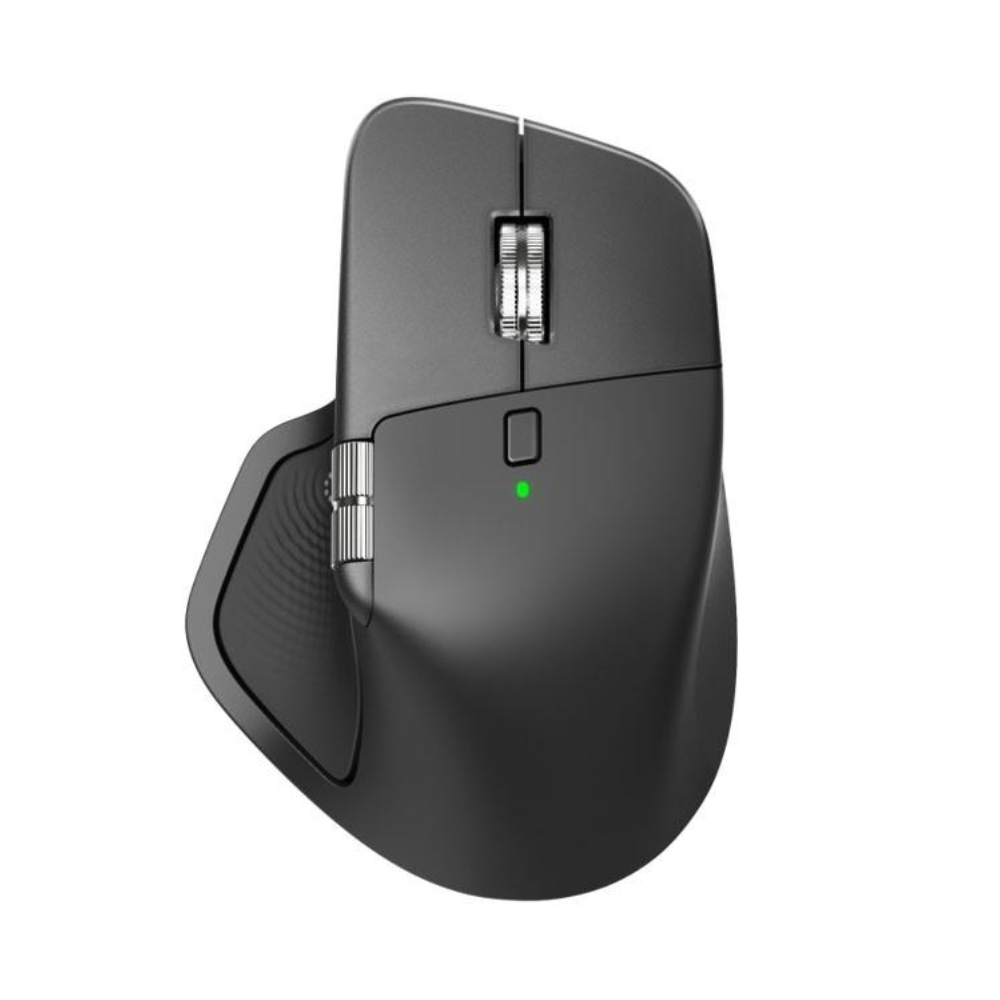
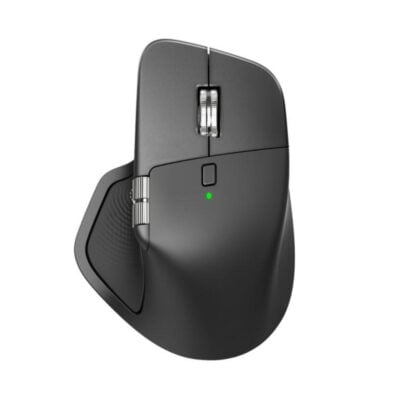
Logitech MX Master 4

(5.00)2 Reviews
In stock

Original price was: KSh 20,000.Current price is: KSh 17,000.

  • Sensor: 8,000 DPI Darkfield High Precision (Glass Tracking)
  • Scrolling: MagSpeed™ Electromagnetic Wheel (1,000 lines/sec)
  • Haptics: Customizable Haptic Feedback on specific actions
  • Shortcuts: On-screen Actions Ring & Gesture Button
  • Buttons: 8 Programmable Buttons
  • Connectivity: Logi Bolt USB Receiver + Bluetooth Low Energy (2x stronger signal)
  • Battery: 70 Days (Full Charge) / 3 Hours (1-Minute Quick Charge)
  • Charging: USB-C Rapid Charging
  • Multi-Device: Connect up to 3 devices (Flow enabled)
  • Weight: 150g (Solid, premium feel)
GENUINE 100% Original
M-PESA Secure Pay
WARRANTY 1 YEAR
SUPPORT Expert Help
Brand:

Product details

Logitech MX Master 4 Price in Kenya

The Logitech MX Master 4 price in Kenya is KSh 17,500. This is not just an upgrade; it is the new ceiling for professional productivity. If the MX Master 3S was the king, the MX Master 4 is the god-emperor. It introduces a Haptic Sense Panel and an Actions Ring, transforming the mouse from a simple pointer into a complete command center that physically confirms your digital actions with subtle vibrations. Speed is the currency of the modern Nairobi professional, and this mouse mints it. The new Actions Ring brings your most-used tools (like copy, paste, or brush size) directly to your cursor, reducing hand movement by up to 63%. Combined with the legendary MagSpeed™ Wheel that scrolls 1,000 lines per second, you can tear through 50-page contracts or thousands of lines of code in seconds.

The connectivity has been rebuilt from the ground up. With a new radio chip and improved antenna, the MX Master 4 offers 2x stronger connectivity than its predecessor, solving the interference issues common in crowded office buildings like Britam Tower or UAP Old Mutual. It tracks on any surface—even the clear glass tables at your favorite Kilimani coffee shop—thanks to the 8K DPI Darkfield sensor. Buy it today at Exelic Gadgets. This is the ultimate tool for the C-Suite executive, the Senior Developer, and the Creative Director. Order now for same-day delivery to your office in Westlands or Upper Hill, or get it shipped via Wells Fargo to Mombasa, Kisumu, and Eldoret.

Why You’ll Love It (The Lifestyle Upgrade)

  • The “Actions Ring” HUD: Access a customizable ring of shortcuts right at your cursor, so that you stop wasting time hunting through menus and keep your focus on your work.
  • Haptic Confirmation: The Haptic Sense Panel vibrates slightly when you complete an action, so that you “feel” your productivity, adding a tactile layer to digital tasks like snapping windows or adjusting sliders.
  • Glass-Ready Tracking: The 8K DPI Darkfield sensor tracks on clear glass (min 4mm), so that you can work from a fancy glass boardroom table or a coffee shop without needing a mousepad.
  • MagSpeed™ Scrolling: The electromagnetic wheel scrolls 1,000 lines per second in silence, so that you can fly through massive Excel sheets or codebases instantly, then stop on a single pixel.
  • Zero-Interruption Power: The battery lasts 70 days, and a 1-minute charge gives 3 hours of use, so that even if you forget to charge it before a client presentation, a quick plugin while you grab coffee saves the day.
  • Silent Authority: The clicks are 90% quieter than standard mice, so that you maintain a professional, distraction-free environment in open-plan offices or late-night home setups.

Logitech MX Master 4 Specifications

Category Feature Details
Price Price in Kenya Ksh 17,500
Dimensions & Weight Height 128.15 mm
Width 88.35 mm
Depth 50.8 mm
Weight 150 g
Sensor Technology Darkfield™ High Precision
Nominal Value 1000 DPI
DPI Range 200-8000 DPI (Adjustable in 50 DPI increments)
Buttons & Scroll Number of Buttons 8
Scroll Wheel Yes, MagSpeed™ wheel with Smart Shift
Horizontal/Thumb Wheel Yes
Gesture Button Yes
General Features Haptic Feedback Supported on Actions Ring, Smart Actions, Gestures
App Support Logi Options+ (Customize), Basic support in Logi Tune
Supported Plugins Adobe Photoshop, Lightroom Desktop, Zoom, Premiere Pro (Coming Oct)
Battery & Power Battery Type Rechargeable Li-Po (650 mAh)
Battery Life Up to 70 days on a full charge
Charging USB-C Quick Charging
Connectivity Connection Type Wireless (Bluetooth Low Energy 5.1 & Logi Bolt)
Wireless Range 10 meters
Receiver Compatibility Compatible with both USB-C and USB-A Logi Bolt receivers
System Requirements Bluetooth Windows 11+, macOS 13+, Linux, ChromeOS, iPadOS 15+, Android 12+
Logi Bolt USB Receiver Requires USB-C or USB-A Port; Windows 10/11+, macOS 13+, Linux, ChromeOS

Deep Dive: The Tech Explained

Haptic Sense Panel (Touch the Digital)

The MX Master 4 bridges the gap between the physical and digital worlds. It uses a specialized haptic engine to provide subtle vibrations when you perform specific actions—like snapping a window to a grid, reaching the end of a document, or switching desktops.22 This isn’t just a gimmick; it builds muscle memory. You don’t just see that you’ve adjusted a slider in Lightroom; you feel the increments, giving you surgical precision without looking away from your content.

The Actions Ring (Your On-Screen Command Center)

Imagine having a toolbox that floats right where your hand is. The Actions Ring is a customizable digital overlay that appears at your cursor when you press a designated button. It holds your most-used commands—Copy, Paste, Zoom, Brush Size, or specific formulas in Excel. This eliminates the micro-seconds wasted moving your mouse to the top toolbar menu hundreds of times a day. Over a year, this feature alone saves hours of pure work time.

MagSpeed™ Electromagnetic Scrolling

This is the feature that makes once you go Logitech, you never go back. The scroll wheel is machined from solid steel and uses electromagnets to control resistance. It has two modes: Ratchet (feel every click for precision) and Free Spin (flick it to scroll silently at 1,000 lines per second). It’s fast enough to scroll from row 1 to row 10,000 in Excel with a single flick, yet precise enough to stop exactly on the cell you need.

8K DPI Darkfield™ Sensor

Standard optical mice use light reflection to track movement, which fails on glass because the light passes right through. The Darkfield sensor is different—it tracks microscopic dust and imperfections on the surface. With 8,000 DPI sensitivity, it works flawlessly on clear glass tables (minimum 4mm thick) often found in high-end Nairobi offices or hotel lobbies. It also means you need less desk space; a tiny movement of your hand can move the cursor across dual 4K monitors.

Logi Bolt & Dual Connectivity

Interference is the enemy of wireless mice, especially in office buildings packed with hundreds of Bluetooth devices. The MX Master 4 uses the new Logi Bolt protocol (via the included USB dongle), which is encrypted and designed to cut through congested wireless environments. It provides a connection that is 2x more stable than the previous generation. Alternatively, you can use Bluetooth Low Energy to connect to your iPad or MacBook without the dongle.

Flow Cross-Computer Control

If you are a power user with a PC desktop and a MacBook laptop, Flow is magic. It lets you move your mouse cursor off the edge of one screen and onto the other, seamlessly switching control between computers. You can even copy text or files on one computer and paste them onto the other. No emailing files to yourself, no flash drives. It works across Windows and macOS, making your two computers act like one super-system.

Who Is This Perfect For?

  • The “C-Suite” Executive: You review long contracts, financial reports, and strategy documents. The MagSpeed scroll wheel and premium ergonomics command respect and efficiency.
  • The Senior Developer: You navigate thousands of lines of code. The Actions Ring gives you instant access to your snippets, and the vertical/horizontal scrolling is essential for wide codebases.
  • The Creative Professional: Video editors (Premiere) and Designers (Photoshop) who need the pixel-perfect precision of 8K DPI and the tactile feedback of the haptic engine for adjustments.

Alternatives & Competitors

Frequently Asked Questions (FAQs)

  • Q: Does it come with a charging cable? A: No. In a move towards sustainability and reducing e-waste, Logitech does not include a USB-C cable in the box. You can charge it using any standard USB-C cable (like your phone or laptop charger).
  • Q: Is it worth upgrading from the MX Master 3S? A: If you rely heavily on shortcuts and work in a busy wireless environment, Yes. The Haptic feedback, Actions Ring, and improved connectivity (Logi Bolt) are significant upgrades. If you just need a good mouse, the 3S is still excellent.
  • Q: Does it work with Mac? A: Yes, it is fully compatible with macOS and iPadOS via Bluetooth. You can customize the buttons and gestures using the Logi Options+ software for Mac.
  • Q: How do I switch between devices? A: There is an “Easy-Switch” button on the bottom of the mouse that lets you toggle between 3 paired devices (e.g., Desktop, Laptop, Tablet) instantly.
  • Q: What is “Logi Bolt” and do I need it? A: Logi Bolt is the new USB receiver included in the box.42 It offers a more secure and stable connection than standard Bluetooth. We recommend using it for office environments to avoid lag, but Bluetooth works fine for home use.

Buy the latest mouse in Kenya at Exelic Gadgets.
Compare Logitech MX Master 4 with Similar Products

Compare Logitech MX Master 4 specs, features and price with similar computer mice and alternatives.

Compare Logitech MX Master 4 with Similar Products
Selected Item
Logitech MX Master 4KSh 17,000Add to cart

General

General specifications comparison
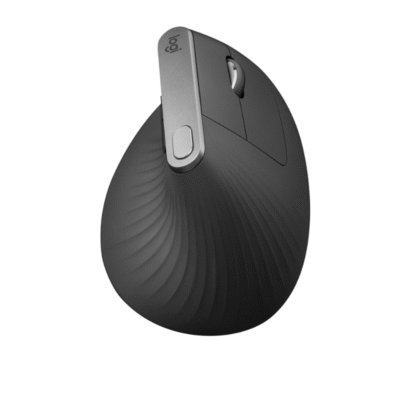
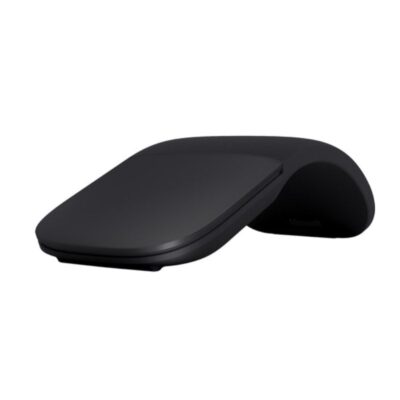
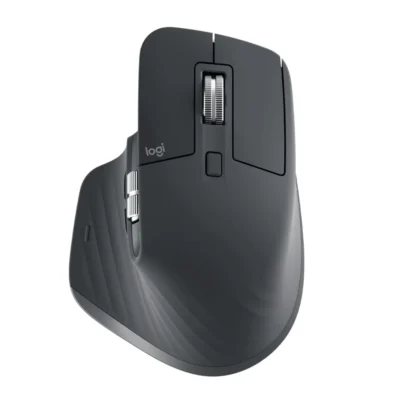
SpecificationLogitech MX Master 4Logitech MX Vertical MouseMicrosoft Arc Wireless MouseLogitech MX Master 3S
BrandLogitechLogitechMicrosoftLogitech
ModelMX Master 4 (MR0118)MX VerticalSurface Arc Mouse (ELG-00001)MX Master 3S (M-R0077)
Announced2025201820172022
TypeWireless productivity mouseWireless vertical ergonomic mouseBluetooth snap-flat mouseWireless productivity mouse
ColorGraphite; Pale GreyGraphiteLight GreyGraphite; Pale Grey

Sensor & Tracking

Sensor & Tracking specifications comparison
SpecificationLogitech MX Master 4Logitech MX Vertical MouseMicrosoft Arc Wireless MouseLogitech MX Master 3S
Sensor TechnologyDarkfield high-precision optical sensorHigh-precision optical sensorMicrosoft BlueTrack TechnologyDarkfield high-precision optical sensor
DPI200–8,000 DPI400–4,000 DPI; nominal 1,000 / 1,600 DPI1000 DPI200–8,000 DPI
DPI AdjustmentYes — adjustable in 50-DPI incrementsYes — cursor-speed switch and Logi Options+NoYes — adjustable in 50-DPI increments
Polling Rate125 HzNot specifiedNot specified125 Hz
Tracking SpeedNot specifiedNot specified30 in/sNot specified

Buttons & Scrolling

Buttons & Scrolling specifications comparison
SpecificationLogitech MX Master 4Logitech MX Vertical MouseMicrosoft Arc Wireless MouseLogitech MX Master 3S
Number of Buttons8 physical controls4 customizable buttons plus left/right click and scroll wheel27
Programmable ButtonsYes — via Logi Options+Yes — 4 customizable buttonsNoYes — via Logi Options+
Gesture ButtonYesN/AN/AYes
Scroll WheelMagSpeed electromagnetic Smartshift wheelPrecision scroll wheelFull scroll plane touch surfaceMagSpeed electromagnetic Smartshift wheel
Horizontal ScrollYesNoYesYes
Thumb WheelYesN/AN/AYes
Button / Switch TypeQuiet mechanical clicks with haptic Sense PanelMechanicalMechanical click with capacitive touch scrollingQuiet mechanical clicks

Connectivity

Connectivity specifications comparison
SpecificationLogitech MX Master 4Logitech MX Vertical MouseMicrosoft Arc Wireless MouseLogitech MX Master 3S
Connection TypeWirelessWirelessWirelessWireless
Wireless TechnologyBluetooth Low Energy; Logi BoltBluetooth Low Energy; Logitech Unifying 2.4GHzBluetooth Low EnergyBluetooth Low Energy; Logi Bolt
BluetoothBluetooth Low EnergyBluetooth Low EnergyBluetooth 4.1Bluetooth Low Energy
Wireless ReceiverLogi Bolt USB-C receiver (CU0028)USB-A Logitech Unifying receiverN/AUSB-A Logi Bolt receiver
Wireless RangeUp to 10 mUp to 10 mUp to 10 m in open air; up to 5 m in office environmentsUp to 10 m
Multi-Device ConnectionYes — up to 3 devicesYes — up to 3 devicesNoYes — up to 3 devices
Cable / ConnectorUSB-C to USB-C charging cableUSB-C charging/data cableN/AUSB-C charging cable
Cable LengthNot specifiedNot specifiedN/ANot specified

Battery & Power

Battery & Power specifications comparison
SpecificationLogitech MX Master 4Logitech MX Vertical MouseMicrosoft Arc Wireless MouseLogitech MX Master 3S
Battery TypeRechargeable Li-PoRechargeable Li-Po2 × AAA batteriesRechargeable Li-Po
Battery Capacity650 mAh240 mAhN/A500 mAh
Battery LifeUp to 70 daysUp to 4 monthsUp to 6 monthsUp to 70 days
Charging PortUSB-CUSB-CN/AUSB-C
Fast Charging1 minute provides up to 3 hours of use1 minute provides up to 3 hours of useN/A1 minute provides up to 3 hours; 3 minutes provides up to 1 day
Wireless ChargingNoNoN/ANo
Charging TimeNot specifiedNot specifiedN/AAbout 2 hours

Features

Features specifications comparison
SpecificationLogitech MX Master 4Logitech MX Vertical MouseMicrosoft Arc Wireless MouseLogitech MX Master 3S
Customization SoftwareLogi Options+; Logi TuneLogi Options+Microsoft Mouse and Keyboard CenterLogi Options+
Onboard MemoryNoNoNoNo
ProfilesSoftware profiles in Logi Options+Application-specific software profilesN/AApplication-specific software profiles
RGB LightingNoNoNoNo
Haptic FeedbackYes — customizable Sense Panel hapticsNoNoNo
Silent ClicksYesNoNoYes — Quiet Clicks
Special FeaturesHaptic Sense Panel; Actions Ring; MagSpeed scrolling; Easy-Switch; Logitech Flow57-degree natural handshake angle; Easy-Switch; Logitech Flow; cursor-speed switchSnaps flat to power off; curves to power on; full vertical and horizontal touch scrollingMagSpeed scrolling; Easy-Switch; Logitech Flow; 8K DPI glass tracking

Design

Design specifications comparison
SpecificationLogitech MX Master 4Logitech MX Vertical MouseMicrosoft Arc Wireless MouseLogitech MX Master 3S
Dimensions128.2 × 88.4 × 50.8 mm120 × 79 × 78.5 mm131 × 55 × 14 mm (flat)124.9 × 84.3 × 51 mm
Weight150 g135 g82.5 g (with batteries)141 g
Hand OrientationRight-handedRight-handedNot specifiedRight-handed
Form FactorErgonomic productivity mouseVertical ergonomic mouseSnap-flat portable mouseErgonomic productivity mouse
Grip StylePalmPalmFingertipPalm
MaterialPlastic with textured rubber gripPlastic with textured rubber surfacePlastic with soft-touch surfacePlastic with textured rubber grip

System Requirements

System Requirements specifications comparison
SpecificationLogitech MX Master 4Logitech MX Vertical MouseMicrosoft Arc Wireless MouseLogitech MX Master 3S
WindowsWindows 10, Windows 11 or laterWindows 8 or laterWindows 8, Windows 8.1, Windows 10, Windows 11Windows 10, Windows 11 or later
macOSmacOS 12 or latermacOS 10.13 or laterN/AmacOS 10.15 or later
Other Operating SystemsChromeOS; Linux; Android 12 or later; iPadOS 15 or lateriPadOS 13.1 or later; Linux (basic functions)Not specifiediPadOS 13.4 or later; ChromeOS; Linux
Required Port / ConnectionBluetooth or USB-C port for Logi Bolt receiverUSB-A port, USB-C port or BluetoothBluetooth 4.0 or laterUSB-A port or Bluetooth
SoftwareLogi Options+ (optional); Logi Tune (optional)Logi Options+ (optional)Microsoft Mouse and Keyboard Center (optional)Logi Options+ (optional)

What's in the Box

What's in the Box specifications comparison
SpecificationLogitech MX Master 4Logitech MX Vertical MouseMicrosoft Arc Wireless MouseLogitech MX Master 3S
In the BoxMX Master 4 mouse, Logi Bolt USB-C receiver, USB-C charging cable and user documentationMX Vertical mouse, Logitech Unifying receiver, USB-C charging cable and user documentationSurface Arc Mouse, 2 AAA batteries and user documentationMX Master 3S mouse, Logi Bolt USB receiver, USB-C charging cable and user documentation

Specs

Logitech MX Master 4 specifications

General

Logitech MX Master 4 — General
BrandLogitech
ModelMX Master 4 (MR0118)
Announced2025
TypeWireless productivity mouse
ColorGraphite; Pale Grey
Dimensions128.2 × 88.4 × 50.8 mm
Weight150 g

Sensor & Tracking

Logitech MX Master 4 — Sensor & Tracking
Sensor TechnologyDarkfield high-precision optical sensor
DPI200–8,000 DPI
DPI AdjustmentYes — adjustable in 50-DPI increments
Tracking SpeedNot specified
AccelerationNot specified
Polling Rate125 Hz

Buttons & Scrolling

Logitech MX Master 4 — Buttons & Scrolling
Number of Buttons8 physical controls
Programmable ButtonsYes — via Logi Options+
Gesture ButtonYes
Scroll WheelMagSpeed electromagnetic Smartshift wheel
Horizontal ScrollYes
Thumb WheelYes
Button / Switch TypeQuiet mechanical clicks with haptic Sense Panel

Connectivity

Logitech MX Master 4 — Connectivity
Connection TypeWireless
Wireless TechnologyBluetooth Low Energy; Logi Bolt
BluetoothBluetooth Low Energy
Wireless ReceiverLogi Bolt USB-C receiver (CU0028)
Wireless RangeUp to 10 m
Multi-Device ConnectionYes — up to 3 devices
Cable / ConnectorUSB-C to USB-C charging cable
Cable LengthNot specified

Battery & Power

Logitech MX Master 4 — Battery & Power
Battery TypeRechargeable Li-Po
Battery Capacity650 mAh
Battery LifeUp to 70 days
Charging PortUSB-C
Charging TimeNot specified
Fast Charging1 minute provides up to 3 hours of use
Wireless ChargingNo

Features

Logitech MX Master 4 — Features
Customization SoftwareLogi Options+; Logi Tune
Onboard MemoryNo
ProfilesSoftware profiles in Logi Options+
RGB LightingNo
Haptic FeedbackYes — customizable Sense Panel haptics
Silent ClicksYes
Special FeaturesHaptic Sense Panel; Actions Ring; MagSpeed scrolling; Easy-Switch; Logitech Flow

Design

Logitech MX Master 4 — Design
Hand OrientationRight-handed
Form FactorErgonomic productivity mouse
Grip StylePalm
MaterialPlastic with textured rubber grip

System Requirements

Logitech MX Master 4 — System Requirements
WindowsWindows 10, Windows 11 or later
macOSmacOS 12 or later
Other Operating SystemsChromeOS; Linux; Android 12 or later; iPadOS 15 or later
Required Port / ConnectionBluetooth or USB-C port for Logi Bolt receiver
SoftwareLogi Options+ (optional); Logi Tune (optional)

What's in the Box

Logitech MX Master 4 — What's in the Box
In the BoxMX Master 4 mouse, Logi Bolt USB-C receiver, USB-C charging cable and user documentation

2 Reviews

5.0
Ranjit★★★★★

Logitech MX Master 4

Thank you for the quick delivery

Kelvin N.★★★★★

Logitech MX Master 4

Love the mouse, thank you for the fast delivery.

Back to Top

My Cart