Skip to content
SKU: 910-006556 Category: Tag: Brand:

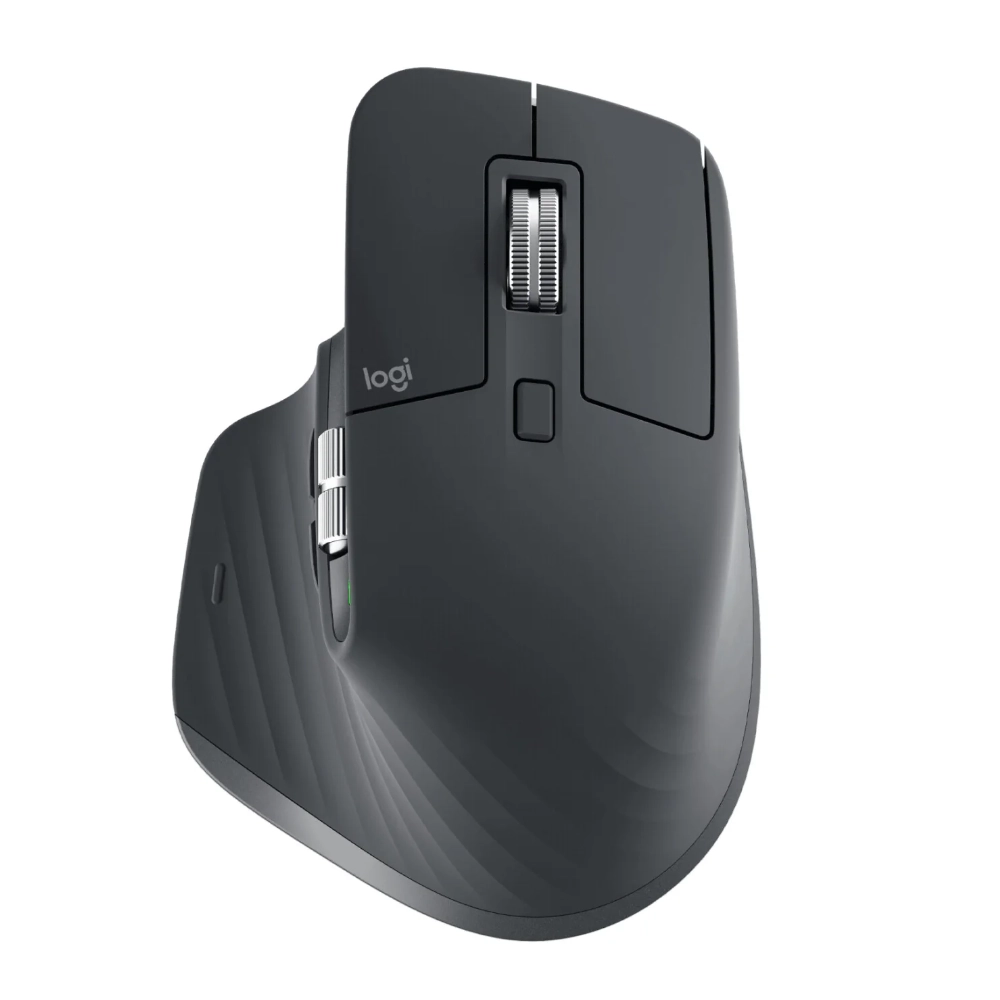
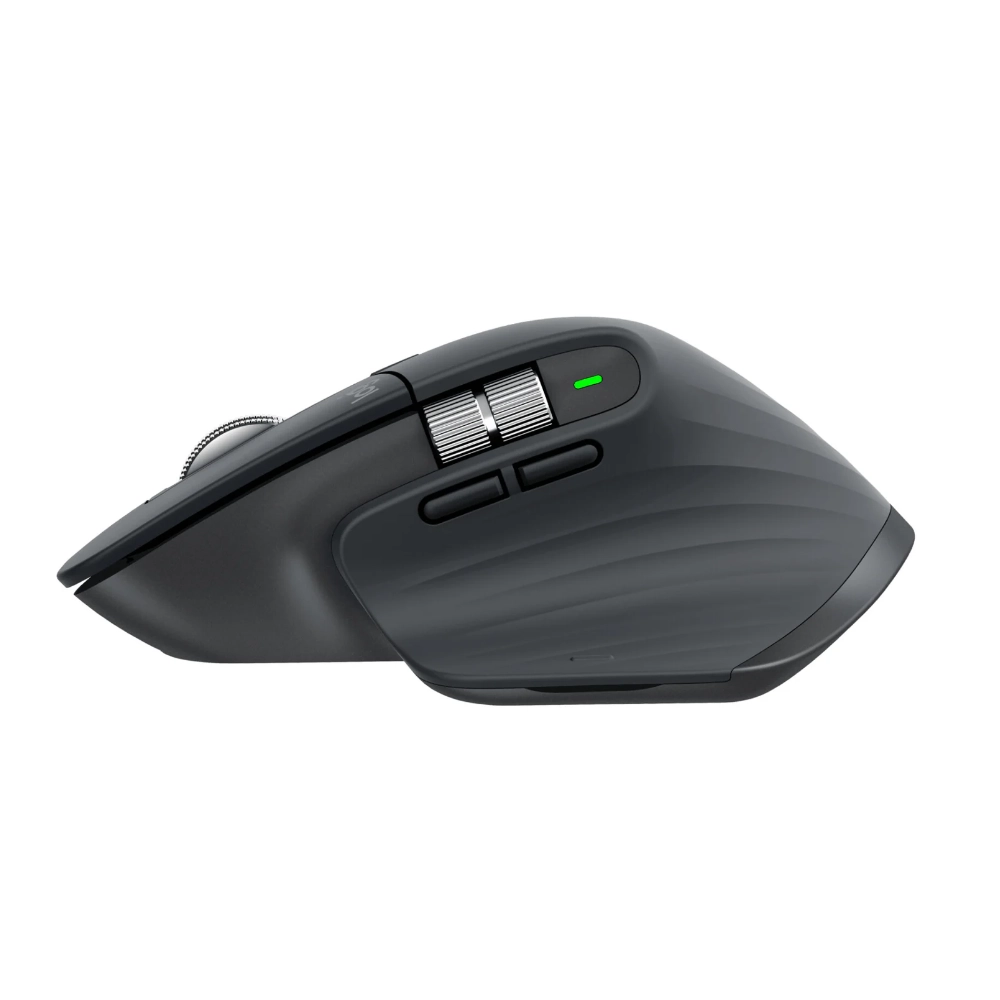
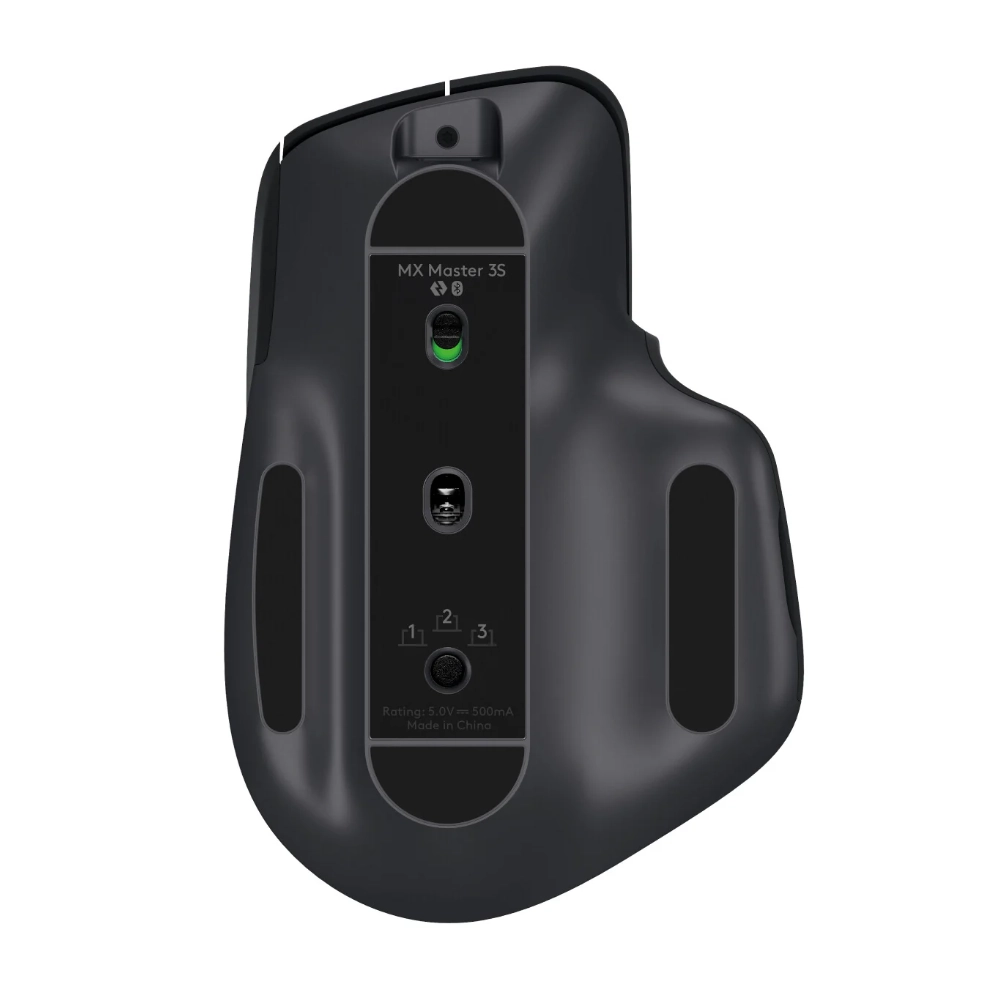
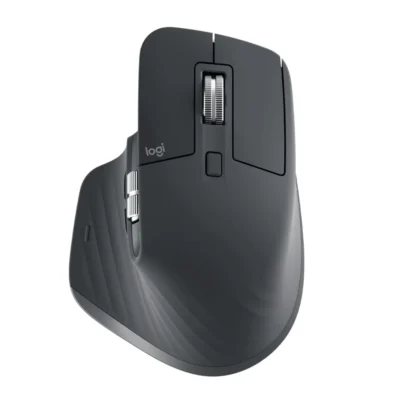
Logitech MX Master 3S

0 Reviews
In stock

Original price was: KSh 15,000.Current price is: KSh 13,500.

  • Sensor: 8000 DPI Darkfield optical
  • Connectivity: Bluetooth Low Energy, Logi Bolt USB receiver (included)
  • Buttons: 7 programmable (left/right click, back/forward, wheel mode-shift, middle click, gesture button)
  • Scroll Wheel: MagSpeed electromagnetic with auto-shift
  • Battery Life: Up to 70 days (rechargeable Li-Po 500 mAh)
  • Charging: USB-C, 1 min = 3 hours of use
  • Dimensions: 124.9 x 84.3 x 51 mm
  • Weight: 141 g
  • Compatibility: Windows 10/11, macOS 10.15+, Linux, Chrome OS, iPadOS 13.4+, Android 8+
  • Software: Logi Options+ for customization
GENUINE 100% Original
M-PESA Secure Pay
DELIVERY Fast Dispatch
SUPPORT Expert Help
Brand:

Product details

Logitech MX Master 3s in Kenya

The Logitech MX Master 3S price in Kenya is KSh 13,500. Launched in May 2022, this advanced wireless mouse redefines productivity and precision for Kenyan users. The mouse comes with an 8000 DPI Darkfield sensor for any-surface tracking, MagSpeed electromagnetic scrolling wheel with up to 1,000 lines per second, seven customizable buttons, and dual connectivity via Bluetooth or Logi Bolt USB receiver for up to three devices. It provides up to 70 days of battery life on a full charge, with one minute of quick charging yielding three hours of use, and silent clicks that reduce noise by 90% compared to previous models. This ergonomic mouse suits extended work sessions, creative tasks, or gaming, with Flow software for seamless multi-computer control. It excels in quiet operation for shared spaces, customizable profiles via Logi Options+ app, and sustainable design using 27% post-consumer recycled plastic, offering outstanding comfort and functionality for Kenyan buyers at the best price in Kenya from Exelic Gadgets.

Why You’ll Love It

  • Ultra-Precise Tracking on Any Surface: The 8000 DPI Darkfield sensor works flawlessly on glass or uneven desks, perfect for Kenyan professionals switching between home offices and co-working spaces without a mouse pad.
  • Silent Clicks for Focused Work: Reduces click noise by 90%, ideal for content creators editing videos in quiet Nairobi cafes or libraries without disturbing others.
  • MagSpeed Wheel for Rapid Scrolling: Scrolls 1,000 lines per second with auto-shift between ratchet and free-spin modes, great for entrepreneurs reviewing long documents or spreadsheets during busy days.
  • Ergonomic Design for All-Day Comfort: Sculpted shape supports natural hand position, reducing fatigue for students or remote workers in Kenya juggling hours of tasks on laptops.
  • Multi-Device Connectivity: Pairs with up to three devices via Bluetooth or Logi Bolt, allowing seamless switches between computer, tablet, and phone for multitaskers managing work and personal life.
  • Long Battery Life with Quick Charge: Lasts up to 70 days, with one minute charging for three hours, suiting travelers on Kenyan road trips who need reliable power without frequent stops.

Logitech MX Master 3S Specifications

Category Specification
Launch Announced: May 2022; Released: June 2022
Price in KES Starts at Ksh 13,500 (Graphite model)
Dimensions 124.9 x 84.3 x 51 mm, 141 g
Build Ergonomic right-hand design, 27% post-consumer recycled plastic, thumb rest
Sensor Darkfield optical, 200-8000 DPI (adjustable in 50 DPI increments)
Tracking Works on any surface, including glass (min 4mm thick)
Buttons 7 programmable: Left/right click, back/forward, wheel mode-shift, middle click, gesture button
Scroll Wheel MagSpeed electromagnetic, up to 1,000 lines/sec, auto-shift ratchet/free-spin
Connectivity Bluetooth LE (up to 3 devices), Logi Bolt USB receiver (included, secure 1ms report rate)
Battery Rechargeable Li-Po 500 mAh, up to 70 days (3 hours from 1 min charge)
Charging USB-C cable (included)
Software Logi Options+ for button customization, Flow for multi-computer control
Compatibility Windows 10/11 or later, macOS 10.15 or later, Linux, Chrome OS, iPadOS 13.4 or later, Android 8 or later
Colors Graphite, Pale Gray, Black
Models 910-006559 (Graphite), etc.
Warranty 1-year limited warranty

About Logitech MX Master 3S

Design & Build

The Logitech MX Master 3S boasts an ergonomic, right-handed design sculpted to fit the natural curve of your hand, with a thumb rest and gesture button for intuitive control during long sessions. Weighing 141g and measuring 124.9 x 84.3 x 51 mm, it’s balanced for comfort without feeling heavy, using 27% post-consumer recycled plastic for sustainability. The build features a textured grip for secure handling, and silent switches that reduce click noise by 90% while maintaining tactile feedback. Available in Graphite, Pale Gray, or Black, it includes a Logi Bolt receiver for secure connections. This design suits Kenyan users in office or home setups, providing all-day comfort for tasks like graphic design or document editing, with durability to handle daily use in varied environments.

Performance & Sensor

Performance is powered by an 8000 DPI Darkfield optical sensor that tracks precisely on any surface, including glass (minimum 4mm thick), with adjustable sensitivity in 50 DPI steps for customized control. The MagSpeed wheel scrolls ultra-fast at 1,000 lines per second or precisely in ratchet mode, auto-shifting based on speed. Seven programmable buttons allow macros or gestures via Logi Options+ software, enhancing workflow. For Kenyan creators, this means smooth navigation through editing software or browsers, with the sensor’s versatility perfect for working on desks, laps, or uneven surfaces during travel or remote setups.

Battery Life

The rechargeable Li-Po 500 mAh battery lasts up to 70 days on a full charge, depending on usage, with quick charging via USB-C—one minute provides three hours of operation. This extended life minimizes downtime, ideal for Kenyan professionals on extended workdays or trips without access to outlets. The mouse enters sleep mode automatically to conserve power, and a low-battery indicator alerts you via the app or LED, ensuring you’re always prepared.

Connectivity & Additional Features

Connectivity options include Bluetooth Low Energy for pairing with up to three devices and the included Logi Bolt USB receiver for a secure, low-latency 1ms report rate, supporting Windows, macOS, Linux, Chrome OS, iPadOS, and Android. Flow software enables seamless cursor movement and file transfer between computers. Additional features like gesture controls (e.g., thumb button for desktop switching) and app-specific profiles customize the mouse for software like Adobe or Microsoft Office. For Kenyan users, this multi-device support simplifies switching between work laptop and personal tablet, enhancing productivity in hybrid environments.

Perfect for You

The Logitech MX Master 3S integrates into Kenyan lifestyles, from business executives in Nairobi navigating spreadsheets during meetings to content creators in Mombasa editing photos of coastal scenes. For productivity, its customizable buttons and Flow software streamline multitasking, helping entrepreneurs manage emails or designs efficiently. Content creators benefit from precise tracking for graphic work or video editing, capturing Kenya’s vibrancy with accuracy. Entertainment enthusiasts enjoy smooth scrolling for browsing or gaming, while gamers appreciate the silent clicks for quiet sessions. For outdoor and travel convenience, the any-surface sensor and long battery make it reliable on trips or safaris, ensuring control in remote spots without a desk. Overall, it’s tailored for trust-driven Kenyans seeking an ergonomic mouse that boosts workflow and comfort at the best price in Kenya through Exelic Gadgets.

Similar Products

Buy the latest Mouse in Kenya at Exelic Gadgets.
Compare Logitech MX Master 3S with Similar Products

Compare Logitech MX Master 3S specs, features and price with similar computer mice and alternatives.

Compare Logitech MX Master 3S with Similar Products
Selected Item
Logitech MX Master 3SKSh 13,500Add to cart

General

General specifications comparison
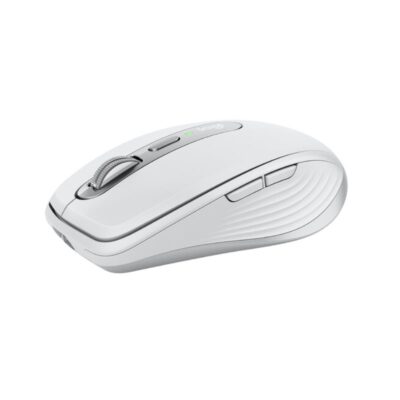
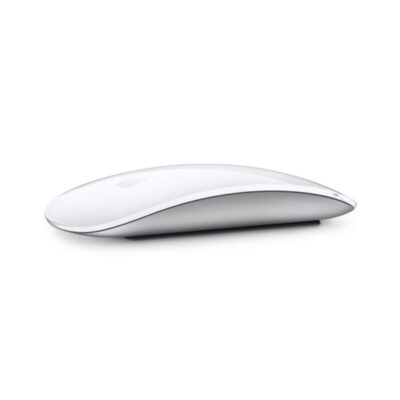
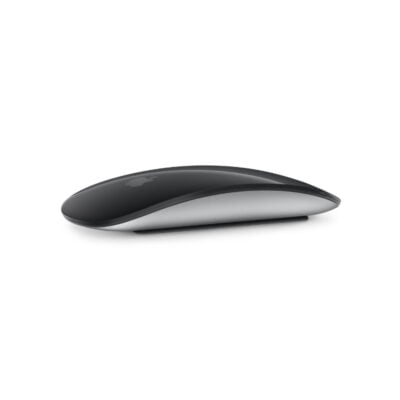
SpecificationLogitech MX Master 3SLogitech MX Anywhere 3sApple Magic Mouse 2Magic Mouse 3 USB-C to C
BrandLogitechLogitechAppleApple
ModelMX Master 3S (M-R0077)MX Anywhere 3SMagic Mouse 2 (A1657)Magic Mouse (USB-C)
Announced2022202320152024
TypeWireless productivity mouseCompact wireless productivity mouseWireless Multi-Touch mouseWireless Multi-Touch mouse
ColorGraphite; Pale GreyGraphite; Pale Grey; RoseSilver with White Multi-Touch surface; Space Gray with Black Multi-Touch surfaceWhite; Black

Sensor & Tracking

Sensor & Tracking specifications comparison
SpecificationLogitech MX Master 3SLogitech MX Anywhere 3sApple Magic Mouse 2Magic Mouse 3 USB-C to C
Sensor TechnologyDarkfield high-precision optical sensorDarkfield high-precision optical sensorLaser tracking with capacitive Multi-Touch surfaceLaser tracking with capacitive Multi-Touch surface
DPI200–8,000 DPI200–8,000 DPINot specifiedNot specified
DPI AdjustmentYes — adjustable in 50-DPI incrementsYes — adjustable in 50-DPI incrementsNoNo
Polling Rate125 Hz125 HzNot specifiedNot specified

Buttons & Scrolling

Buttons & Scrolling specifications comparison
SpecificationLogitech MX Master 3SLogitech MX Anywhere 3sApple Magic Mouse 2Magic Mouse 3 USB-C to C
Number of Buttons761 Multi-Touch click surface1 Multi-Touch click surface
Programmable ButtonsYes — via Logi Options+Yes — customizable in Logi Options+NoNo
Gesture ButtonYesN/AYes — Multi-Touch gesturesYes — Multi-Touch gestures
Scroll WheelMagSpeed electromagnetic Smartshift wheelMagSpeed electromagnetic Smartshift wheelN/A — Multi-Touch surfaceN/A — Multi-Touch surface
Horizontal ScrollYesNoYes — Multi-Touch gesturesYes — Multi-Touch gestures
Thumb WheelYesN/AN/AN/A
Button / Switch TypeQuiet mechanical clicksQuiet mechanical clicksNot specifiedNot specified

Connectivity

Connectivity specifications comparison
SpecificationLogitech MX Master 3SLogitech MX Anywhere 3sApple Magic Mouse 2Magic Mouse 3 USB-C to C
Connection TypeWirelessWirelessWirelessWireless
Wireless TechnologyBluetooth Low Energy; Logi BoltBluetooth Low Energy; Logi Bolt compatibleBluetoothBluetooth
BluetoothBluetooth Low EnergyBluetooth Low EnergyYesYes
Wireless ReceiverUSB-A Logi Bolt receiverLogi Bolt receiver compatible; not included with standard modelN/AN/A
Wireless RangeUp to 10 mUp to 10 mNot specifiedNot specified
Multi-Device ConnectionYes — up to 3 devicesYes — up to 3 devicesNoNo
Cable / ConnectorUSB-C charging cableUSB-C charging cableLightning to USB charging and pairing cableUSB-C charging and pairing cable

Battery & Power

Battery & Power specifications comparison
SpecificationLogitech MX Master 3SLogitech MX Anywhere 3sApple Magic Mouse 2Magic Mouse 3 USB-C to C
Battery TypeRechargeable Li-PoRechargeable Li-PoRechargeable lithium-ionRechargeable lithium-ion
Battery Capacity500 mAh500 mAhNot specifiedNot specified
Battery LifeUp to 70 daysUp to 70 daysAbout 1 month or more between chargesAbout 1 month or more between charges
Charging PortUSB-CUSB-CLightningUSB-C
Charging TimeAbout 2 hoursAbout 2 hoursNot specifiedNot specified
Fast Charging1 minute provides up to 3 hours; 3 minutes provides up to 1 day1 minute provides up to 3 hours of useNot specifiedNot specified
Wireless ChargingNoNoNoNo

Features

Features specifications comparison
SpecificationLogitech MX Master 3SLogitech MX Anywhere 3sApple Magic Mouse 2Magic Mouse 3 USB-C to C
Customization SoftwareLogi Options+Logi Options+macOS and iPadOS system settingsmacOS and iPadOS system settings
Onboard MemoryNoNoNoNo
ProfilesApplication-specific software profilesApplication-specific software profilesN/AN/A
RGB LightingNoNoNoNo
Haptic FeedbackNoNoNoNo
Silent ClicksYes — Quiet ClicksYes — Quiet ClicksNoNo
Special FeaturesMagSpeed scrolling; Easy-Switch; Logitech Flow; 8K DPI glass trackingMagSpeed scrolling; Easy-Switch; Logitech Flow; tracks on glassMulti-Touch gesture surface; automatic pairing with MacMulti-Touch gesture surface; automatic pairing with Mac

Design

Design specifications comparison
SpecificationLogitech MX Master 3SLogitech MX Anywhere 3sApple Magic Mouse 2Magic Mouse 3 USB-C to C
Dimensions124.9 × 84.3 × 51 mm100.5 × 65 × 34.4 mm113.5 × 57.1 × 21.6 mm113.5 × 57.1 × 21.6 mm
Weight141 g99 g99 g99 g
Hand OrientationRight-handedRight-handedAmbidextrousAmbidextrous
Form FactorErgonomic productivity mouseCompact portable mouseCompact low-profile mouseCompact low-profile mouse
Grip StylePalmClaw / fingertipFingertipFingertip
MaterialPlastic with textured rubber gripPlastic with metal scroll wheelAluminum enclosure; acrylic Multi-Touch surfaceAluminum enclosure; acrylic Multi-Touch surface

System Requirements

System Requirements specifications comparison
SpecificationLogitech MX Master 3SLogitech MX Anywhere 3sApple Magic Mouse 2Magic Mouse 3 USB-C to C
WindowsWindows 10, Windows 11 or laterWindows 10, Windows 11 or laterN/AN/A
macOSmacOS 10.15 or latermacOS 11 or laterOS X 10.11 or latermacOS 15.1 or later
Other Operating SystemsiPadOS 13.4 or later; ChromeOS; LinuxLinux; ChromeOS; iPadOS 14 or later; Android 9 or lateriPadOS 13.4 or lateriPadOS 18.1 or later
Required Port / ConnectionUSB-A port or BluetoothBluetooth; USB-C port for chargingBluetooth-enabled Mac or iPad; USB port for chargingBluetooth-enabled Mac or iPad; USB-C port for charging
SoftwareLogi Options+ (optional)Logi Options+ (optional)None required on supported Apple devicesNone required on supported Apple devices

What's in the Box

What's in the Box specifications comparison
SpecificationLogitech MX Master 3SLogitech MX Anywhere 3sApple Magic Mouse 2Magic Mouse 3 USB-C to C
In the BoxMX Master 3S mouse, Logi Bolt USB receiver, USB-C charging cable and user documentationMX Anywhere 3S mouse, USB-C charging cable and user documentationMagic Mouse 2 and Lightning to USB cableMagic Mouse and woven USB-C charging cable

Specs

Logitech MX Master 3S specifications

General

Logitech MX Master 3S — General
BrandLogitech
ModelMX Master 3S (M-R0077)
Announced2022
TypeWireless productivity mouse
ColorGraphite; Pale Grey
Dimensions124.9 × 84.3 × 51 mm
Weight141 g

Sensor & Tracking

Logitech MX Master 3S — Sensor & Tracking
Sensor TechnologyDarkfield high-precision optical sensor
DPI200–8,000 DPI
DPI AdjustmentYes — adjustable in 50-DPI increments
Tracking SpeedNot specified
AccelerationNot specified
Polling Rate125 Hz

Buttons & Scrolling

Logitech MX Master 3S — Buttons & Scrolling
Number of Buttons7
Programmable ButtonsYes — via Logi Options+
Gesture ButtonYes
Scroll WheelMagSpeed electromagnetic Smartshift wheel
Horizontal ScrollYes
Thumb WheelYes
Button / Switch TypeQuiet mechanical clicks

Connectivity

Logitech MX Master 3S — Connectivity
Connection TypeWireless
Wireless TechnologyBluetooth Low Energy; Logi Bolt
BluetoothBluetooth Low Energy
Wireless ReceiverUSB-A Logi Bolt receiver
Wireless RangeUp to 10 m
Multi-Device ConnectionYes — up to 3 devices
Cable / ConnectorUSB-C charging cable
Cable LengthNot specified

Battery & Power

Logitech MX Master 3S — Battery & Power
Battery TypeRechargeable Li-Po
Battery Capacity500 mAh
Battery LifeUp to 70 days
Charging PortUSB-C
Charging TimeAbout 2 hours
Fast Charging1 minute provides up to 3 hours; 3 minutes provides up to 1 day
Wireless ChargingNo

Features

Logitech MX Master 3S — Features
Customization SoftwareLogi Options+
Onboard MemoryNo
ProfilesApplication-specific software profiles
RGB LightingNo
Haptic FeedbackNo
Silent ClicksYes — Quiet Clicks
Special FeaturesMagSpeed scrolling; Easy-Switch; Logitech Flow; 8K DPI glass tracking

Design

Logitech MX Master 3S — Design
Hand OrientationRight-handed
Form FactorErgonomic productivity mouse
Grip StylePalm
MaterialPlastic with textured rubber grip

System Requirements

Logitech MX Master 3S — System Requirements
WindowsWindows 10, Windows 11 or later
macOSmacOS 10.15 or later
Other Operating SystemsiPadOS 13.4 or later; ChromeOS; Linux
Required Port / ConnectionUSB-A port or Bluetooth
SoftwareLogi Options+ (optional)

What's in the Box

Logitech MX Master 3S — What's in the Box
In the BoxMX Master 3S mouse, Logi Bolt USB receiver, USB-C charging cable and user documentation

0 Reviews

No reviews yet

Be the first to review Logitech MX Master 3S.

Write a review
Back to Top

My Cart