


Microsoft Surface Pro Signature Keyboard
Buy the Microsoft Surface Pro Signature Keyboard in Kenya starting at KES 39,000. Perfect for professionals, students, and creatives who want to unlock the full power of their Surface Pro device.
Compare Microsoft Surface Pro Signature Keyboard with Similar Products
Compare Microsoft Surface Pro Signature Keyboard specs, features and price with similar keyboards and alternatives.
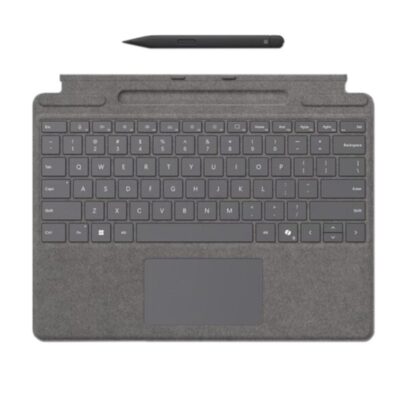
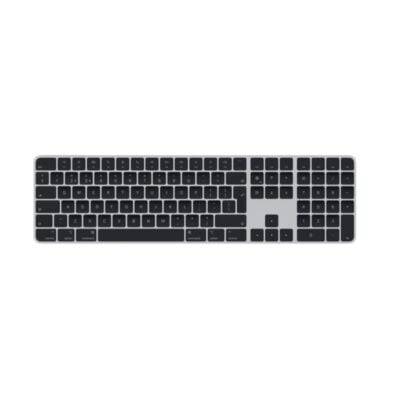
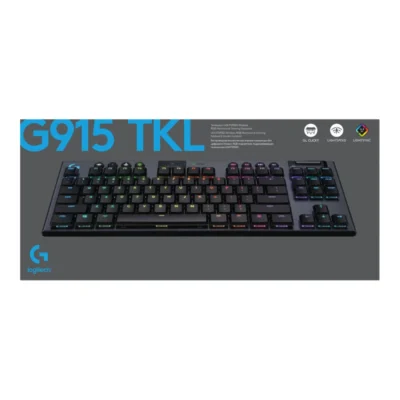
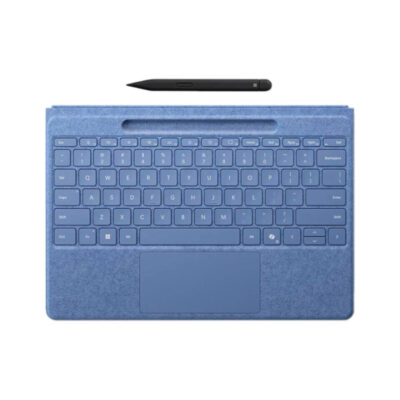
Comparison full
0 spaces availableGeneral
| Specification | Microsoft Surface Pro Signature Keyboard | Apple Magic Keyboard with Touch ID (2022) | Logitech G G915 TKL Gaming Keyboard | Microsoft Surface Pro Flex keyboard with Slim Pen |
|---|---|---|---|---|
| Brand | Microsoft | Apple | Not specified | Microsoft |
| Model | Surface Pro Signature Keyboard | Magic Keyboard with Touch ID (USB-C, MXCK3LL/A) | G915 TKL | Surface Pro Flex Keyboard with Slim Pen |
| Announced | 2021 | 2024 | 2020 | 2024 |
| Type | Detachable keyboard cover | Wireless keyboard | Wireless mechanical gaming keyboard | Wireless and detachable keyboard cover |
| Layout | Compact notebook-style | Compact | Tenkeyless (TKL) | Compact notebook-style |
| Color | Black; Platinum; Sapphire; Forest; Poppy Red | White and Silver | Carbon or White | Black; Bright Sapphire |
| Material | Alcantara-covered keyboard deck | Aluminum enclosure with plastic keycaps | Aircraft-grade aluminum alloy top case with steel-reinforced base | Alcantara-covered keyboard deck |
Keys & Switches
| Specification | Microsoft Surface Pro Signature Keyboard | Apple Magic Keyboard with Touch ID (2022) | Logitech G G915 TKL Gaming Keyboard | Microsoft Surface Pro Flex keyboard with Slim Pen |
|---|---|---|---|---|
| Switch Type | Scissor | Scissor | Low-profile mechanical | Scissor |
| Switches | Mechanical scissor keys | Apple low-profile scissor mechanism | Logitech GL switches | Mechanical scissor keys |
| Switch Options | N/A | N/A | GL Tactile; GL Linear; GL Clicky | N/A |
| Dedicated Multimedia Keys | Yes — function-row shortcuts | Yes — function row | Yes — roller and media controls | Yes — function-row shortcuts |
| Programmable Keys | No | No | Yes | Yes — Copilot key and adaptive touchpad gestures |
| Numeric Keypad | No | No | No | No |
| Actuation Force | Not specified | Not specified | 50 gf | Not specified |
| Actuation Point | Not specified | Not specified | 1.5 mm | Not specified |
| Total Travel | Not specified | Not specified | 2.7 mm | Not specified |
| Key Rollover | Not specified | Not specified | N-key rollover | Not specified |
| Anti-Ghosting | Not specified | Not specified | Yes | Not specified |
Connectivity
| Specification | Microsoft Surface Pro Signature Keyboard | Apple Magic Keyboard with Touch ID (2022) | Logitech G G915 TKL Gaming Keyboard | Microsoft Surface Pro Flex keyboard with Slim Pen |
|---|---|---|---|---|
| Connection Type | Wired — Surface magnetic connector | Wireless and wired | Wireless | Wireless and Surface magnetic connector |
| Wireless Technology | N/A | Bluetooth | LIGHTSPEED 2.4GHz; Bluetooth | Bluetooth Low Energy |
| Bluetooth | No | Bluetooth | Bluetooth | Bluetooth Low Energy |
| Wireless Receiver | N/A | N/A | LIGHTSPEED USB-A receiver | N/A |
| Multi-Device Connection | N/A | No | Yes — LIGHTSPEED and one Bluetooth device | No |
| Wireless Range | N/A | Not specified | Not specified | Not specified |
| Connector | Surface Pro magnetic interface connector | USB-C | Micro-USB | Surface Pro magnetic interface connector |
| Cable | N/A | Detachable woven USB-C charge cable | Detachable charging/data cable | N/A |
| Cable Length | N/A | 1 m | 1.8 m | N/A |
Battery & Power
| Specification | Microsoft Surface Pro Signature Keyboard | Apple Magic Keyboard with Touch ID (2022) | Logitech G G915 TKL Gaming Keyboard | Microsoft Surface Pro Flex keyboard with Slim Pen |
|---|---|---|---|---|
| Battery Type | N/A | Built-in rechargeable lithium battery | Rechargeable lithium-polymer battery | Built-in rechargeable battery |
| Battery Capacity | N/A | Not specified | Not specified | Not specified |
| Battery Life | N/A | About one month or more between charges | Up to 40 hours with full-brightness lighting | Up to 41 hours detached continuous typing |
| Charging Port | N/A | USB-C | Micro-USB | Charges while attached to compatible Surface Pro |
| Charging Time | N/A | Not specified | About 3 hours | Not specified |
| Power Switch | N/A | Yes | Yes | N/A |
| Battery Indicator | N/A | Yes — macOS battery status | Yes | Yes — Windows battery status |
Lighting & Features
| Specification | Microsoft Surface Pro Signature Keyboard | Apple Magic Keyboard with Touch ID (2022) | Logitech G G915 TKL Gaming Keyboard | Microsoft Surface Pro Flex keyboard with Slim Pen |
|---|---|---|---|---|
| Backlighting | White | None | RGB | White |
| Lighting Technology | Backlit keys | N/A | LIGHTSYNC RGB per-key lighting | Backlit keys |
| Brightness Adjustment | Yes | N/A | Yes | Yes |
| Ambient Light Sensor | No | No | No | No |
| Proximity Sensor | No | No | No | No |
| Wrist Rest | Integrated keyboard deck | No | No | Integrated keyboard deck |
| Customization Software | None | None | Logitech G HUB | Windows Settings; Surface app |
| Onboard Memory | No | No | Yes | No |
| Profiles / Macros | No | No | Up to 2 lighting profiles and 3 macro profiles onboard | No |
| Special Features | Large glass precision touchpad; Surface Slim Pen 2 storage and charging; protective cover | Touch ID for Mac models with Apple silicon; automatic pairing | Ultra-thin design; dedicated LIGHTSPEED and Bluetooth buttons; volume roller | Works attached or detached; precision haptic touchpad; Slim Pen storage and charging; Copilot key |
System Requirements
| Specification | Microsoft Surface Pro Signature Keyboard | Apple Magic Keyboard with Touch ID (2022) | Logitech G G915 TKL Gaming Keyboard | Microsoft Surface Pro Flex keyboard with Slim Pen |
|---|---|---|---|---|
| Windows | Windows 10 or Windows 11 on compatible Surface Pro | Not specified | Windows 7 or later | Windows 11 on compatible Surface Pro |
| macOS | No | macOS 15.1 or later on a Mac with Apple silicon | macOS 10.11 or later | No |
| Other Operating Systems | No | iPadOS 18.1 or later; iOS 18.1 or later | Not specified | No |
| Required Port / Connection | Compatible Surface Pro magnetic keyboard connector | Bluetooth-capable device or USB-C port | USB-A port or Bluetooth | Compatible Surface Pro magnetic connector or Bluetooth Low Energy |
| Software | None | None | Logitech G HUB optional | Surface app optional |
What's in the Box
| Specification | Microsoft Surface Pro Signature Keyboard | Apple Magic Keyboard with Touch ID (2022) | Logitech G G915 TKL Gaming Keyboard | Microsoft Surface Pro Flex keyboard with Slim Pen |
|---|---|---|---|---|
| In the Box | Surface Pro Signature Keyboard, safety and warranty documents; Slim Pen 2 only with selected bundle | Magic Keyboard with Touch ID, USB-C charge cable | G915 TKL keyboard, LIGHTSPEED USB receiver, receiver extender, Micro-USB cable, documentation | Surface Pro Flex Keyboard, Surface Slim Pen, safety and warranty documents |
Design
| Specification | Microsoft Surface Pro Signature Keyboard | Apple Magic Keyboard with Touch ID (2022) | Logitech G G915 TKL Gaming Keyboard | Microsoft Surface Pro Flex keyboard with Slim Pen |
|---|---|---|---|---|
| Dimensions | 289.1 × 226.1 × 4.89 mm | 278.9 × 114.9 × 10.9 mm | 368 × 150 × 22 mm | 289.1 × 226.1 × 5.25 mm |
| Weight | 281 g | 243 g | 810 g | 340 g |
Specs
Microsoft Surface Pro Signature Keyboard specifications
General
| Brand | Microsoft |
|---|---|
| Model | Surface Pro Signature Keyboard |
| Announced | 2021 |
| Type | Detachable keyboard cover |
| Layout | Compact notebook-style |
| Color | Black; Platinum; Sapphire; Forest; Poppy Red |
| Material | Alcantara-covered keyboard deck |
| Dimensions | 289.1 × 226.1 × 4.89 mm |
| Weight | 281 g |
Keys & Switches
| Switch Type | Scissor |
|---|---|
| Switches | Mechanical scissor keys |
| Switch Options | N/A |
| Actuation Force | Not specified |
| Actuation Point | Not specified |
| Total Travel | Not specified |
| Key Rollover | Not specified |
| Anti-Ghosting | Not specified |
| Dedicated Multimedia Keys | Yes — function-row shortcuts |
| Programmable Keys | No |
| Numeric Keypad | No |
Connectivity
| Connection Type | Wired — Surface magnetic connector |
|---|---|
| Wireless Technology | N/A |
| Bluetooth | No |
| Wireless Receiver | N/A |
| Multi-Device Connection | N/A |
| Wireless Range | N/A |
| Connector | Surface Pro magnetic interface connector |
| Cable | N/A |
| Cable Length | N/A |
Battery & Power
| Battery Type | N/A |
|---|---|
| Battery Capacity | N/A |
| Battery Life | N/A |
| Charging Port | N/A |
| Charging Time | N/A |
| Power Switch | N/A |
| Battery Indicator | N/A |
Lighting & Features
| Backlighting | White |
|---|---|
| Lighting Technology | Backlit keys |
| Brightness Adjustment | Yes |
| Ambient Light Sensor | No |
| Proximity Sensor | No |
| Wrist Rest | Integrated keyboard deck |
| Customization Software | None |
| Onboard Memory | No |
| Profiles / Macros | No |
| Special Features | Large glass precision touchpad; Surface Slim Pen 2 storage and charging; protective cover |
System Requirements
| Windows | Windows 10 or Windows 11 on compatible Surface Pro |
|---|---|
| macOS | No |
| Other Operating Systems | No |
| Required Port / Connection | Compatible Surface Pro magnetic keyboard connector |
| Software | None |
What's in the Box
| In the Box | Surface Pro Signature Keyboard, safety and warranty documents; Slim Pen 2 only with selected bundle |
|---|