Skip to content
SKU: N/A Category: Brand:

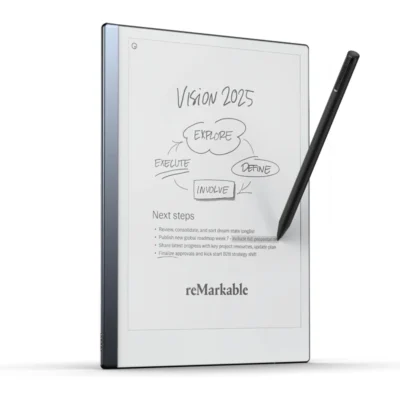
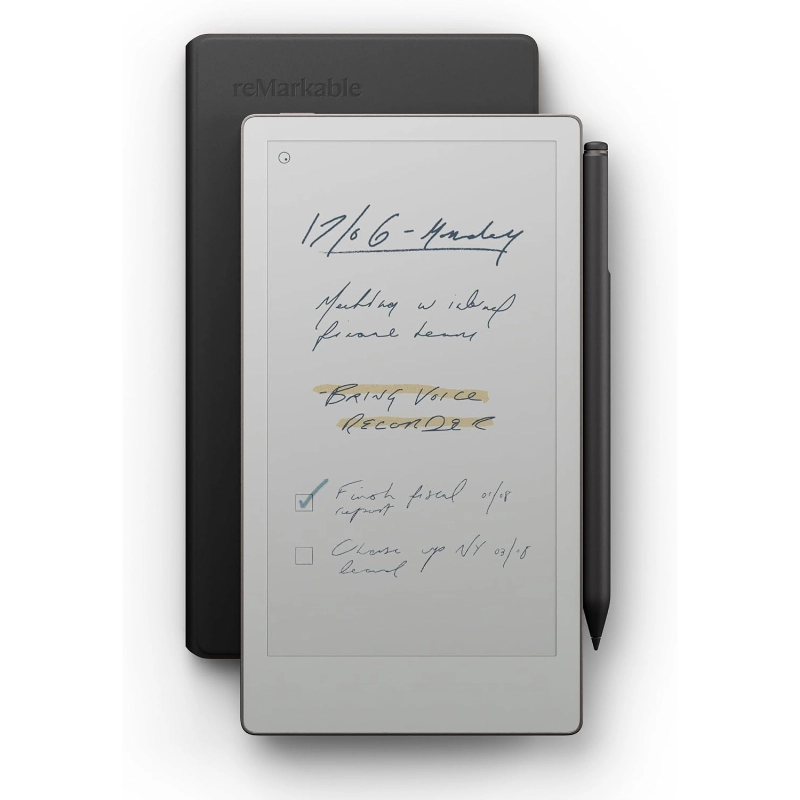
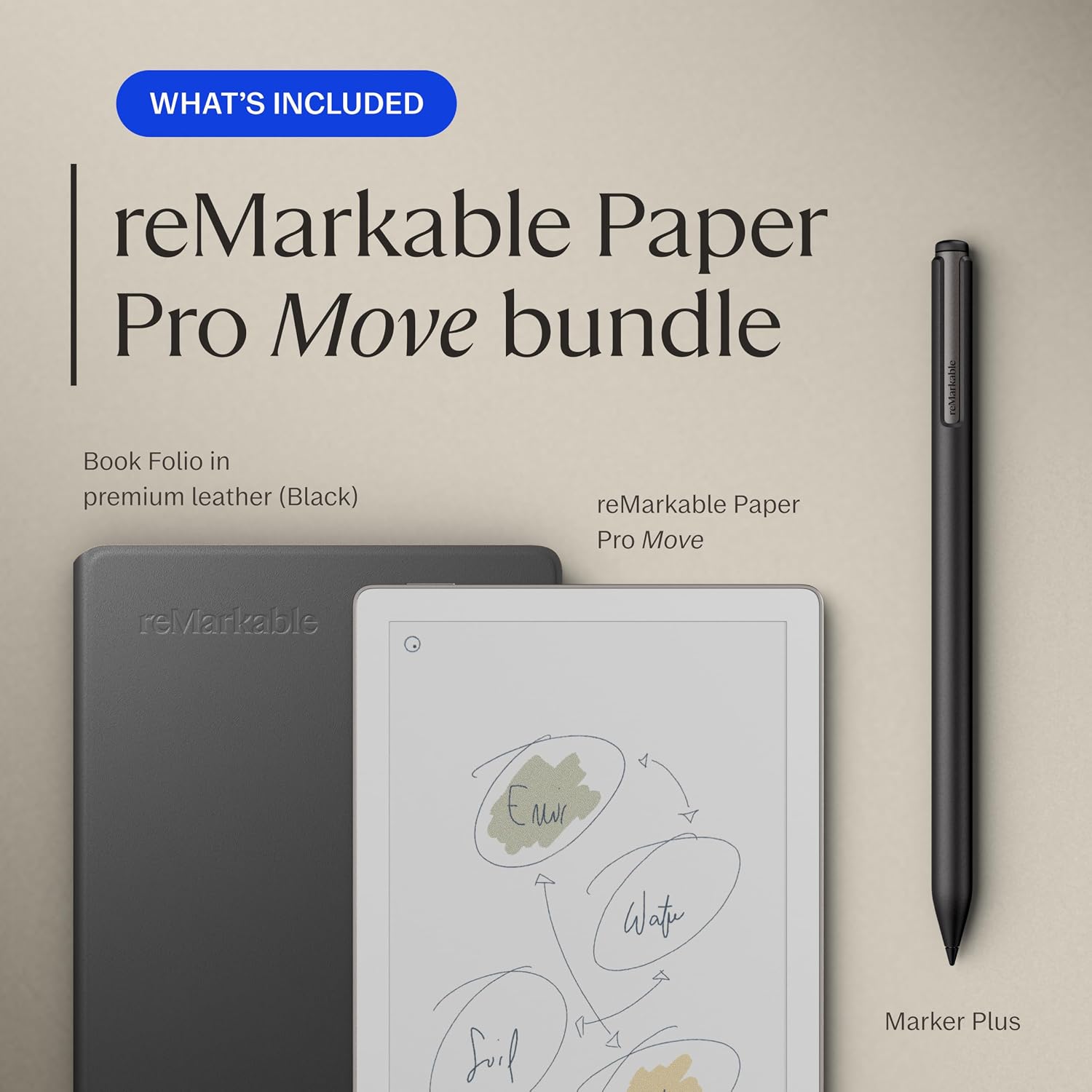
reMarkable Paper Pro Move With Marker Plus

0 Reviews
In stock
  • 7.3-inch Canvas Color Display
  • Ultra-Light 230g Aluminum Chassis
  • Marker Plus with Built-in Eraser
  • Up to 2 Weeks Battery Life (2334 mAh)
  • Custom reMarkable OS (Linux-based)
  • Adjustable Eye-Friendly Reading Light
  • 64GB Internal Storage & 2GB RAM
  • Wi-Fi 2.4 GHz and 5 GHz
  • 9 Digital Writing Tools (Pen, Highlighter, etc.)
  • Magnetic Stylus Auto-Wake Function

Price range: KSh 82,000 through KSh 91,000

GENUINE 100% Original
M-PESA Secure Pay
WARRANTY NO LOCAL
SUPPORT Expert Help
Brand:

Product details

reMarkable Paper Pro Move Price in Kenya

The reMarkable Paper Pro Move price in Kenya is Ksh 82,000. This compact device shrinks the flagship color digital paper experience down to a highly portable 7.3-inch screen. You get the incredible Canvas Color display and the premium Marker Plus in a package smaller than a standard paperback book. It completely replaces messy pocket planners without adding bulk to your daily commute. The 230g anodized aluminum chassis feels incredibly premium and highly durable. You can comfortably hold it in one hand while standing at a job site or sitting in a crowded cafe. The fast-charging battery delivers up to two full weeks of continuous note-taking. The custom operating system blocks all internet distractions to ensure you stay fully focused on the task at hand.

Stop awkwardly hiding behind a massive laptop screen during face-to-face meetings. This slim device allows you to maintain unbroken eye contact with clients while capturing detailed, full-color digital notes. It organizes thousands of files efficiently without the physical clutter of a traditional desk. Buy the original reMarkable Paper Pro Move today at Exelic Gadgets, located at Mithoo Biashara Centre. Pay securely via M-Pesa to confirm your order instantly. We guarantee fast, same-day delivery right to your office anywhere in Nairobi. Customers outside the capital receive rapid, fully insured countrywide shipping via trusted partners like Wells Fargo and G4S.

Why You’ll Love It (The Lifestyle Upgrade)

  • Pocket-Sized Portability: Weighs just 230g, making it incredibly easy to slide into your coat pocket before a quick coffee meeting at Artcaffe.
  • Vibrant Color Coding: The Canvas Color display lets you categorize project notes using red and blue ink, ensuring you spot important action items instantly.
  • Instant Wake Up: The Marker Plus wakes the screen the exact second you detach it, allowing you to capture a sudden genius idea without pressing any power buttons.
  • Unbroken Concentration: The custom operating system blocks all internet browser tabs, guaranteeing you stay fully present during crucial boardroom pitches.
  • Late-Night Reading: The adjustable front light provides a soft, glare-free glow, meaning you can review contracts in bed without waking your partner.
  • Frictionless Editing: The premium Marker Plus includes a physical tail eraser, letting you rub out spelling mistakes intuitively just like a traditional HB pencil.

reMarkable Paper Pro Move Specifications

Feature Details
Price in Kenya Ksh 82,000
Display Technology 7.3-inch Canvas Color (E Ink Gallery 3)
Screen Resolution 1696 x 954 (264 ppi)
Processor 1.7 GHz Dual Core Cortex-A55
Memory & Storage 2 GB RAM / 64 GB Internal
Battery Capacity 2,334 mAh Li-ion
Battery Life Up to 14 days
Reading Light Adjustable, low-glare illumination
Stylus Included Marker Plus (with physical eraser)
Operating System Custom reMarkable OS
Dimensions 195.6 x 107.8 x 6.5 mm
Weight 230 g (0.51 lb)
Charging Interface USB-C
Connectivity Wi-Fi (2.4 GHz / 5 GHz)

Deep Dive: The Tech Explained

7.3-Inch Canvas Color Display

Carrying a massive tablet into a quick coffee meeting feels incredibly clunky. The Paper Pro Move solves this by shrinking advanced color e-ink down to a highly portable 7.3-inch screen. It perfectly mimics the physical dimensions of a premium pocket Moleskine notebook. The display uses millions of microscopic color ink particles to render natural hues without glowing pixels. You can highlight specific budget constraints in red or draft quick wireframes in blue ink. This color-coding ability keeps your complex project notes perfectly organized visually. The textured glass surface provides the exact physical friction you expect from high-quality paper. It completely removes the slippery, frustrating feel of writing on an iPad. Your eyes stay relaxed even after reading a dozen pages of dense project proposals. The smaller footprint means you easily maintain face-to-face eye contact during important discussions.

Magnetic Auto-Wake Marker

Fumbling with power buttons ruins the sudden spark of a great idea. This device integrates the power state directly with the physical stylus attachment. The tablet instantly wakes up the exact second you pull the Marker Plus off the magnetic side edge. You capture your fleeting thoughts immediately without any digital lag. The stylus functions exactly like taking the cap off a premium fountain pen. It snaps back onto the aluminum chassis with a satisfying, highly secure magnetic click. You never have to worry about the pen rolling away and getting lost under a boardroom table. The Marker Plus itself requires absolutely no charging or Bluetooth pairing. It features a highly precise physical eraser built directly into the tail end. You just flip the pen upside down to naturally rub out drafting mistakes.

Ultra-Portable Aluminum Design

Business travel demands gear that is incredibly tough but extremely lightweight. The engineering team built this tablet using a rigid anodized aluminum frame that weighs a mere 230 grams. It acts exactly like a heavy-duty digital clipboard that fits easily inside a standard blazer pocket. You can carry it comfortably in one hand while rushing through Wilson Airport. The slim 6.5mm profile takes up almost zero space inside your daily briefcase. This deliberate physical downsizing makes it the perfect companion for agile professionals who hate carrying heavy backpacks. Despite the incredibly low weight, the metal chassis feels entirely premium and highly durable. You never feel embarrassed pulling it out during high-stakes corporate negotiations. It blends perfectly into formal business environments without looking like a cheap plastic toy. The textured glass display is also heavily reinforced against daily scratches.

Adjustable Reading Light

Traditional paper notebooks become completely useless the moment the sun sets. This device incorporates a highly subtle, front-lit reading light to solve nighttime visibility. It gently reflects soft illumination across the e-ink surface rather than blasting harsh beams directly into your retinas. You can comfortably review tomorrow’s presentation while sitting in a dimly lit matatu. You can easily adjust the brightness to match your exact physical environment. It functions flawlessly like a premium bedside reading lamp that never causes annoying tension headaches. The screen emits zero harmful blue light, protecting your natural sleep cycle. You can safely read lengthy PDF reports in bed without disturbing your sleeping partner. The color particles remain highly vibrant even when relying entirely on this internal light source. It gives you absolute freedom to work securely at any hour.

Distraction-Free Operating System

Smart devices constantly steal your attention with a barrage of useless notifications. The custom reMarkable OS deliberately strips away all these aggressive digital interruptions. It operates as a completely silent digital sanctuary built purely for your focused thoughts. There is no web browser, no email client, and absolutely no app store. You focus purely on the blank page right in front of you. Think of it as stepping into a highly secure, soundproof meeting room hidden far away from the noisy office floor. You process complex ideas much faster when you cannot switch tabs to check social media. The software organizes your work seamlessly using intuitive folders and specific tags. It translates your messy cursive handwriting into clean, typed digital text with a single screen tap. You get massive professional output without the mental fatigue of constant pop-ups.

Rapid Charging & Battery Life

Constantly hunting for wall sockets creates massive anxiety during a busy workday. The highly efficient 2,334 mAh battery inside this device completely changes the rules of power management. You get up to two full weeks of continuous note-taking from one single charge. This extreme efficiency comes from the ultra-low-power Canvas Color display. If you do somehow run low on juice, the fast charging technology works incredibly quickly. Plugging it in for just ten minutes provides enough power to last for three entire days. A full charge to 90% takes less than 45 minutes via the standard USB-C port. You can confidently leave your charging cable at home during a short business trip to Mombasa. It behaves exactly like a traditional paper notebook that never suddenly dies on you. This reliability ensures your critical notes are always accessible precisely when you need them.

Alternatives & Competitors

Frequently Asked Questions (FAQs)

  • Does it run Android apps? No. It uses a custom Linux OS to prevent distractions and keep you focused purely on writing.
  • Can I read color PDFs on this? Yes. The 7.3-inch Canvas Color display renders documents and ebooks in subtle, natural colors.
  • Is the Marker Plus included in the price? Yes. This exact bundle comes with the premium stylus featuring the built-in tail eraser.
  • Does the screen emit blue light? No. It uses an eye-friendly front light that gently reflects off the surface rather than glowing like an LCD.
  • Can I expand the memory with an SD card? No. The 64GB internal storage provides ample, fixed space for thousands of heavy documents and notes.
  • Does it have an internet browser? No. The software intentionally blocks web browsing to protect your concentration during deep work sessions.
  • Will it convert my handwriting to text? Yes. A single tap translates your handwritten notes into editable digital text instantly.

Buy the latest reMarkable Tablets in Kenya at Exelic Gadgets.
Compare reMarkable Paper Pro Move With Marker Plus with Similar Products

Compare reMarkable Paper Pro Move With Marker Plus specs, features and price with similar tablets and alternatives.

Compare reMarkable Paper Pro Move With Marker Plus with Similar Products

General

General specifications comparison
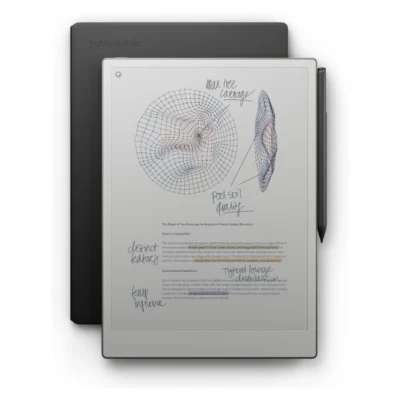
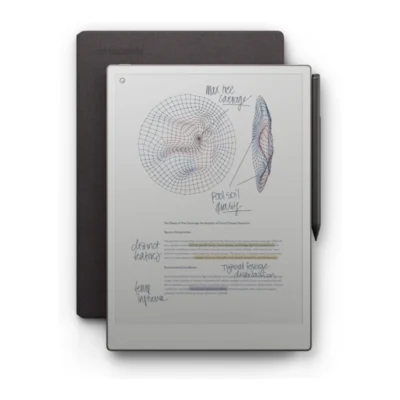
SpecificationreMarkable Paper Pro Move With Marker PlusreMarkable 2 With Marker PlusreMarkable Paper Pro With Marker PlusreMarkable Paper Pro Marker Plus + Book Folio
BrandreMarkablereMarkablereMarkablereMarkable
ModelreMarkable Paper Pro MovereMarkable 2reMarkable Paper ProPaper Pro with Marker Plus and Book Folio
AnnouncedSeptember 2025August 2020September 2024September 2024
ConnectivityMobile network: No cellular connectivity; Wi-Fi: Wi-Fi 2.4 GHz and 5 GHz; Bluetooth: Bluetooth 5.0; USB: USB 2.0 high-speed Type-CMobile network: No cellular connectivity; Wi-Fi: Wi-Fi 2.4 GHz and 5 GHz; Bluetooth: No; USB: USB-C; accessory portMobile network: No cellular connectivity; Wi-Fi: Wi-Fi 2.4 GHz and 5 GHz; Bluetooth: Bluetooth 5.0; USB: USB 2.0 Type-CMobile network: Wi-Fi only; Wi-Fi: Dual-band Wi-Fi 2.4 GHz and 5 GHz; Bluetooth: No user-facing Bluetooth connectivity; USB: USB-C

Design

Design specifications comparison
SpecificationreMarkable Paper Pro Move With Marker PlusreMarkable 2 With Marker PlusreMarkable Paper Pro With Marker PlusreMarkable Paper Pro Marker Plus + Book Folio
Dimensions195.6 × 107.8 × 6.5 mm246 × 188 × 4.7 mm274.1 × 196.6 × 5.1 mm274.1 x 196.6 x 5.1 mm
Weight230 g403.5 gApproximately 525 gApproximately 525 g (tablet)
Build materialsAluminium unibody with textured writing surfaceAluminium unibody with textured writing surfaceAnodized aluminium chassis with textured writing surfaceAnodized aluminum body; glass-front E Ink display

Display

Display specifications comparison
SpecificationreMarkable Paper Pro Move With Marker PlusreMarkable 2 With Marker PlusreMarkable Paper Pro With Marker PlusreMarkable Paper Pro Marker Plus + Book Folio
Display7.3-inch Canvas Color digital paper display (E Ink Gallery 3)10.3-inch second-generation Canvas monochrome digital paper display11.8-inch Canvas Color digital paper display (E Ink Gallery 3)11.8-inch Canvas Color display based on E Ink Gallery 3
Screen resolution1696 × 954 pixels (264 ppi)1872 × 1404 pixels (226 ppi)2160 × 1620 pixels (229 ppi)2160 x 1620 pixels, 229 ppi
Display featuresAdjustable reading light; multi-point capacitive touch; full-color support; textured paper-like surface; palm rejectionMulti-point capacitive touch; sunlight-readable; no reading lightAdjustable reading light; multi-point capacitive touch; up to 20,000 colors; textured paper-like surface; palm rejectionColor E Ink, 4:3 aspect ratio, adjustable reading light, palm rejection
Writing surfaceTextured color-paper display designed for paper-like writingNot specifiedTextured color-paper display designed for paper-like writingNot specified

Performance

Performance specifications comparison
SpecificationreMarkable Paper Pro Move With Marker PlusreMarkable 2 With Marker PlusreMarkable Paper Pro With Marker PlusreMarkable Paper Pro Marker Plus + Book Folio
Processor1.7 GHz dual-core processor1.2 GHz dual-core ARM1.8 GHz quad-core processor1.8 GHz quad-core ARM Cortex-A53
CPUDual-core Arm Cortex-A551.2 GHz dual-core ARMQuad-core Arm Cortex-A53Quad-core ARM Cortex-A53 at 1.8 GHz

Memory & Storage

Memory & Storage specifications comparison
SpecificationreMarkable Paper Pro Move With Marker PlusreMarkable 2 With Marker PlusreMarkable Paper Pro With Marker PlusreMarkable Paper Pro Marker Plus + Book Folio
RAM2 GB LPDDR4X1 GB LPDDR3 SDRAM2 GB LPDDR42 GB LPDDR4
Storage64 GB internal storage8 GB internal storage (about 6.5 GB available after OS)64 GB internal storage64 GB
Storage technologyNot specifiedInternal flash storageInternal flash storageFlash storage
Expandable storageNot specifiedNo memory card slotNo memory card slotNo

Battery & Charging

Battery & Charging specifications comparison
SpecificationreMarkable Paper Pro Move With Marker PlusreMarkable 2 With Marker PlusreMarkable Paper Pro With Marker PlusreMarkable Paper Pro Marker Plus + Book Folio
BatteryBuilt-in rechargeable 2334 mAh Li-ion; up to 14 days regular useBuilt-in rechargeable 3000 mAh Li-ion; up to 14 days regular use; up to 90 days standbyBuilt-in rechargeable 5030 mAh Li-ion; up to 14 days regular use; up to 90 days standby5,030 mAh rechargeable lithium-ion; up to 14 days regular use
ChargingUSB-C; 0–90% in under 45 minutesUSB-C; recommended charger up to 5 V / 1.5 AUSB-C; 0–90% in approximately 90 minutesUSB-C

Software

Software specifications comparison
SpecificationreMarkable Paper Pro Move With Marker PlusreMarkable 2 With Marker PlusreMarkable Paper Pro With Marker PlusreMarkable Paper Pro Marker Plus + Book Folio
Operating systemreMarkable OS (custom Linux-based operating system)reMarkable OS (custom Linux-based operating system)reMarkable OS (custom Linux-based operating system)reMarkable OS (Linux based)

Network

Network specifications comparison
SpecificationreMarkable Paper Pro Move With Marker PlusreMarkable 2 With Marker PlusreMarkable Paper Pro With Marker PlusreMarkable Paper Pro Marker Plus + Book Folio
NetworkNo cellular connectivityNo cellular connectivityNo cellular connectivityWi-Fi only

Connectivity

Connectivity specifications comparison
SpecificationreMarkable Paper Pro Move With Marker PlusreMarkable 2 With Marker PlusreMarkable Paper Pro With Marker PlusreMarkable Paper Pro Marker Plus + Book Folio
NFCNoNoNoNo
BluetoothBluetooth 5.0NoBluetooth 5.0No user-facing Bluetooth connectivity
Wi-FiWi-Fi 2.4 GHz and 5 GHzWi-Fi 2.4 GHz and 5 GHzWi-Fi 2.4 GHz and 5 GHzDual-band Wi-Fi 2.4 GHz and 5 GHz
PositioningNo GPSNo GPSNo GPSNo GPS or GNSS
USBUSB 2.0 high-speed Type-CUSB-C; accessory portUSB 2.0 Type-CUSB-C

Durability

Durability specifications comparison
SpecificationreMarkable Paper Pro Move With Marker PlusreMarkable 2 With Marker PlusreMarkable Paper Pro With Marker PlusreMarkable Paper Pro Marker Plus + Book Folio
Water resistanceNot specifiedNo official water-resistance rating published by reMarkableNot specifiedNot specified

Features

Features specifications comparison
SpecificationreMarkable Paper Pro Move With Marker PlusreMarkable 2 With Marker PlusreMarkable Paper Pro With Marker PlusreMarkable Paper Pro Marker Plus + Book Folio
SensorsAuto wake/sleep sensorNot specifiedFolio open/close sensorCapacitive touch and Marker input with palm rejection
ColorsNot specifiedWhite and aluminumGrayTablet: white/aluminum; Book Folio color varies by bundle

Stylus & writing

Stylus & writing specifications comparison
SpecificationreMarkable Paper Pro Move With Marker PlusreMarkable 2 With Marker PlusreMarkable Paper Pro With Marker PlusreMarkable Paper Pro Marker Plus + Book Folio
StylusMarker Plus; battery-free EMR; no charging or pairing requiredMarker Plus; battery-free EMR; no charging, setup or pairing requiredMarker Plus; battery-free active stylus; no charging or pairing requiredNot specified
Writing performance4,096 pressure levels; tilt detection; built-in eraser; approximately 12 ms writing latency; palm rejection4,096 pressure levels; tilt detection; built-in eraser; approximately 21 ms writing latency; palm rejection4,096 pressure levels; tilt detection; built-in eraser; approximately 12 ms writing latency; palm rejectionNot specified
Writing surfaceNot specifiedTextured paper-like surface; sunlight-readable monochrome digital paperNot specifiedNot specified

Software & files

Software & files specifications comparison
SpecificationreMarkable Paper Pro Move With Marker PlusreMarkable 2 With Marker PlusreMarkable Paper Pro With Marker PlusreMarkable Paper Pro Marker Plus + Book Folio
Document supportImport PDF and EPUB; export PDF, PNG and SVGImport PDF and EPUB; export PDF, PNG and SVGImport PDF and EPUB; export PDF, PNG and SVGNot specified
Productivity featuresHandwriting-to-text conversion; reMarkable Cloud sync; companion apps for macOS, Windows, iOS and Android; Google Drive, OneDrive and Dropbox importHandwriting-to-text conversion powered by MyScript; reMarkable Cloud sync; companion apps for macOS, Windows, iOS and AndroidHandwriting-to-text conversion; reMarkable Cloud sync; companion apps for macOS, Windows, iOS and Android; integrations and live screen sharingNot specified

In the box

In the box specifications comparison
SpecificationreMarkable Paper Pro Move With Marker PlusreMarkable 2 With Marker PlusreMarkable Paper Pro With Marker PlusreMarkable Paper Pro Marker Plus + Book Folio
Included itemsreMarkable Paper Pro Move; Marker Plus; 1 m USB-C cable; six replacement Marker tipsreMarkable 2; Marker Plus; 1 m USB-A to USB-C charging cable; nine replacement Marker tipsreMarkable Paper Pro; Marker Plus; six replacement Marker tips; USB-C charging cablereMarkable Paper Pro, Marker Plus, Book Folio, USB-C cable

Security

Security specifications comparison
SpecificationreMarkable Paper Pro Move With Marker PlusreMarkable 2 With Marker PlusreMarkable Paper Pro With Marker PlusreMarkable Paper Pro Marker Plus + Book Folio
Data protectionDevice passcode; secure cloud syncDevice passcode; secure cloud syncEncryption in transit and at rest; optional on-device encryption; passcode and multifactor authentication supportDevice passcode; secure cloud sync

Audio

Audio specifications comparison
SpecificationreMarkable Paper Pro Move With Marker PlusreMarkable 2 With Marker PlusreMarkable Paper Pro With Marker PlusreMarkable Paper Pro Marker Plus + Book Folio
LoudspeakersNot specifiedNoNoNo
3.5 mm headphone jackNot specifiedNoNoNo

Input

Input specifications comparison
SpecificationreMarkable Paper Pro Move With Marker PlusreMarkable 2 With Marker PlusreMarkable Paper Pro With Marker PlusreMarkable Paper Pro Marker Plus + Book Folio
StylusNot specifiedNot specifiedNot specifiedMarker Plus included; pressure-sensitive digital pen with built-in eraser
Writing performanceNot specifiedNot specifiedNot specifiedLow-latency handwriting with 4,096 pressure levels

Documents

Documents specifications comparison
SpecificationreMarkable Paper Pro Move With Marker PlusreMarkable 2 With Marker PlusreMarkable Paper Pro With Marker PlusreMarkable Paper Pro Marker Plus + Book Folio
Document supportNot specifiedNot specifiedNot specifiedPDF and EPUB; annotate PDFs and e-books

Productivity

Productivity specifications comparison
SpecificationreMarkable Paper Pro Move With Marker PlusreMarkable 2 With Marker PlusreMarkable Paper Pro With Marker PlusreMarkable Paper Pro Marker Plus + Book Folio
Productivity featuresNot specifiedNot specifiedNot specifiedHandwriting conversion; cloud sync; screen share; templates; tags

Specs

reMarkable Paper Pro Move With Marker Plus specifications

General

reMarkable Paper Pro Move With Marker Plus — General
BrandreMarkable
ModelreMarkable Paper Pro Move
AnnouncedSeptember 2025

Design

reMarkable Paper Pro Move With Marker Plus — Design
Dimensions195.6 × 107.8 × 6.5 mm
Weight230 g
Build materialsAluminium unibody with textured writing surface

Display

reMarkable Paper Pro Move With Marker Plus — Display
Display7.3-inch Canvas Color digital paper display (E Ink Gallery 3)
Screen resolution1696 × 954 pixels (264 ppi)
Display featuresAdjustable reading light; multi-point capacitive touch; full-color support; textured paper-like surface; palm rejection
Writing surfaceTextured color-paper display designed for paper-like writing

Performance

reMarkable Paper Pro Move With Marker Plus — Performance
Processor1.7 GHz dual-core processor
CPUDual-core Arm Cortex-A55

Memory & Storage

reMarkable Paper Pro Move With Marker Plus — Memory & Storage
RAM2 GB LPDDR4X
Storage64 GB internal storage

Battery & Charging

reMarkable Paper Pro Move With Marker Plus — Battery & Charging
BatteryBuilt-in rechargeable 2334 mAh Li-ion; up to 14 days regular use
ChargingUSB-C; 0–90% in under 45 minutes

Software

reMarkable Paper Pro Move With Marker Plus — Software
Operating systemreMarkable OS (custom Linux-based operating system)

Network

reMarkable Paper Pro Move With Marker Plus — Network
NetworkNo cellular connectivity

Connectivity

reMarkable Paper Pro Move With Marker Plus — Connectivity
NFCNo
BluetoothBluetooth 5.0
Wi-FiWi-Fi 2.4 GHz and 5 GHz
PositioningNo GPS
USBUSB 2.0 high-speed Type-C

Features

reMarkable Paper Pro Move With Marker Plus — Features
SensorsAuto wake/sleep sensor

Stylus & writing

reMarkable Paper Pro Move With Marker Plus — Stylus & writing
StylusMarker Plus; battery-free EMR; no charging or pairing required
Writing performance4,096 pressure levels; tilt detection; built-in eraser; approximately 12 ms writing latency; palm rejection

Software & files

reMarkable Paper Pro Move With Marker Plus — Software & files
Document supportImport PDF and EPUB; export PDF, PNG and SVG
Productivity featuresHandwriting-to-text conversion; reMarkable Cloud sync; companion apps for macOS, Windows, iOS and Android; Google Drive, OneDrive and Dropbox import

In the box

reMarkable Paper Pro Move With Marker Plus — In the box
Included itemsreMarkable Paper Pro Move; Marker Plus; 1 m USB-C cable; six replacement Marker tips

Security

reMarkable Paper Pro Move With Marker Plus — Security
Data protectionDevice passcode; secure cloud sync

0 Reviews

No reviews yet

Be the first to review reMarkable Paper Pro Move With Marker Plus.

Write a review
Back to Top

My Cart