Skip to content
SKU: N/A Category: Brand:

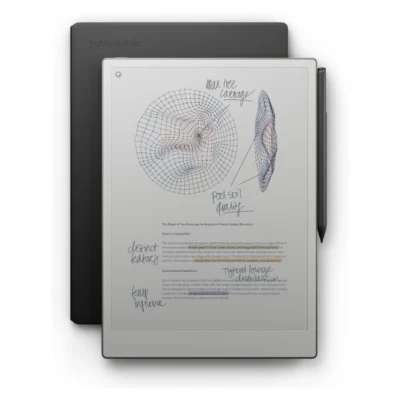
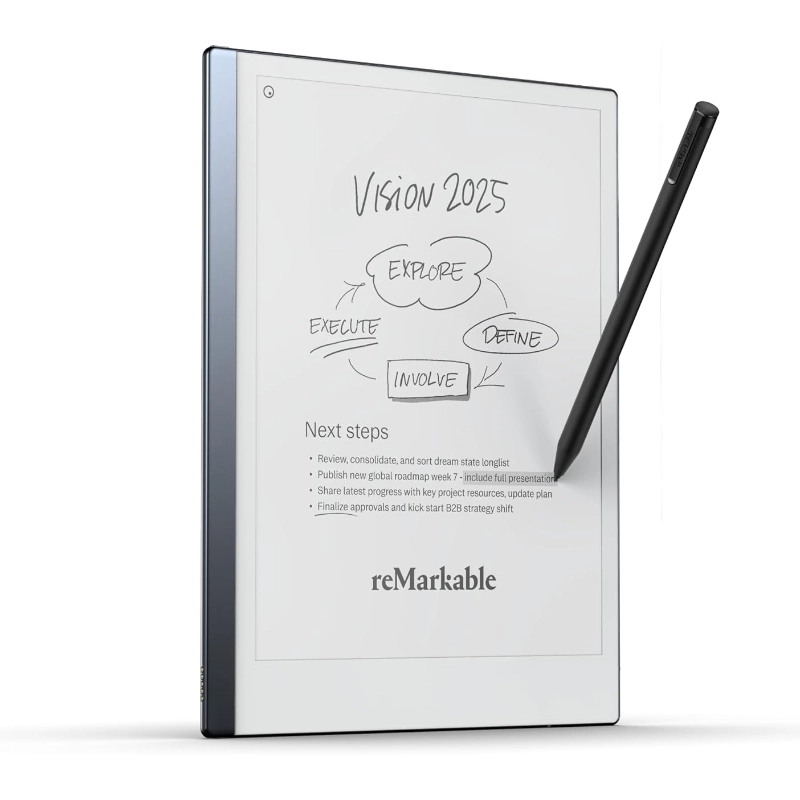
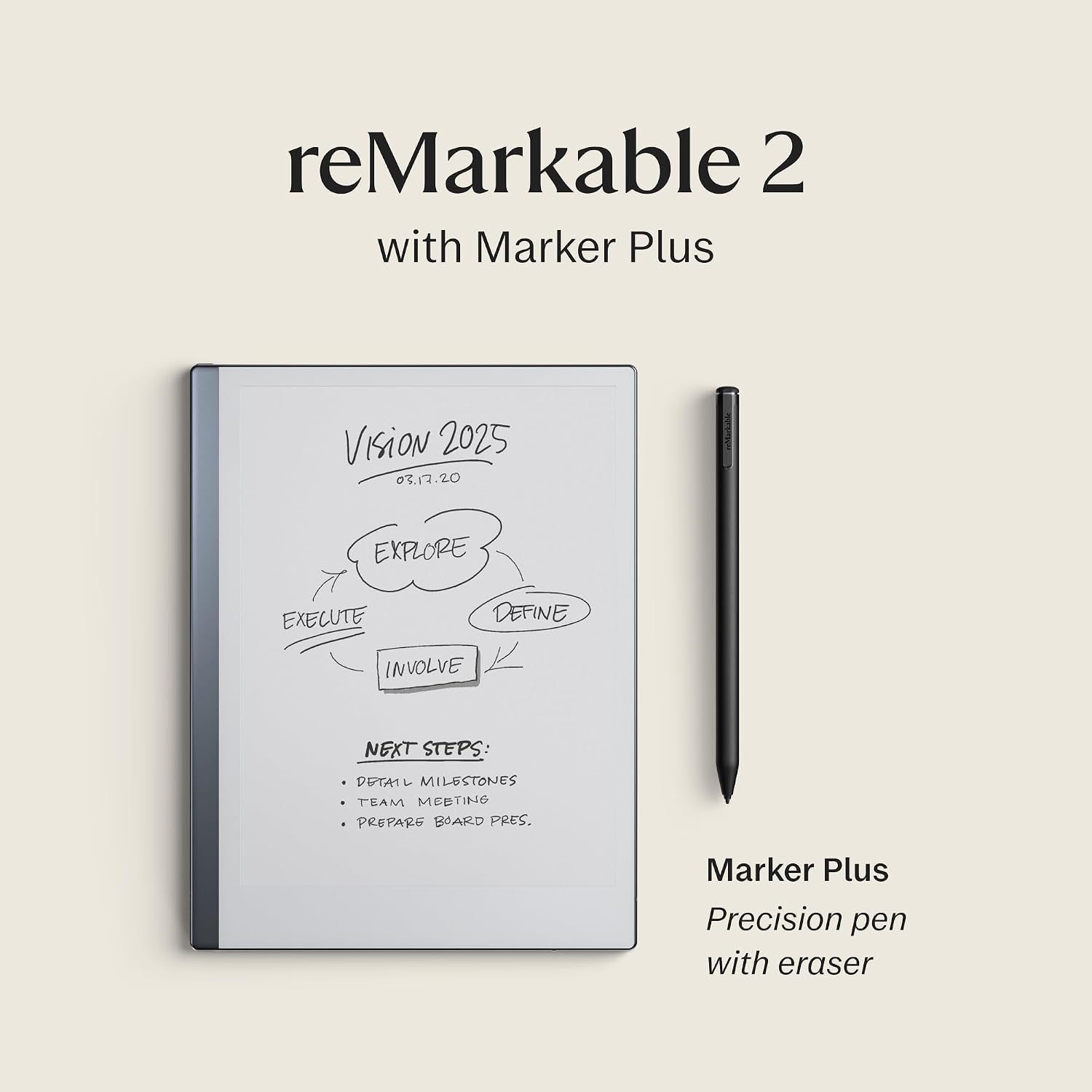
reMarkable 2 With Marker Plus

0 Reviews
In stock
  • reMarkable 2 Digital Paper Tablet
  • Premium Marker Plus Stylus (19g weight)
  • Built-in Physical Tail Eraser
  • Textured Canvas E-Ink Display
  • Magnetic Stylus Attachment
  • Battery-Free Stylus Operation
  • Tilt and Pressure Sensitivity
  • 9 Included Spare Marker Tips
  • 9 Digital Writing Tools (Pencil, Pen, Highlighter, etc.)
  • Distraction-Free Operating System

Price range: KSh 71,000 through KSh 99,000

GENUINE 100% Original
M-PESA Secure Pay
WARRANTY NO LOCAL
SUPPORT Expert Help
Brand:

Product details

reMarkable 2 With Marker Plus Price in Kenya

The reMarkable 2 With Marker Plus price in Kenya is KSh 71,000. This premium investment replaces heavy notebooks with the world’s thinnest digital paper tablet. You get the sleek device bundled perfectly with the upgraded 19-gram Marker Plus. This premium stylus features a highly precise built-in eraser for instant, intuitive corrections. The textured Canvas display perfectly mimics the exact physical friction of writing on real paper. It completely eliminates the harsh glare and eye strain associated with backlit iPads or Android tablets. You can read complex PDF contracts or sketch architectural designs for hours without fatigue. The stylus requires absolutely no charging or Bluetooth pairing right out of the box. It snaps magnetically to the side of the tablet chassis for highly secure storage. Nine spare tips come included to guarantee months of sharp, precise drafting.

The distraction-free operating system intentionally blocks social media notifications and email pop-ups. It forces deep, focused work whether you are studying in a library or strategizing in a boardroom. The Marker Plus responds instantly to physical tilt and pressure changes from your hand. You can switch seamlessly between a ballpoint pen, highlighter, or pencil tool. Your handwritten notes digitize instantly for easy cloud backup and secure sharing. Stop hauling a heavy backpack full of disorganized, half-empty paper notebooks around the city. This slim device organizes thousands of your personal thoughts, client sketches, and meeting minutes into one incredibly sleek, highly portable slab. Buy the original reMarkable 2 With Marker Plus today at Exelic Gadgets, located at Mithoo Biashara Centre. Pay securely via M-Pesa to confirm your order immediately. We guarantee fast, same-day delivery right to your office or home anywhere in Nairobi. Customers outside the capital receive rapid, secure countrywide shipping via our trusted partners at Wells Fargo and G4S.

Why You’ll Love It (The Lifestyle Upgrade)

  • Distraction-Free Focus: The custom operating system blocks all internet browser tabs and notifications, ensuring you stay completely locked into your deep work sessions at the office.
  • Authentic Paper Feel: The textured Canvas display provides exact physical resistance against the stylus, making your digital handwriting look and feel exactly like physical ink.
  • Instant Corrections: The premium Marker Plus features a dedicated physical eraser on the top end, allowing you to rub out mistakes naturally without digging through software menus.
  • Zero Battery Anxiety: The stylus operates completely battery-free via electromagnetic resonance, meaning you never have to plug your pen into a wall socket before a morning meeting.
  • Endless Organization: You can store thousands of PDF documents, ebooks, and custom notebooks in specific digital folders, freeing up massive amounts of physical space on your desk.
  • Eye-Friendly Reading: The glare-free e-ink display reflects ambient room light rather than blasting LEDs into your eyes, keeping your vision sharp during late-night study marathons.

reMarkable 2 With Marker Plus Specifications

Feature Details
Price in Kenya Ksh 71,000
Included Hardware reMarkable 2 Tablet, Marker Plus, 9 Spare Tips
Display Type Textured Canvas E-Ink
Marker Plus Weight 19g
Marker Color Black
Built-in Eraser Yes (Marker Plus only)
Stylus Charging None Required
Stylus Setup None (Ready out of the box)
Attachment Method Magnetic snap-on
Writing Tools 9 (Ballpoint, Fineliner, Pencil, etc.)
Input Recognition Tilt and Pressure Sensitive
Eye Protection Glare-free, no backlight

Deep Dive: The Tech Explained

Textured Canvas Display

Writing on a standard glass tablet usually feels incredibly slippery and unnatural. The reMarkable 2 solves this physical disconnect with a custom-engineered textured Canvas display. It perfectly mimics the exact microscopic friction of high-quality physical paper. When you drag the Marker Plus across the screen, you actually feel a slight, satisfying physical resistance. This physical feedback ensures your handwriting stays neat and highly legible. It completely eliminates the messy, jagged digital handwriting caused by tapping hard plastic against slippery glass. Reading long documents feels incredibly natural because the e-ink screen lacks a harsh LCD backlight. You can read complex PDF reports comfortably in the bright Nairobi sun or under harsh office fluorescent lights. It prevents the severe eye strain and tension headaches associated with staring at glowing smartphone screens all day.

Battery-Free Marker Technology

Smart styluses typically require constant Bluetooth pairing and frustrating daily charging routines. The Marker Plus bypasses these annoying electronic hurdles entirely using advanced Electromagnetic Resonance (EMR) technology. It draws the tiny amount of power it needs directly from the tablet screen itself. You never have to plug the pen into a wall outlet or carry a tiny charging cable. It functions exactly like a trusty Bic biro pen that is always ready to write instantly. You can pull the tablet out of your bag in a matatu and start sketching immediately without waiting for a pairing notification. The lack of heavy internal batteries also keeps the pen incredibly light. It weighs just 19 grams, matching the exact physical balance of a premium metal fountain pen. This deliberate weight distribution prevents hand cramping during long, intensive note-taking sessions.

Marker Plus Built-in Eraser

Making a mistake on a digital tablet usually requires tapping through three different software menus just to find the undo button. The upgraded Marker Plus eliminates this tedious workflow completely. It features a highly precise sensor built directly into the top tail end of the pen. When you misspell a word, you simply flip the physical stylus upside down. You rub the tail against the screen exactly like using a classic HB pencil eraser in primary school. The software instantly recognizes the physical flip and erases only the specific digital ink you touch. It leaves the rest of your complex diagram or handwritten notes perfectly intact. This intuitive physical action keeps your brain locked firmly in a creative flow state. You correct minor drafting errors instantly without breaking your concentration to hunt for digital software icons.

Tilt and Pressure Sensitivity

Digital writing often looks incredibly flat and lifeless compared to real physical ink on paper. The Marker Plus combats this by reading your exact hand movements through advanced internal sensors. The tablet instantly detects exactly how hard you press and the specific angle you hold the pen. It adjusts the digital ink thickness dynamically in real-time as you move your hand. If you select the pencil tool and tilt the stylus sideways, it creates a wide, soft graphite shadow. It responds exactly like a real artist’s shading stick when sketching architectural drafts. Pressing down hard with the calligraphy pen tool produces a thick, bold ink line. This massive level of dynamic input gives you nine entirely different writing tools inside one single physical pen. You can switch effortlessly from a precise technical fineliner to a broad yellow highlighter in seconds.

Distraction-Free Operating System

Modern tablets constantly bombard you with annoying social media alerts, emails, and news pop-ups. The reMarkable 2 utilizes a custom, locked-down operating system built specifically to block these digital interruptions. It acts exactly like a quiet, soundproof library room hidden away from the noisy Nairobi traffic. There is no web browser, no app store, and absolutely no notification center. The device forces you to focus entirely on the blank page in front of you. You process complex thoughts and write long-form business strategies much faster when Instagram cannot interrupt you. It is an intentional, highly protective digital boundary for your brain. When you finish your focused work, the tablet syncs your handwritten notes quietly to the cloud via Wi-Fi. You get the incredible storage benefits of a high-end digital device without the exhausting mental tax of a smart tablet.

Magnetic Snap Attachment

Losing an expensive digital stylus at the bottom of a heavy laptop bag is incredibly frustrating. The reMarkable 2 chassis features powerful internal magnets aligned perfectly along its right edge. The Marker Plus snaps firmly onto the side of the tablet with a highly satisfying metallic click. It stays securely attached to the device while resting on your office desk or boardroom table. You always know exactly where your primary writing tool is located before a meeting starts. It acts exactly like a heavy-duty fridge magnet holding a crucial note securely in place. This physical connection prevents the pen from rolling off sloped drafting tables and taking a damaging fall to the floor. The sleek, minimalist design profile remains completely intact. The pen and tablet travel together seamlessly as one unified, highly professional digital notebook.

Who Is This Perfect For?

  • The Corporate Executive in Upper Hill: You take endless confidential meeting minutes in crowded boardrooms. The distraction-free interface ensures you never check emails while investors speak. Your handwritten notes digitize instantly for your assistant to file.
  • The Architectural Student at JKUAT: You sketch complex building elevations and floor plans daily. The tilt-sensitive Marker Plus allows for precise pencil shading. The paper-like screen prevents harsh glare during late-night studio sessions.
  • The Legal Partner in Westlands: You review massive, hundreds-of-pages-long PDF contracts. The e-ink display prevents severe eye strain during marathon reading blocks. The highlighter tool lets you mark crucial clauses directly on the digital page.
  • The Creative Director in Kilimani: You draft rough marketing copy and UI wireframes constantly. The built-in tail eraser lets you correct mistakes organically. The magnetic attachment ensures you never lose your pen between client meetings.

Alternatives & Competitors

Frequently Asked Questions (FAQs)

  • Does the Marker Plus need to be charged? No. It uses Electromagnetic Resonance technology to function continuously without ever needing a battery or a charger.
  • Can I browse the internet on this device? No. The operating system intentionally blocks web browsers to maintain a completely distraction-free workspace.
  • Does the screen light up in the dark? No. It features a completely glare-free e-ink display that requires ambient room light to read, exactly like real paper.
  • Are replacement tips included in the box? Yes. The Marker Plus package includes nine spare tips stored in a convenient swapping tool.
  • Can I read standard PDF and EPUB files? Yes. You can easily import your documents, read them comfortably, and write notes directly on the digital pages.
  • Does the tablet convert my handwriting to text? Yes. The software features an internal conversion tool that turns your neat handwriting into typed, digital text instantly.
  • Do I need a paid subscription to use the tablet? No. The core writing and syncing features work perfectly out of the box without paying for the optional Connect subscription.

Buy the latest reMarkable Tablets in Kenya at Exelic Gadgets.
Compare reMarkable 2 With Marker Plus with Similar Products

Compare reMarkable 2 With Marker Plus specs, features and price with similar tablets and alternatives.

Compare reMarkable 2 With Marker Plus with Similar Products

General

General specifications comparison
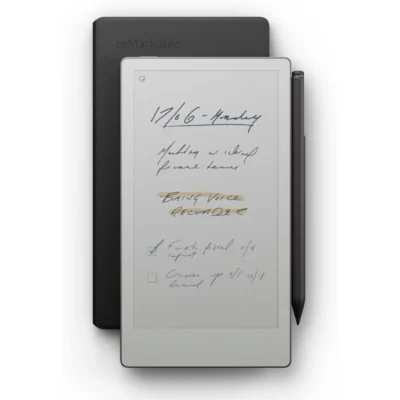
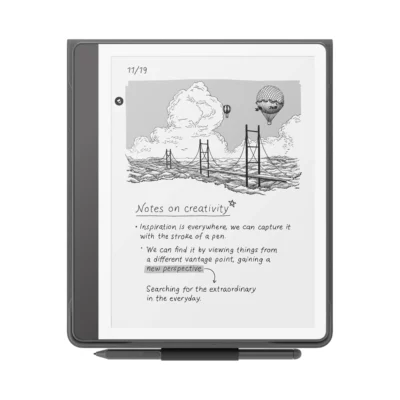
SpecificationreMarkable 2 With Marker PlusreMarkable Paper Pro Move With Marker PlusAmazon Kindle Scribe Premium PenreMarkable Paper Pro With Marker Plus
BrandreMarkablereMarkableAmazonreMarkable
ModelreMarkable 2reMarkable Paper Pro MoveKindle Scribe (2022) with Premium PenreMarkable Paper Pro
AnnouncedAugust 2020September 2025September 2022September 2024
ConnectivityMobile network: No cellular connectivity; Wi-Fi: Wi-Fi 2.4 GHz and 5 GHz; Bluetooth: No; USB: USB-C; accessory portMobile network: No cellular connectivity; Wi-Fi: Wi-Fi 2.4 GHz and 5 GHz; Bluetooth: Bluetooth 5.0; USB: USB 2.0 high-speed Type-CMobile network: Wi-Fi only; Wi-Fi: Dual-band Wi-Fi 2.4 GHz and 5 GHz; Bluetooth: Bluetooth audio / accessibility support; USB: USB-CMobile network: No cellular connectivity; Wi-Fi: Wi-Fi 2.4 GHz and 5 GHz; Bluetooth: Bluetooth 5.0; USB: USB 2.0 Type-C

Design

Design specifications comparison
SpecificationreMarkable 2 With Marker PlusreMarkable Paper Pro Move With Marker PlusAmazon Kindle Scribe Premium PenreMarkable Paper Pro With Marker Plus
Dimensions246 × 188 × 4.7 mm195.6 × 107.8 × 6.5 mm196 x 230 x 5.8 mm274.1 × 196.6 × 5.1 mm
Weight403.5 g230 g433 g (device); Premium Pen about 15 gApproximately 525 g
Build materialsAluminium unibody with textured writing surfaceAluminium unibody with textured writing surfaceRecycled aluminum and plastic body; glass-front E Ink displayAnodized aluminium chassis with textured writing surface

Display

Display specifications comparison
SpecificationreMarkable 2 With Marker PlusreMarkable Paper Pro Move With Marker PlusAmazon Kindle Scribe Premium PenreMarkable Paper Pro With Marker Plus
Display10.3-inch second-generation Canvas monochrome digital paper display7.3-inch Canvas Color digital paper display (E Ink Gallery 3)10.2-inch glare-free Paperwhite E Ink display11.8-inch Canvas Color digital paper display (E Ink Gallery 3)
Screen resolution1872 × 1404 pixels (226 ppi)1696 × 954 pixels (264 ppi)300 ppi2160 × 1620 pixels (229 ppi)
Display featuresMulti-point capacitive touch; sunlight-readable; no reading lightAdjustable reading light; multi-point capacitive touch; full-color support; textured paper-like surface; palm rejection35-LED front light, adjustable warm light, auto-adjusting light, flush-front display, handwriting supportAdjustable reading light; multi-point capacitive touch; up to 20,000 colors; textured paper-like surface; palm rejection
Writing surfaceNot specifiedTextured color-paper display designed for paper-like writing10.2-inch glare-free 300 ppi Paperwhite displayTextured color-paper display designed for paper-like writing

Performance

Performance specifications comparison
SpecificationreMarkable 2 With Marker PlusreMarkable Paper Pro Move With Marker PlusAmazon Kindle Scribe Premium PenreMarkable Paper Pro With Marker Plus
Processor1.2 GHz dual-core ARM1.7 GHz dual-core processorNot specified1.8 GHz quad-core processor
CPU1.2 GHz dual-core ARMDual-core Arm Cortex-A55Not specifiedQuad-core Arm Cortex-A53

Memory & Storage

Memory & Storage specifications comparison
SpecificationreMarkable 2 With Marker PlusreMarkable Paper Pro Move With Marker PlusAmazon Kindle Scribe Premium PenreMarkable Paper Pro With Marker Plus
RAM1 GB LPDDR3 SDRAM2 GB LPDDR4XNot specified2 GB LPDDR4
Storage8 GB internal storage (about 6.5 GB available after OS)64 GB internal storage16 GB, 32 GB, 64 GB64 GB internal storage
Storage technologyInternal flash storageNot specifiedFlash storageInternal flash storage
Expandable storageNo memory card slotNot specifiedNoNo memory card slot

Battery & Charging

Battery & Charging specifications comparison
SpecificationreMarkable 2 With Marker PlusreMarkable Paper Pro Move With Marker PlusAmazon Kindle Scribe Premium PenreMarkable Paper Pro With Marker Plus
BatteryBuilt-in rechargeable 3000 mAh Li-ion; up to 14 days regular use; up to 90 days standbyBuilt-in rechargeable 2334 mAh Li-ion; up to 14 days regular useUp to 12 weeks reading or 3 weeks writingBuilt-in rechargeable 5030 mAh Li-ion; up to 14 days regular use; up to 90 days standby
ChargingUSB-C; recommended charger up to 5 V / 1.5 AUSB-C; 0–90% in under 45 minutesUSB-C; full charge in about 2.5 hours with 9 W adapterUSB-C; 0–90% in approximately 90 minutes

Software

Software specifications comparison
SpecificationreMarkable 2 With Marker PlusreMarkable Paper Pro Move With Marker PlusAmazon Kindle Scribe Premium PenreMarkable Paper Pro With Marker Plus
Operating systemreMarkable OS (custom Linux-based operating system)reMarkable OS (custom Linux-based operating system)Kindle e-reader softwarereMarkable OS (custom Linux-based operating system)

Network

Network specifications comparison
SpecificationreMarkable 2 With Marker PlusreMarkable Paper Pro Move With Marker PlusAmazon Kindle Scribe Premium PenreMarkable Paper Pro With Marker Plus
NetworkNo cellular connectivityNo cellular connectivityWi-Fi onlyNo cellular connectivity

Connectivity

Connectivity specifications comparison
SpecificationreMarkable 2 With Marker PlusreMarkable Paper Pro Move With Marker PlusAmazon Kindle Scribe Premium PenreMarkable Paper Pro With Marker Plus
NFCNoNoNoNo
BluetoothNoBluetooth 5.0Bluetooth audio / accessibility supportBluetooth 5.0
Wi-FiWi-Fi 2.4 GHz and 5 GHzWi-Fi 2.4 GHz and 5 GHzDual-band Wi-Fi 2.4 GHz and 5 GHzWi-Fi 2.4 GHz and 5 GHz
PositioningNo GPSNo GPSNo GPS or GNSSNo GPS
USBUSB-C; accessory portUSB 2.0 high-speed Type-CUSB-CUSB 2.0 Type-C

Durability

Durability specifications comparison
SpecificationreMarkable 2 With Marker PlusreMarkable Paper Pro Move With Marker PlusAmazon Kindle Scribe Premium PenreMarkable Paper Pro With Marker Plus
Water resistanceNo official water-resistance rating published by reMarkableNot specifiedNo official IP ratingNot specified

Features

Features specifications comparison
SpecificationreMarkable 2 With Marker PlusreMarkable Paper Pro Move With Marker PlusAmazon Kindle Scribe Premium PenreMarkable Paper Pro With Marker Plus
ColorsWhite and aluminumNot specifiedTungsten; Metallic Jade on later editionGray
SensorsNot specifiedAuto wake/sleep sensorCapacitive touch, EMR pen input, ambient light sensorFolio open/close sensor

Audio

Audio specifications comparison
SpecificationreMarkable 2 With Marker PlusreMarkable Paper Pro Move With Marker PlusAmazon Kindle Scribe Premium PenreMarkable Paper Pro With Marker Plus
LoudspeakersNoNot specifiedNoNo
3.5 mm headphone jackNoNot specifiedNoNo

Stylus & writing

Stylus & writing specifications comparison
SpecificationreMarkable 2 With Marker PlusreMarkable Paper Pro Move With Marker PlusAmazon Kindle Scribe Premium PenreMarkable Paper Pro With Marker Plus
StylusMarker Plus; battery-free EMR; no charging, setup or pairing requiredMarker Plus; battery-free EMR; no charging or pairing requiredNot specifiedMarker Plus; battery-free active stylus; no charging or pairing required
Writing performance4,096 pressure levels; tilt detection; built-in eraser; approximately 21 ms writing latency; palm rejection4,096 pressure levels; tilt detection; built-in eraser; approximately 12 ms writing latency; palm rejectionNot specified4,096 pressure levels; tilt detection; built-in eraser; approximately 12 ms writing latency; palm rejection
Writing surfaceTextured paper-like surface; sunlight-readable monochrome digital paperNot specifiedNot specifiedNot specified

Software & files

Software & files specifications comparison
SpecificationreMarkable 2 With Marker PlusreMarkable Paper Pro Move With Marker PlusAmazon Kindle Scribe Premium PenreMarkable Paper Pro With Marker Plus
Document supportImport PDF and EPUB; export PDF, PNG and SVGImport PDF and EPUB; export PDF, PNG and SVGNot specifiedImport PDF and EPUB; export PDF, PNG and SVG
Productivity featuresHandwriting-to-text conversion powered by MyScript; reMarkable Cloud sync; companion apps for macOS, Windows, iOS and AndroidHandwriting-to-text conversion; reMarkable Cloud sync; companion apps for macOS, Windows, iOS and Android; Google Drive, OneDrive and Dropbox importNot specifiedHandwriting-to-text conversion; reMarkable Cloud sync; companion apps for macOS, Windows, iOS and Android; integrations and live screen sharing

In the box

In the box specifications comparison
SpecificationreMarkable 2 With Marker PlusreMarkable Paper Pro Move With Marker PlusAmazon Kindle Scribe Premium PenreMarkable Paper Pro With Marker Plus
Included itemsreMarkable 2; Marker Plus; 1 m USB-A to USB-C charging cable; nine replacement Marker tipsreMarkable Paper Pro Move; Marker Plus; 1 m USB-C cable; six replacement Marker tipsKindle Scribe, Premium Pen, replacement nibs and tool, USB-C cablereMarkable Paper Pro; Marker Plus; six replacement Marker tips; USB-C charging cable

Security

Security specifications comparison
SpecificationreMarkable 2 With Marker PlusreMarkable Paper Pro Move With Marker PlusAmazon Kindle Scribe Premium PenreMarkable Paper Pro With Marker Plus
Data protectionDevice passcode; secure cloud syncDevice passcode; secure cloud syncNot specifiedEncryption in transit and at rest; optional on-device encryption; passcode and multifactor authentication support

Input

Input specifications comparison
SpecificationreMarkable 2 With Marker PlusreMarkable Paper Pro Move With Marker PlusAmazon Kindle Scribe Premium PenreMarkable Paper Pro With Marker Plus
StylusNot specifiedNot specifiedPremium Pen included; battery-free; eraser and shortcut buttonNot specified
Writing performanceNot specifiedNot specifiedHandwriting, sticky notes, notebook templates, and PDF annotationNot specified

Documents

Documents specifications comparison
SpecificationreMarkable 2 With Marker PlusreMarkable Paper Pro Move With Marker PlusAmazon Kindle Scribe Premium PenreMarkable Paper Pro With Marker Plus
Document supportNot specifiedNot specifiedKindle formats, PDF, TXT and common document formats; Send to Kindle supportedNot specified

Productivity

Productivity specifications comparison
SpecificationreMarkable 2 With Marker PlusreMarkable Paper Pro Move With Marker PlusAmazon Kindle Scribe Premium PenreMarkable Paper Pro With Marker Plus
Productivity featuresNot specifiedNot specifiedHandwritten notebooks; handwriting-to-text conversion; PDF annotation; Microsoft Word Send to KindleNot specified

Specs

reMarkable 2 With Marker Plus specifications

General

reMarkable 2 With Marker Plus — General
BrandreMarkable
ModelreMarkable 2
AnnouncedAugust 2020

Design

reMarkable 2 With Marker Plus — Design
Dimensions246 × 188 × 4.7 mm
Weight403.5 g
Build materialsAluminium unibody with textured writing surface

Display

reMarkable 2 With Marker Plus — Display
Display10.3-inch second-generation Canvas monochrome digital paper display
Screen resolution1872 × 1404 pixels (226 ppi)
Display featuresMulti-point capacitive touch; sunlight-readable; no reading light

Performance

reMarkable 2 With Marker Plus — Performance
Processor1.2 GHz dual-core ARM
CPU1.2 GHz dual-core ARM

Memory & Storage

reMarkable 2 With Marker Plus — Memory & Storage
RAM1 GB LPDDR3 SDRAM
Storage8 GB internal storage (about 6.5 GB available after OS)
Storage technologyInternal flash storage
Expandable storageNo memory card slot

Battery & Charging

reMarkable 2 With Marker Plus — Battery & Charging
BatteryBuilt-in rechargeable 3000 mAh Li-ion; up to 14 days regular use; up to 90 days standby
ChargingUSB-C; recommended charger up to 5 V / 1.5 A

Software

reMarkable 2 With Marker Plus — Software
Operating systemreMarkable OS (custom Linux-based operating system)

Network

reMarkable 2 With Marker Plus — Network
NetworkNo cellular connectivity

Connectivity

reMarkable 2 With Marker Plus — Connectivity
NFCNo
BluetoothNo
Wi-FiWi-Fi 2.4 GHz and 5 GHz
PositioningNo GPS
USBUSB-C; accessory port

Durability

reMarkable 2 With Marker Plus — Durability
Water resistanceNo official water-resistance rating published by reMarkable

Features

reMarkable 2 With Marker Plus — Features
ColorsWhite and aluminum

Audio

reMarkable 2 With Marker Plus — Audio
LoudspeakersNo
3.5 mm headphone jackNo

Stylus & writing

reMarkable 2 With Marker Plus — Stylus & writing
StylusMarker Plus; battery-free EMR; no charging, setup or pairing required
Writing performance4,096 pressure levels; tilt detection; built-in eraser; approximately 21 ms writing latency; palm rejection
Writing surfaceTextured paper-like surface; sunlight-readable monochrome digital paper

Software & files

reMarkable 2 With Marker Plus — Software & files
Document supportImport PDF and EPUB; export PDF, PNG and SVG
Productivity featuresHandwriting-to-text conversion powered by MyScript; reMarkable Cloud sync; companion apps for macOS, Windows, iOS and Android

In the box

reMarkable 2 With Marker Plus — In the box
Included itemsreMarkable 2; Marker Plus; 1 m USB-A to USB-C charging cable; nine replacement Marker tips

Security

reMarkable 2 With Marker Plus — Security
Data protectionDevice passcode; secure cloud sync

0 Reviews

No reviews yet

Be the first to review reMarkable 2 With Marker Plus.

Write a review
Back to Top

My Cart