Weight
- Apple Magic Keyboard with Touch ID
- 243 g
- Microsoft Surface Pro Signature Keyboard
- 281 g

Keyboard comparison
Compare layout, connection, battery and typing feel.
01Selected 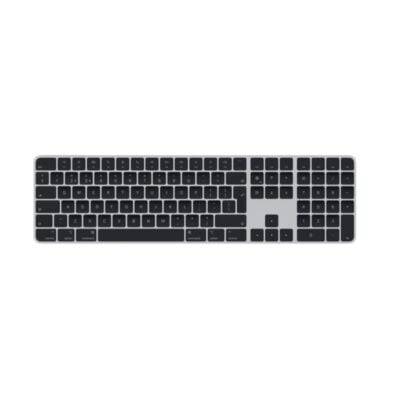 Apple Magic Keyboard with Touch ID (2022)
KSh 35,500In Stock | 02 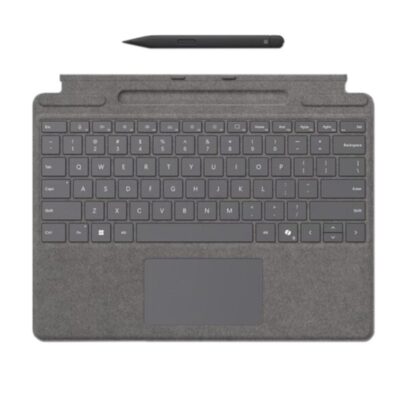 Microsoft Surface Pro Signature Keyboard
KSh 39,000In Stock |
|---|
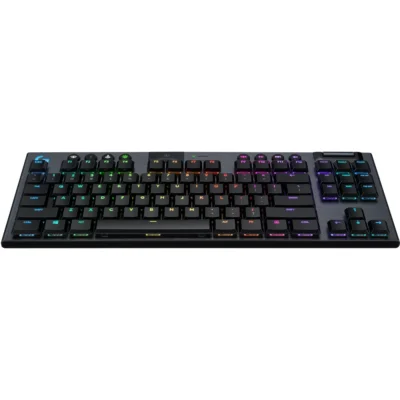
Choose the Apple Magic Keyboard with Touch ID if you want Bluetooth, a lighter build (243 g) and a newer model (2024). Choose the Microsoft Surface Pro Signature Keyboard if you want a slimmer 4.89 mm body.
The main differences to help you choose.
| Priority | Apple Magic Keyboard with Touch ID | Microsoft Surface Pro Signature Keyboard |
|---|---|---|
| Connections | Bluetooth | Wired - Surface magnetic connector |
| Weight | 243 g | 281 g |
| Type | Wireless keyboard | Detachable keyboard cover |
| Dedicated multimedia keys | Yes, function row | Yes, function-row shortcuts |
| Layout | Compact | Compact notebook-style |
| Switches | Apple low-profile scissor mechanism | Mechanical scissor keys |
| Backlighting | None | White |
| Wrist rest | No | Integrated keyboard deck |
Tick a topic above to see how each product answers it.
Explore the full specifications, section by section.
| Specification | Apple Magic Keyboard with Touch ID (2022) | Microsoft Surface Pro Signature Keyboard |
|---|---|---|
| Brand | Apple | Microsoft |
| Model | Magic Keyboard with Touch ID (USB-C, MXCK3LL/A) | Surface Pro Signature Keyboard |
| Announced | 2024 | 2021 |
| Type | Wireless keyboard | Detachable keyboard cover |
| Layout | Compact | Compact notebook-style |
| Color | White and Silver | Black; Platinum; Sapphire; Forest; Poppy Red |
| Material | Aluminum enclosure with plastic keycaps | Alcantara-covered keyboard deck |
| Specification | Apple Magic Keyboard with Touch ID (2022) | Microsoft Surface Pro Signature Keyboard |
|---|---|---|
| Dimensions | 278.9 × 114.9 × 10.9 mm | 289.1 × 226.1 × 4.89 mm |
| Weight | 243 g | 281 g |
| Specification | Apple Magic Keyboard with Touch ID (2022) | Microsoft Surface Pro Signature Keyboard |
|---|---|---|
| Connection Type | Wireless and wired | Wired — Surface magnetic connector |
| Wireless Technology | Bluetooth | Not applicable |
| Bluetooth | Bluetooth | No |
| Wireless Receiver | Not applicable | — |
| Multi-Device Connection | No | — |
| Connector | USB-C | Surface Pro magnetic interface connector |
| Cable | Detachable woven USB-C charge cable | — |
| Cable Length | 1 m | — |
| Wireless Range | — | — |
| Specification | Apple Magic Keyboard with Touch ID (2022) | Microsoft Surface Pro Signature Keyboard |
|---|---|---|
| Switch Type | Scissor | Scissor |
| Switches | Apple low-profile scissor mechanism | Mechanical scissor keys |
| Switch Options | Not applicable | Not applicable |
| Dedicated Multimedia Keys | Yes — function row | Yes — function-row shortcuts |
| Programmable Keys | No | No |
| Numeric Keypad | No | No |
| Specification | Apple Magic Keyboard with Touch ID (2022) | Microsoft Surface Pro Signature Keyboard |
|---|---|---|
| Battery Type | Built-in rechargeable lithium battery | Not applicable |
| Battery Life | About one month or more between charges | — |
| Charging Port | USB-C | — |
| Power Switch | Yes | — |
| Battery Indicator | Yes — macOS battery status | — |
| Battery Capacity | — | — |
| Charging Time | — | — |
| Specification | Apple Magic Keyboard with Touch ID (2022) | Microsoft Surface Pro Signature Keyboard |
|---|---|---|
| Backlighting | None | White |
| Lighting Technology | Not applicable | Backlit keys |
| Brightness Adjustment | — | Yes |
| Ambient Light Sensor | No | No |
| Proximity Sensor | No | No |
| Wrist Rest | No | Integrated keyboard deck |
| Customization Software | None | None |
| Onboard Memory | No | No |
| Profiles / Macros | No | No |
| Special Features | Touch ID for Mac models with Apple silicon; automatic pairing | Large glass precision touchpad; Surface Slim Pen 2 storage and charging; protective cover |
| Specification | Apple Magic Keyboard with Touch ID (2022) | Microsoft Surface Pro Signature Keyboard |
|---|---|---|
| macOS | macOS 15.1 or later on a Mac with Apple silicon | No |
| Other Operating Systems | iPadOS 18.1 or later; iOS 18.1 or later | No |
| Required Port / Connection | Bluetooth-capable device or USB-C port | Compatible Surface Pro magnetic keyboard connector |
| Software | None | None |
| Windows | — | Windows 10 or Windows 11 on compatible Surface Pro |
| Specification | Apple Magic Keyboard with Touch ID (2022) | Microsoft Surface Pro Signature Keyboard |
|---|---|---|
| In the Box | Magic Keyboard with Touch ID, USB-C charge cable | Surface Pro Signature Keyboard, safety and warranty documents; Slim Pen 2 only with selected bundle |
These products have the same published specifications.
Choose Apple Magic Touch ID for a Bluetooth connection and a lighter build; Microsoft Surface Pro Signature offers a slimmer build.
Back to compared products ↑For Apple Magic Keyboard with Touch ID (2022)Apple iPad Pro 12.9-inch M2 Magic Keyboard (4th Gen)View product ↗For Apple Magic Keyboard with Touch ID (2022)Razer Huntsman V3 Pro 8KHzView product ↗For Microsoft Surface Pro Signature KeyboardLogitech G915 X LIGHTSPEED TKLView product ↗For Microsoft Surface Pro Signature KeyboardRazer Huntsman V3 Pro Tenkeyless 8KHz Niko EditionView product ↗Apple Magic Keyboard with Touch ID (2022)VSLogitech MX Keys S ComboApple Magic Keyboard with Touch ID (2022)VSLogitech G915Apple Magic Keyboard with Touch ID (2022)VSLogitech G915 X LIGHTSPEED TKLApple iPad Pro 12.9-inch M2 Magic Keyboard (4th Gen)VSApple Magic Keyboard with Touch ID (2022)Apple Magic Keyboard with Touch ID (2022)VSRazer Huntsman V3 Pro 8KHzApple Magic Keyboard with Touch ID (2022)VSRazer Huntsman V3 Pro Tenkeyless 8KHz Niko EditionApple Magic Keyboard with Touch ID (2022)VSLogitech G G915 TKL Gaming Keyboard Apple Magic Keyboard (2021)VSApple Magic Keyboard with Touch ID (2022)Apple Magic Keyboard with Touch ID (2022)VS
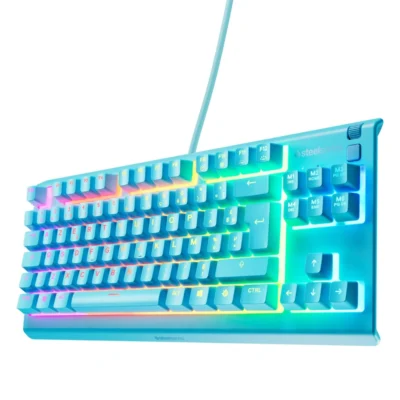 SteelSeries Apex 3 TKL Gaming keyboard
We are here to serve you