Connections
- iPad Air Magic Keyboard 11" M4
- Magnetic attachment to a compatible iPad
- Microsoft Surface Pro 12-inch Keyboard with Slim Pen
- Magnetic attachment to compatible Surface Pro 12-inch

Keyboard comparison
Compare layout, connection, battery and typing feel.
02 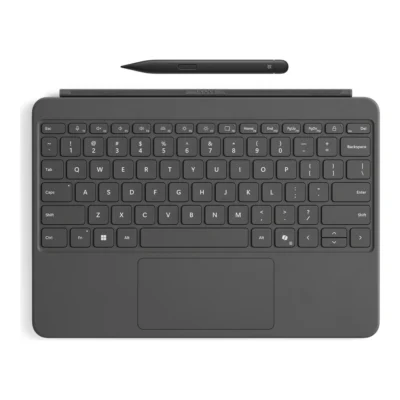 Microsoft Surface Pro 12-inch Keyboard with Slim Pen
KSh 48,000In Stock |
|---|
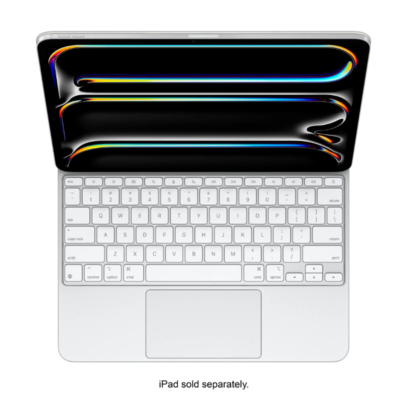
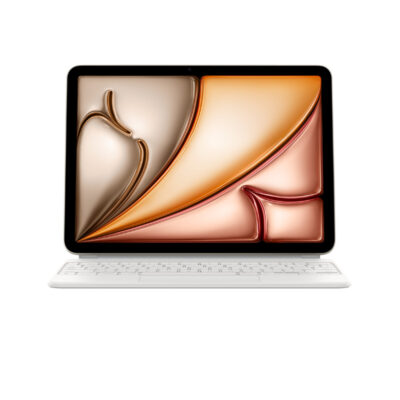
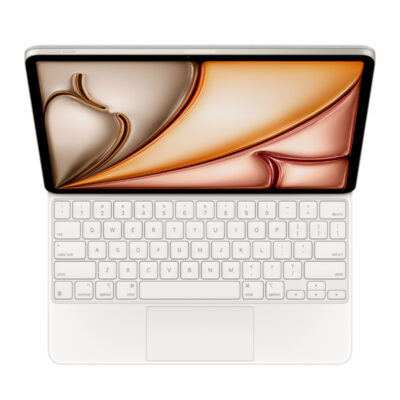
Choose the iPad Air Magic Keyboard 11" M4 if you want a lower price (KSh 4,500 less). Choose the Microsoft Surface Pro 12-inch Keyboard with Slim Pen if you prefer detachable tablet keyboard with Slim Pen bundle and magnetic attachment to compatible Surface Pro 12-inch.
This comparison is partial: only 4 of the 17 specifications are published for both products. The iPad Air Magic Keyboard 11" M4 does not list layout, material or connector; the Microsoft Surface Pro 12-inch Keyboard with Slim Pen does not list Total Travel or Charging Port.
The main differences to help you choose.
| Priority | iPad Air Magic Keyboard 11" M4 | Microsoft Surface Pro 12-inch Keyboard with Slim Pen |
|---|---|---|
| Connections | Magnetic attachment to a compatible iPad | Magnetic attachment to compatible Surface Pro 12-inch |
| Type | iPad keyboard cover with trackpad | Detachable tablet keyboard with Slim Pen bundle |
| Switch type | Scissor mechanism | Moving mechanical keys |
Tick a topic above to see how each product answers it.
Explore the full specifications, section by section.
| Specification | iPad Air Magic Keyboard 11" M4 | Microsoft Surface Pro 12-inch Keyboard with Slim Pen |
|---|---|---|
| Brand | Apple | Microsoft |
| Model | Magic Keyboard for 11-inch iPad Air | Surface Pro 12-inch Keyboard with Slim Pen, EP2-33047 |
| Type | iPad keyboard cover with trackpad | Detachable tablet keyboard with Slim Pen bundle |
| Layout | — | English; full row F1–F12 function keys |
| Color | — | Slate |
| Material | — | Smooth-matte palm rest; Alcantara back cover and hinge |
| Specification | iPad Air Magic Keyboard 11" M4 | Microsoft Surface Pro 12-inch Keyboard with Slim Pen |
|---|---|---|
| Dimensions | — | Keyboard: 276 × 192 × 6.80mm; Slim Pen: 136.8 × 11.3 × 6.3mm |
| Weight | — | Keyboard: 340g; Slim Pen: 13g |
| Specification | iPad Air Magic Keyboard 11" M4 | Microsoft Surface Pro 12-inch Keyboard with Slim Pen |
|---|---|---|
| Connection Type | Magnetic attachment to a compatible iPad; no wireless pairing required | Magnetic attachment to compatible Surface Pro 12-inch |
| Connector | — | Surface Pro 12-inch keyboard connector |
| Specification | iPad Air Magic Keyboard 11" M4 | Microsoft Surface Pro 12-inch Keyboard with Slim Pen |
|---|---|---|
| Switch Type | Scissor mechanism | Moving mechanical keys |
| Total Travel | 1mm | — |
| Dedicated Multimedia Keys | — | Copilot, microphone mute, snipping, Windows shortcuts, media, brightness and lock keys |
| Numeric Keypad | — | No |
| Specification | iPad Air Magic Keyboard 11" M4 | Microsoft Surface Pro 12-inch Keyboard with Slim Pen |
|---|---|---|
| Charging Port | USB-C pass-through charging for iPad; this port does not transmit data | — |
| Specification | iPad Air Magic Keyboard 11" M4 | Microsoft Surface Pro 12-inch Keyboard with Slim Pen |
|---|---|---|
| Special Features | Adjustable floating cantilever design, Multi-Touch trackpad, and front/back protection | Precision touchpad with adaptive touch mode; dynamic hinge flexes 360°; included Slim Pen with 4,096 pressure levels and haptic feedback |
| Backlighting | — | Yes |
| Wrist Rest | — | Smooth-matte palm rest |
| Specification | iPad Air Magic Keyboard 11" M4 | Microsoft Surface Pro 12-inch Keyboard with Slim Pen |
|---|---|---|
| Windows | — | Surface Pro 12-inch (1st Edition) running Windows 11 |
| Required Port / Connection | — | Compatible only with Surface Pro 12-inch (1st Edition) |
| Specification | iPad Air Magic Keyboard 11" M4 | Microsoft Surface Pro 12-inch Keyboard with Slim Pen |
|---|---|---|
| In the Box | — | Surface Pro 12-inch Keyboard, Surface Slim Pen (2nd Edition), Quick Start Guide |
These products have the same published specifications.
iPad Air Magic 11" M4 is the lower-priced option; neither stands out on the other features compared here.
Back to compared products ↑ For iPad Air Magic Keyboard 11" M4Magic Keyboard for iPad Pro 11-inchView product ↗For iPad Air Magic Keyboard 11" M4Apple iPad Pro 11-inch M4 Magic KeyboardView product ↗For Microsoft Surface Pro 12-inch Keyboard with Slim PenMicrosoft Surface Pro Flex keyboard with Slim PenView product ↗For Microsoft Surface Pro 12-inch Keyboard with Slim PeniPad Pro 13-inch (M4/M5) Magic KeyboardView product ↗Razer Huntsman V3 Pro Tenkeyless 8KHz Niko EditionVS
 iPad Air Magic Keyboard 11" M4Magic Keyboard for iPad Pro 13‑inch (M4)VSiPad Air Magic Keyboard 11" M4Microsoft Surface Pro Flex keyboard with Slim PenVSiPad Air Magic Keyboard 11" M4Magic Keyboard for iPad Air 11-inch (M2)VSiPad Air Magic Keyboard 11" M4iPad Pro 13-inch (M4/M5) Magic KeyboardVSiPad Air Magic Keyboard 11" M4Apple iPad Pro 12.9-inch M2 Magic Keyboard (4th Gen)VSiPad Air Magic Keyboard 11" M4Apple iPad Pro 11-inch M4 Magic KeyboardVSiPad Air Magic Keyboard 11" M4
 Apple Magic Keyboard Folio for iPad (10th Gen)VSiPad Air Magic Keyboard 11" M4Magic Keyboard for iPad Pro 11-inchVSiPad Air Magic Keyboard 11" M4
We are here to serve you