Skip to content
SKU: A8374AA1 Category: Brand:

Anker USB-C Hub (7-in-1, Dual Display)

0 Reviews
In stock

KSh 6,170

  • Ports: 2 × HDMI; 1 × USB-C PD input; 1 × USB-A 10 Gbps; 3 × USB-A 2.0; attached USB-C host cable
  • Video: Single: up to 4K/30 Hz. Dual: Windows up to 1080p/60 Hz; macOS up to 4K/30 Hz mirroring only, per official manual
  • Charging: 100 W PD input; up to 85 W host pass-through; 15 W reserved for hub; compatible charger and cable separate
  • Data transfer: One USB-A up to 10 Gbps; three USB-A up to 480 Mbps
  • Colour: Gray
  • Dimensions: Approx. 114 × 54 × 17 mm — Japan specifications
  • Weight: Approx. 96 g — Japan specifications
  • Compatibility: Windows 10+, macOS 12+, ChromeOS; host must support DP Alt Mode and USB PD; no independent dual extended displays on macOS; Switch and SuperDrive unsupported
GENUINE 100% Original
M-PESA Secure Pay
DELIVERY Fast Dispatch
SUPPORT Expert Help
Brand:

Product details

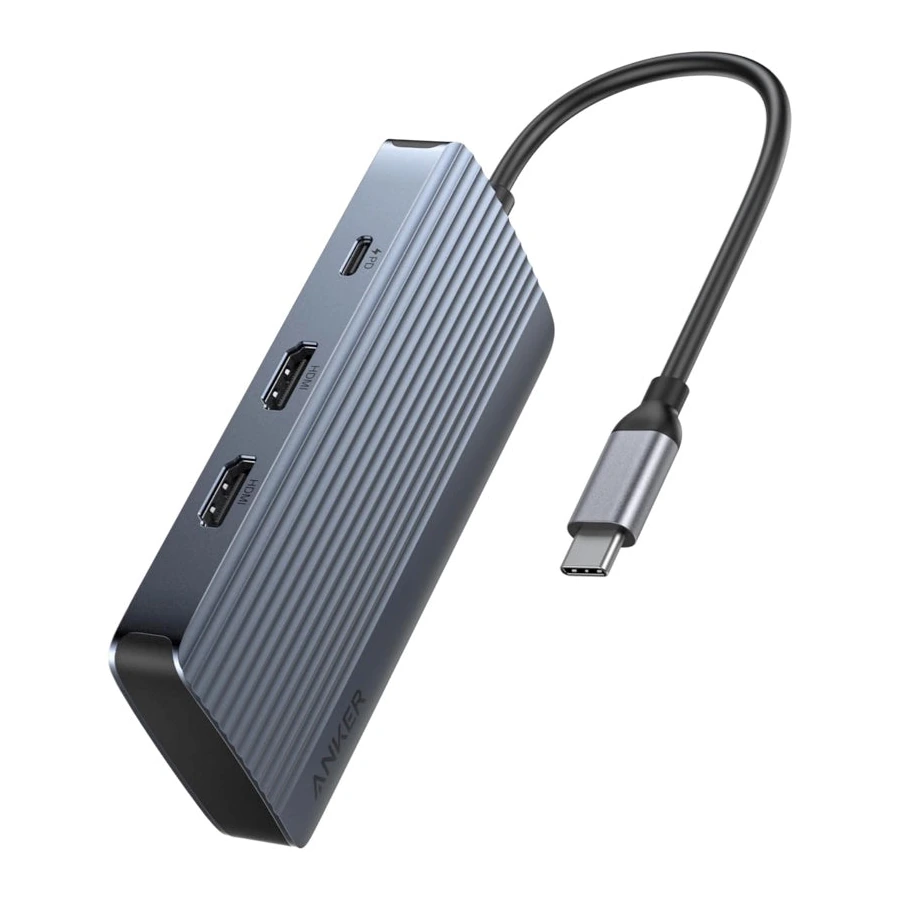
The Anker USB-C Hub (7-in-1, Dual Display) combines two HDMI outputs, four USB-A data ports and a USB-C charging input. Its Gray enclosure has an attached USB-C host cable. This arrangement supports a workspace with external displays, compatible accessories and laptop charging through one adapter.

A single external display can run at up to four-kilopixel resolution and thirty hertz. When using two displays, the supported arrangement depends on the computer and operating system. The official manual lists Windows dual-display output up to full-HD resolution at sixty hertz. For macOS, it lists mirrored dual-display output up to four-kilopixel resolution at thirty hertz. macOS does not provide two independent extended external desktops through this hub.

Check that the computer’s USB-C port supports DisplayPort Alt Mode and USB Power Delivery. The physical presence of a USB-C socket does not guarantee those capabilities. Connected monitor specifications and display settings also affect the available resolution. This hub does not require a separate display driver or software according to the manufacturer.

The USB-C Power Delivery input accepts up to one hundred watts from a suitable external charger. Fifteen watts are reserved for the hub, leaving up to eighty-five watts for a compatible host. Use an appropriate charging cable and charger, both sold separately. The charging input does not act as a data or video port for a peripheral.

One USB-A data port supports transfer speeds up to ten gigabits per second. Three further USB-A ports support up to four hundred and eighty megabits per second. The faster port suits compatible storage drives; the remaining ports can connect devices such as keyboards, mice and printers. Transfer performance depends on the connected equipment. These ports are intended for data, rather than charging or video output.

The enclosure measures approximately 114 by 54 by 17 millimetres and weighs about ninety-six grams in Anker’s Japan specifications. The manual lists Windows 10, macOS 12 and later systems, together with ChromeOS. Nintendo Switch and Apple USB SuperDrive are unsupported. The package contains the hub and user documentation; displays, HDMI cables and charging equipment are separate.
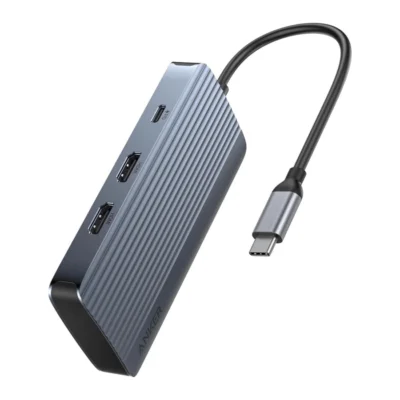
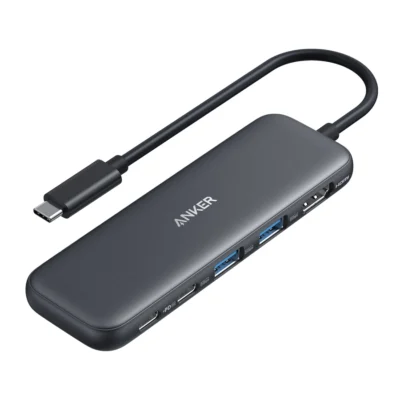
Compare Anker USB-C Hub (7-in-1, Dual Display) with Similar Products

Compare Anker USB-C Hub (7-in-1, Dual Display) specs, features and price with similar products and alternatives.

Compare Anker USB-C Hub (7-in-1, Dual Display) with Similar Products

General

General specifications comparison
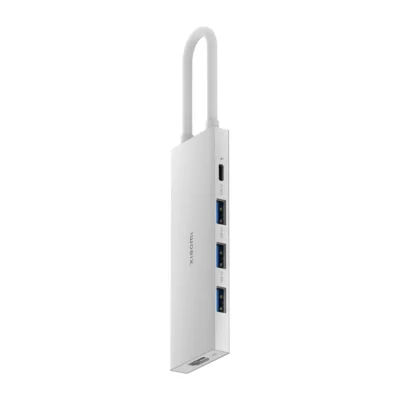
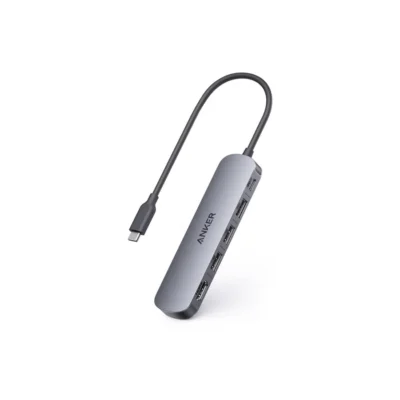
SpecificationAnker USB-C Hub (7-in-1, Dual Display)Anker 332 USB-C Hub 5-in-1Xiaomi 5-in-1 Type-C HubAnker USB-C Hub (5-in-1, 4K HDMI)
BrandAnkerAnkerXiaomiAnker
ModelA8374AA1A8355H1157780A8357HA0
Compatible modelWindows 10+, macOS 12+, ChromeOS; host must support DP Alt Mode and USB PD; no independent dual extended displays on macOS; Switch and SuperDrive unsupportedSupported USB-C hosts including MacBook Pro/Air, Dell XPS, Lenovo ThinkPad and HP; exact host must support requested display and Power Delivery functionsFull-function USB-C hosts; DP1.4 or higher for 4K60 video; Windows, Android, macOS and LinuxCompatible Windows 10+, macOS 12+ and ChromeOS hosts with DisplayPort Alt Mode and Power Delivery; Linux, Nintendo Switch, SuperDrive and Pixel 9/7 series unsupported
ColourGrayBlackNot specifiedGray
Connector2 × HDMI; 1 × USB-C PD input; 1 × USB-A 10 Gbps; 3 × USB-A 2.0; attached USB-C host cableAttached USB-C host cable; HDMI1.4 output; two USB-A data ports; USB-C data port; USB-C PD-INUSB-C host lead; three USB-A ports, USB-C port and HDMI1 × HDMI; 1 × USB-C PD input; 1 × USB-A 3.0; 2 × USB-A 2.0; attached USB-C host cable
Power output100 W PD input; up to 85 W host pass-through; 15 W reserved for hub; compatible charger and cable separatePD-IN up to100W; laptop pass-through up to85W with compatible100W charger; USB-A ports combined4.5W(5V0.9A); USB-C data7.5W(5V1.5A)PD100W input; up to 90W laptop charging; USB-A output 5V⎓1.5A maximum100 W PD input; up to 90 W host pass-through; 10 W reserved for hub; compatible charger and cable separate
MaterialNot specifiedNot specifiedAluminium alloy casingNot specified

Design

Design specifications comparison
SpecificationAnker USB-C Hub (7-in-1, Dual Display)Anker 332 USB-C Hub 5-in-1Xiaomi 5-in-1 Type-C HubAnker USB-C Hub (5-in-1, 4K HDMI)
DimensionsApprox. 114 × 54 × 17 mm — Japan specificationsNot specified112.5 × 10.4 × 39mmApprox. 120 × 30 × 12 mm; attached cable approx. 25 cm — Japan specifications
WeightApprox. 96 g — Japan specificationsNot specifiedNot specifiedApprox. 56 g — Japan specifications

Product details

Product details specifications comparison
SpecificationAnker USB-C Hub (7-in-1, Dual Display)Anker 332 USB-C Hub 5-in-1Xiaomi 5-in-1 Type-C HubAnker USB-C Hub (5-in-1, 4K HDMI)
Ports2 × HDMI; 1 × USB-C PD input; 1 × USB-A 10 Gbps; 3 × USB-A 2.0; attached USB-C host cableNot specifiedThree USB-A, one USB-C and one HDMI1 × HDMI; 1 × USB-C PD input; 1 × USB-A 3.0; 2 × USB-A 2.0; attached USB-C host cable
VideoSingle: up to 4K/30 Hz. Dual: Windows up to 1080p/60 Hz; macOS up to 4K/30 Hz mirroring only, per official manualHDMI 1.4; up to 4K (3840 × 2160) at 30HzNot specifiedUp to 4K at 30 Hz; supported mirror or extend mode
Charging100 W PD input; up to 85 W host pass-through; 15 W reserved for hub; compatible charger and cable separateNot specifiedNot specified100 W PD input; up to 90 W host pass-through; 10 W reserved for hub; compatible charger and cable separate
Data transferOne USB-A up to 10 Gbps; three USB-A up to 480 MbpsUSB 3.2 Gen 1; up to 5GbpsNot specified5 Gbps USB-A 3.0; 480 Mbps USB-A 2.0
CompatibilityWindows 10+, macOS 12+, ChromeOS; host must support DP Alt Mode and USB PD; no independent dual extended displays on macOS; Switch and SuperDrive unsupportedSupported USB-C hosts including MacBook Pro/Air, Dell XPS, Lenovo ThinkPad and HP; exact host must support requested display and Power Delivery functionsNot specifiedCompatible Windows 10+, macOS 12+ and ChromeOS hosts with DisplayPort Alt Mode and Power Delivery; Linux, Nintendo Switch, SuperDrive and Pixel 9/7 series unsupported
PackageHub and user documentation; charger, charging cable and HDMI cable separateNot specifiedNot specifiedHub and user documentation; charger, charging cable and HDMI cable separate
ConnectionsNot specifiedHDMI, two USB-A data ports, USB-C data and USB-C PD-INNot specifiedNot specified
Pass-through chargingNot specifiedUp to 85W with compatible 100W PD charger and cable; charger separateNot specifiedNot specified
USB-A peripheral powerNot specifiedCombined 4.5W; 5V at 0.9ANot specifiedNot specified
USB-C data-port powerNot specified7.5W; 5V at 1.5ANot specifiedNot specified
Host connectionNot specifiedAttached USB-C cableNot specifiedNot specified
SSD noteNot specifiedUse a USB-A port for stable Samsung T7 SSD transferNot specifiedNot specified
External-power recommendationNot specifiedSurface Go, ASUS CM3 Tablet, Galaxy S23 Ultra, Galaxy Tab S7+ and LG V60Not specifiedNot specified
Separate equipmentNot specifiedDisplay, wall charger, storage devices and loose connection cablesNot specifiedNot specified
Host connectorNot specifiedNot specifiedUSB-CNot specified
USB dataNot specifiedNot specifiedUSB 3.0; theoretical 5Gbps rateNot specified
HDMI outputNot specifiedNot specifiedUp to 4K at 60Hz with compatible equipmentNot specified
Video requirementsNot specifiedNot specifiedDP1.4 or higher host output; HDMI 2.0 or higher cable; suitable displayNot specified
Charging inputNot specifiedNot specifiedPD100W supported at USB-C power inputNot specified
Laptop chargingNot specifiedNot specifiedUp to 90W; external devices require up to 10WNot specified
CasingNot specifiedNot specifiedFull aluminium alloyNot specified
Operating temperatureNot specifiedNot specified0°C to 35°CNot specified
SystemsNot specifiedNot specifiedWindows, Android, macOS and Linux; host functions determine available featuresNot specified
Package contentsNot specifiedNot specifiedHub and user manualNot specified

Specs

Anker USB-C Hub (7-in-1, Dual Display) specifications

General

Anker USB-C Hub (7-in-1, Dual Display) — General
BrandAnker
ModelA8374AA1
Compatible modelWindows 10+, macOS 12+, ChromeOS; host must support DP Alt Mode and USB PD; no independent dual extended displays on macOS; Switch and SuperDrive unsupported
ColourGray
Connector2 × HDMI; 1 × USB-C PD input; 1 × USB-A 10 Gbps; 3 × USB-A 2.0; attached USB-C host cable
Power output100 W PD input; up to 85 W host pass-through; 15 W reserved for hub; compatible charger and cable separate

Design

Anker USB-C Hub (7-in-1, Dual Display) — Design
DimensionsApprox. 114 × 54 × 17 mm — Japan specifications
WeightApprox. 96 g — Japan specifications

Product details

Anker USB-C Hub (7-in-1, Dual Display) — Product details
Ports2 × HDMI; 1 × USB-C PD input; 1 × USB-A 10 Gbps; 3 × USB-A 2.0; attached USB-C host cable
VideoSingle: up to 4K/30 Hz. Dual: Windows up to 1080p/60 Hz; macOS up to 4K/30 Hz mirroring only, per official manual
Charging100 W PD input; up to 85 W host pass-through; 15 W reserved for hub; compatible charger and cable separate
Data transferOne USB-A up to 10 Gbps; three USB-A up to 480 Mbps
CompatibilityWindows 10+, macOS 12+, ChromeOS; host must support DP Alt Mode and USB PD; no independent dual extended displays on macOS; Switch and SuperDrive unsupported
PackageHub and user documentation; charger, charging cable and HDMI cable separate

0 Reviews

No reviews yet

Be the first to review Anker USB-C Hub (7-in-1, Dual Display).

Write a review
Back to Top

My Cart