

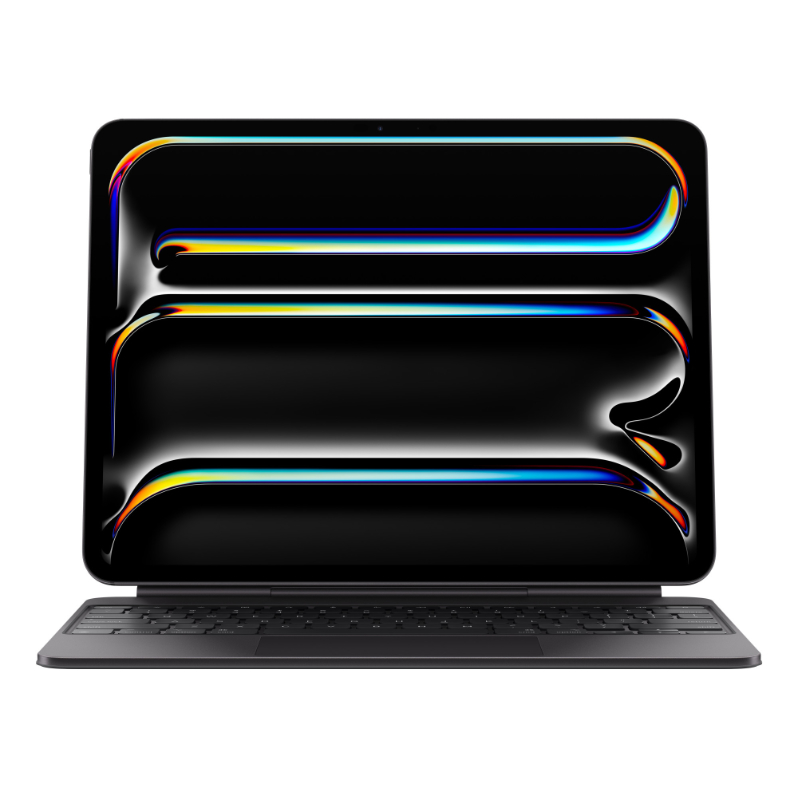
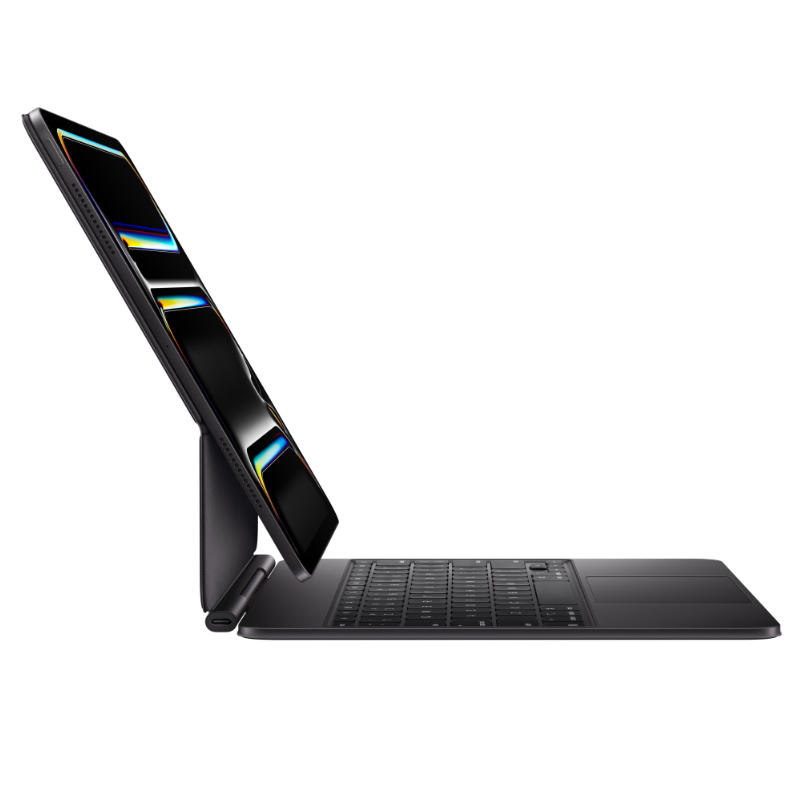
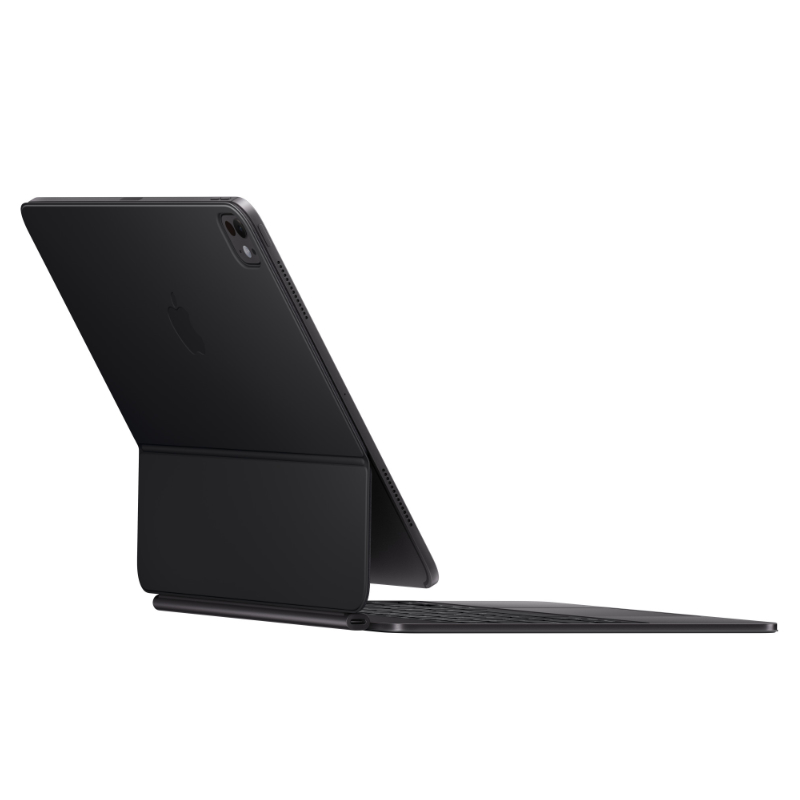
iPad Pro 13-inch (M4/M5) Magic Keyboard
- Compatibility: iPad Pro 13-inch (M4 & M5 Only)
- Palm Rest Material: Machined Aluminum
- Function Keys: Yes (14-key row)
- Trackpad: Larger Glass Trackpad with Haptic Feedback
- Key Mechanism: Scissor Mechanism (1mm travel)
- Backlighting: Auto-adjusting backlit keys
- Charging: USB-C Pass-through port (in hinge)
- Design: Floating Cantilever
- Weight: Approx. 662g (Lighter than previous gen)
- Protection: Front and Back coverage when closed
Recommended Accessories
View All
Product details
iPad Pro 13-inch (M4/M5) Magic Keyboard Price in Kenya
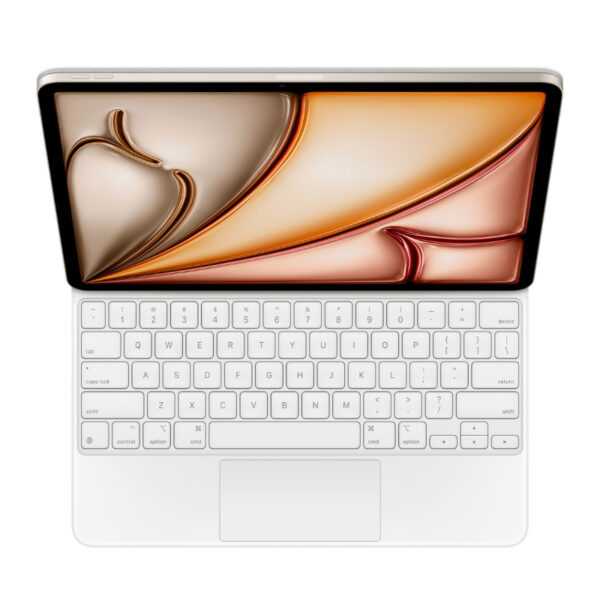
The iPad Pro 13-inch (M4/M5) Magic Keyboard price in Kenya is Ksh 48,000. This is the accessory that finally fulfills the “iPad as a Laptop” promise. Redesigned specifically for the ultra-thin M4 and M5 iPad Pro models, this keyboard doesn’t just add keys; it completely transforms the device. It features a new premium aluminum palm rest that feels exactly like a MacBook Pro under your hands, replacing the rubbery material of the previous generation. For the first time, Apple has included a 14-key Function Row. This means you can adjust screen brightness, volume, and media playback instantly without breaking your flow to touch the Control Center on the screen. It sounds small, but for a power user, it saves thousands of micro-interactions a day.
The floating cantilever design remains the showstopper. Your iPad magnetically snaps onto the back and floats above the keyboard, allowing for infinite viewing angles. It looks futuristic on a desk in Westlands and is practical for cramped tray tables on flights. Buy it today at Exelic Gadgets. We stock the new M4-compatible models in Black and White. Order now for same-day delivery within Nairobi or secure shipping via Wells Fargo/G4S to Mombasa, Kisumu, Eldoret, and the rest of Kenya.
Why You’ll Love It (The Lifestyle Upgrade)
- The Function Row: Finally, a dedicated row of keys for Escape, Brightness, and Volume, so that you can control your environment without lifting your hands from the typing deck.
- MacBook-Class Haptics: The new larger glass trackpad uses haptic feedback (vibration) instead of a physical click, so that you get uniform clicking across the entire surface, perfect for precise editing in DaVinci Resolve or Excel.
- Aluminum Deck: The palm rest is made of cool, machined aluminum, so that it feels sturdy and premium, eliminating the “flex” found in cheaper plastic keyboards.
- Pass-Through Charging: A USB-C port in the hinge charges your iPad, so that the main port on the iPad remains free for your SSD drives, monitors, or SD card readers.
- Instant “Float” Setup: Strong magnets align the iPad instantly, so that you can transition from “tablet mode” for reading to “laptop mode” for emailing in less than one second.
- Smart Connector: No batteries to charge and no Bluetooth pairing required, so that the keyboard is powered instantly by the iPad the moment you attach it.
Magic Keyboard Specifications
| Feature | Details |
| Price in Kenya | Ksh 48,000 |
| Model | Magic Keyboard for iPad Pro 13-inch (M4) |
| Material | Aluminum Palm Rest, Polyurethane Cover |
| Keys | Backlit, Scissor Mechanism (1mm travel) |
| Function Row | 14 Keys (Esc, Brightness, Volume, Lock, etc.) |
| Trackpad | Glass, Haptic Feedback (Click anywhere) |
| Connectivity | Smart Connector (Magnetic) |
| Charging | USB-C Pass-through (Charges iPad) |
| Viewing Angle | Adjustable Floating Cantilever |
| Compatibility | iPad Pro 13-inch (M4, M5) |
| Colors | Black, White |
Deep Dive: The Tech Explained
The Aluminum Palm Rest
Previous Magic Keyboards used a soft-touch polyurethane material everywhere. While durable, it didn’t feel “luxury.” The M4/M5 version introduces a machined aluminum top deck. When you rest your palms to type, it feels cool and rigid, exactly like a MacBook Air. This adds structural integrity, meaning the keyboard flexes less when you are typing furiously on your lap.
The Haptic Glass Trackpad
The trackpad has been enlarged and upgraded to use Haptic Feedback. Old trackpads worked like a diving board—easy to click at the bottom, hard at the top. This new glass surface doesn’t physically move. Instead, it uses motors to simulate a click sensation. This means you can click anywhere on the pad with the exact same pressure. It allows for incredibly precise cursor control, which is essential if you are using your iPad for remote desktop work or intricate photo editing.
The 14-Key Function Row
It took years, but it’s finally here. The addition of the Function Row brings the iPad Pro to feature parity with MacBooks. You get a dedicated Escape key (crucial for developers and Excel users), screen brightness controls, volume controls, media playback, and a screen lock button. You no longer have to swipe down from the top right corner just to change a song or dim the screen.
Floating Cantilever Design
This remains the most recognizable feature. The hinge is stiff and holds the iPad suspended in the air. This brings the screen closer to your eyes (better for posture) and allows you to adjust the viewing angle smoothly up to 130 degrees. It also means the iPad doesn’t require a kickstand, so it actually works on your lap—a rarity for tablet keyboards.
Who Is This Perfect For?
- The “Laptop Replacer”: You want to travel light. With this keyboard and the M4 iPad, you have a machine that is thinner and lighter than a MacBook Air but just as capable for email, writing, and admin.
- The Executive: You sign PDFs, review contracts, and reply to emails. The instant-on magnetic connection means you can switch from “review mode” (tablet) to “reply mode” (keyboard) instantly during meetings.
- The Creative Pro: You use the iPad for heavy lifting. The pass-through charging port lets you keep the iPad powered while you have a high-speed external SSD plugged into the main Thunderbolt port.
Alternatives & Competitors
- Logitech Combo Touch
- Apple Smart Keyboard Folio
- Previous Gen Magic Keyboard
Frequently Asked Questions (FAQs)
- Q: Will this work with my older iPad Pro (M1 or M2)? A: No. The magnet alignment and chassis design of the M4/M5 iPad Pro are different. This keyboard is exclusively for the new ultra-thin models.
- Q: Does it drain the iPad battery? A: Yes, but very minimally. It draws power directly from the iPad via the Smart Connector. However, because it uses efficient Smart Connector technology rather than Bluetooth, the drain is negligible compared to third-party keyboards.
- Q: Can I plug a USB drive into the keyboard? A: No. The USB-C port on the keyboard is for charging only. It passes power to the iPad. For data transfer (USB drives, monitors), you must use the USB-C/Thunderbolt port on the iPad itself.
- Q: Does it protect the iPad? A: It protects the front and back when closed. However, the edges of the iPad remain exposed (to allow for the Apple Pencil and sleek design). If you need rugged drop protection, you might want a sleeve for travel.
- Q: Is the trackpad as good as a MacBook? A: It is very close. With the new haptic engine and glass surface, it supports all the multi-touch gestures (swipe between apps, pinch to zoom) you are used to on macOS.
Buy the Latest Magic Keyboard in Kenya at Exelic Gadgets
Additional information
| Color | Black, White |
|---|
Customers Reviews
Related products
Sale
Sale
Sale
There are no reviews yet.