Logitech MX Anywhere 3S for Business Customer Reviews
Customer Reviews 0
—No ratings yet
0
0
0
0
0
No reviews yet
Be the first to review Logitech MX Anywhere 3S for Business.
Write a Review
No ratings yet
Be the first to review Logitech MX Anywhere 3S for Business.
Write a ReviewCompare Logitech MX Anywhere 3S for Business specs, features and price with similar computer mice and alternatives.
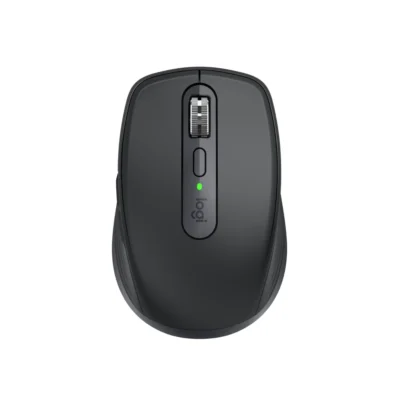 Logitech MX Anywhere 3S for Business
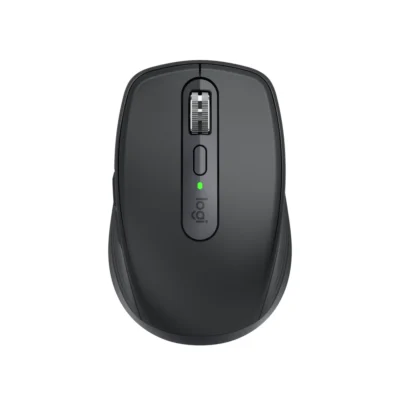 Logitech MX Anywhere 3s
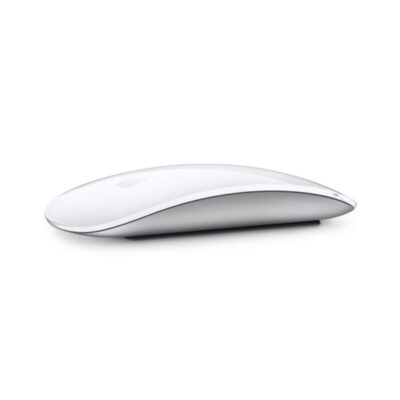 Apple Magic Mouse 2
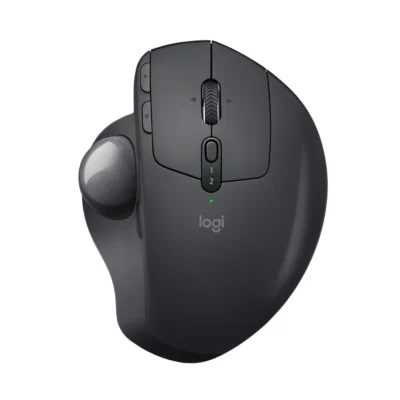 Logitech MX ERGO
| Specification | Logitech MX Anywhere 3S for Business | Logitech MX Anywhere 3s | Apple Magic Mouse 2 | Logitech MX ERGO |
|---|---|---|---|---|
| Brand | Logitech | Logitech | Apple | Logitech |
| Model | MX Anywhere 3S for Business (910-006958) | MX Anywhere 3S (910-006929) | Magic Mouse 2 (A1657) | MX ERGO (910-005179) |
| Type | Wireless productivity mouse | Productivity mouse | Wireless Multi-Touch mouse | Trackball mouse |
| Color | Graphite | Graphite | Silver with White Multi-Touch surface; Space Gray with Black Multi-Touch surface | Graphite |
| Announced | Not specified | Not specified | 2015 | Not specified |
| Specification | Logitech MX Anywhere 3S for Business | Logitech MX Anywhere 3s | Apple Magic Mouse 2 | Logitech MX ERGO |
|---|---|---|---|---|
| Sensor Technology | Darkfield high precision | Darkfield high precision | Laser tracking with capacitive Multi-Touch surface | Advanced Optical Tracking |
| DPI | 200–8,000 DPI | 200-8000 DPI (can be set in increments of 50 DPI) | Not specified | 512–2,048 DPI |
| DPI Adjustment | 50 DPI increments with Logi Options+ | Not specified | No | Not specified |
| Specification | Logitech MX Anywhere 3S for Business | Logitech MX Anywhere 3s | Apple Magic Mouse 2 | Logitech MX ERGO |
|---|---|---|---|---|
| Number of Buttons | 6 | 6 | 1 Multi-Touch click surface | 8 |
| Scroll Wheel | MagSpeed electromagnetic scrolling | Yes, with auto-shift | Multi-Touch surface | Tilt wheel with middle click |
| Horizontal Scroll | Not specified | Yes, by holding side button while turning the wheel | Yes — Multi-Touch gestures | Not specified |
| Programmable Buttons | Not specified | Not specified | No | 6 customizable buttons |
| Gesture Button | Not specified | Not specified | Yes — Multi-Touch gestures | Not specified |
| Thumb Wheel | Not specified | Not specified | Not applicable | Not specified |
| Specification | Logitech MX Anywhere 3S for Business | Logitech MX Anywhere 3s | Apple Magic Mouse 2 | Logitech MX ERGO |
|---|---|---|---|---|
| Connection Type | Logi Bolt USB receiver or Bluetooth Low Energy | Bluetooth Low Energy; optional Logi Bolt receiver | Wireless | Bluetooth Low Energy 4.1 or Unifying USB receiver |
| Wireless Technology | Logi Bolt and Bluetooth Low Energy | Not specified | Bluetooth | Not specified |
| Wireless Receiver | Logi Bolt USB-A receiver included | Compatible with Logi Bolt; receiver not included | Not applicable | Unifying receiver included |
| Wireless Range | Up to 10 m | Not specified | Not specified | Up to 10 m |
| Multi-Device Connection | Easy-Switch for up to three devices | Up to three devices with Easy-Switch | No | Two devices with Easy-Switch |
| Bluetooth | Not specified | Bluetooth Low Energy | Yes | 4.1 Low Energy |
| Cable / Connector | Not specified | Not specified | Lightning to USB charging and pairing cable | Not specified |
| Specification | Logitech MX Anywhere 3S for Business | Logitech MX Anywhere 3s | Apple Magic Mouse 2 | Logitech MX ERGO |
|---|---|---|---|---|
| Battery Type | Rechargeable Li-Po | Rechargeable Li-Po (500 mAh) battery | Rechargeable lithium-ion | Rechargeable Li-Po 500 mAh |
| Battery Capacity | 500 mAh | 500 mAh | Not specified | Not specified |
| Charging Port | USB-C | USB-C | Lightning | Micro-USB |
| Battery Life | Not specified | Up to 70 days; one-minute charge provides up to three hours of use | About 1 month or more between charges | Up to four months |
| Wireless Charging | Not specified | Not specified | No | Not specified |
| Specification | Logitech MX Anywhere 3S for Business | Logitech MX Anywhere 3s | Apple Magic Mouse 2 | Logitech MX ERGO |
|---|---|---|---|---|
| Customization Software | Logi Options+ on Windows and macOS | Logi Options+ on Windows and macOS | macOS and iPadOS system settings | Logi Options+ |
| Silent Clicks | Quiet Clicks | Not specified | No | Not specified |
| Onboard Memory | Not specified | Not specified | No | Not specified |
| Profiles | Not specified | Not specified | Not applicable | Not specified |
| RGB Lighting | Not specified | Not specified | No | Not specified |
| Haptic Feedback | Not specified | Not specified | No | Not specified |
| Special Features | Not specified | Not specified | Multi-Touch gesture surface; automatic pairing with Mac | Adjustable hinge for 0° or 20° tilt; precision-mode button; thumb-operated trackball |
| Specification | Logitech MX Anywhere 3S for Business | Logitech MX Anywhere 3s | Apple Magic Mouse 2 | Logitech MX ERGO |
|---|---|---|---|---|
| Dimensions | 100.5 mm × 65 mm × 34.4 mm | 100.5 mm × 65 mm × 34.4 mm | 113.5 × 57.1 × 21.6 mm | Not specified |
| Weight | 99 g | 99 g | 99 g | 164 g without metal plate; 259 g with metal plate |
| Hand Orientation | Not specified | Not specified | Ambidextrous | Not specified |
| Form Factor | Not specified | Not specified | Compact low-profile mouse | Not specified |
| Grip Style | Not specified | Not specified | Fingertip | Not specified |
| Material | Not specified | Not specified | Aluminum enclosure; acrylic Multi-Touch surface | Not specified |
| Specification | Logitech MX Anywhere 3S for Business | Logitech MX Anywhere 3s | Apple Magic Mouse 2 | Logitech MX ERGO |
|---|---|---|---|---|
| Windows | Windows 10/11 or later | Not specified | Not applicable | Not specified |
| macOS | macOS 11 or later | Not specified | OS X 10.11 or later | Not specified |
| Other Operating Systems | Linux and ChromeOS basic functionality; supported Bluetooth mobile systems | Not specified | iPadOS 13.4 or later | Not specified |
| Required Port / Connection | Not specified | Not specified | Bluetooth-enabled Mac or iPad; USB port for charging | Not specified |
| Software | Not specified | Not specified | None required on supported Apple devices | Not specified |
| Specification | Logitech MX Anywhere 3S for Business | Logitech MX Anywhere 3s | Apple Magic Mouse 2 | Logitech MX ERGO |
|---|---|---|---|---|
| In the Box | MX Anywhere 3S for Business Mouse; Logi Bolt USB Receiver; Charging Cable; Documentation | Mouse; USB-C charging cable (USB-A to USB-C); User documentation | Magic Mouse 2 and Lightning to USB cable | MX ERGO Advanced Wireless Trackball; Unifying USB Receiver; Micro-USB cable for recharging; Quick Start Guide |
| Brand | Logitech |
|---|---|
| Model | MX Anywhere 3S for Business (910-006958) |
| Type | Wireless productivity mouse |
| Color | Graphite |
| Dimensions | 100.5 mm × 65 mm × 34.4 mm |
| Weight | 99 g |
| Sensor Technology | Darkfield high precision |
|---|---|
| DPI | 200–8,000 DPI |
| DPI Adjustment | 50 DPI increments with Logi Options+ |
| Number of Buttons | 6 |
|---|---|
| Scroll Wheel | MagSpeed electromagnetic scrolling |
| Connection Type | Logi Bolt USB receiver or Bluetooth Low Energy |
|---|---|
| Wireless Technology | Logi Bolt and Bluetooth Low Energy |
| Wireless Receiver | Logi Bolt USB-A receiver included |
| Wireless Range | Up to 10 m |
| Multi-Device Connection | Easy-Switch for up to three devices |
| Battery Type | Rechargeable Li-Po |
|---|---|
| Battery Capacity | 500 mAh |
| Charging Port | USB-C |
| Customization Software | Logi Options+ on Windows and macOS |
|---|---|
| Silent Clicks | Quiet Clicks |
| Windows | Windows 10/11 or later |
|---|---|
| macOS | macOS 11 or later |
| Other Operating Systems | Linux and ChromeOS basic functionality; supported Bluetooth mobile systems |
| In the Box | MX Anywhere 3S for Business Mouse; Logi Bolt USB Receiver; Charging Cable; Documentation |
|---|
We are here to serve you
Write a Review