Skip to content
SKU: 920-010707 Category: Brand:

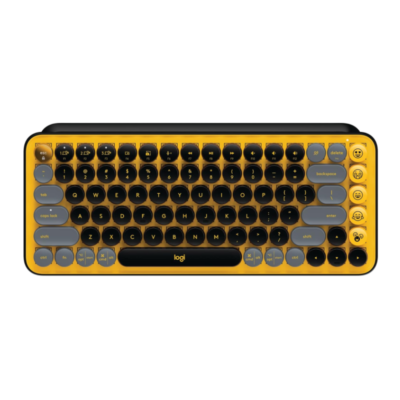
Logitech POP Keys

0 Reviews
In stock

KSh 15,800

 Specifications

  • Switch Type: TTC Brown (Tactile, Mechanical)
  • Connectivity: Bluetooth Low Energy (5.1) + Logi Bolt USB Receiver
  • Multi-Device Pairing: Up to 3 devices with Easy-Switch key
  • Keys: 84 keys (including 4 pre-installed and 4 extra emoji keys)
  • Keystroke Endurance: Rated for up to 50 million strokes
  • Battery Life: Up to 36 Months
  • Battery Type: 2 x AAA (Included)
  • Wireless Range: 10 Meters (33 ft)
  • Sustainability: Up to 41% recycled plastic (depending on colorway)
  • Weight: 779g (Heavy-duty stability)
GENUINE 100% Original
M-PESA Secure Pay
DELIVERY Fast Dispatch
SUPPORT Expert Help
Brand:

Product details

Logitech POP Keys Wireless Mechanical Keyboard Price in Kenya

The Logitech POP Keys price in Kenya is Ksh 15,800. This isn’t just a keyboard; it’s a statement of style and a nod to the tactile nostalgia of a classic typewriter. Designed for creators, students, and trendsetters , the POP Keys combines a retro aesthetic with modern, high-performance mechanical tech. Its standout feature is the dedicated column of swappable Emoji keys, allowing you to react instantly in chats with a physical button press.

Underneath those colorful, rounded keycaps are TTC Brown tactile mechanical switches, offering that addictive “click, clack, and pop” sound that makes every email feel like a creative session. Despite its playful appearance, it is a productivity beast—pairing with up to three devices and featuring the latest Logi Bolt wireless security.

With a battery life that stretches to a massive 3 years and a heavy, stable build that stays exactly where you put it, the POP Keys is built for those who want their desk to look as vibrant as their personality without compromising on the professional-grade feel of a mechanical board.

Bring personality to your desk. Why buy boring when you can buy better? Buy the Logitech POP Keys at Exelic Gadgets today for same-day delivery in Nairobi or secure nationwide shipping via Wells Fargo/G4S.

Why You’ll Love It (The Lifestyle Upgrade)

  • Customizable Emoji Keys: Comes with 8 swappable emoji keycaps and a dedicated menu key, so that you can unleash your online personality with a single physical tap.
  • Retro Typewriter Feel: Features scoop-shaped mechanical keys that provide a satisfying tactile bounce, so that every keystroke feels intentional and addictive.
  • 3-Device Easy-Switch: Hop between your computer, tablet, and phone using Bluetooth, so that you can finish a report on your Mac and reply to a text on your iPhone seamlessly.
  • Long-Haul Endurance: Operates for up to 36 months on a single set of AAA batteries, so that you can forget about charging cables for years.
  • New-Gen Shortcuts: Includes FN shortcuts for screen snipping, mic muting, and voice-to-text, so that you have instant control over your digital life.
  • Compact & Ergonomic: The tenkeyless (TKL) design saves desk space and keeps your mouse closer to your body, so that you maintain better shoulder alignment.

Logitech POP Keys Specifications

Feature Details
Product Name Logitech POP Keys
Price in Kenya Ksh 15,800
Mechanical Switches Tactile Brown
Custom Emoji Keys 8 Swappable + 1 Menu Key
Special Keys 12 FN Shortcuts (Snipping, Mute, Dictation)
Connection Bluetooth & Logi Bolt
Battery Life 3 Years (AAA)
Dimensions 321.2 x 138.5 x 35.4 mm
Colorways Daydream (Mint), Heartbreaker (Rose), Blast (Yellow)
Software Support Logi Options+ (for Emoji Customization)
Backlighting No

Tactile Mechanical “Brown” Switches

While many gaming keyboards use “Red” (linear) or “Blue” (clicky) switches, Logitech opted for TTC Brown switches for the POP Keys. Brown switches are the “goldilocks” of the mechanical world—they provide a physical bump you can feel when the key registers (tactile), but they aren’t quite as loud and piercing as Blue switches. This makes them perfect for an office or home environment where you want the feel of a mechanical board without annoying everyone in the room.

The Emoji Column

On the right side of the keyboard sits a column of five keys dedicated to Emojis. Using the Logi Options+ software, you can assign these keys to any emoji you use most frequently. The box even includes physical keycaps with different icons (like the crying-laughing face, heart, or fire emoji) and a keycap puller so you can physically swap them to match your settings.

Logi Bolt & Bluetooth LE

The POP Keys is one of the first lifestyle keyboards to support Logi Bolt. This is a next-generation wireless protocol designed for high-interference environments (like busy Nairobi office blocks). It offers a more secure, encrypted connection than standard Bluetooth. However, if you are using an iPad or phone, the built-in Bluetooth Low Energy ensures a fast, battery-efficient connection without needing any dongles.

FN Shortcuts for the Modern Age

Logitech updated the Function (FN) row for the way we work today. There is a dedicated Screen Snip key for instant screenshots, a Voice-to-Text key for dictation, and a Mic Mute key—which is essential for those “Wait, am I on mute?” moments during Zoom or Teams meetings.

Who Is This Perfect For?

  1. The Aesthetic Desk Collector: You take pride in your setup and want a keyboard that looks like a piece of art. The vibrant colors and round keys are Instagram-perfect.
  2. The Creative Student: You do a lot of typing for essays but also spend a lot of time on social media. The mechanical feel keeps you engaged while the emoji keys keep you connected.
  3. The Digital Nomad: You move between a laptop and a tablet. The POP Keys is compact enough to fit in a backpack but heavy enough to feel like a premium desktop peripheral when you set up at a cafe.
  4. Alternatives & Competitors
  • Logitech MX Mechanical Mini: A more “professional” looking mechanical board (Ksh 22,000+). It features backlighting and a slimmer profile but lacks the emoji keys and fun colors.
  • Logitech K380: A much cheaper (Ksh 7,500) and thinner option. It’s a membrane keyboard, so it doesn’t have the mechanical “click,” but it offers similar multi-device switching.
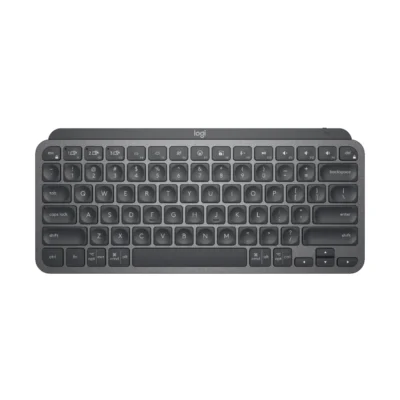
  • Logitech MX keys mini 

Frequently Asked Questions Is it loud?

  • It has a satisfying mechanical “clack,” but it is not as loud as a traditional gaming keyboard. It is definitely louder than a standard laptop keyboard or the MX Keys.
  • Does it have a backlight?
  • No, the POP Keys does not have backlit keys. It is designed for use in well-lit environments where the vibrant colors of the keycaps can shine.
  • Can I use it for gaming?
  • Yes! It works great for casual gaming. However, because the keys are round and mechanical, pro-level FPS gamers might find the shape takes some getting used to.
  • Does the emoji button work on all apps?
  • The dedicated emoji buttons work on Windows and macOS through the Logi Options+ software. On ChromeOS or Android, the keys will function as standard keys unless the app specifically supports them.
  • How do I change the emoji keycaps?
  • The keyboard comes with a small tool called a keycap puller. You simply hook it under the key, pull up, and snap the new emoji keycap into place.

    Buy the latest  in Kenya at Exelic Gadgets

Compare Logitech POP Keys with Similar Products

Compare Logitech POP Keys specs, features and price with similar keyboards and alternatives.

Compare Logitech POP Keys with Similar Products
Selected Item
Logitech POP KeysKSh 15,800Add to cart

General

General specifications comparison
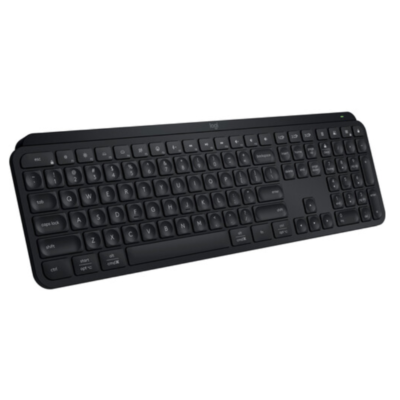
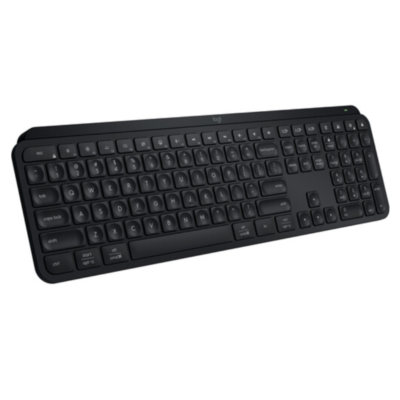
SpecificationLogitech POP KeysLogitech MX Keys SLogitech MX Keys MiniLogitech MX Keys
BrandLogitechLogitechLogitechLogitech
ModelPOP KeysMX Keys SMX Keys MiniMX Keys
Announced2021202320212019
TypeWireless mechanical keyboardWireless illuminated keyboardWireless illuminated keyboardWireless illuminated keyboard
LayoutCompact 75%Full-sizeCompact 75%Full-size
ColorBlast; Daydream; Heartbreaker; Mist; CosmosGraphite; Pale GrayGraphite; Pale Gray; RoseGraphite
MaterialPlastic chassis and keycapsLow-carbon aluminum top plate and recycled plastic componentsAluminum top plate with plastic baseAluminum top plate with plastic base

Keys & Switches

Keys & Switches specifications comparison
SpecificationLogitech POP KeysLogitech MX Keys SLogitech MX Keys MiniLogitech MX Keys
Switch TypeMechanicalScissorScissorScissor
SwitchesTactile mechanical switchesPerfect Stroke spherically dished keysPerfect Stroke spherically dished keysPerfect Stroke spherically dished keys
Switch OptionsTactileN/AN/AN/A
Dedicated Multimedia KeysYes — shortcut rowYesYesYes
Programmable KeysYes — emoji and shortcut keysYes — customizable function keysYes — customizable function keysYes — customizable function keys
Numeric KeypadNoYesNoYes

Connectivity

Connectivity specifications comparison
SpecificationLogitech POP KeysLogitech MX Keys SLogitech MX Keys MiniLogitech MX Keys
Connection TypeWirelessWirelessWirelessWireless
Wireless TechnologyBluetooth Low Energy; Logi BoltBluetooth Low Energy; Logi BoltBluetooth Low Energy; Logi Bolt compatibleBluetooth Low Energy; Logitech Unifying 2.4GHz
BluetoothBluetooth Low EnergyBluetooth Low EnergyBluetooth Low EnergyBluetooth Low Energy
Wireless ReceiverLogi Bolt USB-A receiverLogi Bolt USB-A receiverLogi Bolt receiver supported; not includedLogitech Unifying USB-A receiver
Multi-Device ConnectionYes — up to 3 devicesYes — up to 3 devicesYes — up to 3 devicesYes — up to 3 devices
Wireless RangeUp to 10 mUp to 10 mUp to 10 mUp to 10 m
ConnectorN/AUSB-CUSB-CUSB-C
CableN/AUSB-C charging cableUSB-C charging cableUSB-C charging cable
Cable LengthN/ANot specifiedNot specifiedNot specified

Battery & Power

Battery & Power specifications comparison
SpecificationLogitech POP KeysLogitech MX Keys SLogitech MX Keys MiniLogitech MX Keys
Battery Type2 × AAA batteriesRechargeable Li-Po batteryRechargeable Li-Po batteryRechargeable Li-Po battery
Battery CapacityN/A1,500 mAh1,500 mAh1,500 mAh
Battery LifeUp to 36 monthsUp to 10 days with backlighting; up to 5 months withoutUp to 10 days with backlighting; up to 5 months withoutUp to 10 days with backlighting; up to 5 months without
Charging PortN/AUSB-CUSB-CUSB-C
Charging TimeN/ANot specifiedNot specifiedNot specified
Power SwitchYesYesYesYes
Battery IndicatorYesYesYesYes

Lighting & Features

Lighting & Features specifications comparison
SpecificationLogitech POP KeysLogitech MX Keys SLogitech MX Keys MiniLogitech MX Keys
BacklightingNoneWhiteWhiteWhite
Lighting TechnologyN/ASmart illuminationSmart illuminationSmart illumination
Brightness AdjustmentN/AYesYesYes
Ambient Light SensorNoYesYesYes
Proximity SensorNoYes — hand proximity sensorYes — hand proximity sensorYes — hand proximity sensor
Wrist RestNoCompatible; not includedNoCompatible; not included
Customization SoftwareLogi Options+Logi Options+Logi Options+Logitech Options
Onboard MemoryNoNoNoNo
Profiles / MacrosCustomizable emoji and shortcut keysSmart Actions and per-app software profilesPer-app shortcut customizationPer-app shortcut customization
Special FeaturesEasy-Switch; replaceable emoji keycaps; multi-OS compatibilityEasy-Switch; Smart Actions; Logitech Flow; auto-adjusting illuminationEasy-Switch; dictation, emoji and mic-mute keys; Logitech Flow supportEasy-Switch; Logitech Flow; auto-adjusting illumination

System Requirements

System Requirements specifications comparison
SpecificationLogitech POP KeysLogitech MX Keys SLogitech MX Keys MiniLogitech MX Keys
WindowsWindows 10 or laterWindows 10 or laterWindows 10 or laterWindows 7 or later
macOSmacOS 10.15 or latermacOS 11 or latermacOS 10.15 or latermacOS 10.11 or later
Other Operating SystemsChromeOS; iPadOS; iOS; AndroidLinux; ChromeOS; iPadOS; AndroidLinux; ChromeOS; iPadOS; AndroidLinux
Required Port / ConnectionBluetooth Low Energy or available USB-A portBluetooth Low Energy or available USB-A portBluetooth Low Energy or Logi Bolt receiverBluetooth Low Energy or available USB-A port
SoftwareLogi Options+ optionalLogi Options+ optionalLogi Options+ optionalLogitech Options optional

What's in the Box

What's in the Box specifications comparison
SpecificationLogitech POP KeysLogitech MX Keys SLogitech MX Keys MiniLogitech MX Keys
In the BoxPOP Keys keyboard, Logi Bolt USB receiver, 2 AAA batteries, 4 extra emoji keycaps, emoji keycap puller, documentationMX Keys S keyboard, Logi Bolt USB receiver, USB-C charging cable, documentationMX Keys Mini keyboard, USB-C charging cable, documentationMX Keys keyboard, Unifying USB receiver, USB-C charging cable, documentation

Design

Design specifications comparison
SpecificationLogitech POP KeysLogitech MX Keys SLogitech MX Keys MiniLogitech MX Keys
Dimensions321.2 × 138.5 × 35.4 mm430.2 × 131.63 × 20.5 mm295.99 × 131.95 × 20.97 mm430.2 × 131.63 × 20.5 mm
Weight779 g with batteries810 g506.4 g810 g

Specs

Logitech POP Keys specifications

General

Logitech POP Keys — General
BrandLogitech
ModelPOP Keys
Announced2021
TypeWireless mechanical keyboard
LayoutCompact 75%
ColorBlast; Daydream; Heartbreaker; Mist; Cosmos
MaterialPlastic chassis and keycaps
Dimensions321.2 × 138.5 × 35.4 mm
Weight779 g with batteries

Keys & Switches

Logitech POP Keys — Keys & Switches
Switch TypeMechanical
SwitchesTactile mechanical switches
Switch OptionsTactile
Actuation ForceNot specified
Actuation PointNot specified
Total TravelNot specified
Key RolloverNot specified
Anti-GhostingNot specified
Dedicated Multimedia KeysYes — shortcut row
Programmable KeysYes — emoji and shortcut keys
Numeric KeypadNo

Connectivity

Logitech POP Keys — Connectivity
Connection TypeWireless
Wireless TechnologyBluetooth Low Energy; Logi Bolt
BluetoothBluetooth Low Energy
Wireless ReceiverLogi Bolt USB-A receiver
Multi-Device ConnectionYes — up to 3 devices
Wireless RangeUp to 10 m
ConnectorN/A
CableN/A
Cable LengthN/A

Battery & Power

Logitech POP Keys — Battery & Power
Battery Type2 × AAA batteries
Battery CapacityN/A
Battery LifeUp to 36 months
Charging PortN/A
Charging TimeN/A
Power SwitchYes
Battery IndicatorYes

Lighting & Features

Logitech POP Keys — Lighting & Features
BacklightingNone
Lighting TechnologyN/A
Brightness AdjustmentN/A
Ambient Light SensorNo
Proximity SensorNo
Wrist RestNo
Customization SoftwareLogi Options+
Onboard MemoryNo
Profiles / MacrosCustomizable emoji and shortcut keys
Special FeaturesEasy-Switch; replaceable emoji keycaps; multi-OS compatibility

System Requirements

Logitech POP Keys — System Requirements
WindowsWindows 10 or later
macOSmacOS 10.15 or later
Other Operating SystemsChromeOS; iPadOS; iOS; Android
Required Port / ConnectionBluetooth Low Energy or available USB-A port
SoftwareLogi Options+ optional

What's in the Box

Logitech POP Keys — What's in the Box
In the BoxPOP Keys keyboard, Logi Bolt USB receiver, 2 AAA batteries, 4 extra emoji keycaps, emoji keycap puller, documentation

0 Reviews

No reviews yet

Be the first to review Logitech POP Keys.

Write a review
Back to Top

My Cart