
Galaxy S26 | S26+


MEET YOUR NEW GALAXY
Nightography Video
Brighten scenes and sharpen details even in dark environments with AP-driven image processing.A video is being shot in low light. When shooting night videos, details remain vivid and clear.
Photo Assist
Get quick and easy photo editing by writing prompts using natural language and Galaxy AI* will take care of the rest.A photo of a dog is seen. In Photo Assist, the user can describe what to change by inputting a text prompt. After typing 'Make this his birthday party', the Generate button is pressed. Galaxy AI transforms the photo by adding various birthday themed accessories on and around the dog.
Design
Introducing a new translucent camera island and a unified design that looks and feels perfect in any hand.Galaxy S26 plus is seen coming into a side view to show the slim profile. S26 then appears next to the first device. Both devices rotate together until Galaxy S26 is seen from the main screen and Galaxy S26 plus is seen from the back.
Performance
Our customized processor delivers speed, smooth visuals and performance that keeps you ahead of the game.Galaxy S26 plus's customized chip is seen with NPU, GPU, CPU and Customized Image Enhancer. As it falls, light flows to the rest of the chipboard. Zooming out, the main screen of Galaxy S26 plus is seen. The original chip transforms to say AI.
DESIGN
Designed to redefine
Galaxy S26 plus is seen coming into a side view to show the slim profile. S26 then appears next to the first device. Both devices rotate together until Galaxy S26 is seen from the main screen and Galaxy S26 plus is seen from the back.
From editing photos to translating and note-taking, Galaxy S26 and S26+ put creative tools and smart assistance right at your fingertips. Edit, create and stay organized with ease, all on a display that automatically sharpens details and brings richer color to everything you see.
See the details up close

Compare the design of Galaxy S26 | S26+
- Galaxy S26
- 7.2 mm thickness
- 167 g weight
- Galaxy S26+
- 7.3 mm thickness
- 190 g weight
- Comparison
- 0.3 mm thinner
- 6 g lighter
- 0.3 mm thinner
- 22 g heavier
- 0.3 mm thinner
- 6 g lighter
- 0.3 mm thinner
- 22 g heavier
- 0.4 mm thinner
- 7 g lighter
- 0.3 mm thinner
- 22 g heavier
Compare with
- 7.6 mm thickness
- 196 g weight
- 7.6 mm thickness
- 168 g weight
- 7.6 mm thickness
- 196 g weight
- 7.6 mm thickness
- 168 g weight
- 7.7 mm thickness
- 197 g weight
- 7.6 mm thickness
- 168 g weight
PERFORMANCE
Our powerful processor, customized for Galaxy
Galaxy S26 plus's customized chip is seen with NPU, GPU, CPU and Customized Image Enhancer. As it falls, light flows to the rest of the chipboard. Zooming out, the main screen of Galaxy S26 plus is seen. The original chip transforms to say AI.
From epic quests to real-time multiplayer, the customized processor delivers blazing speed and an image enhancer that helps content look clear and vivid. Plus, a 38% boost to the advanced NPU and 23% smoother visuals keep you ahead of the game.
- NPU 36 % faster AI performance
- GPU 23 % improved graphics performance
- CPU 17 % faster processing
than Galaxy S25+
Upscale your viewing experience
The display's color depth processing precision makes a leap by 4 times, leverages our advanced mobile Digital Natural Image engine (mDNIe) to ensure you see color and gradation exactly as the creator intended. From the deepest tones to the most vibrant hues, it enables a substantial boost in graphical performance. ProScaler also enhances details thanks to AI processing improvements, resulting in clearer images.
A before and after comparison depicts ProScaler effects. Color is also more enhanced with improved mDNIe technology.
Play longer. Stay cooler.
A new Vapor Chamber is seen horizontally. Galaxy S26 plus comes into view underneath and Vapor Chamber is seen dissipating heat more efficiently. It then disappears into the device and then a video plays on the screen.
Stay cool when the action heats up. The redesigned Vapor Chamber and tailored thermal interface material (TIM) support the processor during demanding use for up to 29% enhanced heat dissipation and overall cooler operation. With ray tracing and Vulkan optimization, your device maintains peak performance while watching hours of videos without breaking a sweat.
Power up quickly
Your day, uninterrupted. Fast wired charging gets you back to full power in no time – up to 55% charge in around 30 minutes – so you can stay in your flow.
Compare the battery life of Galaxy S26 | S26+
- Galaxy S26
- 30 hrs of video playback
- Up to 55 % charge in around 30 mins
- Galaxy S26+
- 31 hrs of video playback
- Up to 69 % charge in around 30 mins
- Comparison
- 10 hrs longer video playback
- not provide
- 13 hrs longer video playback
- not provide
- 4 hrs longer video playback
- not provide
- 9 hrs longer video playback
- not provide
- 2 hrs longer video playback
- not provide
- 3 hrs longer video playback
- not provide
Compare with
- 21 hrs of video playback
- not provide
- 18 hrs of video playback
- not provide
- 27 hrs of video playback
- Up to 69 % charge in around 30 mins
- 22 hrs of video playback
- Up to 55 % charge in around 30 mins
- 29 hrs of video playback
- Up to 69 % charge in around 30 mins
- 28 hrs of video playback
- Up to 55 % charge in around 30 mins
Storage for everyday moments
This Galaxy S26 configuration pairs 12GB of memory with 256GB of storage for your favourite photos, everyday apps and videos.

CAMERA
Close. Closer. Whoa. Adjust your framing with zoom clarity that stays consistent across various distances — from 0.6x to 3x optical zoom, your photos remain sharp and detailed. And with up to 30x digital zoom total, whether you're close up or far away, you'll get the shot you want.
Clear and bright, even at night
A scenic video is being shot in low light. Details in the background are vivid and clear thanks to Nightography.
From city lights to candlelight, Nightography lets nights shine so you can capture special moments more clearly. The next-gen camera system captures a broad dynamic range, ensuring shadows and highlights remain clear and vivid. The advanced AP provides noise reduction based on individual patterns unique to each sensor type, delivering footage that feels natural and cinematic even in low-light environments.
Check the specs on our powerful camera system
Powered by ProVisual Engine, the advanced 50 MP camera elevates every shot, enhancing your subjects with details, rich color and clarity that keeps up with your imagination.
Close up of Galaxy S26 plus's rear camera is seen. Each lens pops up and then another device slides up near it and is seen from the main screen.
- 12 MP F2.2 Ultra Wide
- 50 MP F1.8 Wide 2x Optical Quality Zoom
- 10 MP F2.4 Telephoto 3x Optical Zoom
- 12 MP F2.2 Selfie Camera
Super Steady Video. Now even steadier.
Shoot smoother, shake-free videos every time with Super Steady's new Horizontal Lock feature. Expanded optical angles with gyro and acceleration sensors recognize the direction of gravity and keep your shots level, even if you rotate a full 360 degrees.
A video is about to be shot on Galaxy S26 Series device. In Super Steady, the user presses the Horizontal Lock icon and then presses record. Next, device is seen from the back as it is held by someone who is running. Then, the screen shows the user is recording a pet running. Even as they both run, the video remains level.
Make every selfie your best
Snap selfies that are SO you with an upgraded AI image signal processor (ISP) stays true to your natural skin tone and captures details like hair and eyebrows just as your eyes see them.
Galaxy AI
Voice-activated photo edits?
Just say the word.A photo of a dog is seen. In Photo Assist, the user can describe what to change by inputting a text prompt. After typing 'Make this his birthday party', the Generate button is pressed. Galaxy AI transforms the photo by adding various birthday themed accessories on and around the dog.
Get quick and easy photo editing with just a few words and Photo Assist. Add objects by naturally describing the edits you wish to make and Galaxy AI will realize your vision.
Creative Studio From photos to stickers
in seconds
Creative Studio is a dedicated space to create sticker sets. With a simple text description or a rough sketch outline, Galaxy AI creates stickers you can add to your keyboard or share with friends.
Real-time suggestions when you need them
Now Nudge
Powered by Galaxy AI, all-new Now Nudge can pick up on context on your screen and prompt you with helpful shortcuts, including Autofill suggestions.
If someone asks for pictures from a recent trip, Now Nudge will understand which photos you'll need and find them for you in a few taps.During a text conversation, someone asks for photos from a trip to Seoul. Now Nudge intelligently prompts the user with a Share photos button. When pressed, a search bar with the keywords Seoul photos appears and then a Gallery pop up shows the relevant photos. The user can then view and select photos. Once selected, they can be sent instantly to the friend.
Now Brief
Keep your day simplified with Now Brief. Get exercise playlist recommendations and reminders about important events, like booking details and special travel moments, all available as bite-sized briefs throughout the day.
A widget from Now Brief is seen on the main screen of Galaxy S26 plus. It is letting the user know that their pet hasn't had enough walk time today. Now Brief's widgets scroll across to show two other notifications. Next, a birthday reminder and then, flight reservation details.
Smart assistance,
always available.Need help fast? Ask Bixby, your personal device assistant. Bixby will walk you through guides on how to use features and adjust settings on your devices, and if it's just quick answers you need, Bixby searches the web in response to voice prompts.
Bixby helps you change device settings quickly and easily. Bixby is listening for a command. The user tells Bixby that their eyes are getting tired and can it make the screen less intense. Bixby toggles on Eye comfort shield and lets the user know that Eye comfort shield has been turned on.
ONE UI 8.5
Your Galaxy. Your way.
Built to adapt to you, One UI 8.5 personalises your Galaxy based on how you use it day-to-day. Designed to be simple and intuitive, contextual reminders from Now Brief and intelligent suggestions from all-new Now Nudge and AI Select make daily tasks easier in just a tap.
Privacy by default. Protected by Knox.
We’re committed to protecting your information while providing transparency about how it’s used and shared.
- On-device protection
Our Personal Data Engine gathers and processes your personal data safely. Then it encrypts that data and saves it onto your device with KEEP and Knox Vault, making it harder for anyone else to gain access.
- Tailored controls
Take control over your Galaxy AI. You decide where it gets processed, either on-device or in the cloud.
- Connected security
Knox Matrix Trust Chain technology provides security across Galaxy connected devices so you can monitor the security of other devices right from your Galaxy smartphone.
CIRCLE TO SEARCH
Circle it, find it
WHY SWITCH TO GALAXY
Imagine where our most powerful devices could take you. Switch to Galaxy and discover a world where all of your technology works together seamlessly, keeping you connected and in control.
Learn moreTry Galaxy
Experience the latest Galaxy AI features and One UI on your current operating system by using the Try Galaxy app or at trygalaxy.com. Learn more
Smart Switch
With Smart Switch, you can transfer photos, videos, contacts, notes, calendar events, other apps and even device settings effortlessly from iOS. Learn more
Quick Share
Sharing files shouldn’t take effort. With Quick Share, it doesn’t. Easily send files instantly between Galaxy, Android, PCs and Apple devices. Learn more
GALAXY ECOSYSTEM
Stay connected in one Galaxy
Pair Galaxy S26 or S26+ with Galaxy Buds4 for an effortless sound setup. Whether you’re listening to music or making HD Voice calls, it’s a seamless ecosystem designed to keep everything connected and keep you moving.
ACCESSORIES
Style that's effortlessly magnetic
Magnetic compatibility, massive convenience. Connect wirelessly, style confidently and keep your phone ready for every moment.
-
New Magnet Cases support wireless charging in slim, stylish designs.
Samsung Galaxy S26 Ultra anticipates what you need next, delivering powerful performance and stunning, ultra-vivid viewing while protecting your content with the innovative Privacy Screen — whenever you choose.
Learn more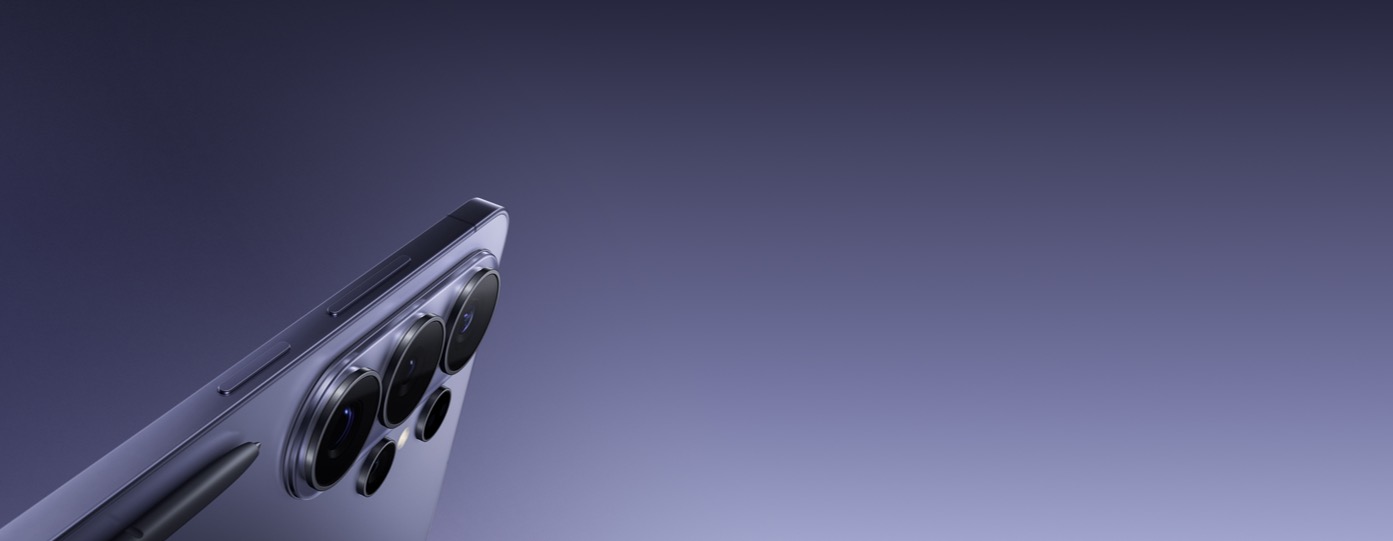
SAMSUNG BROWSER
Browse seamlessly with Galaxy AI
Experience secure, efficient browsing with Galaxy AI, seamless Mobile-PC connectivity and intelligent features.
Learn moreGalaxy S26 | S26+ Frequently Asked Questions
What are the differences between Galaxy S26, S26+ and S26 Ultra?
Galaxy S26, S26+ and S26 Ultra are all unified with their sleek design, cosmic colorways and Galaxy AI, but bear some differences that are built to cater to various needs.
- Galaxy S26 Ultra has a 6.9-inch display and a 200 MP camera. Its typical battery capacity is 5000 mAh for all-day power with 31 hours of video playback. It also has a built-in Privacy Display for peace of mind when you're in crowded places.
- Galaxy S26+ has a 6.7-inch display and a 50 MP camera. Its typical capacity is 4900 mAh with 31 hours of video playback.
- Galaxy S26 has a 6.3-inch display and a 50 MP camera. Its typical battery capacity is 4300 mAh with 30 hours of video playback.
What colors do Galaxy S26 | S26+ come in?
Galaxy S26 and S26+ come in Cobalt Violet, Sky Blue, Black and White. We also offer a Samsung.com only colors, Silver Shadow and Pink Gold, which are exclusively for customers who purchase on our site.
Go to DesignHow durable are Galaxy S26 | S26+?
Galaxy S26 and S26+ are fortified with materials that strengthen the device for long-lasting durability. The Armor Aluminum frame provides enhanced protection for the device’s internal components and exterior edges without adding excessive bulk. Engineered using an ion-strengthened glass formula, Corning® Gorilla® Glass Victus® 2 has been applied to the front and back of the devices for impact protection without compromising visual clarity. The IP68 rating provides enough water and dust resistance to protect your device against accidental spills and everyday mishaps.
Go to DesignWhat is the best case for Galaxy S26 | S26+?
Galaxy S26 and S26+ work best with Magnet Case if you want convenience and everyday protection.
- The case has a built-in magnetic ring that helps your phone align perfectly with compatible wireless chargers and magnetic accessories.
- This makes charging easier and more reliable and allows you to attach accessories securely.
- It also offers protection against bumps and scratches, combining charging convenience and protection in one simple solution.
What processor do Galaxy S26 | S26+ have?
Processor availability varies by region: Exynos 2600 for rest-of-world models, and Snapdragon 8 Elite Gen 5 for US, Canadian and Chinese models.
Galaxy S26 and S26+ run on the Exynos 2600 processor, which is designed to deliver superior CPU, GPU, NPU and AI performance.
- This processor is designed to enhance multitasking, camera performance and overall energy efficiency.
- A boost to the advanced NPU provides faster and smarter AI performance.
- This power-efficient chipset enhances our built-in mDNIe technology, improving image processing precision by 4 times to deliver significantly refined image quality. At the same time, it optimizes power consumption, preserving battery life.
Do Galaxy S26 | S26+ have a better cooling system than S25 Series?
Yes, Galaxy S26 and S26+ come equipped with a newly designed Vapor Chamber that spreads heat more evenly inside the device, improving thermal performance by 29%. This improved heat dissipation prevents the hardware from inside your Galaxy device from overheating with a continuous evaporation and condensation cycle. Keeping these main hardware components, like the CPU and GPU, from overheating allows them to maintain performance so you can multitask, game or stream videos for longer.
Go to PerformanceDo Galaxy S26 | S26+ have a better display than Galaxy S25 and S25+?
Yes, Galaxy S26+ has a better display than previous models thanks to improvements to the customized processor. mDNIe has improved image processing precision by 4 times for more vibrant visuals. Display quality is now sharper, clearer with more lifelike visuals with ProScaler's new improvements. Galaxy S26's 6.3-inch Dynamic AMOLED 2x display and Galaxy S26+'s 6.7-inch Dynamic AMOLED 2x display also provide a peak brightness of 2600 nits.
Go to PerformanceHow long does the battery last on Galaxy S26 | S26+?
Galaxy S26 and S26+’s batteries are optimized to provide a long battery life for all-day use.
- A typical capacity of 4300 mAh on S26 and 4900 mAh on S26+ allows you to stream videos and play games throughout the day without having to regularly charge.
- You can watch videos for up to 30 hours on Galaxy S26 and up to 31 hours on Galaxy S26+.
I want a phone that lasts longer than my current Galaxy. Has Galaxy S26's battery improved over previous models?
Yes. If you're upgrading from a previous Galaxy, you'll notice a difference in battery. Galaxy S26 comes with a larger 4300 mAh battery — up from 4000 mAh on the Galaxy S25 — and supports up to 30 hours of video playback, one hour longer than the previous generation, helping you stream, browse and stay connected longer throughout the day.
Go to PerformanceWhat storage options are available for Galaxy S26 | S26+?
Galaxy S26 and S26+ have two storage options available: 512 GB and 256 GB.
- 512 GB comes with 12 GB of memory.
- 256 GB comes with 12 GB of memory.
Are Galaxy S26 | S26+ good for taking videos at night?
Yes, Galaxy S26 and S26+ are equipped with a powerful camera system that combines improved hardware with intelligent software making it good for taking videos at night. Powered by the powerful processor, Nightography video then provides noise reduction to further enhance the color and details in videos that are shot in low light.
Go to CameraWhat is the maximum zoom on Galaxy S26 | S26+?
Galaxy S26 and S26+ can zoom up to 30x digitally with 3x Optical Zoom.Up to 3x Optical Zoom uses the dedicated telephoto lens. This is the maximum possible zoom without loss of quality. Digital Zoom up to 30x lets you frame distant subjects and capture details beyond the optical range.
Go to CameraHow many megapixels are the cameras on Galaxy S26 | S26+?
Galaxy S26 and S26+ have a powerful camera for clear and detailed photos. The 50 MP Wide is perfect for high-resolution photos and advanced detail. The 12 MP Ultra Wide is good for capturing expansive landscapes and group photos. The 12 MP front camera allows you to take sharp, natural-looking selfies.
Go to CameraWhat new AI features are available on Galaxy S26 | S26+?
Galaxy S26 and S26+ come with a set of new, deeper AI features that are easy and simple to use.
- You can now use written prompts in Photo Assist to get faster photo editing.
- Now Nudge is a new feature that intelligently understands what's on your screen and will provide suggestions, such as viewing your Calendar to add an event or the option to jump straight to your Gallery when someone asks you to share photos with them.
- Now Brief delivers even more personalized insights based on user behavior and preferences in bite-sized briefs. These include reminders based on information saved on your device like booking details and friends' birthdays.
- Bixby now understands natural language questions for quick changes to device settings or a simple web search.
What languages does Galaxy AI support?
As of March 2026, Galaxy AI's Photo Assist and Creative Studio support 41 languages. Now Nudge and recalled data for Now Brief support 13 languages.
Full list of languages is below.
- Photo Assist supported languages: English, Spanish, Portuguese, German, French, Italian, Polish, Korean, Chinese (Simplified, Traditional), Japanese, Thai, Vietnamese, Arabic, Indonesian, Hindi, Russian, Turkish, Romanian, Swedish, Dutch, Czech, Danish, Finnish, Hungarian, Ukrainian, Hebrew, Greek, Serbian, Bulgarian, Croatian, Norwegian, Slovak, Lithuanian, Slovenian, Latvian, Estonian, Bengali, Swahili, Filipino and Gujarati.
- Creative Studio supported languages: English, Spanish, Portuguese, German, French, Italian, Polish, Korean, Chinese (Simplified, Traditional), Japanese, Thai, Vietnamese, Arabic, Indonesian, Hindi, Russian, Turkish, Romanian, Swedish, Dutch, Czech, Danish, Finnish, Hungarian, Ukrainian, Hebrew, Greek, Serbian, Bulgarian, Croatian, Norwegian, Slovak, Lithuanian, Slovenian, Latvian, Estonian, Bengali, Swahili, Filipino and Gujarati.
- Now Nudge supported languages: Korean, English, Spanish, Italian, German, French, Portuguese, Polish, Chinese (Simplified), Japanese, Thai, Hindi and Vietnamese.
- Recalled data for Now Brief supported languages: Korean, English, Spanish, Italian, German, French, Portuguese, Polish, Chinese (Simplified), Japanese, Thai, Hindi and Vietnamese.
How does Galaxy AI protect my privacy?
Using AI on Samsung Galaxy S26 and S26+ are designed to be safe for privacy-minded users with privacy built in from how data is processed to how it’s stored and controlled. Galaxy AI processes data on your device through the Personal Data Engine and is then encrypted and saved on your device with KEEP and Knox Vault. So personal information stays on your phone instead of being sent to external servers. With clear, AI-secure privacy settings in Controls, you have the power to choose which AI features can access personal data. You can decide where it gets processed, either on your device or on the cloud. Connected security powered by Knox Matrix Trust Chain technology protects your entire ecosystem of Samsung devices, which you can control from your Galaxy smartphone.
Go to PrivacyCan I transfer my data from iOS?
Yes, Smart Switch makes it easy to move your data from iOS to Galaxy S26 and S26+.
- Contacts, photos, videos, notes and calendar events can all be easily transferred.
- Our Smart Switch app lets you connect your new device to your old device wirelessly or use a cable for faster transfer.
- The simple setup process means you can start using your new device with your previous data right away.
Can I use Quick Share with Apple devices?
You can use Quick Share to easily and quickly send files between devices within and outside of the Galaxy, including Android OS, PCs and Apple devices.
- Quick Share is now compatible with AirDrop®, making it even easier to share content with Apple devices.
- After installing the latest software update to your Galaxy S26 or S26+, you will be able to share with Apple devices that support AirDrop®.
- "Share with Apple devices" is turned on by default in Settings. Have the recipient turn on AirDrop® to "Everyone for 10 minutes," then send photos and files as you normally would: open the content you want to send, tap Share > Quick Share and select the device.
- To receive files from an Apple device, ensure your Galaxy S26 or S26+ is on the Quick Share receiving screen or change the receiving settings to "Everyone (Only for 10 minutes)", then ask the sender to share files via AirDrop® as usual.
What are the main differences between Galaxy S26 | S26+ and Galaxy S25 | S25+?
Galaxy S26 and S26+ have significant hardware and software improvements that make it different from Galaxy S25 and S25+.
- The new ambient island camera design provides a sleeker and premium look.
- mDNIe has improved image processing precision by 4 times on Galaxy S26 and S26+ which enhances the display quality.
- Galaxy S26 and S26+'s processor is Exynos 2600 while Galaxy S25 and S25+'s processor is Snapdragon® 8 Elite Mobile Platform for Galaxy.
I value everyday convenience, how can Galaxy AI support me throughout the day?
There are many Galaxy AI features that are designed to boost productivity and help you manage your day with ease.
- Now Nudge understands what's on your screen and provides Autofill suggestions or helps keep your conversations going. In message conversations, it will provide prompts if you need to instantly view your Calendar or Gallery in just a tap.
- Now Brief suggests routines based on habits or provides helpful reminders based on your schedule.
I spend a lot of time gaming, are Galaxy S26 | S26+ good for long hours of playing games?
Yes, Galaxy S26 and S26+ are optimized for long gaming sessions thanks to its advanced cooling system, display enhancements and powerful graphics support. Redesigned Vapor Chamber helps maintain lower device temperatures, so performance stays smooth even during extended gameplay. Our proprietary technology, mobile Digital Natural Image engine (mDNIe) enhances display quality by boosting colors and clarity with 4 times improved processing precision. This allows you see more detail and enjoy a more immersive gaming experience. Improved ray tracing brings realistic lighting, reflections and shadows to supported games for a more lifelike experience.
Go to PerformanceI like to take photos and videos, is the camera on Galaxy S26 | S26+ better than the S25 Series?
Galaxy S26 and S26+'s cameras come with AI and software improvements but Galaxy S26 Ultra is the brightest camera in the Galaxy S Series. Galaxy S26 Ultra's rear Wide camera's allow wider aperture opening to F1.4. This lets in more light delivering 47% improved brightness, which is ideal for portraits or if you’re shooting in low-light settings. The front camera across all three phones now features AI ISP for refined, natural-looking selfies. Galaxy AI optimizes each shot in real time for clearer details, such as skin tone precision and hair and eyebrow textures, better colors and improved low-light results. Super Steady includes a new Horizontal Lock feature across the latest S Series to keep video footage smooth and level, no matter how far you tilt the camera when you’re walking or running.
Go to CameraI like to get creative with pictures, do Galaxy S26 | S26+ have an AI photo editor?
Yes, you can use Photo Assist and Creative Studio on Galaxy S26 and S26+, which are boosted by AI. In Photo Assist, you can move, resize or remove objects or fill in backgrounds for effortless photo cleanup. You can now also use simple text prompts in the Create section for even quicker editing. Creative Studio is an automatic content generation feature that allows you to make fun creations, such as sticker sets, at the tap of a button that you can then share with friends.
Go to Galaxy AIHow much storage is right for me?
Galaxy S26 and S26+ have a couple of storage options available, depending on how you use your phone.
- 256 GB is ideal if you mostly stream content and like to take photos or videos.
- 512 GB gives you more space for regular photo taking in hi-res, file downloads and multiple app use.
I’m switching to Galaxy for the first time, how easy is it?
Switching to Galaxy S26, S26+ and S26 Ultra is possible in just a few simple steps designed by Samsung for a smooth process so you can seamlessly transfer contacts, photos, music, videos, messages, notes, calendars and more.
- First, check your Trade-In eligibility to see if your phone qualifies for instant credit toward your new device, even if it's from another brand or has a cracked screen.
- Next, use our Smart Switch app to transfer your data wirelessly. Move photos, contacts, apps and more from your old device in one go.
- Finally, send in your old phone. If you signed up for the Trade-In program, simply return your previous device to Samsung and enjoy your new Galaxy.
Write a Review