Product details
Logitech M170 Wireless Mouse Price in Kenya
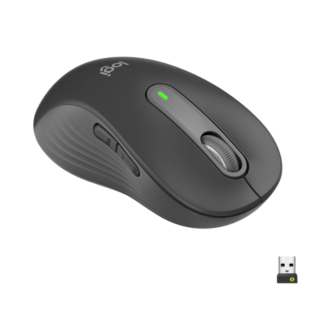
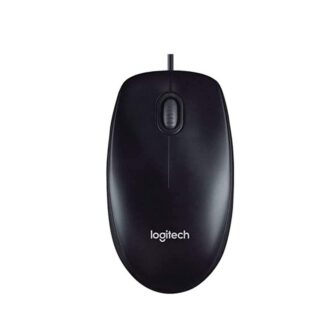
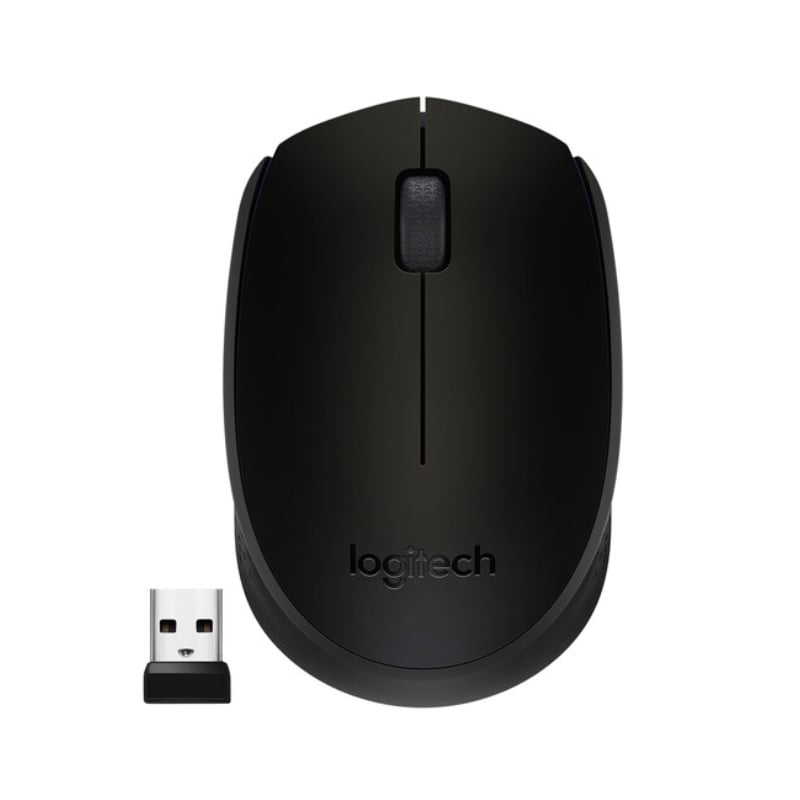
The Logitech M170 Wireless Mouse price in Kenya is Ksh 1,700. The M170 is the most popular entry-point into the Logitech ecosystem. It is the definition of “Set it and Forget it”—uncomplicated, sturdy, and extremely efficient. Designed to be as portable , the M170 is small enough to stay in your laptop bag permanently. Its ambidextrous design is truly symmetrical, making it just as comfortable for a left-handed student as it is for a right-handed accountant. The M170 uses Logitech’s advanced 2.4 GHz wireless technology to provide a rock-solid connection that feels as responsive as a wired device.
With a 12-month battery life, the M170 is a champion of endurance. It takes a single AA battery and manages it so well that you can go an entire year without thinking about a replacement.Simplify your workspace today. Say goodbye to tangled wires and hello to reliable precision. Buy the Logitech M170 at Exelic Gadgets for immediate delivery in Nairobi or secure shipping via Wells Fargo/G4S to all major towns in Kenya.
Why You’ll Love It
- Plug-and-Play Simplicity: Just plug in the USB Nano receiver, so that you can start working in under 3 seconds without installing any drivers or software.
- Ambidextrous Comfort: The symmetrical shape supports both left and right hands, so that anyone in the family or office can use it comfortably.
- 1-Year Battery Power: Intelligent sleep modes and an on/off switch mean it lasts 12 months, so that you don’t have to carry spare batteries in your bag.
- Nano Receiver Portability: The USB dongle is so small you can leave it in your laptop’s port, so that it doesn’t get snagged or lost when you pack your bag.
- 10-Meter Wireless Range: A strong 2.4 GHz signal works from across the room, so that you can use it to control presentations or browse the web from your bed.
- Smooth Optical Tracking: The 1000 DPI sensor is precise on most surfaces, so that you can work effectively on a wooden desk, a cafe table, or even a notebook cover.
Logitech M170 Specifications
| Feature | Details |
| Product Name | Logitech M170 Wireless Mouse |
| Price in Kenya | Ksh 1,700 |
| Available Colors | Black, Blue/Black, Red/Black |
| Connection Type | USB Nano Receiver (2.4 GHz) |
| Sensor Technology | Smooth Optical Tracking |
| Battery Life | Up to 12 Months |
| Battery Details | 1 x AA (Pre-installed) |
| Hand Orientation | Ambidextrous |
| Sustainability | Carbon Neutral Certified |
| Dimensions | 97.7 x 61.5 x 35.2 mm |
| Operating Systems | Windows 7+, macOS 10.8+, ChromeOS |
Advanced 2.4 GHz Wireless
The M170 doesn’t just use “regular” wireless; it uses Logitech’s proprietary 2.4 GHz protocol. This is important because, in modern Nairobi offices or apartment blocks, there is a lot of signal interference from Wi-Fi routers and smartphones. The M170 is designed to “cut through the noise,” ensuring your cursor doesn’t jump or lag, even if you are up to 10 meters away from your laptop.
Energy Efficient Engineering
Logitech has spent years perfecting the power consumption of their entry-level mice. The M170 features an Auto-Sleep mode. If you stop moving it for a few minutes, it enters a low-power state. If you leave it for longer, it goes into a deep sleep. Combined with a physical On/Off switch on the bottom, this is how a single, cheap AA battery can last for 365 days of typical office use.
Smooth Optical Sensor
The 1000 DPI (Dots Per Inch) sensor is the “sweet spot” for standard productivity. It is sensitive enough that you don’t need a large desk to move the cursor across the screen, but not so sensitive that it feels jittery. It uses optical light to track movement, which works reliably on everything except clear glass or highly reflective mirrors.
Compact & Durable Build
Don’t let the low price fool you; the M170 is built to last. The plastics are high-quality and have a slightly matte finish to prevent fingerprint smudges. The click-switches are rated for millions of clicks, and the scroll wheel has a textured rubber grip to ensure precise line-by-line scrolling in long PDFs or Excel spreadsheets.
Who Is This Perfect For?
- The Budget-Conscious Student: You need a mouse for your university assignments that won’t break your budget but is significantly better than a generic Ksh 500 mouse.
- The IT Manager: You need to buy mice in bulk for an office or a school computer lab. The M170 offers the best balance of price, reliability, and battery life for large deployments.
- The Home Office Starter: You are setting up your first work-from-home desk and want a clean, wireless look without the high price tag of premium gaming or professional gear.
Alternatives & Competitors
- Logitech M185: Almost identical, but often has slightly better ergonomics and a more premium feel for about Ksh 300 more.
- Logitech M171: Essentially the same mouse as the M170 but features a textured grip on the sides for better handling.
Frequently Asked Questions (FAQs)
- Does it work on a MacBook?
Yes, as long as your MacBook has a standard USB-A port. If you have a newer MacBook with only USB-C ports, you will need a small adapter (OTG) to plug in the receiver. - Is the click sound loud?
The M170 has a standard, audible “click.” It is not a silent mouse. If you need total silence, we recommend the Logitech M221 Silent. - Where is the USB receiver hidden?
It is inside the mouse. Slide off the battery cover on the bottom, and you will see the tiny USB dongle tucked into a storage slot next to the battery. - Can I use this for gaming?
It is perfect for casual games like Solitaire, The Sims, or Minecraft. For fast-paced games like Valorant or CS:GO, we recommend a dedicated gaming mouse like the Logitech G305. - What if I lose the USB receiver?
The M170 is not a “Unifying” device, meaning the receiver is uniquely paired to that specific mouse. If you lose it, it is difficult to replace, so we always recommend storing the receiver inside the mouse when traveling.
Buy the latest mouse in Kenya at Exelic Gadgets.