Weight
- Microsoft Surface Pro Keyboard
- 281 g
- Logitech MX Keys for Business
- 810 g

Keyboard comparison
Compare layout, connection, battery and typing feel.
01Selected 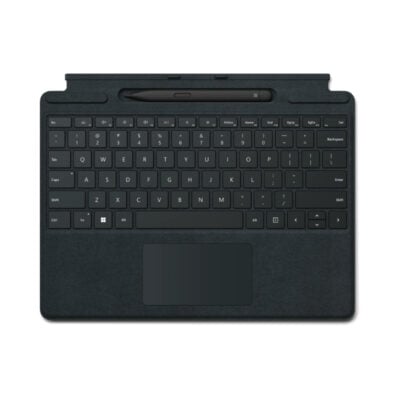 Microsoft Surface Pro Keyboard
KSh 23,500In Stock | 02 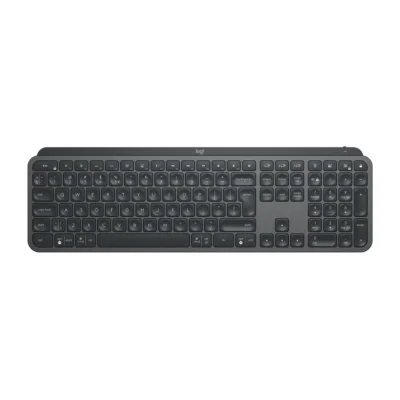 Logitech MX Keys for Business
KSh 19,500In Stock |
|---|
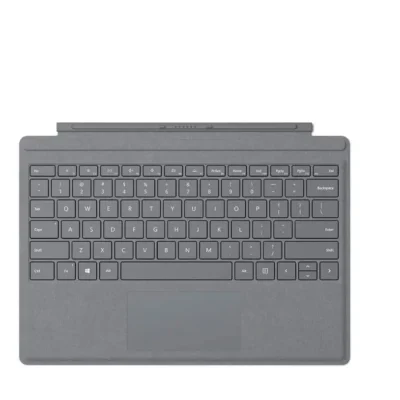
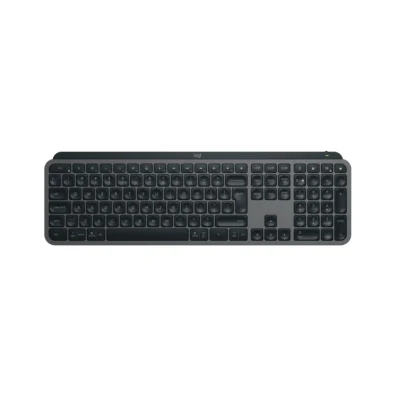
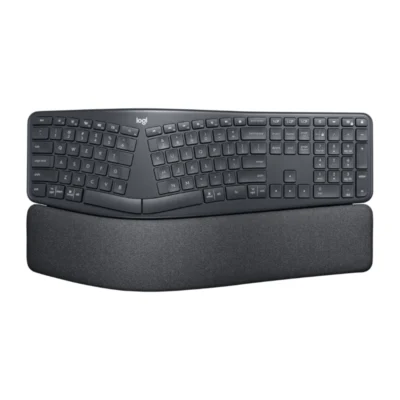
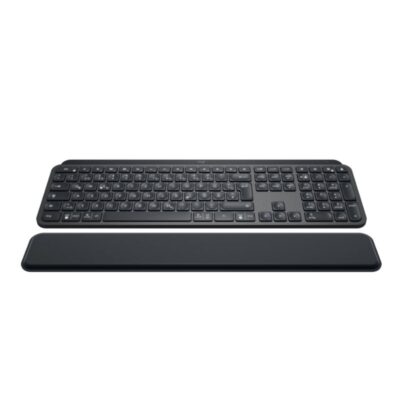
Choose the Microsoft Surface Pro Keyboard if you want a lighter build (281 g). Choose the Logitech MX Keys for Business if you want Bluetooth Low Energy 5.0+, a numeric keypad and an ambient light sensor.
The main differences to help you choose.
| Priority | Microsoft Surface Pro Keyboard | Logitech MX Keys for Business |
|---|---|---|
| Connections | Wired - Surface magnetic connector | Logi Bolt USB receiver or Bluetooth Low Energy |
| Weight | 281 g | 810 g |
| Ambient light sensor | No | Yes |
| Customization software | None | Logi Options+ on Windows and macOS |
| Type | Detachable keyboard cover | Wireless productivity keyboard |
| Layout | Compact notebook-style | English US International, full-size with numeric keypad |
| Backlighting | White | Smart backlighting |
Tick a topic above to see how each product answers it.
Explore the full specifications, section by section.
| Specification | Microsoft Surface Pro Keyboard | Logitech MX Keys for Business |
|---|---|---|
| Brand | Microsoft | Logitech |
| Model | Surface Pro Keyboard | MX Keys for Business — US International (920-010251) |
| Announced | 2024 | — |
| Type | Detachable keyboard cover | Wireless productivity keyboard |
| Layout | Compact notebook-style | English US International; full-size with numeric keypad |
| Color | Black | Graphite |
| Material | Plastic keyboard deck | — |
| Specification | Microsoft Surface Pro Keyboard | Logitech MX Keys for Business |
|---|---|---|
| Dimensions | 289.1 × 226.1 × 4.89 mm | 131.6 mm × 430.2 mm × 20.5 mm |
| Weight | 281 g | 810 g |
| Specification | Microsoft Surface Pro Keyboard | Logitech MX Keys for Business |
|---|---|---|
| Connection Type | Wired — Surface magnetic connector | Logi Bolt USB receiver or Bluetooth Low Energy |
| Wireless Technology | Not applicable | — |
| Bluetooth | No | Bluetooth Low Energy 5.0+ |
| Wireless Receiver | — | Logi Bolt USB-A receiver included |
| Multi-Device Connection | — | Easy-Switch for three devices |
| Wireless Range | — | Up to 10 m |
| Connector | Surface Pro magnetic interface connector | — |
| Cable | — | — |
| Cable Length | — | — |
| Specification | Microsoft Surface Pro Keyboard | Logitech MX Keys for Business |
|---|---|---|
| Switch Type | Scissor | — |
| Switches | Mechanical scissor keys | — |
| Switch Options | Not applicable | — |
| Dedicated Multimedia Keys | Yes — function-row shortcuts | — |
| Programmable Keys | No | — |
| Numeric Keypad | No | Yes |
| Specification | Microsoft Surface Pro Keyboard | Logitech MX Keys for Business |
|---|---|---|
| Battery Type | Not applicable | Rechargeable Li-Po |
| Battery Capacity | — | 1,500 mAh |
| Battery Life | — | Up to 10 days with backlighting; up to five months without backlighting |
| Charging Port | — | USB-C |
| Charging Time | — | — |
| Power Switch | — | — |
| Battery Indicator | — | — |
| Specification | Microsoft Surface Pro Keyboard | Logitech MX Keys for Business |
|---|---|---|
| Backlighting | White | Smart backlighting |
| Lighting Technology | Backlit keys | — |
| Brightness Adjustment | Yes | — |
| Ambient Light Sensor | No | Yes |
| Proximity Sensor | No | Yes |
| Wrist Rest | Integrated keyboard deck | — |
| Customization Software | None | Logi Options+ on Windows and macOS |
| Onboard Memory | No | — |
| Profiles / Macros | No | — |
| Special Features | Precision touchpad; Copilot key; protective cover; selected bundle includes Slim Pen | Spherically dished Perfect Stroke keys; Logitech Flow with a compatible mouse and Logi Options+ |
| Specification | Microsoft Surface Pro Keyboard | Logitech MX Keys for Business |
|---|---|---|
| Windows | Windows 11 on compatible Surface Pro | — |
| macOS | No | — |
| Other Operating Systems | No | — |
| Required Port / Connection | Compatible Surface Pro magnetic keyboard connector | — |
| Software | None | — |
| Specification | Microsoft Surface Pro Keyboard | Logitech MX Keys for Business |
|---|---|---|
| In the Box | Surface Pro Keyboard, safety and warranty documents; Slim Pen only with selected bundle | MX Keys for Business Keyboard; Logi Bolt USB receiver (USB Type A); USB-C charging cable (USB-A to USB-C); User documentation |
These products have the same published specifications.
Choose Logitech MX Keys Business for a number pad and a Bluetooth connection; Microsoft Surface Pro offers a lighter build.
Back to compared products ↑Microsoft Surface Pro KeyboardVSLogitech MX Mechanical MiniMicrosoft Surface Pro KeyboardVSLogitech MX Keys S ComboMicrosoft Surface Pro KeyboardVSLogitech CraftMicrosoft Surface Pro Type CoverVSMicrosoft Surface Pro KeyboardMicrosoft Surface Pro KeyboardVSLogitech MX Keys SMicrosoft Surface Pro KeyboardVSLogitech ERGO K860 Split KeyboardMicrosoft Surface Pro KeyboardVSLogitech MX Keys PlusMicrosoft Surface Pro KeyboardVS Apple Magic Keyboard (2021)Microsoft Surface Pro KeyboardVS
 SteelSeries Apex 3 TKL Gaming keyboard
We are here to serve you