📍 Visit Us: Mithoo Biashara Centre, Shop F01 (Nairobi CBD) | 🚚 Fast Same-Day Delivery
SKU: 920-009406 Category: Brand:

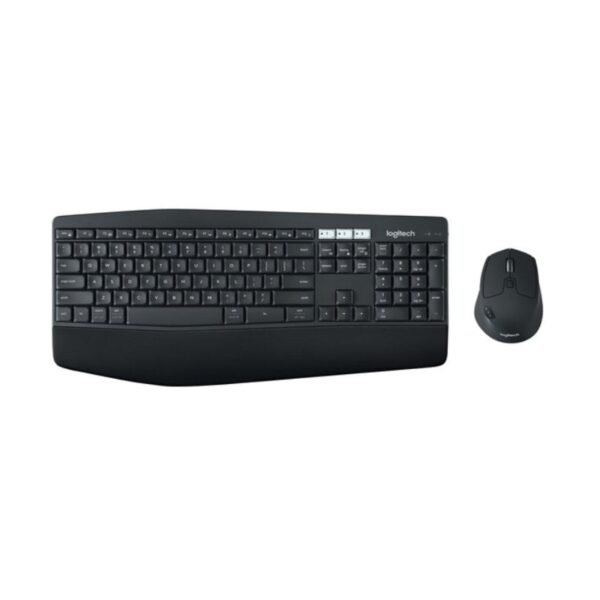
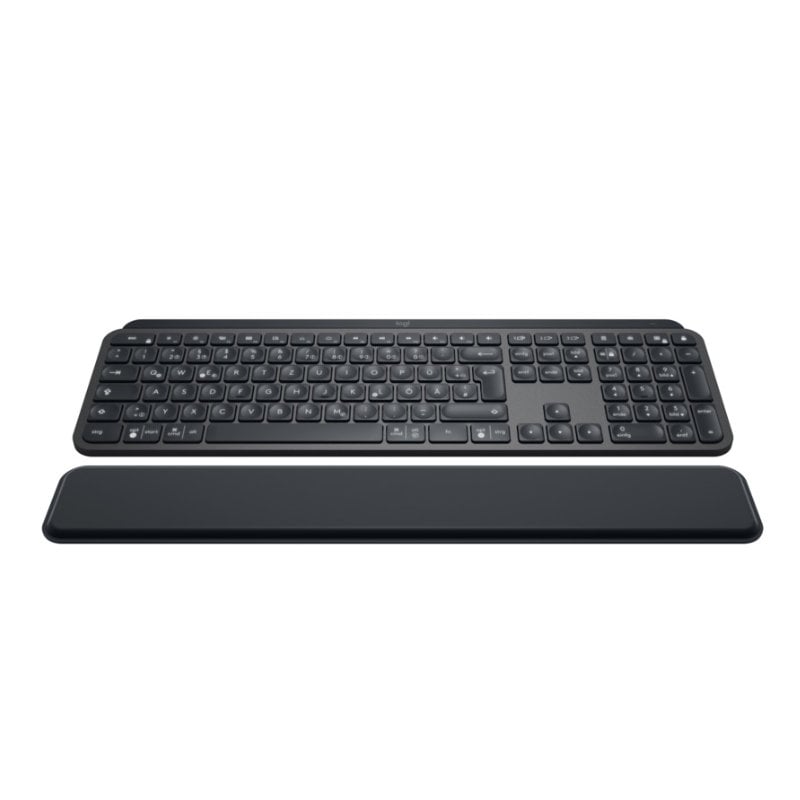
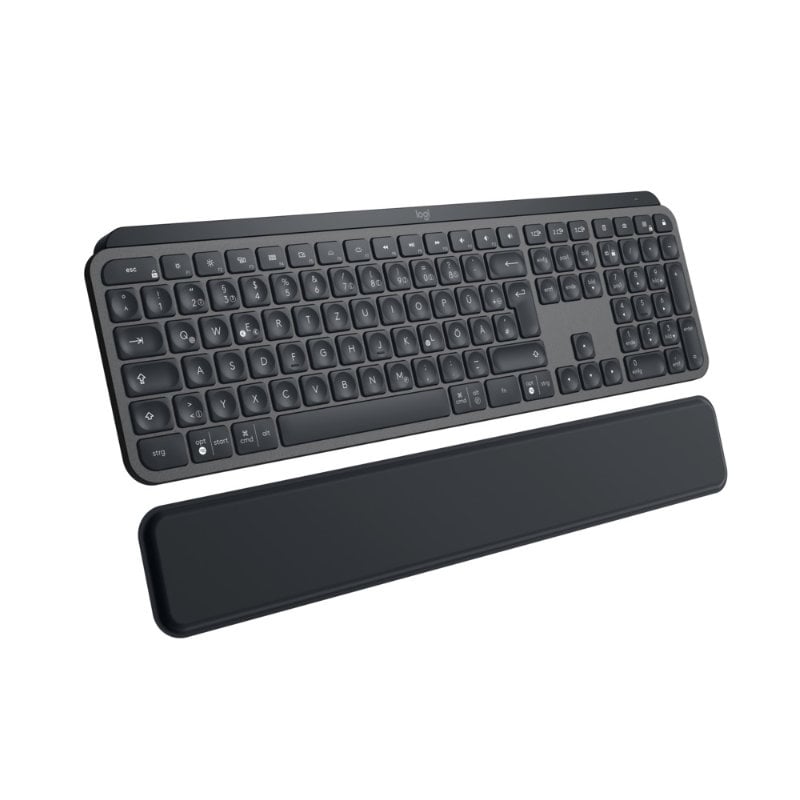
Logitech MX Keys Plus

0 Reviews
In stock

KSh 19,000.00

 Specifications

  • Connectivity: Bluetooth Low Energy & 2.4 GHz Unifying USB Receiver.
  • Multi-Device: Pair up to 3 devices (Easy-Switch keys)
  • Backlighting: Smart auto-adjusting (Hand proximity + Ambient light sensors).
  • Range: 10 meters (33 feet).
  • Battery: Rechargeable Li-Po (1500 mAh).
  • Charging Port: USB-C.
  • Keys: Spherically dished, matte coating.
  • Palm Rest: Detachable memory foam (Included).
  • Compatibility: Windows, macOS, Linux, iOS, Android.
  • Dimensions: 131.63 x 430.2 x 20.5 mm (Keyboard).
  • Prices and offers are subject to change without notice.
  • Fast Delivery in Nairobi – Within 2 Hours.
  • Reliable Nationwide Delivery – Within 24 Hours.
FAST Delivery
100% Genuine
EXPERT Support
Brand:

Product details

Logitech MX Keys Plus Wireless Keyboard Price in Kenya

The Logitech MX Keys Plus price in Kenya is Ksh 19,000. This is the ultimate precision instrument for Nairobi’s coders, analysts, and creative professionals who spend their days (and nights) mastering complex workflows. While the standard MX Keys is impressive, the “Plus” version adds a premium, detachable palm rest, so that your hands remain in a natural, relaxed position during marathon typing sessions.

Relentlessly engineered for stability and tactile feedback, the MX Keys Plus features spherically dished keys that match the shape of your fingertips. Every stroke is quiet, fluid, and remarkably precise. With smart backlighting that reacts to your presence and multi-device pairing that spans up to three different operating systems, it is the cornerstone of a high-performance desk setup.

The #1 lifestyle upgrade here is Seamless Cross-Computer Flow. When used with a Logitech Flow-enabled mouse (like the MX Master 3S), you can type on one computer and move to another just by moving your cursor, even copying and pasting text and files between a Mac and a Windows PC.

Buy it today at Exelic Gadgets. We offer same-day delivery in Nairobi (within 2 hours) and secure nationwide shipping to Mombasa, Kisumu, and Eldoret via Wells Fargo or G4S.

Why You’ll Love It (The Lifestyle Upgrade)

  • Perfect Stroke Typing: Spherically dished keys match your fingertips, so that every keystroke feels natural, fast, and remarkably accurate.
  • Ergonomic Support: Includes a premium, detachable palm rest made of high-quality memory foam, so that you can type for hours without wrist fatigue.
  • Smart Illumination: Proximity sensors detect your hands and turn the backlight on instantly, so that the keys are always visible when you need them and save power when you don’t.
  • Multi-Device Mastery: Pair with up to three devices via Bluetooth or the Unifying receiver, so that you can switch between your laptop, tablet, and smartphone with a single tap.
  • Remarkable Stability: The entire keyboard body is held together by a single metal plate, so that it never slides around your desk, no matter how fast you type
  • USB-C Quick Charging: A full charge lasts up to 10 days (with backlighting) or up to 5 months (without), so that you spend more time working and less time plugged into a wall.

Logitech MX Keys Plus Specifications

Feature Details
Price in Kenya Ksh 19,000
Full Charge Life Up to 10 Days (Backlit) / 5 Months (Off)
Palm Rest Dimensions 64 x 420 x 8 mm
Weight 810g (Keyboard) / 180g (Palm Rest)
Software Support Logi Options+ (Windows/macOS)
Customization Programmable F-Keys & Shortcuts
Flow Support Yes (Type across multiple computers)
Indicators Caps Lock, Battery LED
On/Off Switch Yes
Build Quality Single metal plate frame
Warranty 1-Year Limited Hardware Warranty

Spherically Dished Keys: The “Fingertip Fit”

Unlike flat keys found on cheap keyboards, the MX Keys Plus features a subtle circular dip in every keycap. This “Fingertip Fit” naturally guides your fingers to the center of the key, significantly reducing “fat-fingered” mistypes. For developers writing thousands of lines of code, this subtle ergonomic shift translates to fewer errors and a faster “flow state.”

Smart Illumination: The “Presence Sensor”

The keyboard doesn’t just stay lit; it watches you. Using proximity sensors, the backlighting only glows when it senses your hands approaching. It also uses an ambient light sensor to check the room’s brightness—dimming the lights in a bright Westlands office and brightening them during a late-night session in a dark study. This keeps the battery lasting for months rather than days.

Perfect Stroke Technology: Silent but Tactile

Logitech spent decades perfecting the “scissorkeys” mechanism. The result is a keystroke that is nearly silent (perfect for open-plan offices) but provides a distinct tactile “bump” that tells your brain the key has been registered. It’s the precision of a mechanical keyboard without the loud “clicky” distraction

The “Plus” Palm Rest: Memory Foam Comfort

The palm rest included with the MX Keys Plus isn’t just a piece of plastic. It’s a firm yet comfortable support made of high-density memory foam wrapped in a stain-resistant leatherette. It doesn’t attach with flimsy clips; it sits independently, allowing you to position it at the exact distance your wrists require for optimal posture.

Logi Options+ & Smart Actions: The “Macro” Engine

With the Logi Options+ app, you can turn your F-keys into a “command center.” You can set “Smart Actions”—macros that perform multiple tasks with one tap. For example, one button can simultaneously open your Email, Slack, and your “Focus” Spotify playlist, saving you minutes of repetitive clicking every morning.

Who Is This perfect For?

  • The “Full-Stack” Developer: You work across different OS environments (Mac for dev, Windows for testing). The ability to switch between three devices and use Flow to move files is a massive productivity hack.
  • The Financial Analyst: You spend hours on Excel. The dedicated numpad and the stability of the metal-backed frame make entering data fast and satisfying.
  • The Remote Creative: You value aesthetics and performance. The sleek, low-profile design of the MX Keys Plus complements a modern home office while providing the professional tools needed for high-level editing and design work.

Alternatives & Competitors

  • Logitech MX Keys S: The standalone keyboard (no palm rest included).
  • Logitech MX Keys Mini: Space-saving version without the numpad.
  • Apple Magic Keyboard with Numpad: The native Mac alternative (lacks multi-device switching).
  • Logitech MX Mechanical: If you prefer the deep travel and “click” of mechanical switches.

Frequently Asked Questions (FAQs)

1. Does it work with the iPad?

Yes, it is fully compatible with iPadOS via Bluetooth. You can even use the Easy-Switch keys to jump from your MacBook to your iPad instantly.

2. Can I use it while it’s charging?

Yes. You can plug the USB-C cable into your computer and continue typing while the battery refilled.

3. Is the palm rest attached to the keyboard?

No, it is a separate, standalone unit. This gives you the flexibility to place it exactly where it feels best for your hand size or move it out of the way when not needed.

4. How do I switch between my Windows PC and Mac?

You simply tap one of the three “Easy-Switch” keys located above the Ins/Home/PgUp section. The keyboard re-maps its layout (Command vs. Ctrl) automatically.

5. Is this the same as the MX Keys S Plus?

The MX Keys S is a newer revision with slightly updated “Smart Actions” and a different charging cable, but the core typing experience and the “Plus” palm rest remain essentially the same.

Customers Reviews

There are no reviews yet.

Be the first to review “Logitech MX Keys Plus”

Your email address will not be published. Required fields are marked *

Back to Top