


Recommended Accessories
View All
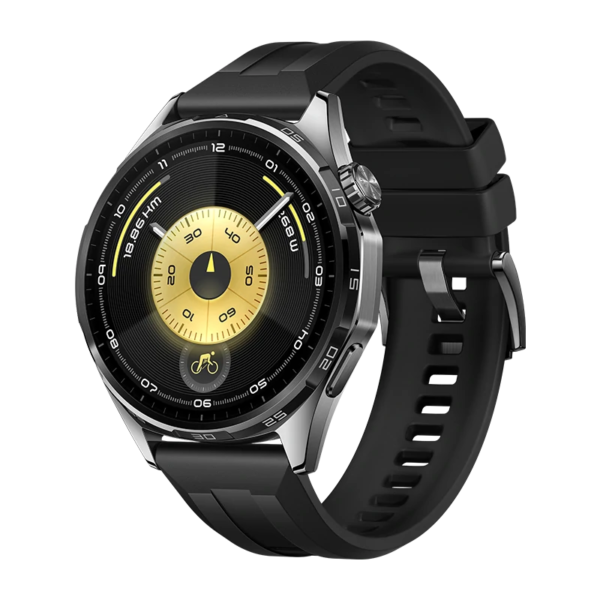
Huawei Watch GT 6
Original price was: KSh 30,000.00.KSh 28,000.00Current price is: KSh 28,000.00.
Add to Cart
Redmi Buds 6 Active
Original price was: KSh 3,500.00.KSh 2,800.00Current price is: KSh 2,800.00.
Add to CartProduct details
reMarkable 2 With Marker Plus Price in Kenya
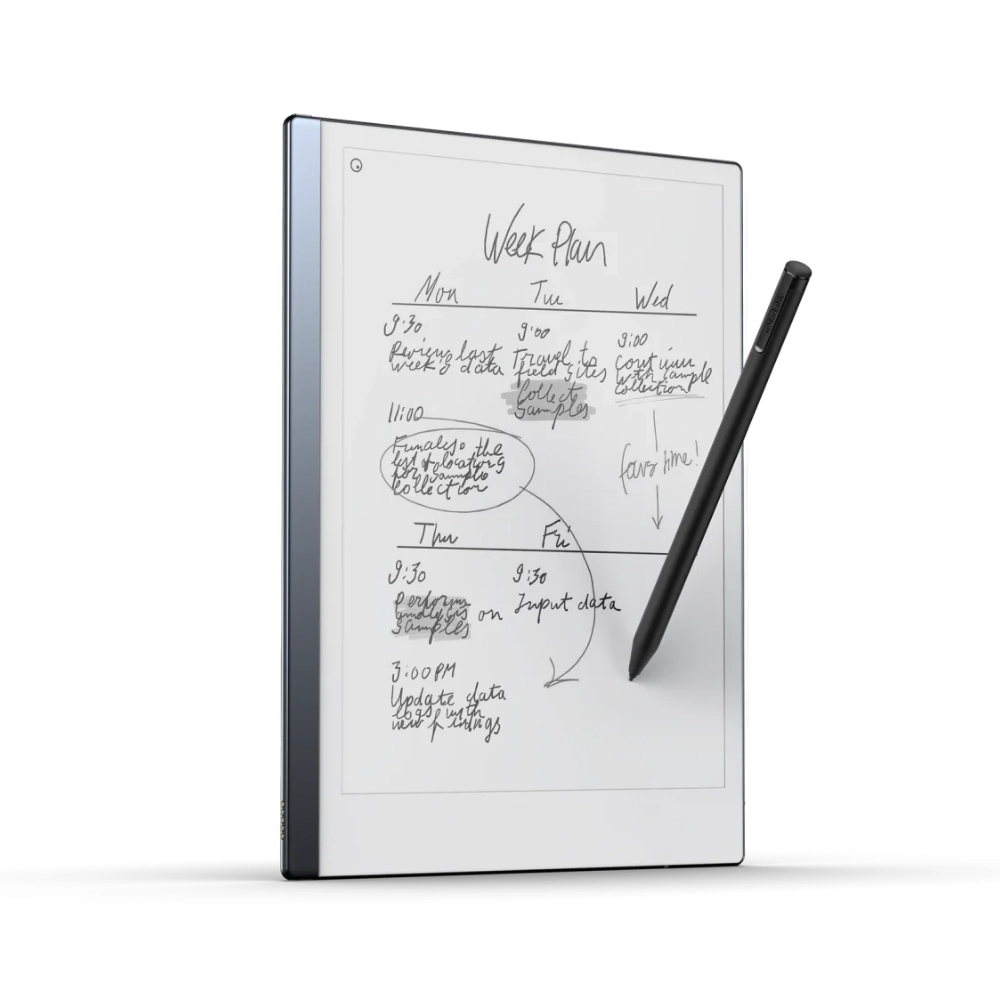
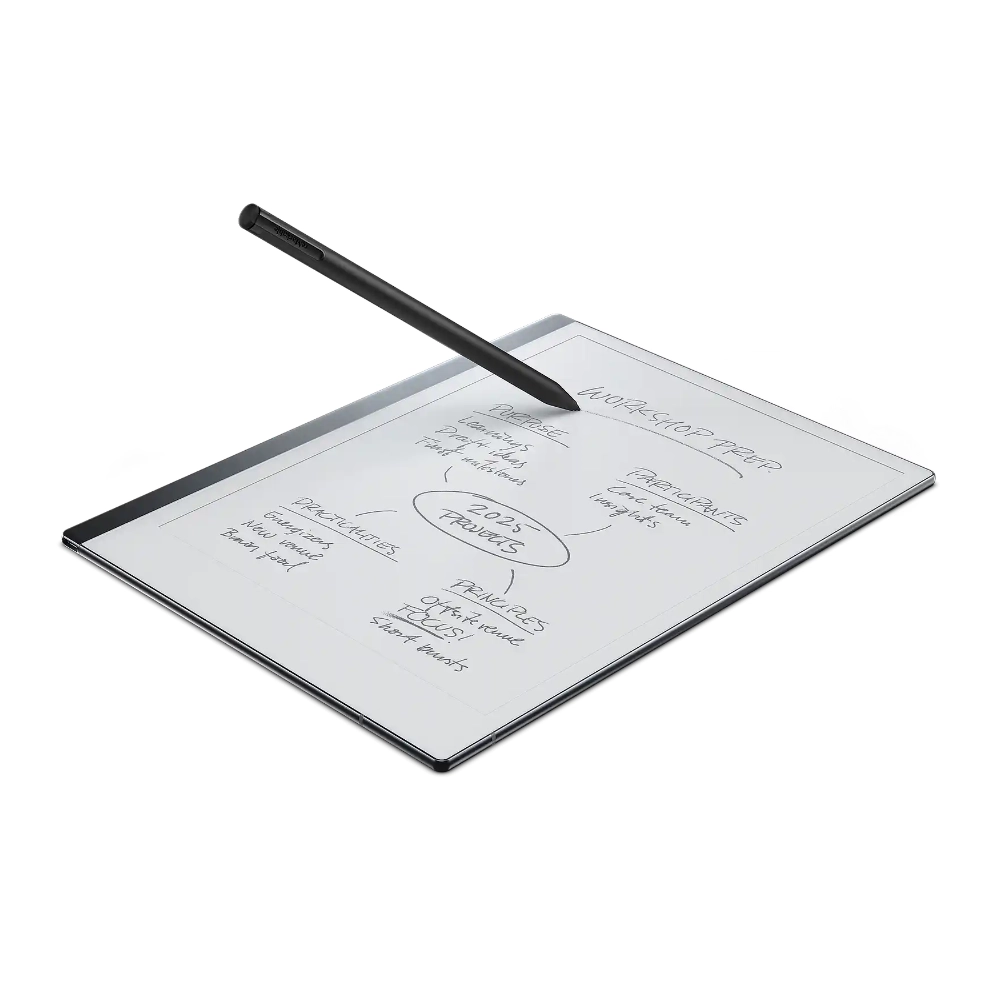
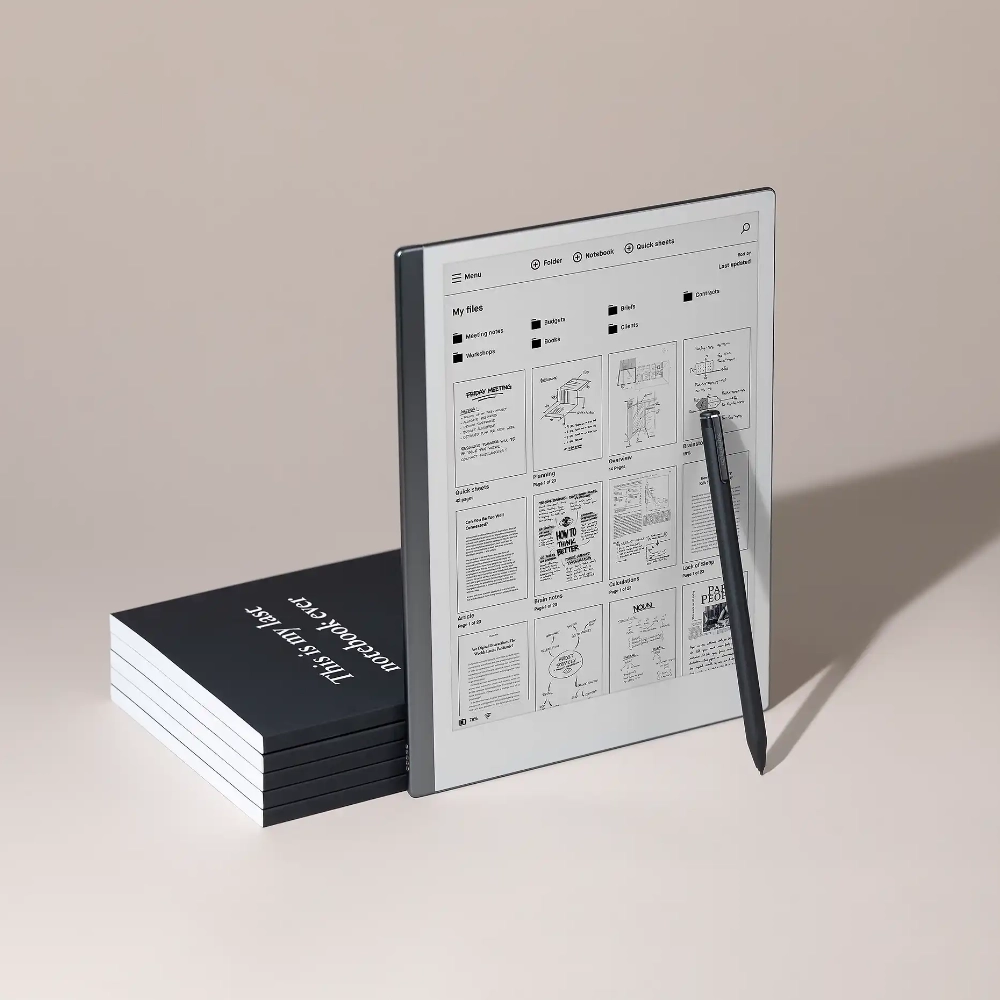
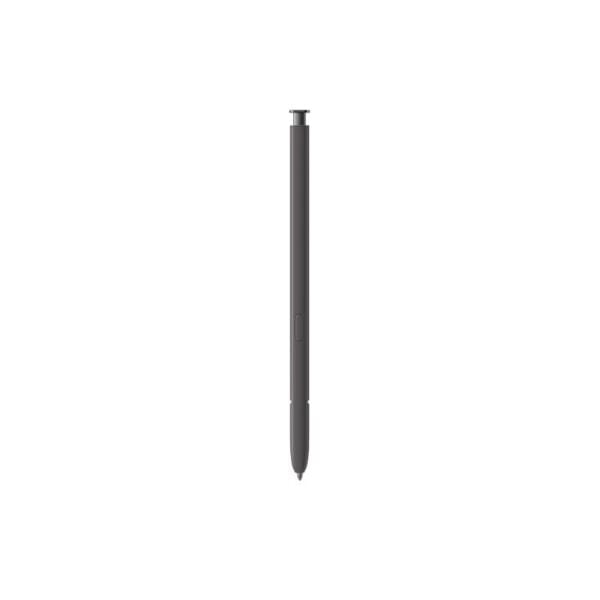
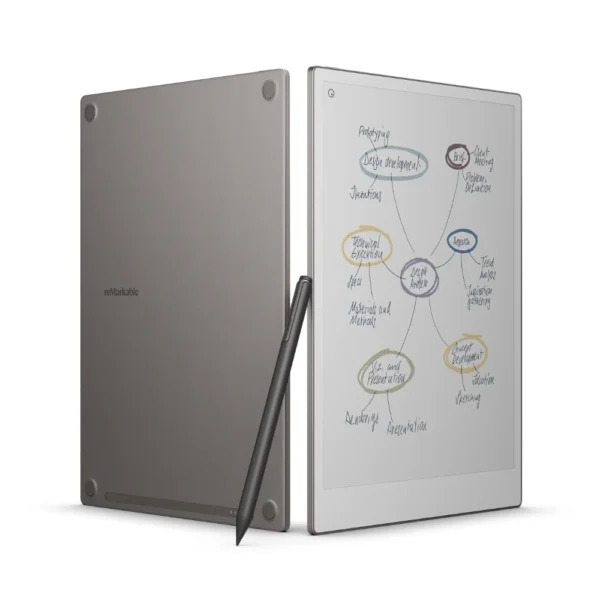
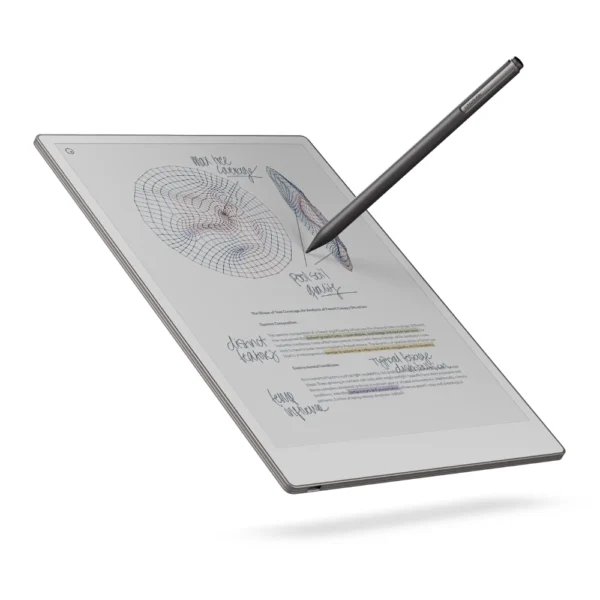
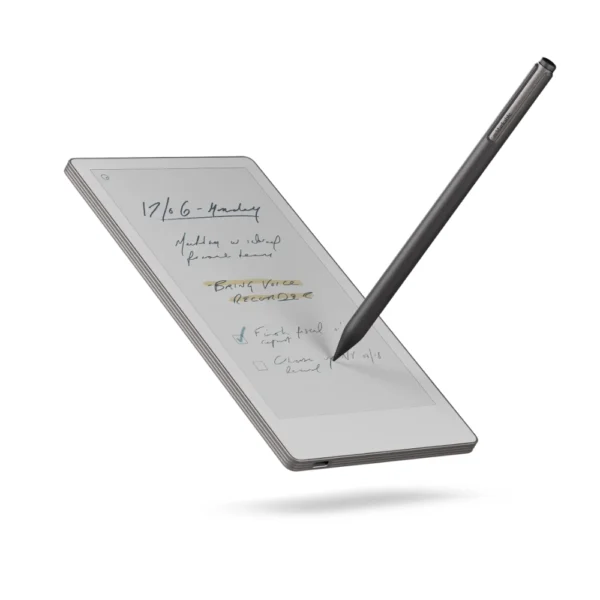
The reMarkable 2 With Marker Plus price in Kenya is KSh 71,000. This premium investment replaces heavy notebooks with the world’s thinnest digital paper tablet. You get the sleek device bundled perfectly with the upgraded 19-gram Marker Plus. This premium stylus features a highly precise built-in eraser for instant, intuitive corrections. The textured Canvas display perfectly mimics the exact physical friction of writing on real paper. It completely eliminates the harsh glare and eye strain associated with backlit iPads or Android tablets. You can read complex PDF contracts or sketch architectural designs for hours without fatigue. The stylus requires absolutely no charging or Bluetooth pairing right out of the box. It snaps magnetically to the side of the tablet chassis for highly secure storage. Nine spare tips come included to guarantee months of sharp, precise drafting.
The distraction-free operating system intentionally blocks social media notifications and email pop-ups. It forces deep, focused work whether you are studying in a library or strategizing in a boardroom. The Marker Plus responds instantly to physical tilt and pressure changes from your hand. You can switch seamlessly between a ballpoint pen, highlighter, or pencil tool. Your handwritten notes digitize instantly for easy cloud backup and secure sharing. Stop hauling a heavy backpack full of disorganized, half-empty paper notebooks around the city. This slim device organizes thousands of your personal thoughts, client sketches, and meeting minutes into one incredibly sleek, highly portable slab. Buy the original reMarkable 2 With Marker Plus today at Exelic Gadgets, located at Mithoo Biashara Centre. Pay securely via M-Pesa to confirm your order immediately. We guarantee fast, same-day delivery right to your office or home anywhere in Nairobi. Customers outside the capital receive rapid, secure countrywide shipping via our trusted partners at Wells Fargo and G4S.
Why You’ll Love It (The Lifestyle Upgrade)
- Distraction-Free Focus: The custom operating system blocks all internet browser tabs and notifications, ensuring you stay completely locked into your deep work sessions at the office.
- Authentic Paper Feel: The textured Canvas display provides exact physical resistance against the stylus, making your digital handwriting look and feel exactly like physical ink.
- Instant Corrections: The premium Marker Plus features a dedicated physical eraser on the top end, allowing you to rub out mistakes naturally without digging through software menus.
- Zero Battery Anxiety: The stylus operates completely battery-free via electromagnetic resonance, meaning you never have to plug your pen into a wall socket before a morning meeting.
- Endless Organization: You can store thousands of PDF documents, ebooks, and custom notebooks in specific digital folders, freeing up massive amounts of physical space on your desk.
- Eye-Friendly Reading: The glare-free e-ink display reflects ambient room light rather than blasting LEDs into your eyes, keeping your vision sharp during late-night study marathons.
reMarkable 2 With Marker Plus Specifications
| Feature | Details |
| Price in Kenya | Ksh 71,000 |
| Included Hardware | reMarkable 2 Tablet, Marker Plus, 9 Spare Tips |
| Display Type | Textured Canvas E-Ink |
| Marker Plus Weight | 19g |
| Marker Color | Black |
| Built-in Eraser | Yes (Marker Plus only) |
| Stylus Charging | None Required |
| Stylus Setup | None (Ready out of the box) |
| Attachment Method | Magnetic snap-on |
| Writing Tools | 9 (Ballpoint, Fineliner, Pencil, etc.) |
| Input Recognition | Tilt and Pressure Sensitive |
| Eye Protection | Glare-free, no backlight |
Deep Dive: The Tech Explained
Textured Canvas Display
Writing on a standard glass tablet usually feels incredibly slippery and unnatural. The reMarkable 2 solves this physical disconnect with a custom-engineered textured Canvas display. It perfectly mimics the exact microscopic friction of high-quality physical paper. When you drag the Marker Plus across the screen, you actually feel a slight, satisfying physical resistance. This physical feedback ensures your handwriting stays neat and highly legible. It completely eliminates the messy, jagged digital handwriting caused by tapping hard plastic against slippery glass. Reading long documents feels incredibly natural because the e-ink screen lacks a harsh LCD backlight. You can read complex PDF reports comfortably in the bright Nairobi sun or under harsh office fluorescent lights. It prevents the severe eye strain and tension headaches associated with staring at glowing smartphone screens all day.
Battery-Free Marker Technology
Smart styluses typically require constant Bluetooth pairing and frustrating daily charging routines. The Marker Plus bypasses these annoying electronic hurdles entirely using advanced Electromagnetic Resonance (EMR) technology. It draws the tiny amount of power it needs directly from the tablet screen itself. You never have to plug the pen into a wall outlet or carry a tiny charging cable. It functions exactly like a trusty Bic biro pen that is always ready to write instantly. You can pull the tablet out of your bag in a matatu and start sketching immediately without waiting for a pairing notification. The lack of heavy internal batteries also keeps the pen incredibly light. It weighs just 19 grams, matching the exact physical balance of a premium metal fountain pen. This deliberate weight distribution prevents hand cramping during long, intensive note-taking sessions.
Marker Plus Built-in Eraser
Making a mistake on a digital tablet usually requires tapping through three different software menus just to find the undo button. The upgraded Marker Plus eliminates this tedious workflow completely. It features a highly precise sensor built directly into the top tail end of the pen. When you misspell a word, you simply flip the physical stylus upside down. You rub the tail against the screen exactly like using a classic HB pencil eraser in primary school. The software instantly recognizes the physical flip and erases only the specific digital ink you touch. It leaves the rest of your complex diagram or handwritten notes perfectly intact. This intuitive physical action keeps your brain locked firmly in a creative flow state. You correct minor drafting errors instantly without breaking your concentration to hunt for digital software icons.
Tilt and Pressure Sensitivity
Digital writing often looks incredibly flat and lifeless compared to real physical ink on paper. The Marker Plus combats this by reading your exact hand movements through advanced internal sensors. The tablet instantly detects exactly how hard you press and the specific angle you hold the pen. It adjusts the digital ink thickness dynamically in real-time as you move your hand. If you select the pencil tool and tilt the stylus sideways, it creates a wide, soft graphite shadow. It responds exactly like a real artist’s shading stick when sketching architectural drafts. Pressing down hard with the calligraphy pen tool produces a thick, bold ink line. This massive level of dynamic input gives you nine entirely different writing tools inside one single physical pen. You can switch effortlessly from a precise technical fineliner to a broad yellow highlighter in seconds.
Distraction-Free Operating System
Modern tablets constantly bombard you with annoying social media alerts, emails, and news pop-ups. The reMarkable 2 utilizes a custom, locked-down operating system built specifically to block these digital interruptions. It acts exactly like a quiet, soundproof library room hidden away from the noisy Nairobi traffic. There is no web browser, no app store, and absolutely no notification center. The device forces you to focus entirely on the blank page in front of you. You process complex thoughts and write long-form business strategies much faster when Instagram cannot interrupt you. It is an intentional, highly protective digital boundary for your brain. When you finish your focused work, the tablet syncs your handwritten notes quietly to the cloud via Wi-Fi. You get the incredible storage benefits of a high-end digital device without the exhausting mental tax of a smart tablet.
Magnetic Snap Attachment
Losing an expensive digital stylus at the bottom of a heavy laptop bag is incredibly frustrating. The reMarkable 2 chassis features powerful internal magnets aligned perfectly along its right edge. The Marker Plus snaps firmly onto the side of the tablet with a highly satisfying metallic click. It stays securely attached to the device while resting on your office desk or boardroom table. You always know exactly where your primary writing tool is located before a meeting starts. It acts exactly like a heavy-duty fridge magnet holding a crucial note securely in place. This physical connection prevents the pen from rolling off sloped drafting tables and taking a damaging fall to the floor. The sleek, minimalist design profile remains completely intact. The pen and tablet travel together seamlessly as one unified, highly professional digital notebook.
Who Is This Perfect For?
- The Corporate Executive in Upper Hill: You take endless confidential meeting minutes in crowded boardrooms. The distraction-free interface ensures you never check emails while investors speak. Your handwritten notes digitize instantly for your assistant to file.
- The Architectural Student at JKUAT: You sketch complex building elevations and floor plans daily. The tilt-sensitive Marker Plus allows for precise pencil shading. The paper-like screen prevents harsh glare during late-night studio sessions.
- The Legal Partner in Westlands: You review massive, hundreds-of-pages-long PDF contracts. The e-ink display prevents severe eye strain during marathon reading blocks. The highlighter tool lets you mark crucial clauses directly on the digital page.
- The Creative Director in Kilimani: You draft rough marketing copy and UI wireframes constantly. The built-in tail eraser lets you correct mistakes organically. The magnetic attachment ensures you never lose your pen between client meetings.
Alternatives & Competitors
- Samsung Galaxy Tab S10 Plus
- Apple iPad Air 11-inch 2025 M3
- Amazon Kindle Scribe Premium Pen
- reMarkable Paper Pro With Marker Plus
Frequently Asked Questions (FAQs)
- Does the Marker Plus need to be charged? No. It uses Electromagnetic Resonance technology to function continuously without ever needing a battery or a charger.
- Can I browse the internet on this device? No. The operating system intentionally blocks web browsers to maintain a completely distraction-free workspace.
- Does the screen light up in the dark? No. It features a completely glare-free e-ink display that requires ambient room light to read, exactly like real paper.
- Are replacement tips included in the box? Yes. The Marker Plus package includes nine spare tips stored in a convenient swapping tool.
- Can I read standard PDF and EPUB files? Yes. You can easily import your documents, read them comfortably, and write notes directly on the digital pages.
- Does the tablet convert my handwriting to text? Yes. The software features an internal conversion tool that turns your neat handwriting into typed, digital text instantly.
- Do I need a paid subscription to use the tablet? No. The core writing and syncing features work perfectly out of the box without paying for the optional Connect subscription.
Buy the latest reMarkable Tablets in Kenya at Exelic Gadgets.
Additional information
| Model | Marker Plus, Marker Plus with Leather Folio |
|---|
Customers Reviews
Related products
There are no reviews yet.