

Brand: Microsoft
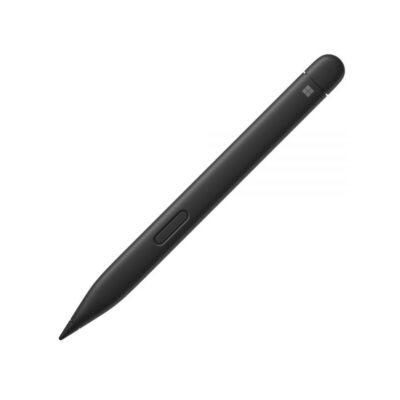
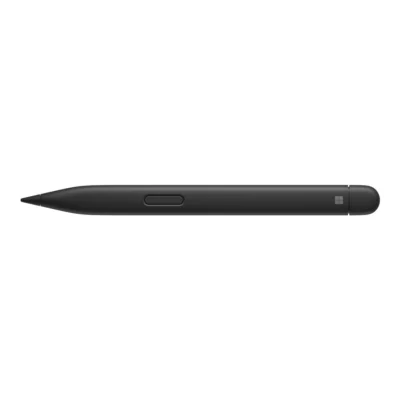
Surface Slim Pen 2
KSh 18,500
Key Features
- Battery: 15 hours of use, rechargeable.
- Pressure sensitivity: 4,096 pressure levels
- Buttons: side button, top button with eraser functionality.
- Connectivity: Bluetooth 5.0
- Tactile signals: haptic signa functionality, compatible with Surface Pro 8, Pro 9, and Surface Laptop Studio with Windows 11
- Compatibility: Surface Pro 8, 9; Surface Laptop Studio, Surface Pro X, Surface Duo 2, Surface Hub 2S, Surface Slim Pen 2 Pen Tips, Surface Slim Pen Charger.
Surface Slim Pen 2 Highlights
- Bluetooth Wireless 5.0 wireless
- Microsoft Pen Protocol pen protocol
- 4,096 pressure levels pressure sensitivity
- 13 g weight
- Battery preinstalled rechargeable lithium-ion battery
- Buttons side button and top button with eraser functionality
Compare Surface Slim Pen 2 with Similar Products
Compare Surface Slim Pen 2 specs, features and price with similar products and alternatives.
Comparison full
0 spaces availableGeneral
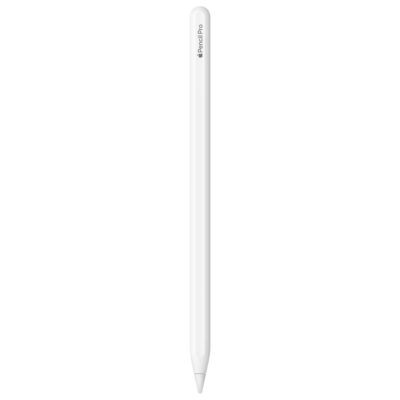
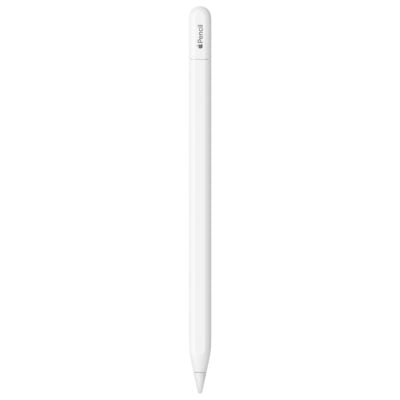
| Specification | Surface Slim Pen 2 | Apple Pencil Pro | Microsoft Surface Slim Pen 2 | Apple Pencil (USB-C) |
|---|---|---|---|---|
| Brand | Microsoft | Apple | Microsoft | Apple |
| Model | Surface Slim Pen 2 / Surface Slim Pen (2nd edition) | Apple Pencil Pro | Surface Slim Pen 2 | Apple Pencil (USB-C) |
| Color | Matte Black | Not specified | Black | Not specified |
| Manufacturer Part Number | Not specified | A2538 | 8WV-00001 | Not specified |
| Condition | Not specified | Not specified | New | Not specified |
Design
| Specification | Surface Slim Pen 2 | Apple Pencil Pro | Microsoft Surface Slim Pen 2 | Apple Pencil (USB-C) |
|---|---|---|---|---|
| Dimensions | 136.8 × 11.3 × 6.3 mm | 166 mm length; 8.9 mm diameter | 136.8 × 11.3 × 6.3 mm | 155 mm length; 8.9 mm diameter |
| Weight | 13 g | 19.15 g | 13 g | 20.5 g |
Battery & Charging
| Specification | Surface Slim Pen 2 | Apple Pencil Pro | Microsoft Surface Slim Pen 2 | Apple Pencil (USB-C) |
|---|---|---|---|---|
| Battery | Preinstalled rechargeable lithium-ion battery | Not specified | Rechargeable lithium-ion battery; up to 15 hours typical use | Not specified |
| Charging | Charges through compatible Surface pen-storage/charging accessories or the separate Surface Slim Pen Charger; accessories sold separately | Magnetic attachment, pairing and charging on a compatible iPad | Compatible Surface pen-storage keyboard, Laptop Studio charging area, Surface Pro 12-inch rear charging area, or separate Surface Slim Pen charger | Pairs and charges with a USB-C cable; magnetic attachment is for storage, rather than wireless charging |
Digital Pen
| Specification | Surface Slim Pen 2 | Apple Pencil Pro | Microsoft Surface Slim Pen 2 | Apple Pencil (USB-C) |
|---|---|---|---|---|
| Compatibility | Compatible Surface devices in Microsoft’s Slim Pen list, including Surface Pro 8/9/10/11th/12th Edition and Pro X, Surface Laptop Studio/Studio 2, Surface Duo 2 and Surface Hub 2S/3. Inking, tilt, magnetic storage, charging and tactile feedback vary by device. Other Windows PCs must support a matching Microsoft Pen Protocol. | iPad Pro 11/13-inch (M4/M5); iPad Air 11/13-inch (M2/M3/M4); iPad mini (A17 Pro). Requires iPadOS 17.5 or later; feature and app compatibility apply. | Surface Pro 8, 9, 10 for Business, 11th Edition, 12th Edition and Pro 12-inch; Surface Pro X; Surface Laptop Studio and Studio 2. Supported features depend on the host. Surface Laptop 13-inch 1st Edition does not support pen input. | iPad Pro 11-inch (1st–4th generation, M4/M5), 12.9-inch (3rd–6th generation) and 13-inch (M4/M5); iPad Air (4th/5th generation) and 11/13-inch (M2/M3/M4); iPad (10th generation/A16); iPad mini (6th generation/A17 Pro). Requires iPadOS 17.1.1 or later; hover support is model-specific. |
| Pen Protocol | Microsoft Pen Protocol (MPP) v2.6 | Not specified | Microsoft Pen Protocol | Not specified |
| Pressure Sensitivity | 4,096 pressure levels; zero-force inking on supported devices | Pressure-sensitive input | 4096 pressure levels; zero-force inking on supported devices | No pressure sensitivity |
| Tilt Support | Not specified | Tilt-sensitive input for shading | Supported on compatible Surface Pro and Laptop Studio models | Tilt-sensitive input for shading |
| Buttons | Side button and top button with eraser functionality | Squeeze and double-tap controls; barrel-roll gyroscope controls shaped pen and brush orientation | Side button; top button with eraser | No double-tap or squeeze controls |
| Wireless | Bluetooth Wireless 5.0 | Bluetooth; the manufacturer does not specify a version | Bluetooth 5.0 | Bluetooth; Apple does not specify a Bluetooth version |
| Haptics | Tactile feedback in supported apps on compatible devices running Windows 11 | Custom haptic engine provides feedback for squeeze and double-tap actions | Tactile signals in selected applications on compatible Windows 11 devices | No haptic feedback |
| Included Items | Not specified | Not specified | Surface Slim Pen 2; charger sold separately | Not specified |
What's in the Box
| Specification | Surface Slim Pen 2 | Apple Pencil Pro | Microsoft Surface Slim Pen 2 | Apple Pencil (USB-C) |
|---|---|---|---|---|
| Included Items | Not specified | Not specified | Surface Slim Pen 2, quick-start guide, safety and warranty documents | Not specified |
Specs
Surface Slim Pen 2 specifications
General
| Brand | Microsoft |
|---|---|
| Model | Surface Slim Pen 2 / Surface Slim Pen (2nd edition) |
| Color | Matte Black |
Design
| Dimensions | 136.8 × 11.3 × 6.3 mm |
|---|---|
| Weight | 13 g |
Digital Pen
| Compatibility | Compatible Surface devices in Microsoft’s Slim Pen list, including Surface Pro 8/9/10/11th/12th Edition and Pro X, Surface Laptop Studio/Studio 2, Surface Duo 2 and Surface Hub 2S/3. Inking, tilt, magnetic storage, charging and tactile feedback vary by device. Other Windows PCs must support a matching Microsoft Pen Protocol. |
|---|---|
| Pen Protocol | Microsoft Pen Protocol (MPP) v2.6 |
| Pressure Sensitivity | 4,096 pressure levels; zero-force inking on supported devices |
| Tilt Support | Tilt support on compatible Surface Pro and Surface Laptop Studio models; unavailable on Surface Duo 2 and Surface Hub models in Microsoft’s table |
| Buttons | Side button and top button with eraser functionality |
| Battery | Preinstalled rechargeable lithium-ion battery |
| Charging | Charges through compatible Surface pen-storage/charging accessories or the separate Surface Slim Pen Charger; accessories sold separately |
| Wireless | Bluetooth Wireless 5.0 |
| Haptics | Tactile feedback in supported apps on compatible devices running Windows 11 |