Product details
Logitech K480 Multi-Device Bluetooth Keyboard Price in Kenya
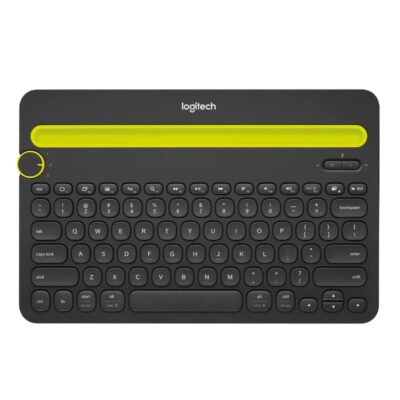
The Logitech K480 price in Kenya is Ksh 8,500 at Exelic Gadgets. This is the ultimate “command center” for the modern Kenyan multitasker who needs to balance a laptop, a tablet, and a smartphone simultaneously. While other keyboards force you to disconnect and re-pair every time you change devices, the K480 uses a physical “Easy-Switch” dial to toggle between three active Bluetooth connections in seconds.
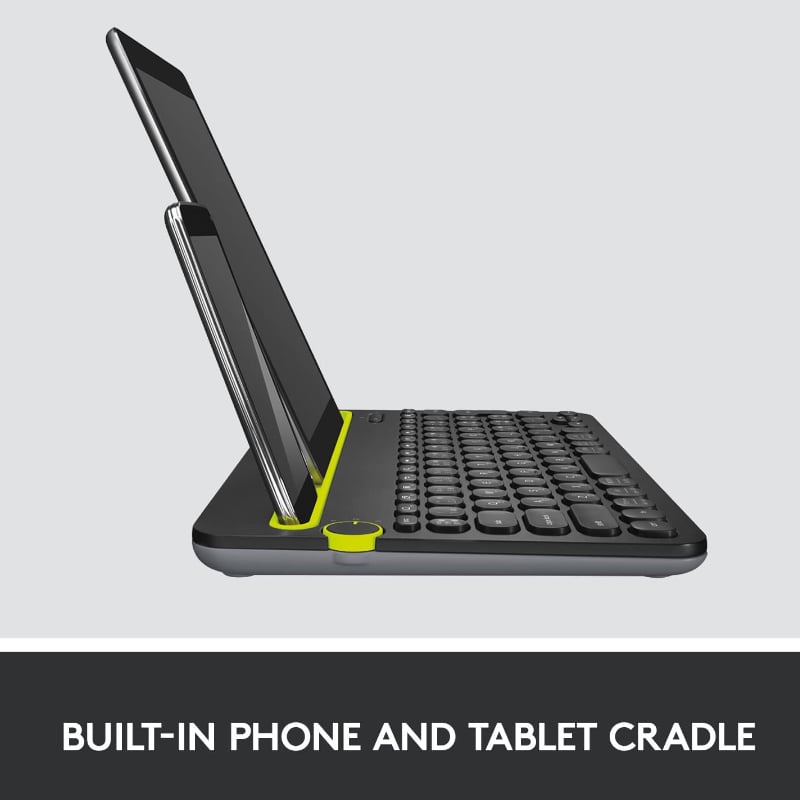
Built for the reality of a busy Nairobi desk, the K480 features an integrated cradle that holds your phone and tablet at the perfect viewing angle. Whether you’re replying to a WhatsApp message on your Samsung S24, typing a report on your iPad, or coding on your MacBook, this keyboard keeps all your screens visible and accessible. It’s a massive performance boost for anyone tired of picking up their phone every two minutes to reply to a text.
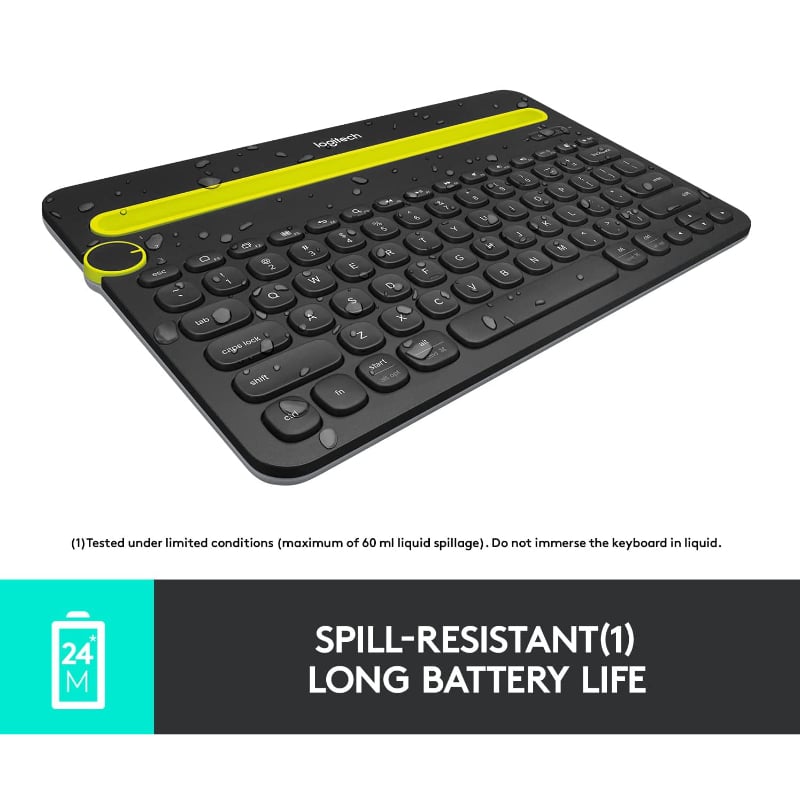
The most significant lifestyle upgrade is the “Triple-Threat Efficiency.” You no longer have to choose which device to prioritize; you simply turn the dial and keep typing. It’s designed for durability and can even handle a accidental spill of up to 60ml, making it resilient enough for home offices where coffee and kids are part of the daily routine.
Buy the Logitech K480 today at Exelic Gadgets. We offer same-day delivery within Nairobi (usually under 2 hours) and secure countrywide shipping via Wells Fargo or G4S. Pick up your unit today and streamline your digital life with a quick M-Pesa checkout.
Why You’ll Love It (The Lifestyle Upgrade)
- Master of Three Devices: Connect to your PC, tablet, and smartphone at once, so that you can switch between writing an email and replying to a text with one turn of a dial.
- Built-in Device Cradle: An integrated slot holds most phones and tablets up to 10.5mm thick, so that your mobile screens are at the perfect angle for reading while you type.
- Universal OS Layout: Features a familiar layout with shortcut keys for Windows, Mac, iOS, and Android, so that you don’t have to relearn key positions when switching platforms.
- Spill-Resistant Durability: Tested to withstand up to 60ml of liquid, so that a minor coffee spill during a late-night project won’t end your productivity.
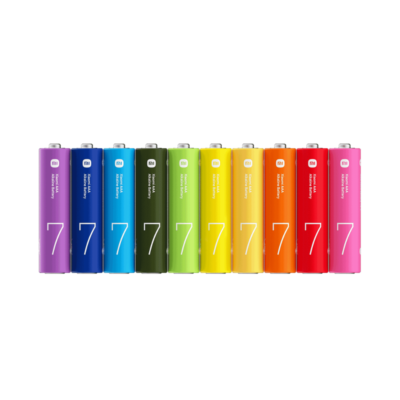
- Two-Year Battery Peace: Runs on two AAA batteries for up to 24 months, so that you can forget about charging cables and low-battery warnings for two full years.
- Rock-Solid Stability: The keyboard is intentionally weighted (820g), so that it stays firmly planted on your desk even when holding a heavy tablet like an iPad Pro.
Logitech K480 Specifications
| Feature | Details |
| Price | Ksh 8,500 |
| Connectivity | Bluetooth 3.0 |
| Multi-Device Pairing | Up to 3 devices |
| Integrated Stand | Yes (Phone & Tablet cradle) |
| Battery Type | 2x AAA (Pre-installed) |
| Battery Life | 2 Years |
| Shortcut Keys | Windows/Mac/Android/iOS specific |
| Spill Resistance | Yes (up to 60ml) |
| Weight | 820g |
| Color Options | Black with Yellow accents / White |
| Indicator Lights | Battery LED |
| Warranty | 1 Year Limited Hardware |
The Easy-Switch Dial
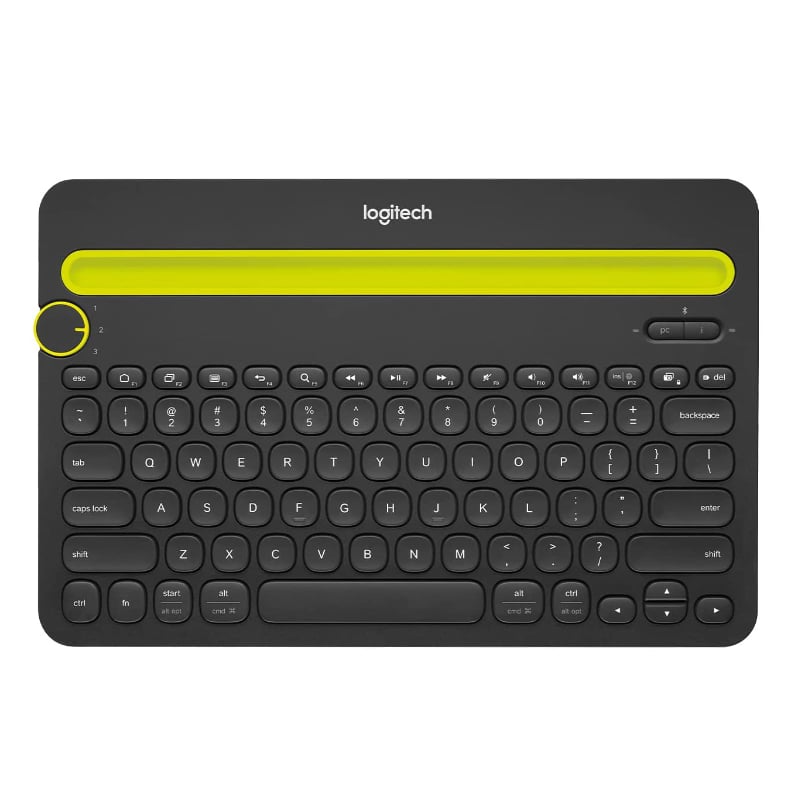
The standout feature is the physical dial on the top-left. Unlike software-based switching which can be laggy, this is a hardware-level toggle. Position 1 might be your laptop, Position 2 your iPad, and Position 3 your iPhone 15. In a Kenyan office setting, this allows you to stay focused on your main screen while staying responsive on office WhatsApp groups without ever touching your phone’s screen.
Integrated Cradle Logic
The “yellow” slot isn’t just a groove; it’s a precisely angled cradle designed to keep your devices at a roughly 60-degree angle. This is the optimal viewing angle for reading text while sitting upright. It fits almost any phone (Samsung S24, iPhone 15) and most tablets up to 10 inches. It turns your tablet into a mini-laptop, which is a life-saver during KPLC blackouts when your main desktop is down.
Adaptive Keyboard Layout
The K480 is “bi-lingual” in OS terms. It has split-labeled keys—for example, the “Alt” key also says “Opt” for Mac users, and the “Start” key doubles as “Cmd.” When you pair it with an iPhone, it automatically maps the iOS shortcuts (like Home or Search). This eliminates the frustration of “hidden keys” when moving between an Android phone and a Windows PC.
Stability Through Weight
You might notice the K480 is heavier than a standard “travel” keyboard. This is intentional. Because it’s designed to hold a tablet in its cradle, it needs a lower center of gravity so the whole setup doesn’t tip backward. At 820g, it stays anchored to your desk, providing a stable, “desktop-class” typing experience regardless of the devices you have docked.
Power Management & AAA Efficiency
Logitech has mastered the art of Bluetooth power efficiency. The K480 doesn’t have a backlight, which allows it to sip power. By using standard AAA batteries, it avoids the degradation issues of built-in lithium batteries. In two years, when the battery finally dies, you can find a replacement at any local “duka” in Nairobi for a few shillings, and you’re back in action instantly.
Silent & Tactical Membrane Keys
The keys are scooped to fit your fingertips and use a high-quality membrane switch. This makes the typing experience “whisper-quiet”—essential for open-plan offices or typing in the living room while the rest of the family is watching TV. Despite being quiet, the keys have enough travel to provide tactile feedback, ensuring you don’t miss a stroke during fast typing.
Who Is This Perfect For?
- The Social Media Manager in Kilimani: You are constantly jumping between creating content on a laptop and engaging with followers on a smartphone. The K480 lets you manage both without ever moving your hands from the keyboard.
- The “Side-Hustle” Entrepreneur: Working on your main job’s PC while managing your own business inquiries on a tablet? The K480 allows you to switch between worlds with a simple turn of the dial.
- The Student at KU/UoN: Use your iPad as your primary study tool. The K480 turns your tablet into a full-fledged typewriter for assignments, then lets you switch to your phone to coordinate group projects.
Alternatives & Competitors
- Logitech K380: Slimmer and lighter. No integrated cradle, better for travel.
- Logitech K580: Modern, slim profile. Includes a numeric pad but only switches 2 devices.
- Logitech MX Keys S: Premium flagship. Backlit and rechargeable, but significantly more expensive.
- Generic Bluetooth Keyboards: Cheaper, but lack the multi-device dial and the rugged spill-resistant build.
Frequently Asked Questions (FAQs)
1. Does it work with the iPhone 15?
Yes! It is fully compatible with any Bluetooth-enabled iPhone or Android smartphone (like the Samsung S24)
2. Can I use it with a device that has a thick case?
The cradle fits devices up to 10.5mm thick. While most standard cases fit, heavy-duty “armor” cases might be too thick for the slot.
3. Does it need a USB dongle?
No, it is a pure Bluetooth keyboard. As long as your laptop or tablet has Bluetooth, you are ready to go.
4. Is the delivery really same-day in Nairobi?
Yes! If you order before 3:00 PM, Exelic Gadgets delivers within Nairobi on the same day, often within 2 hours.
5. How do I switch between Windows and Mac modes?
The keyboard detects the OS automatically once paired, but you can also use specific key combinations (like Fn + P for PC or Fn + I for iOS) to manually set the layout if needed.
Buy the latest Computer Keyboards in Kenya at Exelic Gadgets