Connections
- Microsoft Surface Pro Type Cover
- Magnetic attachment through the six-pin Surface Type Cover
- Logitech MX Keys S Combo
- Bluetooth Low Energy or Logi Bolt USB receiver

Keyboard comparison
Compare layout, connection, battery and typing feel.
01Selected 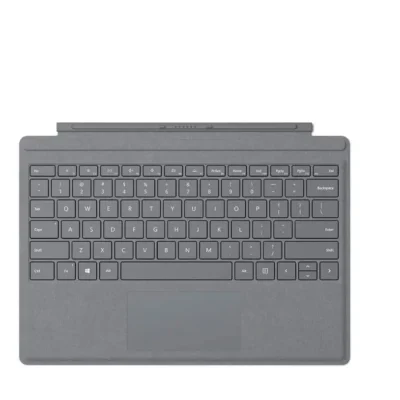 Microsoft Surface Pro Type Cover
KSh 25,500In Stock | 02 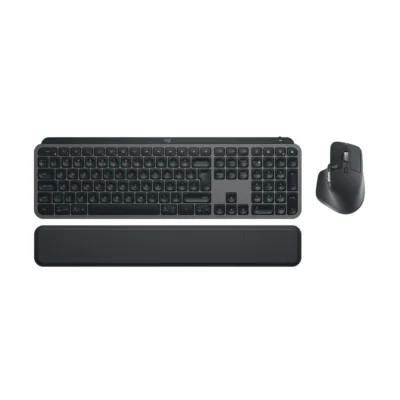 Logitech MX Keys S Combo
KSh 29,500In Stock |
|---|
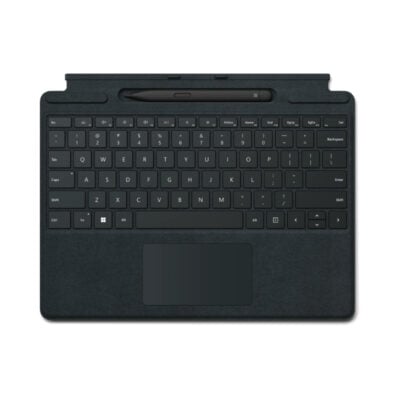
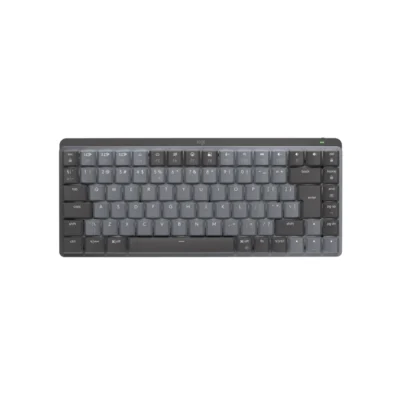
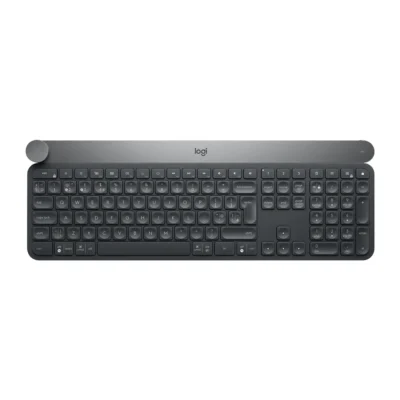
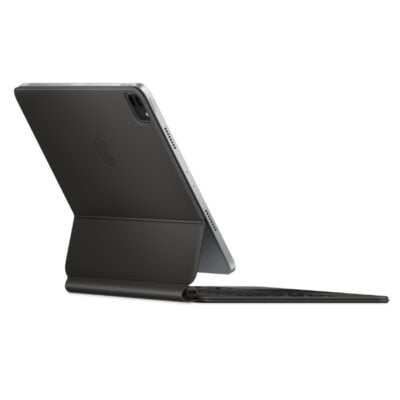
Choose the Microsoft Surface Pro Type Cover if you want a lower price (KSh 4,000 less). Choose the Logitech MX Keys S Combo if you prefer keyboard and mouse combo and Bluetooth Low Energy or Logi Bolt USB receiver.
This comparison is partial: only 3 of the 14 specifications are published for both products. The Microsoft Surface Pro Type Cover does not list layout, Wireless Receiver or Battery Type; the Logitech MX Keys S Combo does not list Dedicated Multimedia Keys or Other Operating Systems.
The main differences to help you choose.
| Priority | Microsoft Surface Pro Type Cover | Logitech MX Keys S Combo |
|---|---|---|
| Connections | Magnetic attachment through the six-pin Surface Type Cover | Bluetooth Low Energy or Logi Bolt USB receiver |
| Type | Detachable Surface keyboard cover with touchpad | Keyboard and mouse combo |
Tick a topic above to see how each product answers it.
Explore the full specifications, section by section.
| Specification | Microsoft Surface Pro Type Cover | Logitech MX Keys S Combo |
|---|---|---|
| Brand | Microsoft | Logitech |
| Model | Surface Pro Type Cover | MX Keys S Combo (920-011614) |
| Type | Detachable Surface keyboard cover with touchpad | Keyboard and mouse combo |
| Layout | — | English International (QWERTY) |
| Color | — | Graphite |
| Specification | Microsoft Surface Pro Type Cover | Logitech MX Keys S Combo |
|---|---|---|
| Dimensions | — | Keyboard: 131.63 × 430.2 × 20.5 mm |
| Weight | — | Keyboard: 810 g |
| Specification | Microsoft Surface Pro Type Cover | Logitech MX Keys S Combo |
|---|---|---|
| Connection Type | Magnetic attachment through the six-pin Surface Type Cover connector | Bluetooth Low Energy or Logi Bolt USB receiver |
| Wireless Receiver | — | Logi Bolt receiver included |
| Specification | Microsoft Surface Pro Type Cover | Logitech MX Keys S Combo |
|---|---|---|
| Dedicated Multimedia Keys | Full F1–F12 function row with Windows shortcut, media and screen-brightness controls | — |
| Specification | Microsoft Surface Pro Type Cover | Logitech MX Keys S Combo |
|---|---|---|
| Special Features | Two-button touchpad with touch gestures; closing the cover protects the touchscreen; keyboard presses are ignored when folded behind the screen | MX Keys S keyboard; MX Master 3S mouse: 124.9 × 84.3 × 51 mm, 141 g, Darkfield tracking, seven buttons, thumbwheel and gesture button; palm rest |
| Wrist Rest | — | Separate palm rest included |
| Customization Software | — | Logi Options+ |
| Specification | Microsoft Surface Pro Type Cover | Logitech MX Keys S Combo |
|---|---|---|
| Other Operating Systems | Compatible with Surface Pro 3, 4, 5th generation, 6, 7 and 7+; incompatible with Surface Pro X, Surface Pro 8 and later | — |
| Windows | — | Windows® 10, 11 or later; Windows 10, 11 or later |
| macOS | — | macOS 10.5 or later; macOS 10.15 or later |
| Specification | Microsoft Surface Pro Type Cover | Logitech MX Keys S Combo |
|---|---|---|
| Battery Type | — | Keyboard: rechargeable Li-Po 1,500 mAh; mouse: 500 mAh |
| Specification | Microsoft Surface Pro Type Cover | Logitech MX Keys S Combo |
|---|---|---|
| In the Box | — | Keyboard; Mouse; Palmrest; Logi Bolt USB receiver; USB-A to USB-C charging cable; User documentation |
These products have the same published specifications.
Microsoft Surface Pro Type is the lower-priced option; neither stands out on the other features compared here.
Back to compared products ↑