Weight
- Logitech MX Mechanical Mini
- 612 g
- Logitech MX Keys S Combo
- 810 g

Keyboard comparison
Compare layout, connection, battery and typing feel.
01Selected 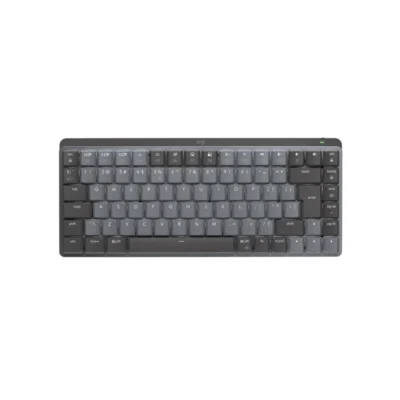 Logitech MX Mechanical Mini
KSh 24,000In Stock | 02 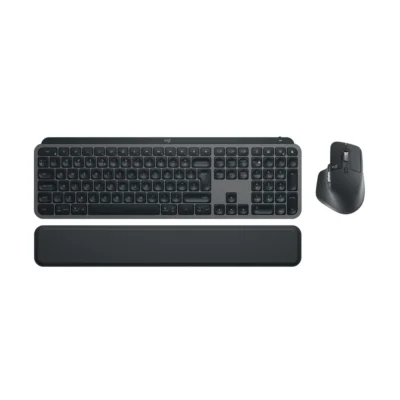 Logitech MX Keys S Combo
KSh 29,500Out of Stock |
|---|
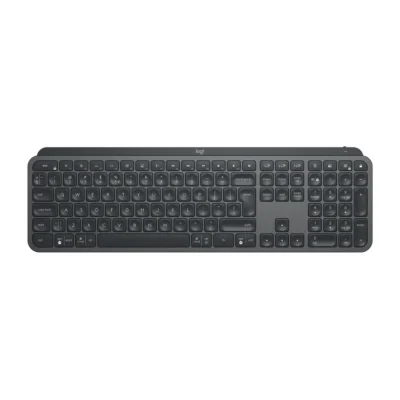
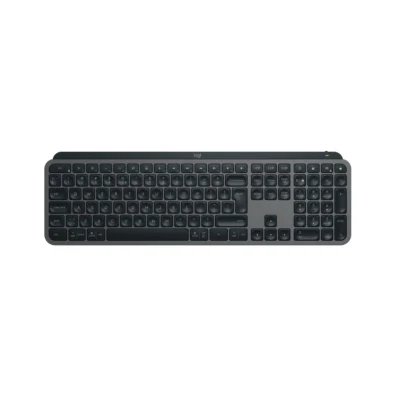
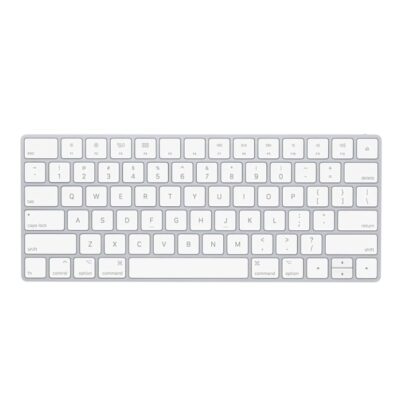
The Logitech MX Mechanical Mini is the better buy: it switches between three devices, has backlit keys and is lighter (612 g).
The main differences to help you choose.
| Priority | Logitech MX Mechanical Mini | Logitech MX Keys S Combo |
|---|---|---|
| Connections | Bluetooth Low Energy or Logi Bolt USB receiver | Bluetooth Low Energy or Logi Bolt USB receiver |
| Battery life | Up to 15 days with backlight | Keyboard: rechargeable Li-Po 1,500 mAh |
| Weight | 612 g | 810 g |
| Battery capacity | Battery: Rechargeable Li-Po 1,500 mAh | Battery: Keyboard: rechargeable Li-Po 1,500 mAh; mouse: 500 mAh |
| Customization software | Supported by Logi Options+ on Windows and macOS | Logi Options+ |
| Type | Computer keyboard | Keyboard and mouse combo |
Tick a topic above to see how each product answers it.
Explore the full specifications, section by section.
| Specification | Logitech MX Mechanical Mini | Logitech MX Keys S Combo |
|---|---|---|
| Brand | Logitech | Logitech |
| Model | MX Mechanical Mini (920-010780) | MX Keys S Combo (920-011614) |
| Type | Computer keyboard | Keyboard and mouse combo |
| Layout | English International (QWERTY) | English International (QWERTY) |
| Color | Graphite | Graphite |
| Specification | Logitech MX Mechanical Mini | Logitech MX Keys S Combo |
|---|---|---|
| Dimensions | 26.1 × 312.6 × 131.55 mm | Keyboard: 131.63 × 430.2 × 20.5 mm |
| Weight | 612 g | Keyboard: 810 g |
| Specification | Logitech MX Mechanical Mini | Logitech MX Keys S Combo |
|---|---|---|
| Connection Type | Bluetooth Low Energy or Logi Bolt USB receiver | Bluetooth Low Energy or Logi Bolt USB receiver |
| Wireless Receiver | Logi Bolt receiver included | Logi Bolt receiver included |
| Multi-Device Connection | Up to three devices with Easy-Switch | — |
| Specification | Logitech MX Mechanical Mini | Logitech MX Keys S Combo |
|---|---|---|
| Switch Type | Tactile Quiet low-profile mechanical | — |
| Specification | Logitech MX Mechanical Mini | Logitech MX Keys S Combo |
|---|---|---|
| Battery Type | Rechargeable Li-Po 1,500 mAh | Keyboard: rechargeable Li-Po 1,500 mAh; mouse: 500 mAh |
| Battery Life | Up to 15 days with backlight; up to ten months without backlight | — |
| Charging Port | USB-C | — |
| Specification | Logitech MX Mechanical Mini | Logitech MX Keys S Combo |
|---|---|---|
| Backlighting | Smart backlighting with proximity and ambient light sensors | — |
| Customization Software | Supported by Logi Options+ on Windows and macOS | Logi Options+ |
| Wrist Rest | — | Separate palm rest included |
| Special Features | — | MX Keys S keyboard; MX Master 3S mouse: 124.9 × 84.3 × 51 mm, 141 g, Darkfield tracking, seven buttons, thumbwheel and gesture button; palm rest |
| Specification | Logitech MX Mechanical Mini | Logitech MX Keys S Combo |
|---|---|---|
| Windows | Windows® 10, 11 or later | Windows® 10, 11 or later; Windows 10, 11 or later |
| macOS | macOS 10.15 or later | macOS 10.5 or later; macOS 10.15 or later |
| Specification | Logitech MX Mechanical Mini | Logitech MX Keys S Combo |
|---|---|---|
| In the Box | Keyboard; Logi Bolt receiver; USB-C charging cable (USB-A to USB-C); User documentation | Keyboard; Mouse; Palmrest; Logi Bolt USB receiver; USB-A to USB-C charging cable; User documentation |
These products have the same published specifications.
The Logitech MX Mechanical Mini is the better buy for almost everyone, with switching between three devices and backlit keys.
Back to compared products ↑Microsoft Surface Pro KeyboardVSLogitech MX Mechanical MiniLogitech MX Mechanical MiniVSLogitech CraftLogitech MX Mechanical MiniVSLogitech MX Keys for BusinessLogitech ERGO K860 Split KeyboardVSLogitech MX Mechanical MiniSteelSeries Apex 3 TKL Gaming keyboardVSLogitech MX Mechanical MiniLogitech MX Keys SVSLogitech MX Mechanical MiniApple Magic Keyboard (2021)VSLogitech MX Mechanical Mini Logitech MX Keys PlusVSLogitech MX Mechanical Mini
 Microsoft Surface Pro Type CoverVSLogitech MX Mechanical Mini
We are here to serve you
Keep a link to this cart, or ask us to send it to you. Reminders are optional.
You may send me reminders about this cart on the channels I select. I can opt out at any time.
Only the details you provide here or in checkout are used. Reminders are optional. Privacy notice