



Logitech MX Vertical Mouse
KSh 21,500.00
Specifications
- Sensor Resolution: 400 to 4,000 DPI (Adjustable in 50 DPI increments).
- Vertical Angle: 57° (Fixed).
- Buttons: 4 Customizable buttons (Back, Forward, DPI switch, Middle click).
- Connectivity: Bluetooth Low Energy, Unifying Receiver, or USB-C Wired.
- Wireless Range: 10 meters (33 feet).
- Battery: Rechargeable Li-Po (240 mAh).
- Battery Life: Up to 4 months on a full charge.
- Quick Charge: 1 minute of charging = 3 hours of use.
- Weight: 135 grams.
- Compatibility: Windows 10+, macOS 10.15+, iPadOS 13.4+, Linux, ChromeOS.
- Prices and offers are subject to change without notice.
- Fast Delivery in Nairobi – Within 2 Hours.
- Reliable Nationwide Delivery – Within 24 Hours.
Recommended Accessories
View All



Product details
Logitech MX Vertical Wireless Mouse Price in Kenya
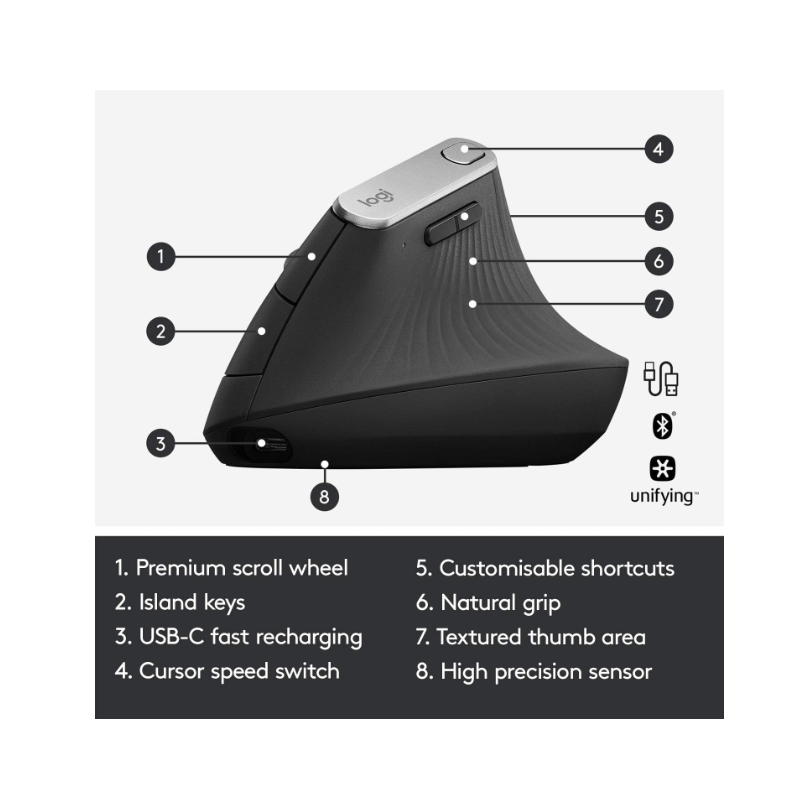
The Logitech MX Vertical price in Kenya is Ksh 21,500. This isn’t just a peripheral; it’s a science-backed ergonomic intervention for Nairobi’s power users who suffer from wrist fatigue or RSI (Repetitive Strain Injury). Designed with a unique 57° vertical angle, it places your hand in a “natural handshake position,” which is proven to reduce muscular strain by 10% and lower pressure on your wrist.
Unlike standard mice that force your forearm to twist, the MX Vertical keeps your anatomy neutral, so that you can work through 10-hour coding sessions or data analysis without the typical “burning” sensation in your forearm. It combines this health-first design with the premium performance of the MX series, featuring a 4,000 DPI high-precision sensor that requires 4x less hand movement to traverse your screen.
Buy it today at Exelic Gadgets. We provide same-day delivery in Nairobi and secure countrywide shipping via Wells Fargo or G4S to Kisumu, Mombasa, Nakuru, and Eldoret.
Why You’ll Love It (The Lifestyle Upgrade)
- Science-Driven Comfort: The 57° vertical angle promotes a natural handshake posture, so that you significantly reduce muscle tension and wrist pressure.
- Effortless Control: The high-precision sensor reduces the physical distance your hand needs to travel, so that you experience less fatigue throughout the day.
- Premium Tactile Grip: Features a textured rubber surface shaped for the human hand, so that you have a solid, natural grip that is smooth to the touch
- Fast USB-C Recharging: Stay powered for up to 4 months on a full charge, so that you rarely have to think about the battery. A 1-minute quick charge gives you 3 hours of use.
- Master Multiple Devices: Pair with up to 3 computers and switch between them at the tap of a button, so that your workflow between a laptop and desktop is seamless.
- Logitech Flow Enabled: Move your cursor across screens and even copy-paste text or files between computers, so that you can move data without needing a flash drive.
Logitech MX Vertical Specifications
| Feature | Details |
| Price in Kenya | Ksh 21,500 |
| Ergonomist Tested | Approved by leading ergonomists |
| Cursor Speed Switch | Top-mounted dedicated button |
| Scroll Wheel | Precision wheel with middle click |
| Onboard Memory | Yes (Custom profiles via Logi Options+) |
| Charging Port | USB-C (Cable included) |
| Finish | Graphite (Textured Rubber) |
| Dimensions | 78.5 x 79 x 120 mm |
| Tracking Type | High-precision Optical |
| Warranty | 1-Year Limited Hardware Warranty |
57° Vertical Angle: The Anatomy of Comfort
Most mice force your hand into a “pronated” position (palm flat), which crosses the two bones in your forearm. The 57° angle of the MX Vertical is the specific “sweet spot” identified by Logitech’s Ergo Lab. It keeps the radius and ulna bones uncrossed, which reduces the muscular activity required to move the mouse by 10% compared to a traditional non-vertical mouse.
4,000 DPI Precision: Movement Efficiency
In ergonomic circles, “less is more.” By equipping the MX Vertical with a high-end 4,000 DPI sensor, Logitech ensures that a tiny twitch of your hand moves the cursor across a 4K monitor. This reduces the gross motor movement of your arm, which is the primary cause of shoulder and neck tension during long workdays.
Smart Actions & Logi Options+
With the Logi Options+ app, you can turn the MX Vertical into a productivity hub. You can assign Smart Actions to the side buttons—for example, one click could open your browser, Slack, and your calendar simultaneously. You can also customize the top button to act as a “Precision Mode” toggle, instantly slowing down the cursor for pixel-perfect design work.
Triple Connectivity: Bolt, Bluetooth, and Cable
The MX Vertical gives you three ways to connect. It is one of the few premium mice that can operate as a fully wired mouse while charging via the USB-C cable. It also includes the Unifying Receiver for high-security environments and Bluetooth Low Energy for connecting to iPads and laptops on the go.
Who Is This Perfect For?
- The Sufferer of Wrist Pain: If you feel a dull ache in your wrist after a few hours of work, this is the most effective hardware change you can make.
- The Software Developer/Data Analyst: For those who spend 8-12 hours a day on a computer, the reduced muscle strain pays off in long-term health and focus.
- The Large-Handed Professional: The “Lift” (the smaller vertical version) is often too small for many users; the MX Vertical is specifically designed for medium to large hand sizes.
Alternatives & Competitors
- Logitech Lift Vertical: A smaller, quieter version for small-to-medium hands (uses AA batteries).
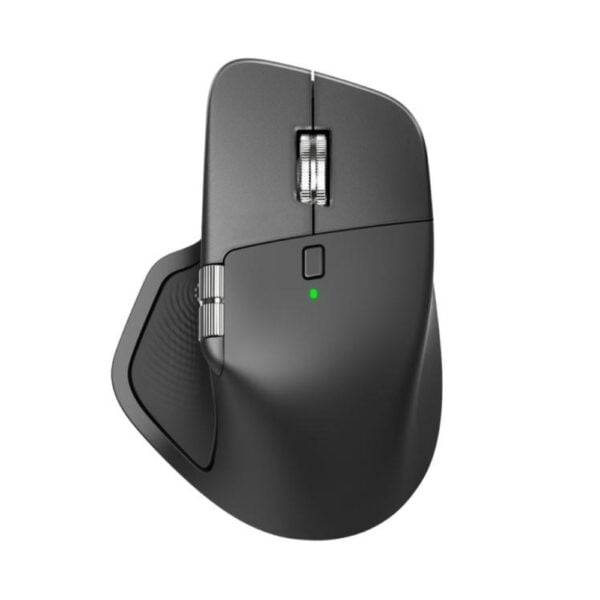
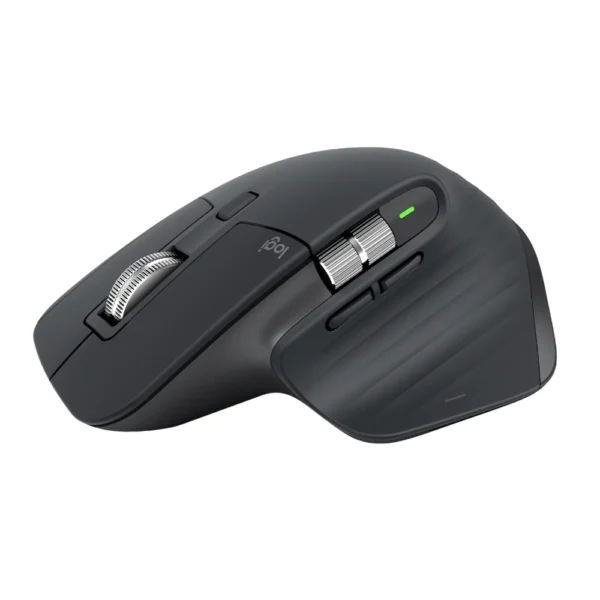
- Logitech MX Master 3S: The flagship “horizontal” mouse; better for scrolling (MagSpeed wheel) but less focus on wrist angle.
- Microsoft Ergonomic Mouse: A budget-friendly wired alternative.
Frequently Asked Questions (FAQs)
1. Is there a learning curve?
Yes. Because you are using different muscles, it usually takes 2 to 3 days for your brain to adjust to the vertical orientation. Once you adapt, most users find it difficult to ever go back to a “flat” mouse.
2. Can it be used for gaming?
While the sensor is highly accurate, the vertical orientation is not ideal for competitive FPS games where “flick” movements are required. However, for casual gaming or strategy games (SimCity, Civilization), it works perfectly.
3. Does it have a side scroll wheel?
No. Unlike the MX Master 3S, the MX Vertical lacks a dedicated thumb wheel. However, you can program the side buttons to perform horizontal scrolling when held down.
4. How do I know when to charge it?
The LED indicator on top of the mouse will glow red when the battery is low. You can also see the exact percentage inside the Logi Options+ software.
5. Does it work on glass desks?
Yes, but the glass must be at least 4mm thick for the high-precision sensor to track accurately without a mouse pad.
Buy the latest Mouse in Kenya at Exelic Gadgets.
Customers Reviews
Related products


SaleDeal
There are no reviews yet.