📍 Visit Us: Mithoo Biashara Centre, Shop F01 (Nairobi CBD) | 🚚 Fast Same-Day Delivery
Category: Tag: Brand:

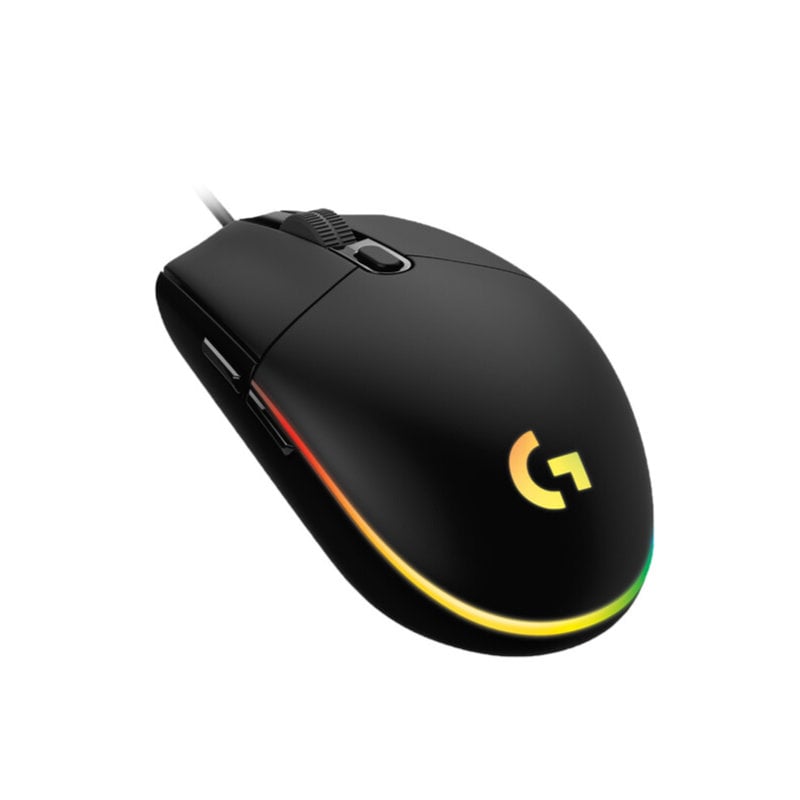
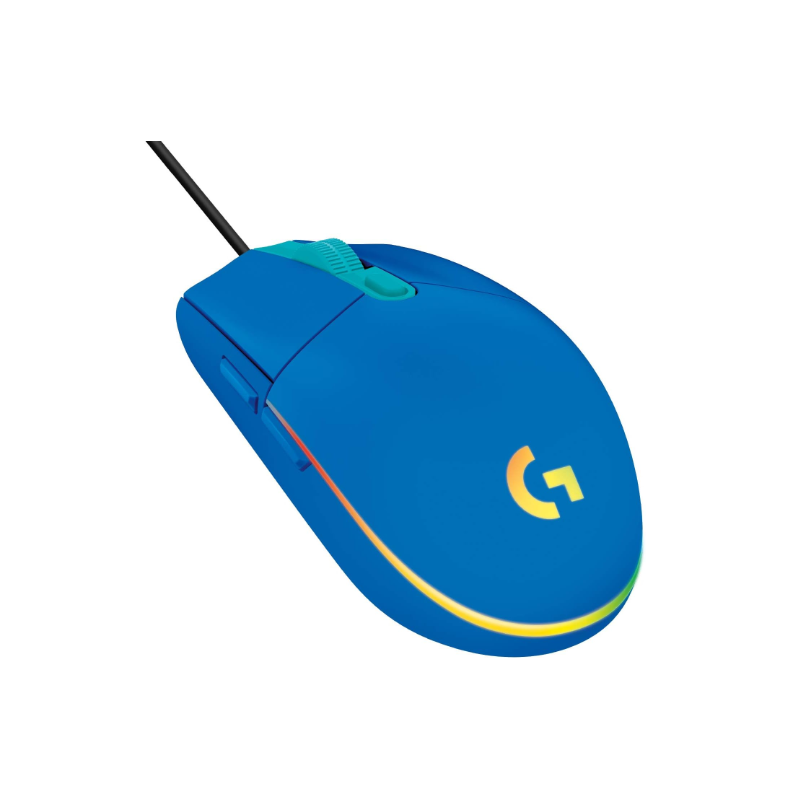
Logitech G G203

0 Reviews
In stock

KSh 6,300.00

 Specifications

  • Resolution: 200 – 8,000 DPI.
  • Sensor: Gaming-grade Optical.
  • Report Rate: 1,000 Hz (1 ms).
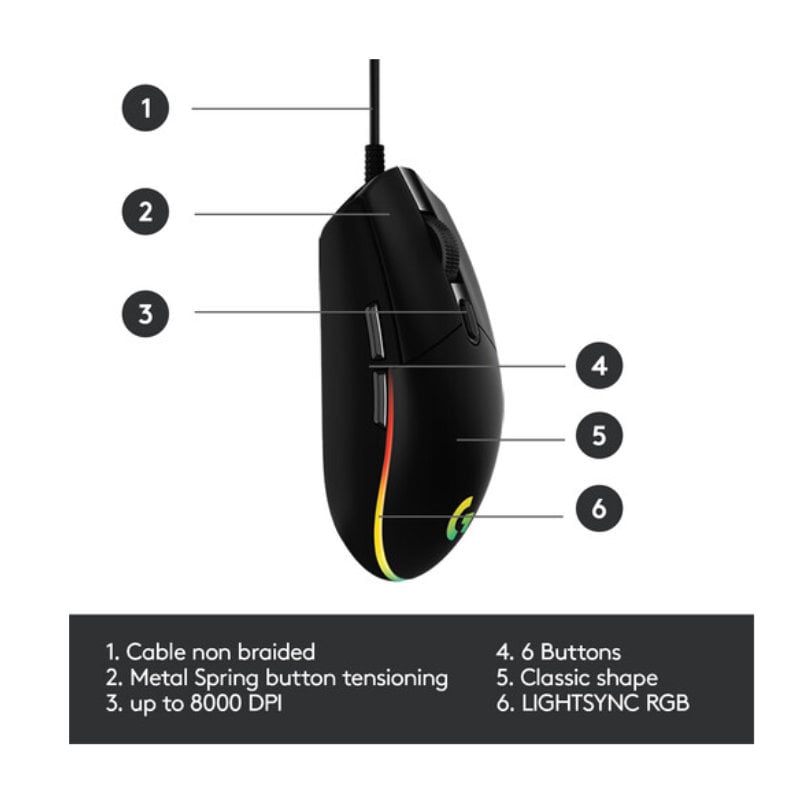
  • Buttons: 6 Programmable buttons.
  • Microprocessor: 32-bit ARM.
  • RGB Lighting: LIGHTSYNC 3-zone (16.8 million colors).
  • Connection: Wired USB-A.
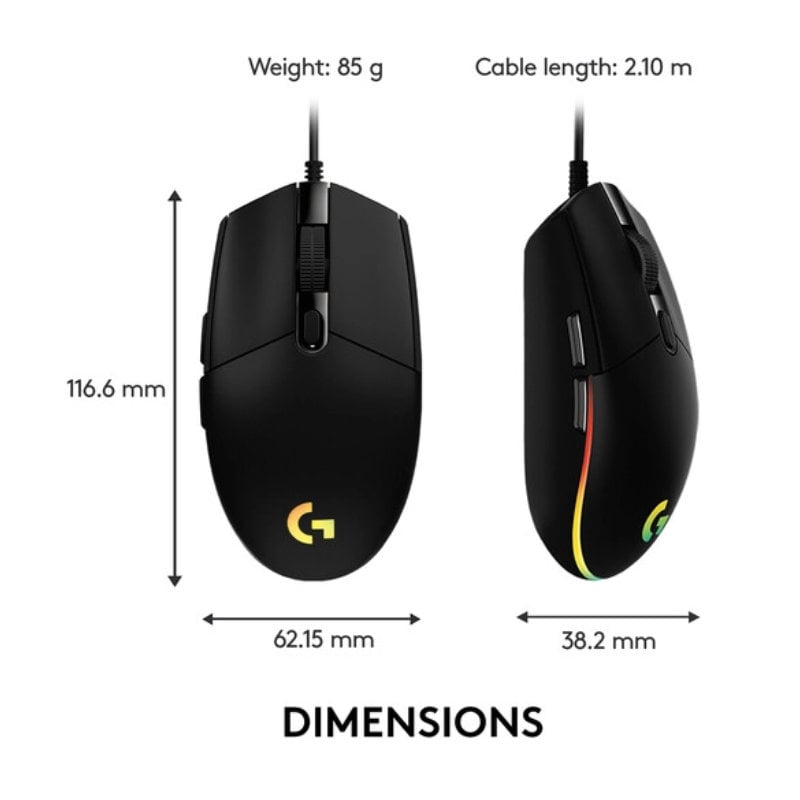
  • Cable Length: 2.1 meters (Rubberized).
  • Dimensions: 116.6 x 62.15 x 38.2 mm.
  • Weight: 85 grams (Mouse only).
  • Prices and offers are subject to change without notice.
  • Fast Delivery in Nairobi – Within 2 Hours.
  • Reliable Nationwide Delivery – Within 24 Hours.
FAST Delivery
100% Genuine
EXPERT Support
Brand:

Recommended Accessories

View All

Product details

Logitech G203 LIGHTSYNC RGB Gaming Mouse Price in Kenya

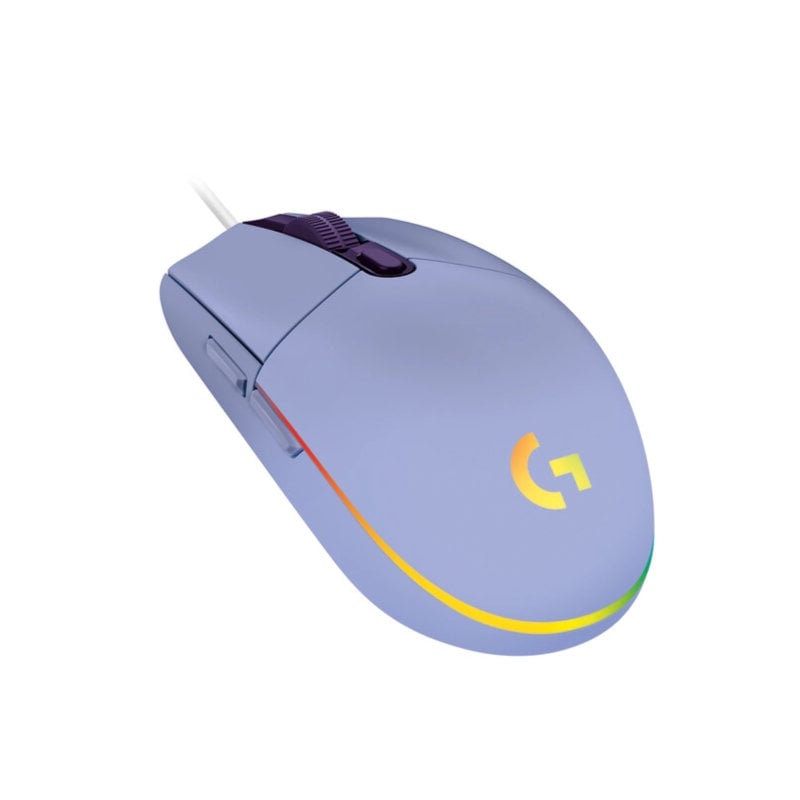
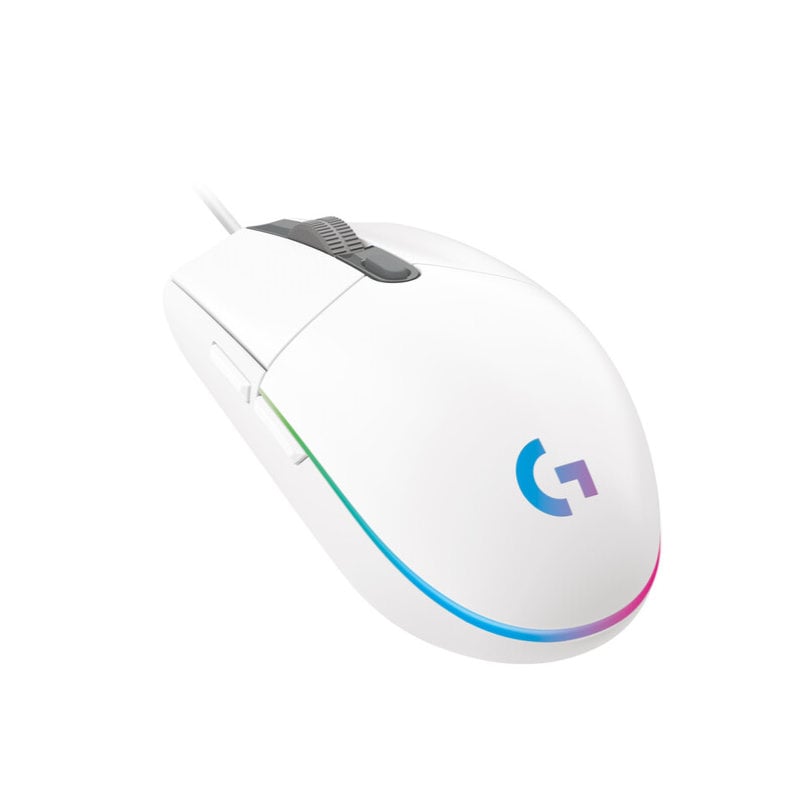
The Logitech G203 LIGHTSYNC price in Kenya is Ksh 6,300. This mouse is the undisputed “People’s Champion” for Kenyan gamers who want top-tier performance without the “pro-athlete” price tag. While it may look like a classic office mouse, under the hood is a 8,000 DPI gaming-grade sensor that captures your every twitch and flick with 1:1 accuracy.

The G203 is famous for its classic 6-button design, which has been refined over decades to fit comfortably in almost any hand size or grip style. Whether you are battling through League of Legends or editing high-resolution photos in a Nairobi studio, the G213’s LIGHTSYNC RGB adds a vibrant pop of color that can even react to the sounds of your game or the colors on your screen

The #1 lifestyle upgrade here is Gaming-Grade Responsiveness. The G203 reports 1,000 times per second—8x faster than standard mice—so that when you click, the action happens on screen instantly, giving you the split-second advantage in competitive play.

Buy it today at Exelic Gadgets. We offer same-day delivery in Nairobi (within 2 hours) and reliable 24-hour shipping to Mombasa, Kisumu, and Eldoret via Wells Fargo or G4S.

Why You’ll Love It (The Lifestyle Upgrade)

  • Precise Tracking: The 8,000 DPI sensor is adjustable on the fly, so that you can switch from high-speed movement to pixel-perfect sniping with one button press.
  • Vibrant LightSync RGB: Features a unique “Color Wave” effect that blends colors across the mouse, so that your setup looks modern and dynamic.
  • Classic Comfort: The simple, time-tested shape is beloved by pros and casuals alike, so that your hand stays comfortable even after a 5-hour gaming marathon.
  • Custom Macros: All 6 buttons are programmable via G HUB, so that you can map complex in-game spells or repetitive work tasks to a single click.
  • Mechanical Spring Tensioning: The left and right buttons have a metal spring system, so that every click feels crisp, consistent, and requires less force to actuate.
  • Lightweight Agility: At just 85 grams, it glides effortlessly across your pad, so that you can react faster with less wrist strain.

Logitech G203 LIGHTSYNC Specifications

Feature Details
Price in Kenya Ksh 6,300
Max Acceleration >25 G
Max Speed >200 IPS
Onboard Memory 1 Profile
USB Data Format 16 bits/axis
Click Durability Tested to 10M+ clicks
Software Logitech G HUB
Compatibility Windows 7+, macOS 10.13+, ChromeOS
Packaging Retail Box
Warranty 2-Year Limited Hardware Warranty


8,000 DPI Sensor: The “Precision” Engine

DPI (Dots Per Inch) determines how far your cursor moves relative to your hand. The G203 allows you to set up to 5 different sensitivity levels. For a graphic designer in Nairobi, this means you can drop to 400 DPI for steady pen-tool work and jump to 3,200 DPI for navigating a multi-monitor setup instantly.

LIGHTSYNC RGB: The “Mood” Sync

Unlike basic mice that just “glow,” LIGHTSYNC can be programmed to perform Audio Visualization (pulsing to your music) or Screen Sampling (mimicking the colors of the movie you’re watching). It’s an immersive experience that turns your desk into a piece of digital art.

Mechanical Button Tensioning: That “Satisfying Click”

Logitech engineers placed actual metal springs under the primary buttons. This keeps the plastic tightly “pre-tensioned” against the switch. The result is zero “dead travel”—the moment you think about clicking, the switch activates with a sharp, tactile “snick” that feels premium and responsive

32-Bit ARM Microprocessor: The “Onboard Brain”

The G203 isn’t just a peripheral; it has its own processor. This allows the mouse to handle its own lighting effects and macro calculations, so that it doesn’t take up any of your computer’s processing power during high-stakes gameplay.

Who Is This Perfect For?

  • The Entry-Level Esports Player: You want a serious gaming mouse but aren’t ready to spend 15k. The G203 gives you the exact same sensor performance as many “pro” mice in a simpler body.
  • The Student/Creative: You need a mouse that looks professional in a lecture or office (with the RGB off) but can transform into a high-performance tool for DOTA 2 or Valorant at night.
  • The Minimalist: You prefer the classic, symmetrical “egg” shape over the bulky, “transformer-style” designs of larger gaming mice.

Alternatives & Competitors

  • Logitech G305 Lightspeed: The wireless version of this exact shape.
  • Logitech G402 Hyperion Fury: For those who want more buttons and a larger “thumb rest” design.
  • Razer DeathAdder Essential: A larger, more ergonomic alternative at a similar price.
  • Logitech M190: If you just need a basic, full-size wireless mouse for office work.

Frequently Asked Questions (FAQs)

1. Is this mouse too small for large hands?

The G203 is a medium-small mouse. If you have very large hands and use a “palm grip,” you might find it a bit small. However, for “claw” or “fingertip” grippers with large hands, it is actually considered one of the best shapes ever made.

2. Can I use it on a MacBook?

Yes. It is fully plug-and-play on macOS. To customize the RGB and buttons, you can download the Logitech G HUB software for Mac.

3. Does it work on a PS5 or Xbox?

Yes. Most modern consoles support the G203 for menu navigation and in-game use for supported titles like Warzone or Fortnite.

4. How do I change the DPI?

There is a dedicated small button located right behind the scroll wheel. By default, it cycles through four sensitivity levels (400, 800, 1600, 3200), but you can change these to any values you want in the software.

5. Is the cable braided?

No, the G203 uses a high-quality, lightweight rubber cable. This is actually preferred by many gamers as it is less likely to “snag” or “drag” on the edge of a mousepad compared to heavy braided cables.

Check out more Logitech Mouse on Exelic Gadgets.

Customers Reviews

There are no reviews yet.

Be the first to review “Logitech G G203”

Your email address will not be published. Required fields are marked *

Back to Top