
Product details
Logitech MX Keys S Wireless Keyboard Price in Kenya
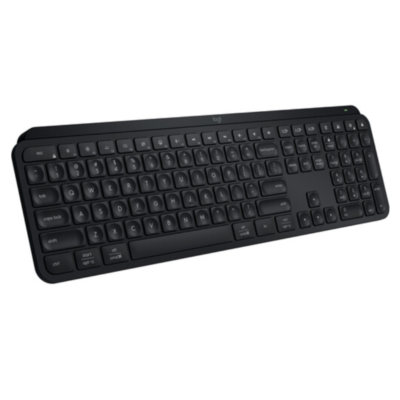
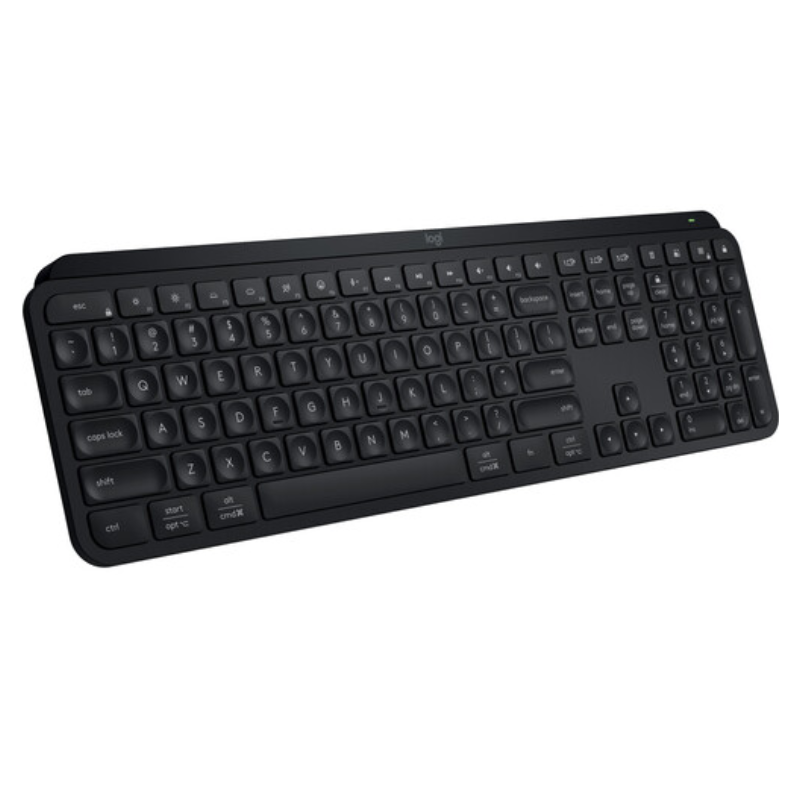
The Logitech MX Keys S price in Kenya is Ksh 14,800. This is refined version of the world-renowned MX Keys, specifically updated to handle the demanding workflows of Nairobi’s software engineers, content writers, and data analysts. While it looks similar to the original, the “S” variant introduces Smart Actions—powerful macros that let you automate complex tasks (like opening Slack, Zoom, and your browser simultaneously) with a single keystroke.
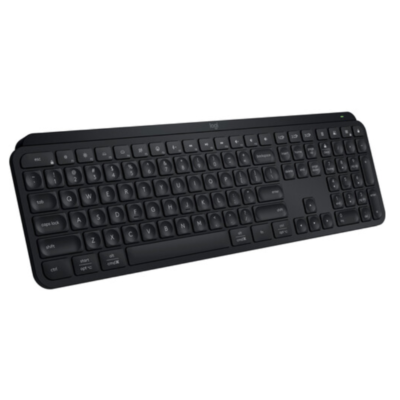
The typing experience remains the gold standard for low-profile keyboards. Featuring spherically-dished keys that are precision-molded to the shape of your fingertips, the MX Keys S offers a fluid, quiet, and remarkably stable feel. Unlike generic keyboards that rattle, this unit is built from a single metal plate, ensuring it stays firmly planted on your desk during high-speed typing.
The #1 lifestyle upgrade here is Secure Connectivity. The MX Keys S now uses the Logi Bolt USB receiver, providing enterprise-grade security and a more stable connection in busy Nairobi office buildings where Wi-Fi and Bluetooth interference can often cause other wireless devices to lag.
Buy it today at Exelic Gadgets. We provide same-day delivery in Nairobi and secure countrywide shipping via Wells Fargo or G4S to Kisumu, Mombasa, Nakuru, and beyond.
Why You’ll Love It (The Lifestyle Upgrade)
- Master Your Workflow: Use Smart Actions in the Logi Options+ app to skip repetitive tasks, so that you can focus on high-value work instead of tedious clicking.
- Quiet, Precise Typing: Spherically-dished keys guide your fingers to the center for fewer typos, so that your typing is faster, more fluid, and whisper-quiet for open-office harmony.
- Adaptive Intelligence: Smart backlighting triggers the moment your hands approach and adjusts to the room’s brightness, so that you always have perfect visibility without wasting battery.
- Multi-OS, Multi-Device: Pair with up to 3 devices and switch between Windows, macOS, Linux, and iPadOS instantly, so that one keyboard rules all your tech.
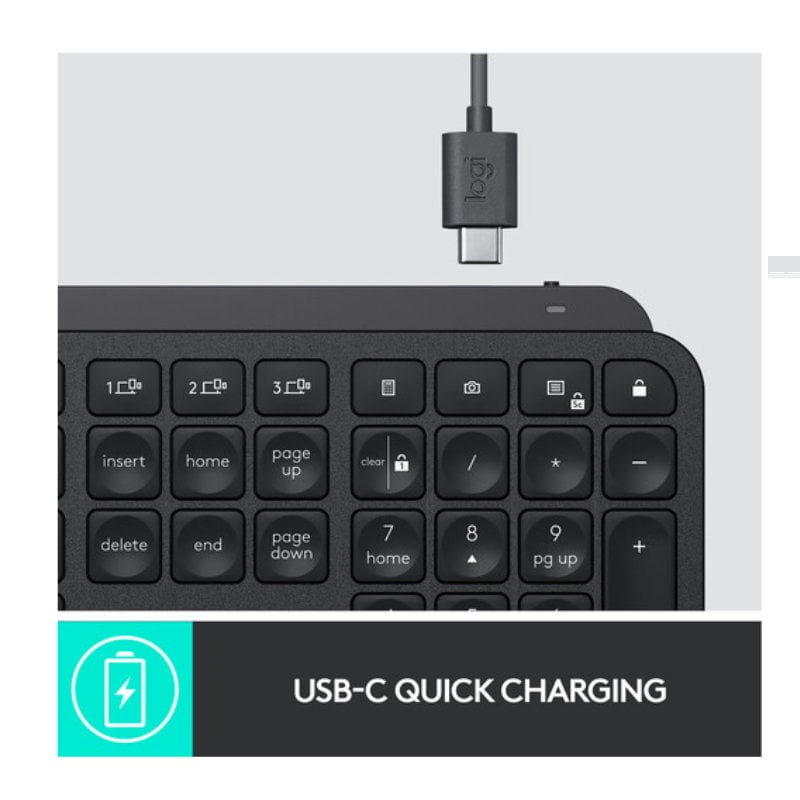
- Rapid Power-Up: USB-C quick charging provides up to 10 days of power with backlighting (or 5 months without), so that you rarely have to think about the charging cable.
- Sustainable Choice: Built with up to 26% certified post-consumer recycled plastic, so that you can feel good about a premium tech purchase that respects the environment.
Logitech MX Keys S Specifications
| Feature | Details |
| Price in Kenya | Ksh 14,800 |
| Wireless Range | 10 meters (33 feet) |
| Weight | 810g (Industrial stability) |
| Dimensions | 131.6 x 430.2 x 20.5 mm |
| Security | FIPS compliant (Logi Bolt) |
| Indicators | Caps Lock, Battery LED |
| Custom F-Keys | Dictation, Emoji, Mute/Unmute Mic |
| Flow Support | Yes (With Flow-enabled mouse) |
| Chassis | Single-plate metal frame |
| Warranty | 1-Year Limited Hardware Warranty |
Smart Actions: The “Efficiency Engine”
The biggest jump from the original MX Keys is the inclusion of Smart Actions. Instead of just having a shortcut to “volume up,” you can now program a key to “Start My Workday.” With one press, the keyboard can open your CRM, launch your favorite Spotify playlist, and open your email inbox. It’s essentially a personal assistant built into your F-row.
Logi Bolt vs. Unifying: Why It Matters
The original MX Keys used the “Unifying” receiver (orange logo). The MX Keys S uses Logi Bolt (green bolt logo). Bolt is based on Bluetooth Low Energy but is far more secure and designed specifically to overcome “wireless noise” in crowded office parks in Westlands or the CBD, ensuring your typing never stutters or lags.
Spherically-Dished Keys: The Science of Typo-Reduction
Each keycap on the MX Keys S has a circular indentation. This isn’t just for looks; it naturally centers your fingertip on the key. Research shows that this tactile feedback helps the brain “know” it hit the center of the key, which significantly reduces errors and finger fatigue for professionals who type 5,000+ words a day.
Intelligent Backlighting: Smart Sensors
The keyboard is equipped with hand proximity sensors. As your hands reach toward the keys, the backlight “breathes” into life. It also uses an ambient light sensor to check the room; if it’s already bright enough, it keeps the lights off to preserve your 5-month battery life. You can now also customize the duration of the light-up via software.
Who Is This Perfect For?
- The Senior Developer: You need a keyboard that won’t move when you’re typing at 100 WPM and handles multi-OS environments (Linux/Windows/Mac) with ease.
- The “Hybrid” Worker: You move between home and office. The Logi Bolt receiver ensures you have a rock-solid, secure connection regardless of how many other wireless devices are in the room.
- The Accountant / Analyst: The full-size layout with a dedicated numpad is essential for high-speed data entry and spreadsheet management.
Alternatives & Competitors
- Logitech MX Keys Plus: The same keyboard but includes a dedicated palm rest.
- Logitech MX Keys Mini: For those who prefer a minimalist, space-saving desk.
- Logitech MX Mechanical: If you prefer the deep travel and “click” of mechanical keys.
- Apple Magic Keyboard: The native Mac alternative (but lacks multi-device switching).
Frequently Asked Questions (FAQs)
1. Does it work with Mac and Windows simultaneously?
Yes. The keys are dual-labeled (Start/Alt and Cmd/Opt). You can be connected to a PC on Channel 1 and a Mac on Channel 2 and switch between them instantly.
2. Is the battery replaceable?
The 1500mAh Li-Po battery is internal and rechargeable. While not designed for user replacement, it is built to last for several years of heavy daily use.
3. Can I use the old Unifying receiver with this?
No. The MX Keys S is only compatible with Bluetooth or the newer Logi Bolt receiver. It will not connect to the older orange-logo Unifying receivers.
4. Does it include a palm rest?
At Ksh 14,800, this is the standalone MX Keys S. If you require the version with the memory foam palm rest, look for the MX Keys Plus variant.
5. Is there a “Mac-only” version?
Logitech does make a “For Mac” version, but the standard MX Keys S is preferred by most because it includes both Mac and Windows layouts, giving you more flexibility.
Buy the latest Computer Keyboards in Kenya at Exelic Gadgets